Comprehensive Guide to Rhapsody Model Manager: Revolutionizing Architectural Management 

 Rhapsody Model Manager (RMM) is IBM’s premier Architectural Management (AM) solution, designed to optimize model lifecycle traceability and integration across complex software and systems development. Part of the IBM Engineering Lifecycle Management (ELM) suite, RMM extends the power of IBM Rational Rhapsody by integrating it with web-based accessibility, OSLC standards, and advanced configuration management. This blog delves into the features, benefits, integration capabilities, and migration support of Rhapsody Model Manager, showcasing its critical role in modern development ecosystems.  What is Rhapsody Model Manager?  Rhapsody Model Manager serves as a bridge between architecture and engineering lifecycle tools. It ensures that architectural models are not isolated artifacts but integral, traceable components of the overall engineering process. By bringing architectural elements into the ELM suite, RMM enables collaboration, traceability, and better project management.  Key Features of Rhapsody Model Manager  Integration Capabilities  RMM is not just an independent tool but a cornerstone of IBM’s ELM ecosystem. By integrating with other IBM Engineering products, it delivers:  Use Cases  Learn more: Seven Reasons Why Engineering Lifecycle Management (ELM) is a Game Changer Benefits of Using Rhapsody Model Manager  Migration from Rational Rhapsody Design Manager  IBM facilitates smooth transitions from Rational Rhapsody Design Manager to RMM through an integrated wizard. Key aspects of the migration include:  Best Practices for Using Rhapsody Model Manager  Challenges and Solutions  Conclusion  Rhapsody Model Manager is a game-changing solution for organizations aiming to integrate architecture into their engineering lifecycle seamlessly. Backed by MicroGenesis, a trusted IT solution company, and IBM ELM Solutions, RMM offers robust features, deep integration with IBM’s ELM suite, and a focus on traceability and collaboration. Whether managing compliance-driven projects or scaling across global teams, RMM ensures architectural models are at the core of your development process. Adopting Rhapsody Model Manager with MicroGenesis isn’t just an upgrade—it’s a strategic move toward better collaboration, improved efficiency, and a fully integrated development lifecycle.

Mastering Jenkins Pipelines: A Comprehensive Guide to Building, Testing, and Deploying Software with Ease

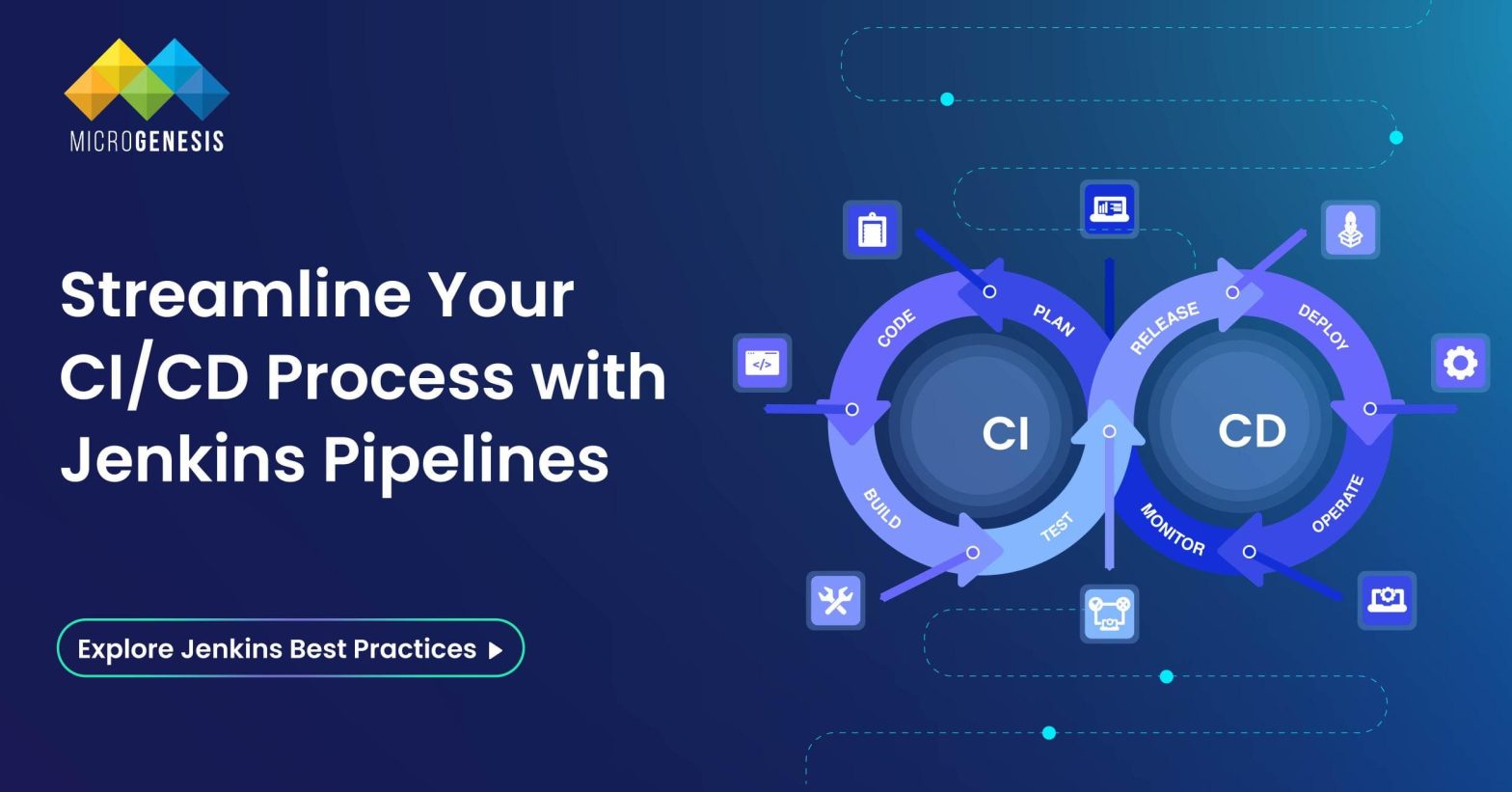
Jenkins Pipelines represent the backbone of modern software delivery, enabling developers to automate and streamline complex workflows efficiently. Whether you’re a seasoned DevOps engineer or a beginner exploring CI/CD concepts, mastering Jenkins Pipelines is pivotal for ensuring seamless software development, testing, and deployment.  What is a Jenkins Pipeline?  A Jenkins Pipeline is a robust set of automation tools within Jenkins, designed to support continuous integration and continuous delivery (CI/CD). It is a suite of plugins that enable defining and automating the build, test, and deployment phases of a software development process as code, known as Pipeline as Code.  This concept simplifies managing workflows and provides visibility, scalability, and resilience to the software delivery process, ensuring a streamlined approach to developing and deploying applications. Here’s a detailed exploration:  Key Features of Jenkins Pipeline (Expanded)  Jenkins pipelines use Groovy scripting to define workflows in text files like Jenkinsfile. This enables teams to version control their CI/CD processes alongside the application code. As workflows are stored as code, they are easy to review, share, and replicate, fostering consistency and collaboration.  Jenkins seamlessly integrates with numerous plugins, tools, and external services, such as Git for source control, Docker for containerized builds, and Kubernetes for orchestration. These integrations provide flexibility and adaptability to suit diverse project requirements and infrastructure needs.  With its ability to run jobs across distributed environments, Jenkins Pipelines can manage workloads for projects of varying sizes. It leverages master-agent architecture, allowing parallel task execution and efficient resource utilization, making it ideal for enterprise-level CI/CD systems.  Jenkins offers robust dashboards to monitor pipeline execution and performance metrics. These visual tools display detailed logs, job statuses, and build histories, enabling teams to quickly identify and address bottlenecks or failures in the pipeline.  Types of Jenkins Pipelines (Expanded)    Declarative Pipeline  Declarative pipelines are designed with a high-level, user-friendly syntax that emphasizes simplicity and readability. They are ideal for structured workflows and for users who are new to Jenkins. These pipelines are defined using a pipeline block, encapsulating all configuration details within structured stages. The syntax reduces complexity by providing built-in validation and error checking, which helps avoid mistakes in pipeline configuration. The declarative approach enforces a standardized format, making it easier for teams to adopt best practices and maintain consistency across workflows.  Key Features of Declarative Pipelines:  Scripted Pipeline  Scripted pipelines use the Groovy-based Domain-Specific Language (DSL) of Jenkins, offering advanced customization and dynamic functionality. They are well-suited for users with programming expertise who require flexible, programmatic control over pipeline behavior. Unlike declarative pipelines, scripted pipelines follow a free-form syntax, where workflows are defined using the node block. This allows users to incorporate loops, conditional logic, and external libraries, catering to complex CI/CD workflows.  Key Features of Scripted Pipelines:  Choosing Between Declarative and Scripted Pipelines  Selecting between declarative and scripted pipelines hinges on your project’s complexity and your team’s skill set:  Stages in a Jenkins Pipeline  1. Build Stage  The build stage focuses on compiling source code, managing dependencies, and preparing the application for further processes. This stage ensures that the codebase is correctly compiled and can involve tools like Maven, Gradle, or other build automation systems.  2. Test Stage  Testing is crucial to maintain software quality. In this stage:  3. Integration Stage  The integration stage validates that the combined code from multiple developers works cohesively. It resolves any conflicts, detects build issues, and confirms compatibility across various environments or platforms. As a DevOps service provider, we ensure seamless integration with expert tools and practices for efficient collaboration and error-free builds. 4. Deploy Stage  This stage automates the process of deploying the application to production, staging, or testing environments. It can include configurations for containers (e.g., Docker), virtual machines, or cloud platforms (AWS, Azure, GCP). Deployment pipelines often include rollback strategies and monitoring to ensure reliability.  Benefits of Jenkins Pipelines  1. Automation: Jenkins pipelines automate various repetitive tasks, such as building, testing, and deploying code, which helps to speed up the entire software development process. By automating these steps, developers can reduce manual intervention, ensuring a faster delivery pipeline while minimizing human errors.  2. Version Control Integration: Jenkins integrates directly with version control systems like Git, allowing teams to store pipelines as code. This integration ensures that the pipeline configurations are consistent, versioned, and auditable, enabling teams to track changes effectively and maintain codebase integrity.  3. Error Detection: Jenkins pipelines help detect errors early in the development cycle by running automated tests after each code change. Identifying and addressing issues at the earliest stages helps prevent delays in the later stages of the development process, ultimately leading to lower costs and better quality.  4. Team Collaboration: Jenkins provides a central platform where developers, testers, and operations teams can collaborate. With a unified view of the pipeline, all stakeholders can efficiently communicate, share progress, and ensure that the delivery pipeline is running smoothly. This promotes better teamwork, accountability, and continuous improvement across teams.  Read more: What Is DevSecOps and How Does It Work? Best Practices for Using Jenkins Pipelines  Common Challenges and How to Overcome Them  Solution: Regularly review and refactor pipelines to ensure they remain easy to maintain. Use modular and reusable components to simplify ongoing updates and changes.  Solution: Scale Jenkins infrastructure by adding more nodes and adjusting resource allocation to prevent bottlenecks during high-load builds.  Solution: Implement a robust testing strategy that includes unit, integration, and functional tests. Identify flaky tests and handle them with retry mechanisms to reduce false negatives.  Solution: Regularly audit pipeline configurations and use best practices for secret management. Apply security plugins to restrict access and minimize risks.  Advanced Features of Jenkins Pipeline  Conclusion  Jenkins Pipelines revolutionize the CI/CD process, offering developers an efficient, automated, and collaborative way to manage software delivery. By adopting pipelines, teams can ensure quality, scalability, and faster time-to-market for their applications. At MicroGenesis, a trusted digital transformation company, our DevOps consulting services empower businesses to harness the full potential of Jenkins Pipelines, delivering tailored solutions that align with your operational needs. Explore… Continue reading Mastering Jenkins Pipelines: A Comprehensive Guide to Building, Testing, and Deploying Software with Ease