Ultimate Guide to DevOps

Ultimate Guide to DevOps

What Is DevOps?

BROWSE TOPICS
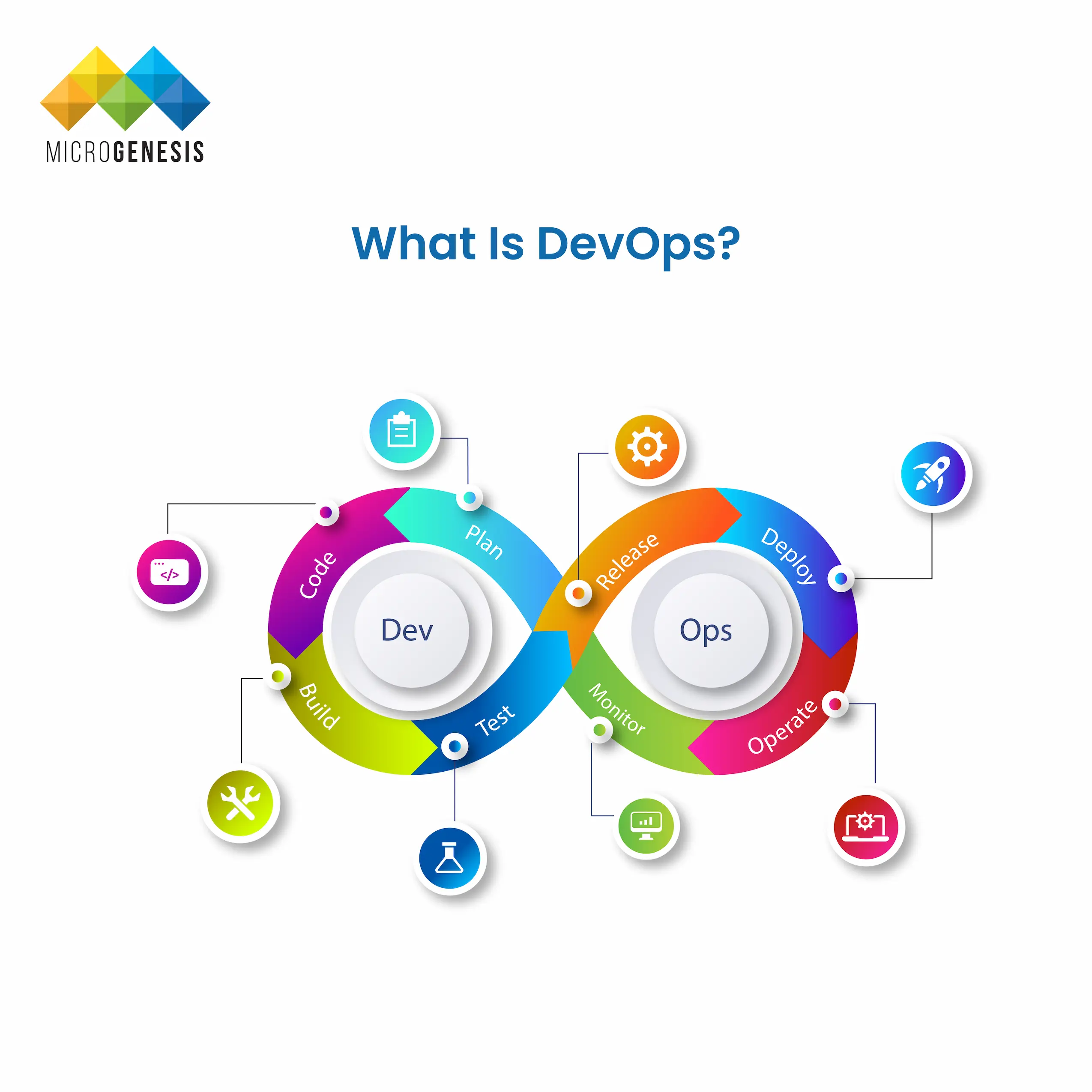
What is DevOps

Understanding DevOps

DevOps is that silent hero bridging the gap between speedy development of innovative products and IT operations to ensure that the business wins every time. It’s not just a buzzword, but is rather a transformative approach that is reshaping how we build and deliver software. In fact, according to research by Global Markets Insight, the DevOps market is expected to expand by 20% CAGR from 2023 to 2032 to be worth more than $70 billion. This demand is driven by the urgent requirement to reduce the time taken to develop software and the time-to-market.

In the application release process at IT firms, the development department is primarily responsible for designing, coding, and building the applications. And, the operations department manages servers, ensures security, oversees scaling, and maintains backups within the business system. DevOps software development method integrates and streamlines development (Dev) and operations (Ops) workflows to improve collaboration and productivity.

In this article, we’ll learn the A-Zs of DevOps and understand why engaging with a devops service provider will benefit your business.. Read on to know about the best practices and how you can leverage DevOps principles in the best way possible.

The DevOps Culture
DevOps culture

The DevOps concept eliminates issues that arise during the development process. Its primary purpose is to make the entire process less hectic.

DevOps is not just a set of practices; it’s a cultural shift that DevOps services companies and organisations involved with devops consulting services need to embark on. This isn’t an easy task. According to a survey report by Markets and Markets, 84% of the respondents have reported facing challenges in DevOps implementation. That, however, only goes on to establish the importance being laid on DevOps services and DevOps culture.

To understand its culture better, we must know how it functions. It promotes a collaborative environment where developers and operations teams share responsibilities and insights. This culture of shared responsibility and transparency leads to better problem-solving and innovation.

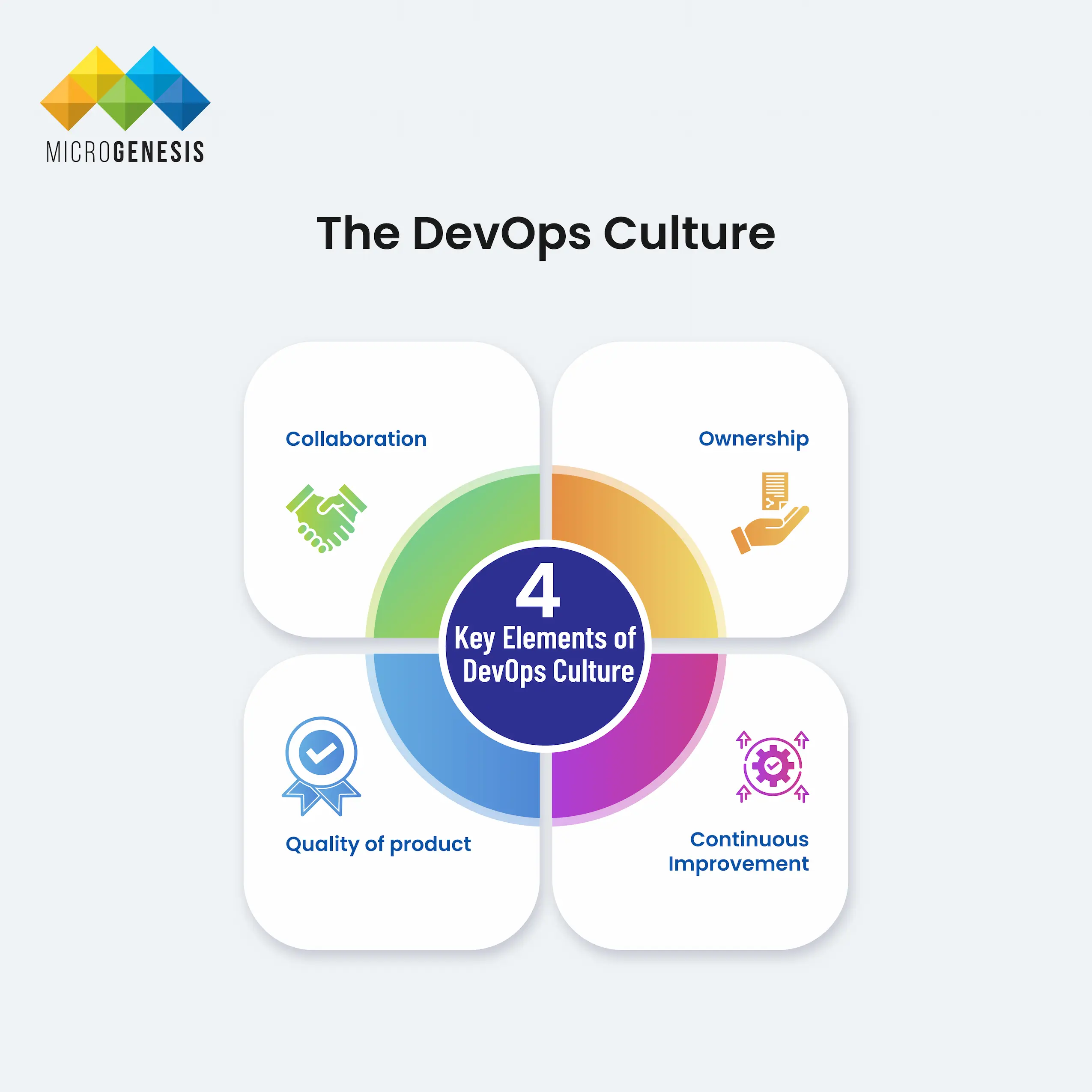
Key elements of DevOps culture include:

  • Collaboration: Development, operations, and other stakeholders work together throughout the DevOps software lifecycle (DevOps SDLC).
  • Ownership: Teams are responsible for the entire application lifecycle, from development to deployment.
  • Quality of product: increases
  • Continuous Improvement: Teams constantly seek ways to improve processes, tools, and collaboration.

DevOps culture is all about fostering collaboration and communication across teams. Instead of working in isolated silos, teams come together to share responsibilities and insights. This cultural shift promotes a more holistic approach to software development and operations, where everyone works towards a common goal: delivering value to the customer.

DevOps Practices and Methodologies
DevOps Practices and Methodologies

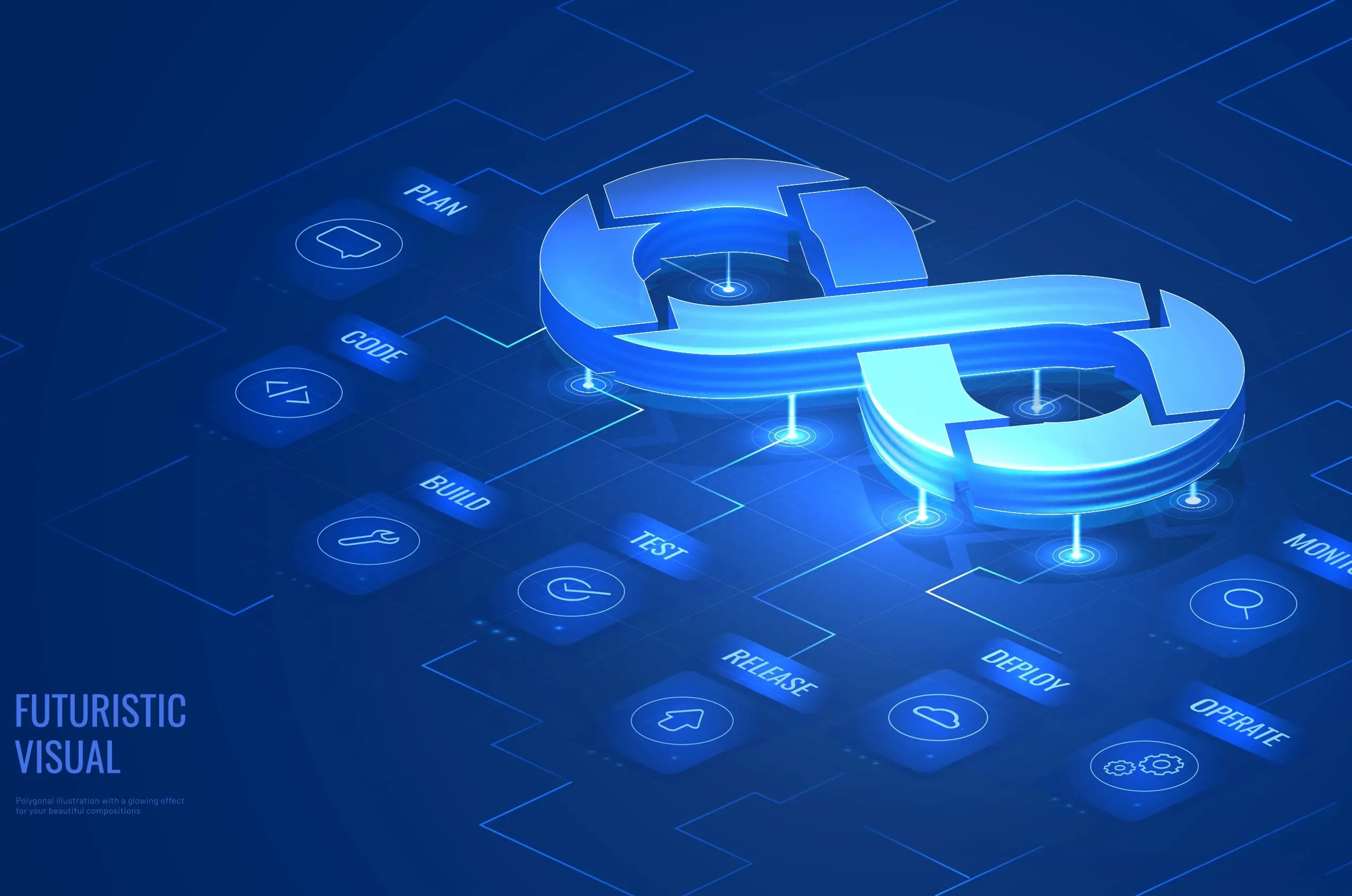
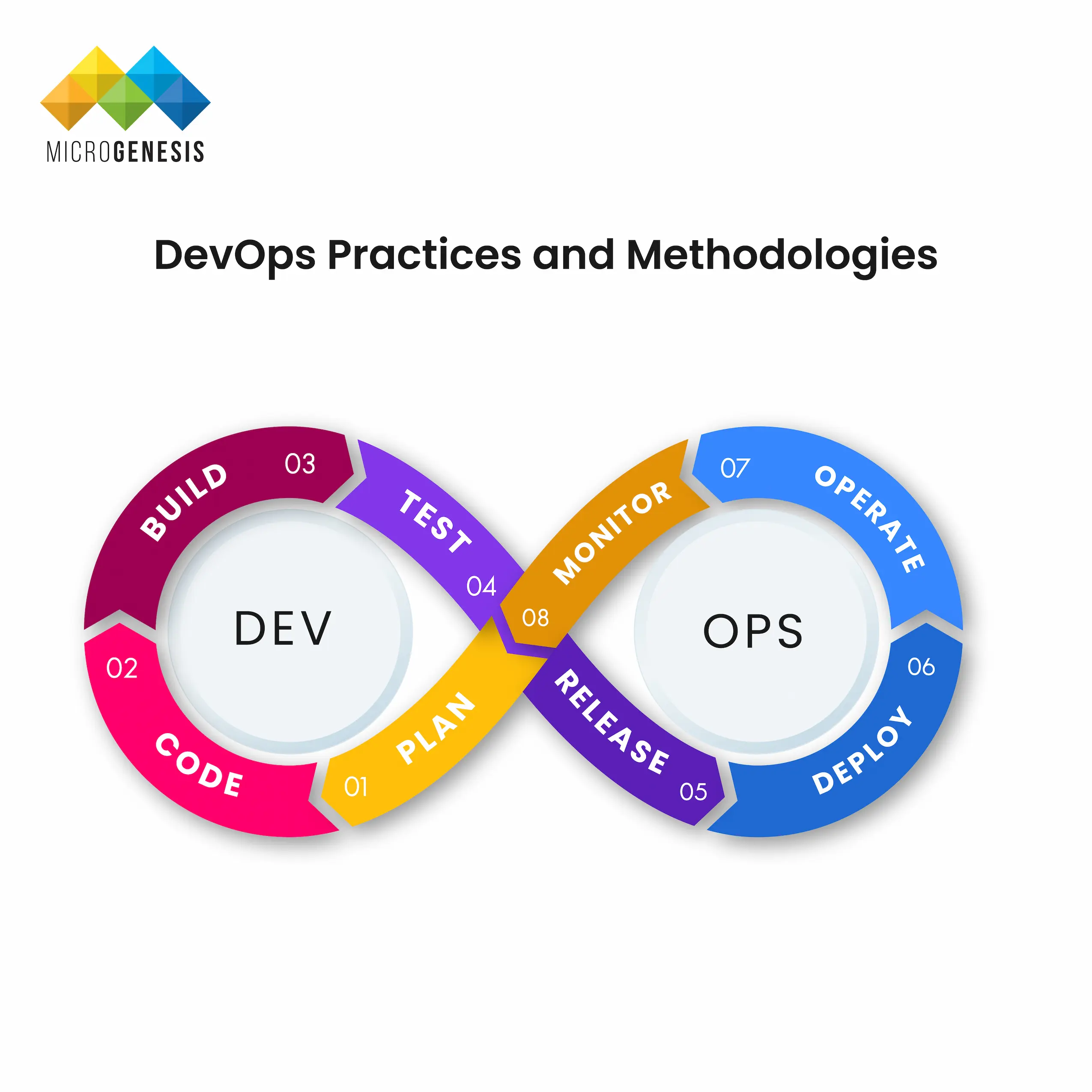
Companies rely on DevOps to keep things running smoothly like a well-oiled machine. All companies aspire that their development and operations departments work harmoniously, understanding the importance of that collaboration to reduce time-to-market. DevOps brings that dream into reality. DevOps creates a continuous cycle that spans from end to end, enabling companies to ensure that they execute each product development and deployment phase efficiently and effectively. Gartner predicts that 80% of software engineering firms will establish platform teams by 2026 to achieve exactly this.

Learn more about Why DevOps is Essential for Enterprise Business Success.

    Let's break down the complete process:
  1. Plan:
  2. This is the initial and perhaps the most important phase, where teams determine what needs to be built. Planning involves gathering all the requirements, setting goals, and defining the features and functionalities of the final product.
  3. Code
  4. In the next phase, developers write the code to build the final product. This phase involves creating the software’s architecture and developing the necessary features and functionalities.
  5. Build
  6. Once the developers write the code, they compile it to create a product build. This involves integrating various code modules and ensuring they work together as intended.
  7. Test
  8. The application or product undergoes rigorous testing to identify any bugs or issues. This includes unit, continuous integration, and end-to-end tests to ensure the product functions correctly.
  9. Release
  10. After successful testing, the product is prepared for release. This involves packaging the software and making it ready for deployment.
  11. Deploy:
  12. In this phase, the team deploys the product to the production environment. This could be a cloud server, a data center, or any other infrastructure setup that supports the application.
  13. Operate:
  14. Once deployed, the operations team manages the application in the live environment, ensuring its availability, performance, and security.
  15. Monitor
  16. Continuous monitoring is essential to tracking the product’s performance and health. Monitoring tools gather data on how the application functions and identify potential issues.

As you can see, DevOps is a comprehensive approach encompassing planning, coding, building, testing, releasing, deploying, operating, and monitoring. This diffrent DevOps lifecycle stages allows companies to deliver high-quality products quickly and reliably, enhancing their ability to serve customers efficiently and compete in the market.

DevOps Automation

DevOps automation entails using tools, technologies, and processes to automate various stages of the software development lifecycle (SDLC) and the operations workflow. It’s the secret sauce that eliminates manual, repetitive tasks and supercharges efficiency at every level.

DevOps automation encompasses infrastructure provisioning, code compilation and testing, deployment, monitoring, and more. Organisations can achieve faster, more reliable software delivery through automation. According to the Global State of IT Automation 2024, 82% of respondents are looking forward to updating or expanding their IT automation tools.
Automation, in turn, helps them stay competitive and responsive to market demands. That’s not all. The hidden benefit is that DevOps automation allows to include more strategic work by freeing time. This way, one can focus on other things, such as enhancing features and improving user experience. That’s what sells, after all!

Continuous Feedback and Improvement:
Continuous feedback and Improvement

DevOps software development thrive on a culture of continuous learning and adaptation. This means constantly gathering feedback to refine processes, applications, and team member skills. This feedback loop allows teams to stay agile, respond quickly to evolving needs, and deliver software faster.

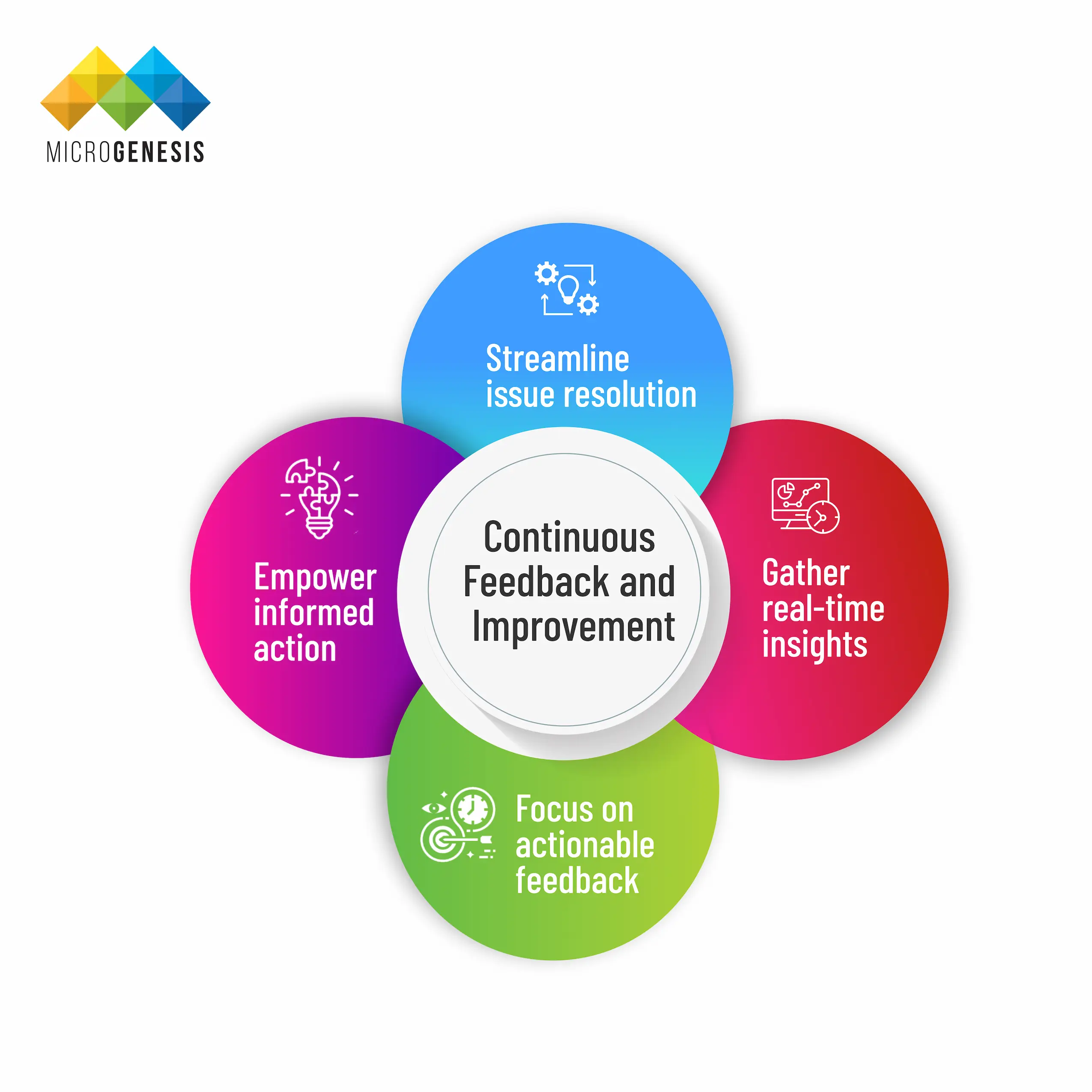
    You can strengthen your DevOps feedback loop with these critical practices:

  1. Gather real-time insights: Continuously collect data on code changes as they progress through the pipeline.
  2. Empower informed action: Share this data with relevant teams to facilitate informed decision-making.
  3. Streamline issue resolution: Establish clear procedures for addressing problems and implementing ongoing improvements.
  4. Focus on actionable feedback: Analyze data to identify critical trends and reduce irrelevant information. Continuously measure success to track progress.

Continuous feedback is a DevOps superpower:

The approach that seeks feedback is applied across all DevOps principles and stages, from planning to monitoring. Feedback can come from various sources during continuous planning, such as post-deployment usage data, customer reviews, incomplete user stories, and user behaviour analysis. By incorporating this feedback, you can continuously refine your development process.

Measuring DevOps Success

Like any other software, several metrics can be regarded as the industry standard for evaluating the success of software delivery in an organisation. These can be your secret weapons to quickly spotting bottlenecks that may be slowing down your delivery process. Identifying errors in deployed code that cause failures also becomes much easier.

The insights provided by DevOps metrics are data-driven, which can help you improve continuously and deliver more value to your customers.

DORA, Google’s DevOps Research and Assessment team, has identified four key metrics, briefly discussed below, along with the other seven metrics, to help you measure your team’s performance improvement.

Here are some key areas to consider when measuring DevOps success:
  • Deployment Frequency: Have you ever wondered how often you deploy new features and fixes? The frequency of deployments, or deployment frequency, is among the defining metrics in DevOps. It helps understand how quickly an organisation can deliver the promised value to its customers. Here’s a breakdown of deployment frequency based on performance levels:
  • Elite Teams: Achieve on-demand deployments, meaning their software is constantly in a releasable state and ideally deployed daily. This signifies a highly agile and low-risk development process.
  • High-Performing Teams: Deploy frequently, potentially several times a week. Smaller deployments minimise risk and enable continuous delivery, allowing quicker feedback and iteration.
  • Low-Performing Teams: Deploy infrequently, with significant releases happening over months. This approach can hinder velocity and significantly increase the impact of deployment failures.
The Benefits of Frequent Deployments:
  • Reduced Risk: Smaller deployments help minimise the potential damage that bugs or errors can cause. In case of an issue, it becomes easier to identify and fix it within a smaller codebase.
  • Faster Feedback: Frequent deployments allow quicker user feedback, enabling teams to iterate and improve features rapidly.
  • Increased Agility: The ability to deploy frequently empowers teams to adapt to changing requirements and market demands more readily.
How to Increase Your Deployment Frequency:
  • Shrink Deployment Size: Focus on releasing a single feature or change at a time rather than bundling multiple features into large deployments. This minimises the complexity and risk associated with each deployment.
  • Automate Testing: Implement automated testing processes to ensure the quality and functionality of your code before each deployment. This streamlines the deployment process and frees up team resources.
  • Infrastructure as Code (IaC): Utilizing IaC tools to automate infrastructure provisioning and configuration ensures consistent environments and helps simplify the deployment process.
These strategies can help you move towards a frequent deployment model, enabling faster delivery, reducing risk, and ultimately providing a competitive edge. Below are some other metrics that can help you evaluate DevOps success: Lead Time for Changes: Lead time is a crucial metric for DevOps. It refers to the timeframe needed for a bug fix or the latest feature to move from your code to the actual product used by customers. This lead time should be as short as possible because shorter lead times signify a more efficient workflow. You need to optimise your processes and tools continuously. This way, you can strive to achieve these shorter lead times, ultimately leading to a more efficient and responsive development cycle. Mean Time to Recovery (MTTR): Mean Time to Recovery (MTTR) is another important metric in DevOps. Remember that a low MTTR signifies a more robust and resilient system. Focus on building strong systems and implementing effective recovery procedures; we can strive for a lower MTTR. This translates to less user disruption and ensures our systems’ stability and reliability. Change Failure Rate: Ideally, every change you make to the code should translate into a working feature or fix in production. However, sometimes it may not happen. The change failure rate, which reflects the percentage of changes that lead to production issues, measures the change of failure. You’d want this rate to be as low as possible. A lower change failure rate indicates higher quality code and more reliable deployments. One can strive for a lower change failure rate by focusing on rigorous DevOps test practices and maintaining a culture of code quality. Focusing on these critical areas gives you a holistic view of your DevOps success. Remember, DevOps is a journey, not a destination. Use these metrics to identify areas for improvement and continuously refine your practices to deliver even greater value.

DevOps and Organizational Change

By now, you would have understood that DevOps is not limited to simple practices and tools for operations and development teams. It goes beyond that, enabling organisations to understand the importance of changing management to ensure a DevOps successful implementation.

Before getting into the best practices and examples of implementing organisational change management in DevOps, let us have a look at the benefits related to the same:

    • Fewer crashes: By planning changes carefully, there’s less risk of something going wrong and causing downtime.
    • Teamwork makes the dream work: Everyone involved (like the drivers and mechanics) is on the same page about what’s happening, so they can work together effectively.
    • Following the rules: Change management helps ensure everything stays compliant and above board.
    • Learning from experience: By tracking changes, the team can see what worked well and what didn’t, which helps them improve for next time.
    • Adapting on the fly: When the race (or business needs) change, the pit crew (or DevOps team) can adjust their routine to keep up.

Here, we have discussed some best practices for implementing organisational change management in DevOps:

  • Clear Communication: Just like the pit crew needs to know exactly what’s happening during a stop, the importance of strong communication between development and operations teams (think drivers and mechanics) cannot be overstated. Chat apps, video calls, and DevOps collaboration software can keep everyone informed.
  • DevOps Mindset: As reiterated several times, DevOps is primarily about teamwork! A DevOps culture is rooted in DevOp collaboration, automation, and constantly learning from experiences. It means encouraging experimentation and innovation and being open to improvement. 
  • Executive Buy-in: The team owner (executives) must see the value of a good pit crew (DevOps). Build a strong business case demonstrating DevOps’s benefits, like faster deployments and fewer crashes. Keep them engaged and show them how DevOps helps the organisation win the race.
  • Continuous Improvement: The best pit crews constantly refine their routine based on experience. In DevOps, this means having a culture of constant improvement. Review processes regularly, monitor performance, and gather feedback to identify areas for improvement. Embrace automation and data analysis to learn from mistakes and make adjustments based on what works and what doesn’t. This keeps your software running at peak performance.

Now let us understand it better with the help of some examples given below:

A, Speeding Up Pit Stops (CI/CD)
Imagine constantly improving your pit stop routine. Change management helps plan and automate these “mini-changes” to make them smoother and faster, getting the car (your.) back on track quicker.

Read more about the five best CI/CD tools for your team here.

B. Building with Blueprints (Infrastructure as Code)
Think of your car’s design. Change management ensures everyone follows the exact blueprint (code) when building or fixing parts of the vehicle (infrastructure). This reduces errors and keeps everything consistent.

C. Adapting on the Fly (Agile Development)
The race (business needs) can change. Change management helps your pit crew (team) adapt their routine quickly by working together in short bursts and incorporating feedback to keep the car (software) running smoothly.

D. Talking it Out (ChatOps)
Clear communication is critical during a pit stop. Change management encourages using chat tools to keep everyone informed and resolve issues faster, getting the car back in the race sooner.

E. Keeping an Eye on the Engine (Monitoring and Analytics)
Monitoring the car’s vitals (system performance) is important for the entire process. Change management helps establish clear guidelines for tracking these vitals and fixing any problems that arise quickly, keeping the car running smoothly.

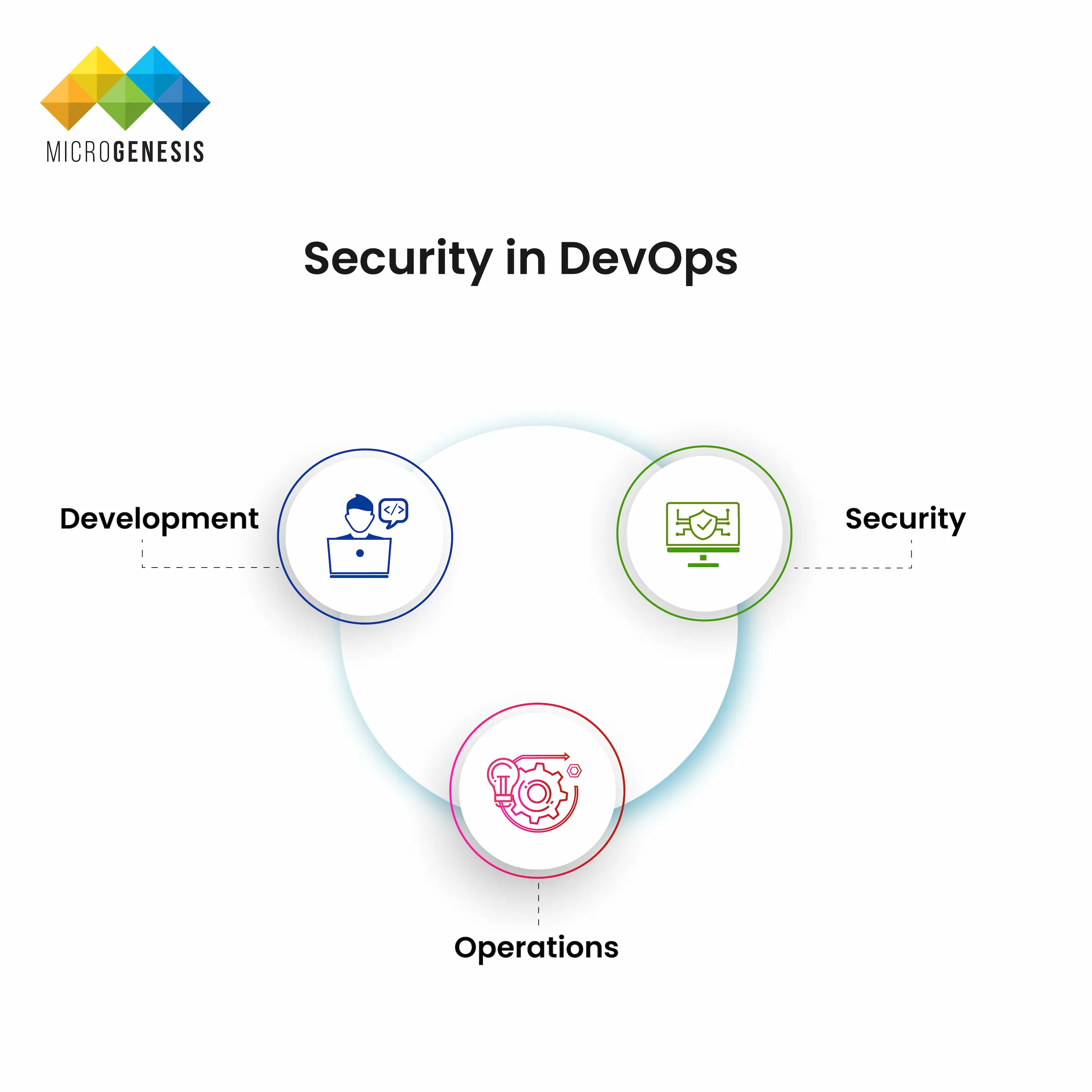
Security in DevOps
Security in DevOps

As discussed previously, organisations often have separate departments for software development and IT operations. These teams working independently may create challenges when integrating new features or fixing bugs.

Enter DevOps as the bridge between the two. DevOps promotes collaboration between development and operations by opening up mandatory communication throughout the entire software development lifecycle (DevOps SLDC). Developers write code with the needs of IT operations in mind, ensuring features are robust and function smoothly and securely for the end users.

With DevOps, it is now possible to ensure that new features and bug fixes can be released more frequently in smaller increments. This continuous delivery approach, facilitated by DevSecOps minimises disruption to business operations. Additionally, security is a core consideration from the beginning, reducing the risk of vulnerabilities in the final product. In the face of growing threats from data breaches, more and more companies are seen adopting DevSecOps to achieve agile development techniques with improved security. According to DataBridge Market Research, the DevSecOps market is expected to reach $23.16 billion by 2029, translating to nearly 31.5% CAGR 2022-2029.

Overall, DevOps creates a more streamlined and efficient software development process. By working together, development and IT teams can deliver a faster, more reliable, and ultimately more secure software experience for everyone involved.

Learn more about DevSecOps here.

DevOps Collaboration and Communication

Sometimes, separate development and operations teams can lead to a communication gap. This "siloed" approach often leads to finger-pointing and delays when integrating new features or fixing bugs.

DevOps tackles this by breaking down these silos and promoting collaboration between development, operations, and other teams. Everyone works together from the start, focusing on the same goal: delivering a high-quality product on time and within budget.

Communication is vital in this collaborative environment. Traditionally, development and operations speak different "languages," making it difficult to discuss problems or needs. DevOps encourages open communication throughout the entire development process. This means developers consider operational needs when building features, ensuring a smooth and secure experience for end users.

There are several ways to promote communication and teamwork in DevOps:

  1. Cross-functional teams
  2. These teams combine developers, DevOps test, operations personnel, and others. Everyone contributes to a shared codebase, fostering better understanding and communication. Building custom DevOps in test automation frameworks creates a knowledge silo, hindering new team member onboarding and slowing down overall efficiency.
  3. Full-stack developers
  4. These developers can handle tasks beyond coding, like testing or database administration. This versatility improves communication within the team.
  5. Automatiom
  6. Automating tasks like security testing reduces the workload and allows for faster deployments. This frees up time for teams to collaborate on more complex issues.

    The bottom line is that communication and collaboration are essential for success in today's fast-paced development environment. By breaking down silos and fostering teamwork, DevOps culture ensures a smoother, more efficient agile development DevOps process for everyone involved.

Scaling DevOps: Growing Your Practices

DevOps agile software development is fantastic for streamlining development and operations, but what happens when your organisation grows? Here’s how to effectively scale your DevOps practices, with a strong emphasis on fostering collaboration DevOps across all teams:

    • Embrace Automation:

Repetition is the enemy of scaling. To avoid this, you must automate everything you can, from infrastructure provisioning to testing and deployment. This frees up your team to focus on more strategic initiatives.

    • Focus on Smaller Deployments:

Break down significant feature releases into smaller, more manageable chunks. This minimises risk and allows for faster feedback loops, ensuring a smoother delivery process.

    • Invest in Monitoring and Analytics:

Implementing powerful monitoring tools to track performance metrics can be one way to identify potential bottlenecks. This allows you to address issues proactively and helps optimise your DevOps pipeline.

    • Cultivating a Culture of Collaboration:

It is now a fact that DevOps thrives on teamwork. Encourage open communication between development, operations, and other teams. 

You can use some tips for ensuring collaboration across departments:

  1. Shared Tools and Strategies:
  2. The tools and strategies you use to communicate may vary based on where you sit in your company, but there are a few best practices that engineering teams use that can be applied to non-engineering teams. Consider pairing up on projects, even for non-coding tasks like design or marketing campaigns.

  3. Cross-functional Collaboration:
  4. Explore tools like GitLab that can be used for collaborative project management across teams, even for non-technical users.

  5. Creative Communication Channels:
  6. Think outside the box! Consider asynchronous communication methods, like podcasts or internal knowledge bases, to cater to globally distributed teams or those with different work styles.

Ultimately, it is essential to remember that scaling DevOps is a journey, not a destination. By adopting these practices and continuously iterating, you can ensure your DevOps approach grows alongside your organisation, with collaboration DevOps at the core.

DevOps Leadership and Governance

Some organisations believe that DevOps is best used to speed up the process. While it is a powerful approach for streamlining software development (DevOps SLDC), speed shouldn’t come at the expense of control. The key to maximising your DevOps investment lies in understanding the importance of DevOps governance. This framework establishes responsible practices, ensuring your organisation gets the full benefits of a agile software development and DevOps process.

Here are some examples of the same:

  • Promotes Risk Awareness: New initiatives always carry some risk. DevOps governance helps everyone involved understand potential problems and how to mitigate them. This fosters collaboration and ensures controls are seen as safeguards, not roadblocks.
  • Improves Compliance: Every industry has regulations to follow. DevOps governance helps ensure your DevOps practices align with those regulations. This includes automating processes and change management to minimise compliance risks.
  • Secures Development: Governance establishes precise access controls. Developers and testers can only access the necessary resources, reducing the risk of unauthorised changes or security breaches.
  • Eases Code Management: Continuous delivery can lead to errors. DevOps governance promotes the “Cleanroom model,” which ensures proper tracking and monitoring of code changes. This prevents the introduction of bugs or security vulnerabilities.

Most organisations are realising the importance of DevOps and are incorporating it into their systems. But to truly succeed, organisations need to balance the benefits of speed with proper controls. DevOps governance is quintessential for maximising return on investment and ensuring your development process is secure and compliant.

Services

DevOps
DevOps consulting services
Related posts
Ultimate guide to project management Tool

Ultimate guide to project management Tool

Ultimate Guide to Project Management

BROWSE TOPICS

Ever wondered what truly drives a project’s success? Whether it is launching a groundbreaking product, or developing cutting-edge software. The secret lies in proficient project management.

A project management software ensures every detail is meticulously tracked, and deadlines are confidently met. Tools like Jira empower teams to enhance their workflows, allocate resources with precision, and overcome challenges with confidence.

As per the data from the PMI’s Talent Gap Report, 23% of the modern institutions are using project management techniques, with software tools. This is a great indicator for significant future growth of the project management systems.

So, are you ready to revolutionise your project management? Dive into the world of top-notch tools and techniques today!

What is Project Management and Project Management Software?

Project management is a process that involves the act of planning, organising, and managing a project to achieve ultimate goals or outcomes.

The outcomes are meant to be achieved within specific time constraints determined by the client or the project manager. It involves tasks like setting objectives, tracking progress, and ensuring successful project completion.

Project management software on the other hand is just a tool that helps you in achieving the project outcome within a short period of time. Moreover, as per Zippia reports, we can see that 71% of the global organisations are using project management software in some capacity.


Key Takeaways:

  • Managing projects is not as simple as it may look, and consists of a number of factors linked together in streamlining work.
  • Project management is one of the most versatile ways to logically arrange and execute each phase of a project in a smooth manner.
  • The project management software is a tool that helps to offer control in flow of projects using different live tracking project boards.

Understanding Basic Components of Project Management

Basic components of Project Management

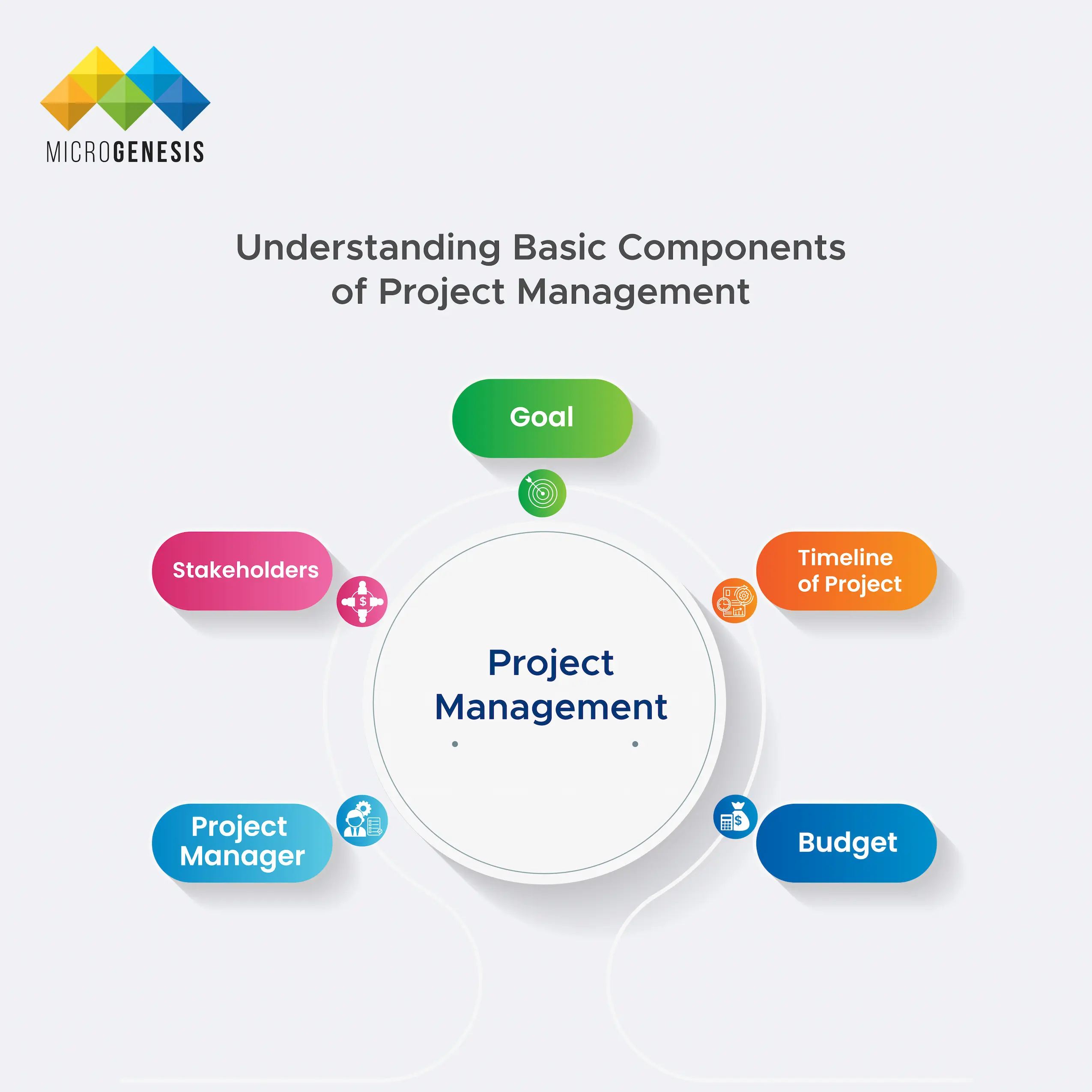
To understand what is project management you also need to learn in detail about the components involved in a project. The components that constitute a project are as follows:

  1. Goal:
  2. The goal is to understand what you are trying to achieve. This is generally understanding the deliverables that you need to produce at the end of the project.
  3. Timeline of Project
  4. This is generally the timeline that you are intending for the project to run.
  5. Budget
  6. Budget is an essential component that strictly binds the project cost within a certain threshold. This must be strictly maintained to achieve profits and limit excessive spending.
  7. Stakeholders
  8. These can be both internal and external to an institution. Everyone involved in the project starting from the employees to other third parties can fall under this aspect.
  9. Project Manager
  10. This same person makes sure that project is executed on time and its deliverables are met accordingly.

Now let us have a look at the scope of project management for project managers. The scopes of project management are as follows:

  1. Build a plan and execute it :
  2. Project managers oversee plotting out the perfect plan for the course of the project. Coupled with an efficient project management software these people can help in efficient management and execution of the project.
  3. Assemble the Entire Team :
  4. Every project needs a proper team and each team needs to have a proper subject matter expert. Finding these experts or utilising their skills is essential for a project. A project guide helps to understand all the project requirements and then assign respective parts of the task to specific people.
  5. Assigning Tasks

Importance of Project Management

Project management is complex, to say the least, as it requires a lot of attention to detail and coordination.

In any organisation or industry, the success of a project is ultimately measured by the value and impact of its deliverables over time.

You will be surprised to know that, as per Kissflow reports, only 25% of the companies use project management software. As a result, 75% of the organisations are unable to track KPIs and are presently underperforming as per the same report.

Thus, Project management software has become crucial in managing the whole operation.

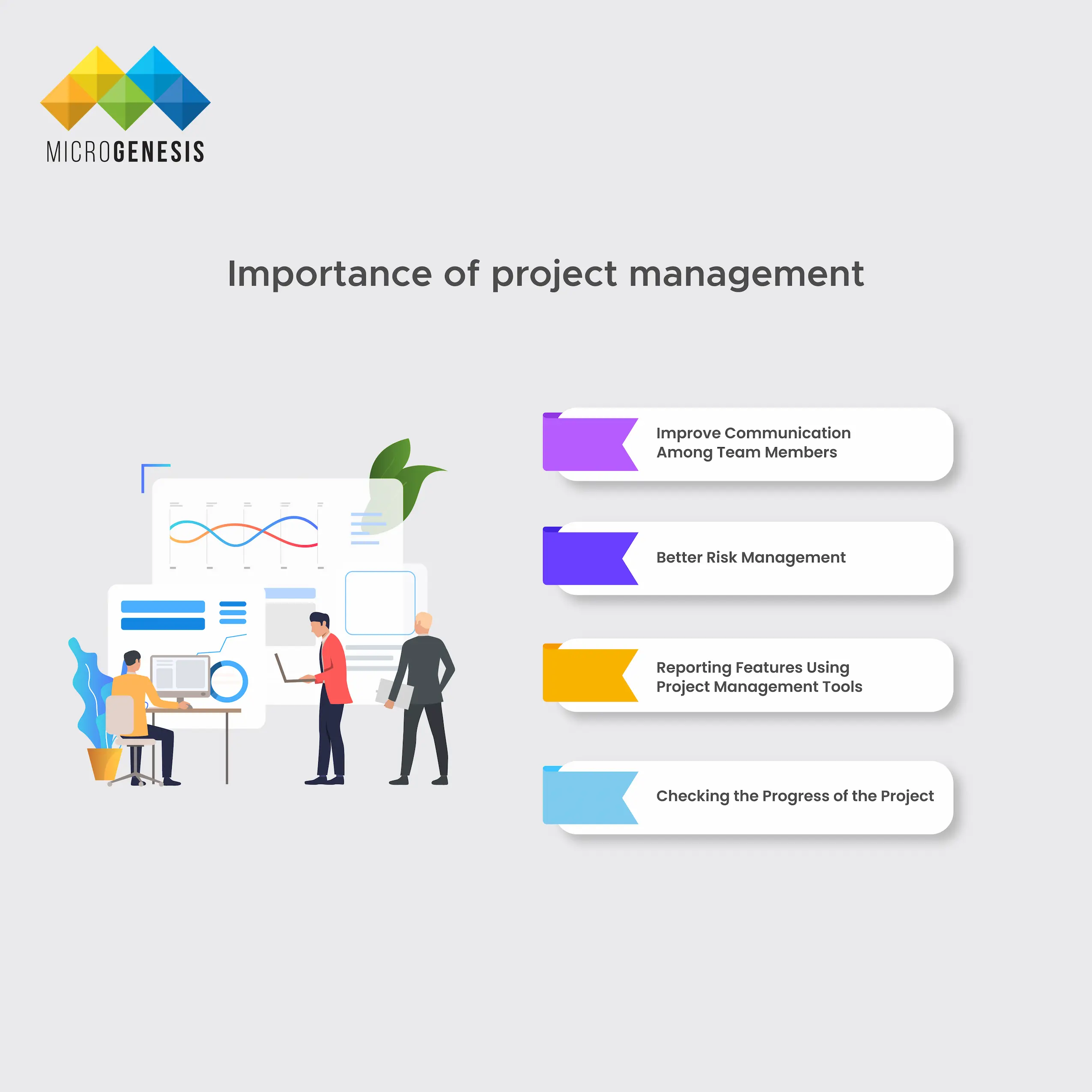
Here are some of the important points a project management tool helps to solve:

Importance of Project Management
  1. Improve Communication Among Team Members
  2. Maintaining a spreadsheet and updating statuses for each part of the tasks being completed becomes hectic. When you use a project management system it centralises the whole point of operations and communicates the status of individual projects to the whole team.
    Such centralised communication ensures that the whole team is aligned and there are fewer chances of errors.
  3. Better Risk Management
  4. Project management software also helps to identify, manage, and mitigate the risks in a project. It serves as a tool, which helps to identify threats that may be present in the system and take appropriate measures. Due to the visibility of the tasks, a different member of your team can check if there are some errors and avoid risk in down-the-line processing.
  5. Reporting Features Using Project Management Tools
  6. With project management tools, generating project-specific reports becomes much simpler. These reports aid stakeholders in making informed decisions and gaining a clear understanding of the project's progression.
  7. Checking the Progress of the Project
  8. One of the crucial uses of the project management tool is that it helps in assigning tasks and maintaining deadlines. Moreover, it also facilitates a project manager to track real-time data regarding completion of projects.

Key Takeaways:

  • Project management tools help to manage project managers and consistently help their aim to improve communication among the team members.
  • Project management process is improved when there are reporting features available in the tools used.
  • It also helps to reduce the chances of risks in a project and identify if there are some threats present in the system.

Understanding the Project Life Cycle

understanding the project life cycle
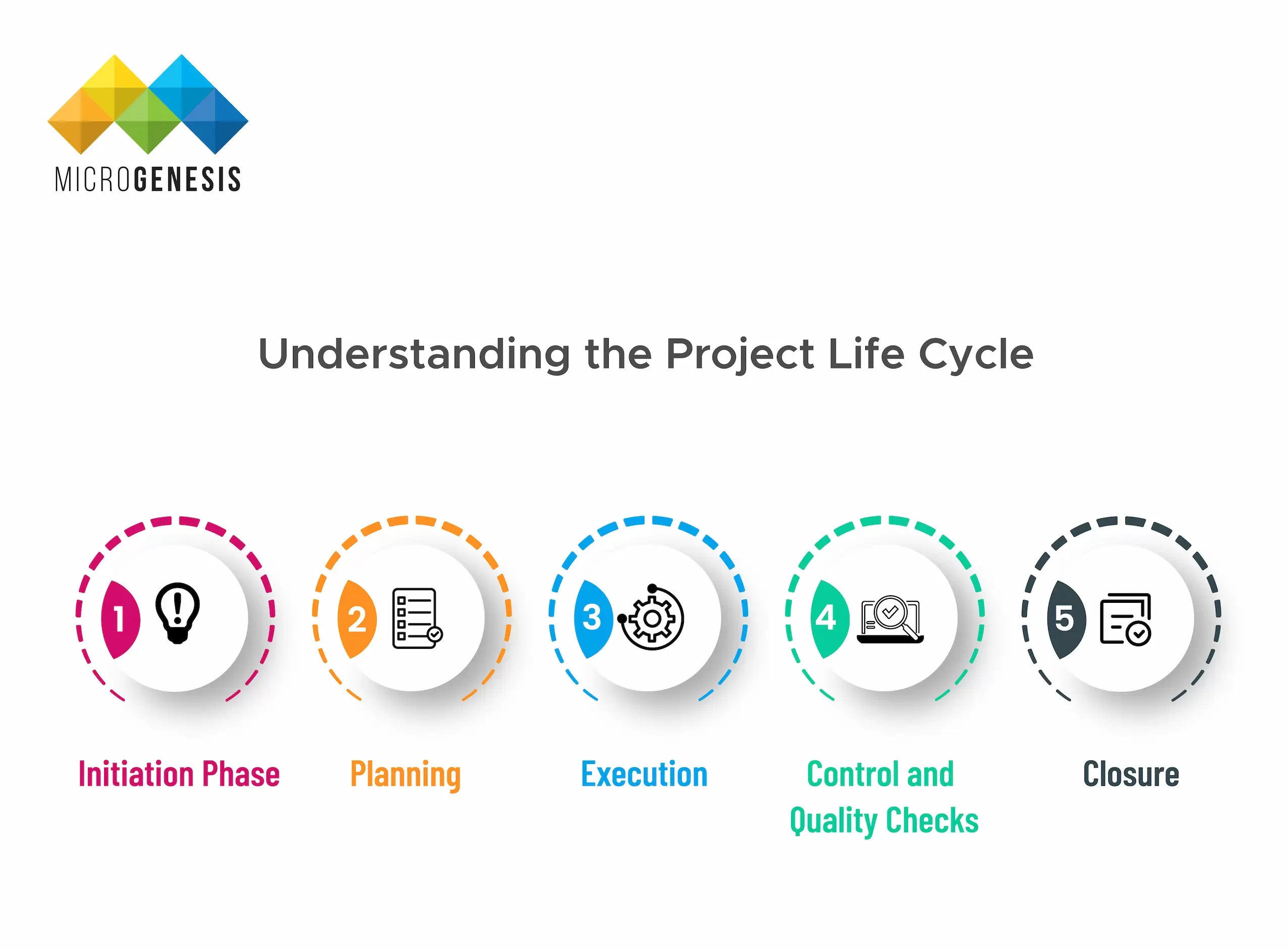
It is important to note that producing high-quality results in a project needs an advanced understanding of the project lifecycle. Essentially, the project lifecycle serves as a guiding concept, aiding in the identification of project objectives and providing a systematic framework for its successful execution. There are 5 unique stages in a project lifecycle, they are:
  1. Initiation Phase
  2. This is a documentation and preliminary brainstorming session, involving planning the project and how it needs to be executed. The initiation phase includes preparing a project proposal, the scope of the project, tentative project dates or milestones, and assigning responsibility to specific team members.
  3. Planning
  4. Planning involves understanding the project inside out and then chalking out an effective roadmap to achieve it. This phase also requires project managers to assemble a team based on the individual expertise of its members.
  5. Execution
  6. In this phase, the project has already begun and involves the project manager or a project management tool to efficiently help in the collaboration of team members. A centralised project management system is utilised at its full capacity in this section of the project life cycle.
  7. Control and Quality Checks
  8. Control and quality checks happen in conjunction with the project lifecycle itself. This phase involves tracking progress, reporting, and identifying issues all at the same time. In other words, this stage generally runs parallel and creates a feedback loop that helps in generating accurate results or deliverables for the clients.
    There may be some formal and informal meetings between internal stakeholders (excluding or including clients) to manage issues. Moreover, project management software also helps in reporting KPIs to ensure that the project remains on track.
  9. Closure
  10. The last phase of the project lifecycle where the entire output generated is delivered to the client. This phase contains some basic inspections of the result and resolves any issues that persist in the deliverable.  

The table below shows the concise journey of managing projects from its start to end:


Initiation Phase  Planning  Execution  Control and Quality Checks  Closure  
The goal lies in defining the project to both internal and external stakeholders.  Creating a roadmap for everyone in the project to follow.   In this stage, the team is finalised and the team works together getting the deliverables.   Internal feedback loop that helps to check the quality of the deliverables or identify errors crept in during development.   Total output for the project is achieved. The project closes and the team dissolves or moves for other projects.  
Additionally, the managers review all the documentation processes and ensure that payment for the work is complete.  

Methodologies of Project Management and Related Models

Methodologies of project management and related models
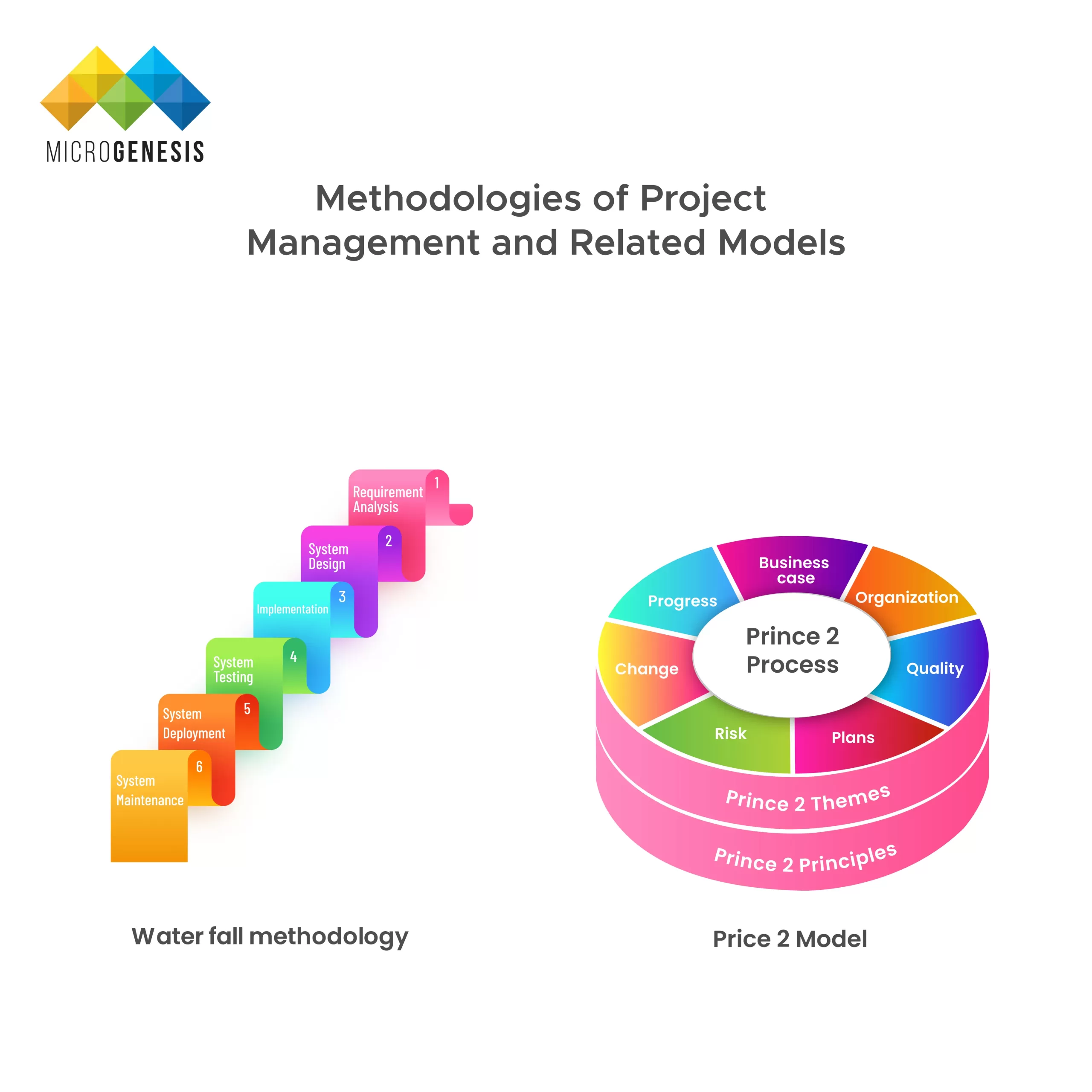
There are two project management methodologies, traditional and modern. Let us start our discussion with the traditional methods first! Traditional methods are rigid and have slower feedback loops compared to other methodologies. Due to their rigid nature, they work well with projects that are known, and their outcomes are easily predictable. Examples of 2 traditional methods of project management models are:
  1. Waterfall
  2. This is a unidirectional methodology of project management where each phase is completed first before the next one. There are six phases of the waterfall model:
    1. Note requirements.
    2. Make an appropriate design of the workflow system.
    3. Implement a proper plan of workflow.
    4. Test each element of product and service.
    5. Deliver the products or services to the system.
    6. Ensure a stable connection for providing maintenance.
  3. PRINCE2
  4. PRINCE2 stands for ‘PRojects IN Controlled Environments Mark 2’, and is a system developed by the UK government. The approach is almost similar to the waterfall model but has seven phases:
    1. Present the viability of the project.
    2. Identify the scope of the project and risks to create a plan.
    3. Obtain any authorisation or directions from the management itself.
    4. Monitor the work progress.
    5. Deliverables are sent to the clients.
    6. Review the performance of the projects.
    7. Evaluate the success.

Recent introductions to modern project management methodologies include using Kanban and Scrum, among others. A major improvement in modern methodologies is that they enable visual displays and divide tasks into manageable chunks.

Examples of models that favour modern methodologies of project management are:

  1. Kanban
  2. Kanban is a Japanese term that denotes a visual signal. Using this system, you have visual access to project task flows, workflows, and progress. Moreover, a team member can assign themselves tasks as per their capacity limits.

    The 16th State of Agile Report concludes that 90% of Kanban users benefit from using it in their workflow management process. Not only does Kanban ensure efficient work completions, but solves bottlenecks well before they show their effects.

    Do you know that you can also use Kanban board’s versatility with Jira for maintaining agile teams? The process is similar to a visual board but it combines the power of an agile team functioning in order to meet the deadlines.

  3. Scrum
  4. Scrum is also a dynamic system where there are three elements, Product backlog, Sprint Backlog, and Increment. Product backlog in Scrum is just like a to-do list that is constantly reprioritised as per the client's needs. Scrum workflow implementation with Jira can also be a great way to manage projects and get tasks delivered on time.

    A Sprint backlog is a list of deliverables that need to be completed in a particular sprint cycle. Lastly, the increment is the final goal that a project seeks to meet within a specified deadline.

  5. Lean Management
  6. Lean project management is more of a theory rather than a model, which mainly focuses on waste minimisation. Waste minimisation using lean management is possible when you have a complete guide on digital requirements management. Moreover, lean management also ensures that the whole team works together in tandem producing the desired value a client needs.

Stakeholders Associated with Project Management

Every project starts with identifying the individual roles and responsibilities and tracking the workflows. There are two types of stakeholders involved in a project, they are:

  • Primary Stakeholders
  • Secondary Stakeholders

Primary stakeholders take part actively in a project and work for its due completion. They include employees, to internal management of the firm that is handling the project.

On the other hand, secondary stakeholders in project management are consultants who provide some essential information regarding the project. Depending on circumstances, clients may become a part of the secondary stakeholders in a project.

a. Using Generative AI for Handling Critical Challenges One of the interesting features of Generative AI (Artificial Intelligence) is its capacity to process bulk information smoothly. These tools can analyse complex data and then help in proper resource allocation effectively. Moreover, it also helps the project managers to design a proper execution plan for a project. This kind of flexibility gives confidence in incorporating AI with the available project management software and increases their efficiency. b. Tracking Real-Time KPIs for a Project Another trend is that project management tools are readily capturing the importance of KPIs. The modern tools not only track the project and the course of its running but also create detailed reports on project executions. Besides that, it also identifies the key resources and skills of a team and allocates tasks automatically. As per Wellintone’s report, 54% of organisations face issues related to a lack of access to KPIs. Such a feature of KPI tracking in project management software intends to solve performance issues of projects appropriately. c. Cloud-Based Approach Becoming the New Norm Demand for cloud-based computing solutions is on the rise! Several organisations are shifting to such models to ensure expansion in operations without sacrificing performance. Moreover, cloud-based solutions are becoming highly accessible and flexible with higher ease of adoption for organisations. Key Takeaways:
  • Modern trends in project management include the use of generative AI engines and other AI related tools for data processing.
  • KPIs and their implementation can help in proper project management for project managers. This is done by collecting and assessing the key vitalities of a project.
  • Cloud based computing solutions are becoming a new trend to encourage expansion in operations.

Jira: A Powerful Project Management Software

Jira is a state-of-the-art project management tool that supports any agile methodology as discussed above. Developed by Atlassian, Jira brings a myriad of essential project management functionalities in a single platform.

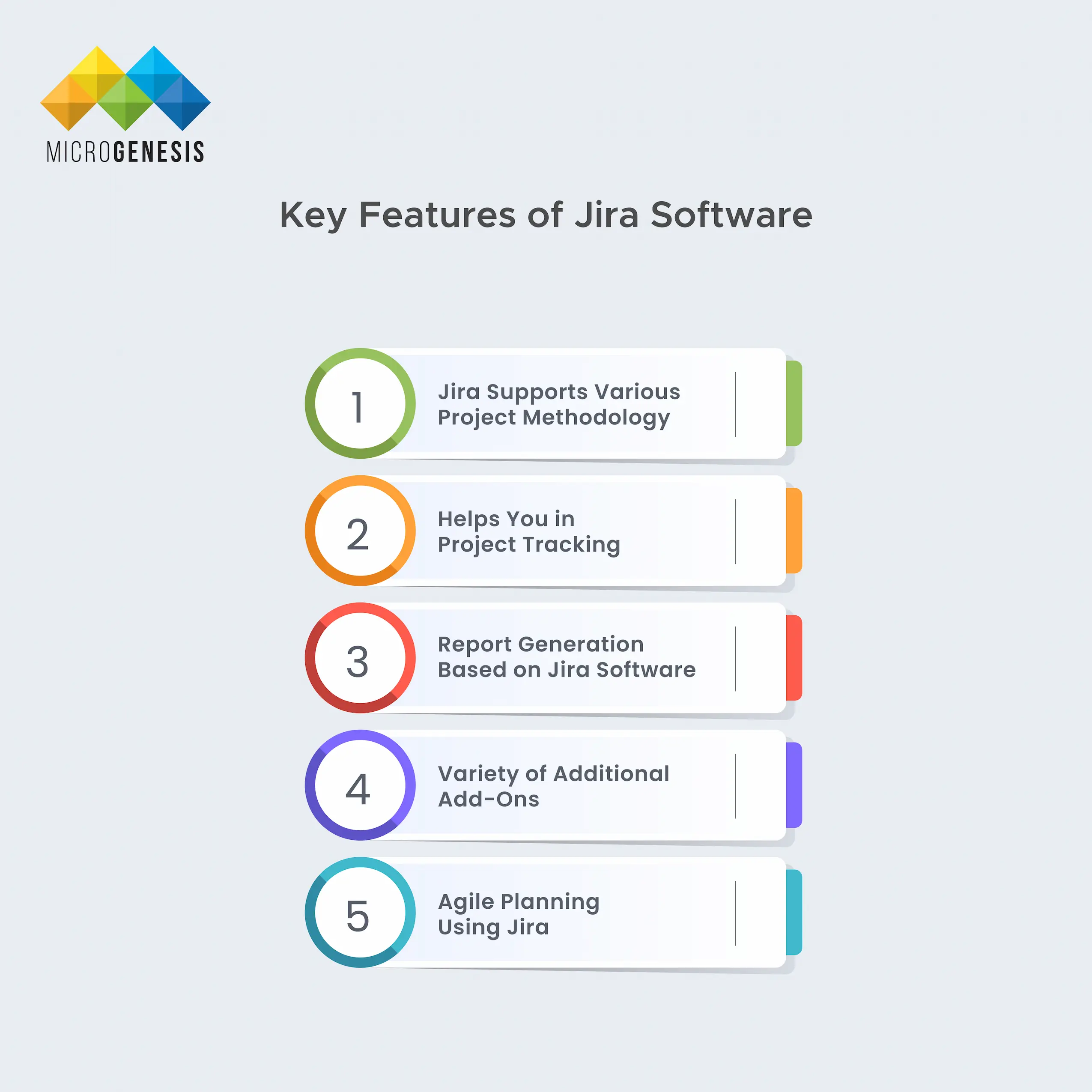
Some key features of Jira software recommended for handling complicated projects are:

features of Jira Software
  1. Jira Supports Various Project Methodology
  2. Agile stands as a fundamental aspect of Jira, offering project owners the ability to leverage the flexibility of both Kanban and Scrum boards. When choosing to utilise this, users are often presented with the option to select from Kanban or Scrum methodologies.

    However, owing to its inherent flexibility, Jira can also be tailored to incorporate multiple add-ons or agile methodologies like both Kanban and Scrum, thereby facilitating the adoption of Scrumban. Thus, you may implement Kanban or Scrum workflow implementation with Jira as per your project needs.

    Please Note: Scrum boards are relevant when you plan all the subtleties of a project in detail. On the other hand, Kanban boards are suited for initiating a project without having any structured plan.

  3. Helps You in Project Tracking
  4. Jira helps you in project tracking and resolving issues or placing them under specific criteria at the same time. Using Jira Query Language or JQL, you can filter out issues based on various criteria.

    Moreover, you may also create tasks, stories, or epics and even create sprints as per the Scrum board methodology. All these features are essential to help track issues and create a plan to solve them.

  5. Report Generation Based on Jira Software
  6. Jira may be used to generate reports on essential project-related information. Some reports available in Jira are the burndown chart, sprint report, velocity chart, and cumulative flow diagram.
  7. Variety of Additional Add-Ons
  8. There are several add-ons which are available with Jira, like Jira Toolkit Plugin, ScriptRunner for Jira, Jira Charting Plugin, and ‘Zephyr for Jira - Test Management’. Additionally, you may also include Salesforce Sales Cloud, Service Desk, Zendesk, and Github within your Jira workspace.
  9. Agile Planning Using Jira
  10. Besides these, Jira project management software also helps you to get real-time notifications and an activity log that tracks every tidbit about a project. It also offers a customisable dashboard for its users. Simply, Jira provides agile project management for software teams to stay updated and receive real-time information about the project and its progress.

Benefits of Using Jira Software

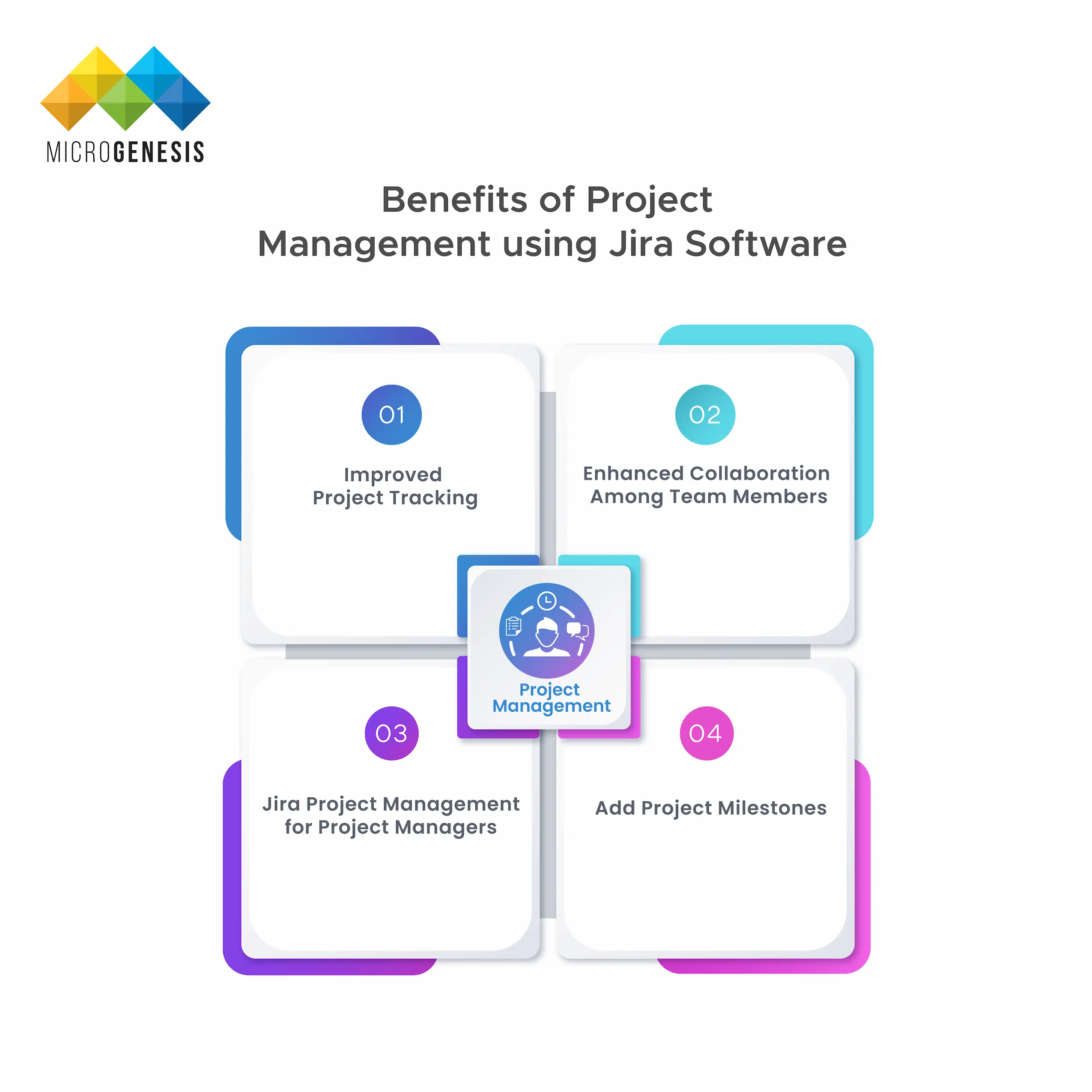
There are several benefits of Jira helping in answering how to manage projects; some of them are:

Benefits of Project management
  1. Improved Project Tracking
  2. With Jira, your teams can easily track the projects and prioritise the issues that they want to address. Several customisations in the Atlassian marketplace can be added on with it to help in such project tracking needs. Some of the comprehensive issue-tracking systems available with Jira are custom fields, attachments, and comments.
  3. Enhanced Collaboration Among Team Members
  4. Whether you are working with a large team or multiple teams at once, collaboration is necessary for its execution. Jira for project management is recommended due to its real-time feature. A single board can help you know the status of the project and see who is changing the status of tasks, even if they are online all at once.
  5. Jira Project Management for Project Managers
  6. Project managers are directly answerable to multiple stakeholders regarding the deadlines and expected project completion date. These data can be gathered only when you have advanced reporting features available with the project management software. Jira acts as a bridge here in the collection of data and lets managers know the status of the project.
  7. Add Project Milestones
  8. Jira project management offers unique flexibility in creating and adding project milestones or checkpoints. In business, the projects have several milestones, and all these milestones can help in organising and tracking the project completion. To ensure that milestones are created, you may integrate Jira with other tools, like Bamboo.

Let us consider a real-world example where using Jira can prove to be fruitful. Take a scenario when a head office shifts from its previous location. The issue lifecycle for such a case scenario will be to:

  • Create an issue for moving equipment from the old to the new office.
  • Now, create subtasks to check for any damage to the equipment before and after movement.
  • When the shifting commences, drag the issue to ‘in progress.
  • Complete the related subtasks if applicable, and drag the issue to ‘Done.
  • Therefore, using simple issue dragging and status updates by an individual, the whole team gets the information. Jira is one of the powerful tools that offers great administration and customisation for the whole team to utilise. Not only helps to efficiently meet deadlines, but coordinate the entire process while reaching it.

    Getting Started with Jira

    To install and use Jira for project management is simple! Follow the steps shown below to understand how to use project management software like Jira:

    Step 1: You just need to log in to your Jira-site, and click on “Projects” from the drop-down. Under the loop, you will find the “Create Project” option; click on it.

    Step 2: Pick an appropriate template out of the dozens of templates that are available. Examples of templates available are Scrum, Kanban, Bug tracking, etc.

    Step 3: If you choose Scrum or Kanban, then you will have the option to choose the project type. Commonly available project types are team-managed projects and company-managed projects.

    Step 4: Choose and modify the columns in the project board, each of the columns means a step in the project flow.

    Step 5: Create an issue in the project board, the issue may represent a story, epic, or a bug.

    Step 6: Install add-ons by selecting the ‘Cog’ option in the right corner of the navigation bar. Some of the add-ons may be free, or you need to buy them before use.

    Finally, invite the team that will work on the project and then continue moving your work forward.

    Advanced Tips and Tricks to Ensure Maximum Efficiency of Projects Using Jira

    Tips and tricks  of project management using jira

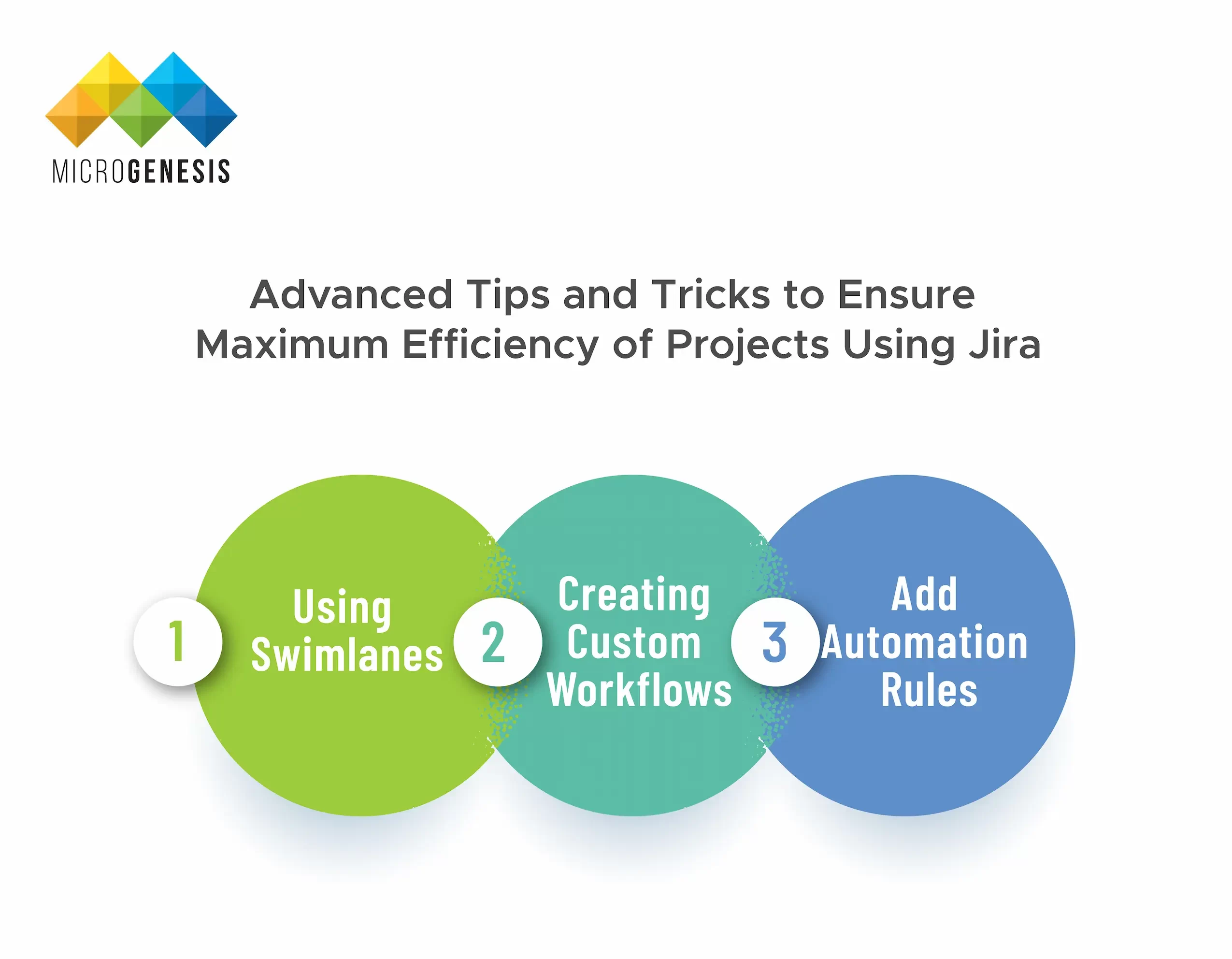
    There are several ways to maximise productivity and efficiency using Jira; some of them are:

    1. Using Swimlanes
    2. Swimlanes helps you to track your project board and the progress of a project. Using Swimlanes, you can group tasks by assignee, priority, or even status.

    3. Creating Custom Workflows
    4. Custom workflows are one of the basic features of Jira for project management and improving efficiency. This is beneficial for the teams to handle projects seamlessly and meet deadlines without compromising on quality.

      Custom fields in workflows also help to track the project from the start (issue stage) to its end (verified build stage).

    5. Add Automation Rules
    6. Consider using automation rules to assign tasks, send notifications, or update statuses. This feature not only helps you to save time, but is devised to reduce chances of errors while assigning tasks.

      Lastly, we advise you to regularly review and update your project management software to help your team stay on track. Align the goals of the projects in a way that meets all the deadlines within the scope of the project.

    Jira Vs. Other Project Management Tools: A Fine Comparison

    Let us establish some quick differences between Jira and other project management tools available in the market. We will identify the basic differences pointwise:
    1. Jira Vs. Trello
    2. Developed by Atlassian itself, both Trello and Jira achieve the same purpose. However, Trello is a lightweight management application and cannot handle intensive processes as Jira.

      Besides that, Trello offers limited log and search capabilities, making it difficult to track information for longer periods of projects.

    3. Jira Vs. Asana
    4. Initially, Asana was developed as a tool for Facebook’s internal team, but it has gained popularity over the years. Although it is in its developing stage, it offers almost the same functionality as Jira.

      However, the reasons it cannot top Jira are the limited multi-assign function and the fact that Scrum workflow is supported by installing third-party add-ons.

    5. Jira Vs. Wrike
    6. Wrike is a heavy-weight project management tool, but it does not offer as much customization as Jira. Moreover, they have a tricky pricing policy, which increases when the headcount using the tool increases by 5.

      There is also limited third-party integration available with Wrike, unlike Jira. One of the major lacking in Wrike is sprints in the Scrum workflow.

    Activities  Jira  Trello  Asana  Wrike  
    Task Handling Capacity  Handles heavy tasks   Lightweight management application   Offers almost same stability as Jira or Wrike  Can handle multiple project complexities easily.  
    Ability to handle different project management methodologies   Yes  Yes  Yes   Yes  
    Pricing   Convenient  Convenient  Convenient  Costly 

    Quick Recaps

    With the rise of project management software, the efficiency and functionality of teams can be maximised. Besides that, project management is regarded as a disciplined way to handle projects and receive favourable output. Overall, project management will always be an essential criterion for handling challenging projects and meeting deadlines within time.

    Microgenesis, an Atlassian Platinum Solution partner, has developed a unique solution called Field Extractor for Jira (FEJ), which helps to extract texts from Jira issue descriptions. The solution is fundamental to parse and extract values from comments, descriptions or multiple-line texts in Jira. With our Jira add-ons, you can easily streamline your day-to-day tasks with Atlassian products.

    Frequently Asked Questions

    What is the meaning of project management software?

    Project management software offers a convenient way to handle large projects and divide them into small tasks. These tasks are allocated to specific members who utilise their expertise and complete their roles to make high-quality client deliverables.

    What are the four main types of project management software?

    The four main types of project management software are desktop, web-based, integrated, and client-server. Determining which one is appropriate depends on the number of team members and the specific requirements of a project.

    What is Jira used for?
    Jira is one of the best agile project management tools that helps in planning, tracking, and monitoring tasks. It is a single dashboard tool that helps build continuous collaboration and ensures effective communication among teams.

    Services

    IBM ELM Partners
    IBM ELM Partners
    Related posts
    Guide to application lifecycle management

    Guide to application lifecycle management

    Ultimate Guide to Application Lifecycle Management (ALM)

    BROWSE TOPICS

    We often run into big headaches when managing software projects without a proper system like ALM (Application Lifecycle Management). There’s miscommunication, deadlines get missed or software bugs pop up because things aren’t coordinated properly. This can lead to frustrated teams and unhappy clients.

    Unlike traditional software development processes that involve separate, disjointed steps, ALM solutions bring everything together under one umbrella. It manages a software application from start to finish and it covers everything from initial idea, through development and deployment to maintenance and eventual retirement.

    The demand for product lifecycle management software is undeniable. With predictions that 85% of company software will be SaaS by 2025, the interest in ALM software tools is rising too. In 2024, searches for ALM tools increased from 5.2k to 5.4k per month.

    In this guide, we’re going to delve into the details of how you can choose the right ALM software tools and integrate them into your system smoothly. Keep reading to find out how to optimise your software development process with ALM management tools!

    What is ALM?

    As the name suggests, Application Lifecycle Management or ALM product development, covers the entire lifecycle of the product, from the time it is an idea on the drawing board to retirement. It is an all-encompassing approach to product development that begins with concept and design and continues all the way through to retirement. We can divide the entire lifecycle into six main phases:
    1. Requirements
    2. In this stage, we define what the application will be used for. Developers come together to analyse how the user will interact with the application and what they will be looking for.  The requirements are generally listed in a top-down manner – a tree structure with sub-requirements. Sometimes, however, especially in methods like Agile, developers even use a flat structure. It is important to categorise the different requirements by module or feature.
    3. Design
    4. This is the stage when the idea starts to take form on paper. It is no longer an intangible concept. The vision is elaborated as a full-fledged design that the development team can later use as a blueprint.  In some cases, this stage also includes an initial prototype model. 
    5. Development
    6. It is at this stage that different teams from development, IT, testing, support and even marketing work together. The objective is to ensure the application meets all the requirements specified and is user-friendly. Teams use different development methods, like Agile or waterfall, depending on their preferences. Testing starts during development with unit and integration tests. In fact, continuous integration systems are quite common.
    7. Testing
    8. The testing team reports the issues to the developers for fixing. Sometimes, even experts from other departments are brought in to help clarify the issues.
    9. Deployment
    10. This is when the completed product is rolled out to the end users. It can take several forms, depending on the type of application. On-premise applications are installed on customer servers, while SaaS applications are deployed on the company’s servers. Client applications, on the other hand, are distributed via CD or download. This stage also includes planning how updates and new features are going to be introduced over time.
    11. Maintenance
    12. This is typically the longest phase. If the earlier stages have been completed effectively, maintenance requires less input from testing and development.

    What are ALM Tools?

    ALM tools are software programs that you can use to manage the lifecycles of applications. The main advantage is that they provide a standardised environment that allows different departments and stakeholders to collaborate without any issues.

    From requirement specification to the development and testing phase, from the deployment to the ongoing maintenance, ALM software provides features that can help your teams create and maintain applications efficiently.

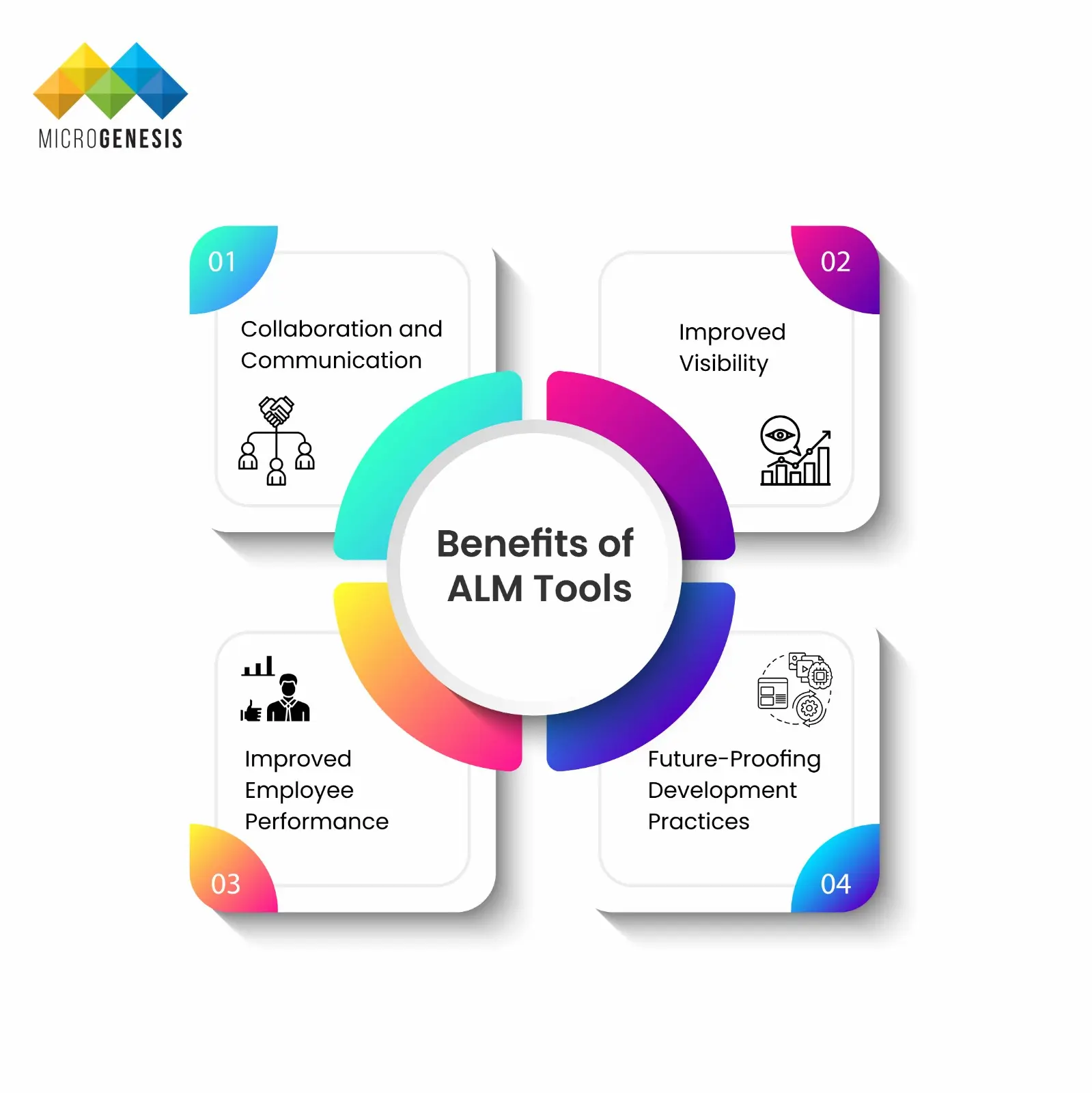
    Benefits of ALM Tools
    Benefits of ALM Tools
    1. Collaboration and Communication
    2. 83% of workers reported that they were able to maintain a good understanding of their project development when they used project management tools to communicate with their teammates and clients. The best ALM tools allow multiple teams to collaborate seamlessly by offering a common platform for real-time communication. This eliminates communication gaps and keeps everyone informed throughout the development process. From requirement specification to the development and testing phase, from the deployment to the ongoing maintenance, ALM software provides features that can help your teams create and maintain applications efficiently.
    3. Improved Visibility
    4. ALM software solutions provide full transparency throughout the software development process. It helps you to stay in the loop and track the progress of requirements, changes and faults. This is particularly useful for meeting industry standards and requirements.
    5. Improved Employee Performance
    6. By eliminating the extra time and effort taken in interdepartmental collaboration, Application Lifecycle Management tools can actually improve your teams’ productivity. It allows managers and staff to track and participate in a variety of projects while balancing their workload with organisational objectives.
    7. Future-Proofing Development Practices
    8. Technological trends and approaches are always changing. Application lifecycle tools facilitate the implementation of current methods, allowing teams to smoothly integrate new approaches into their development process.  
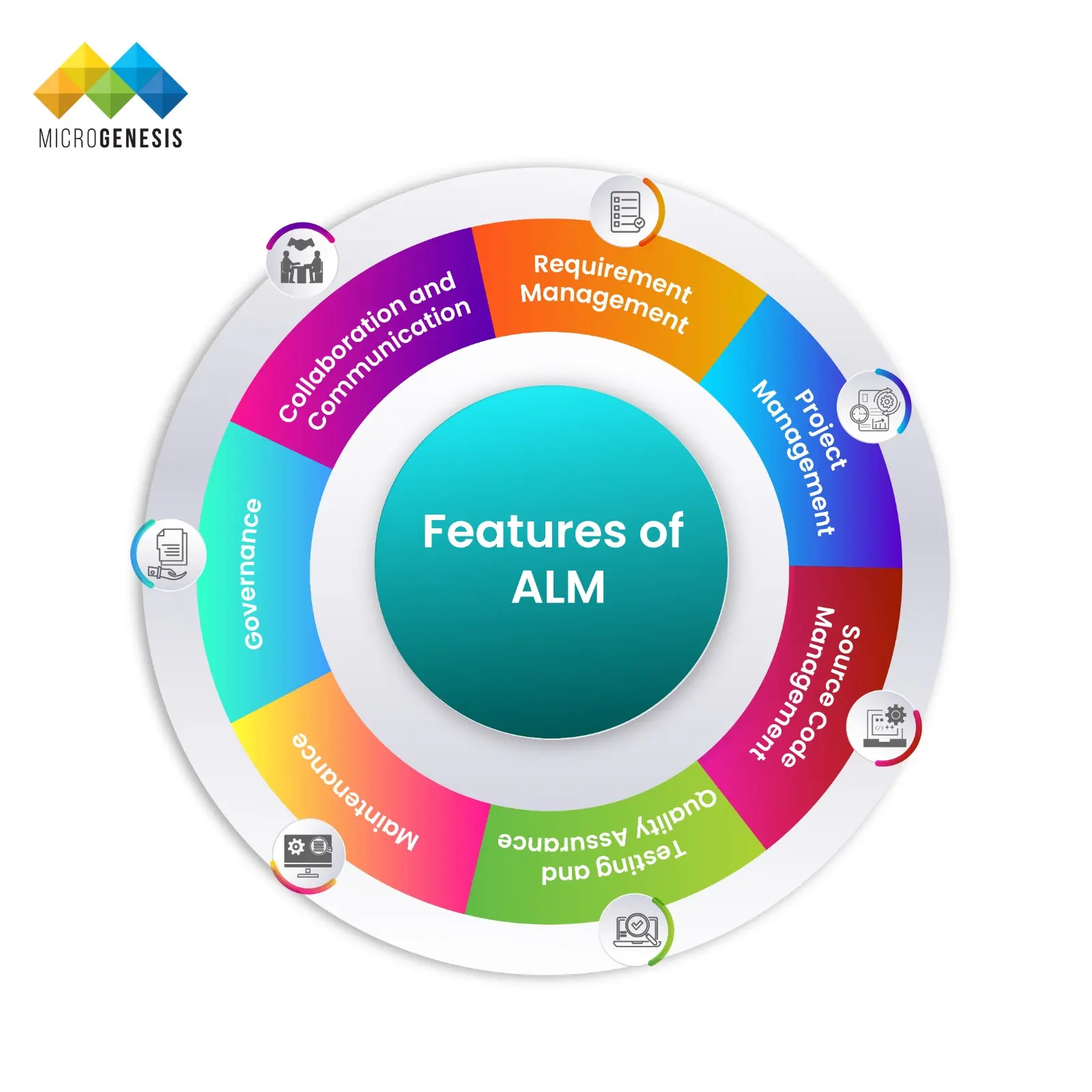
    Common Features and Functionalities
    1. Requirement Management
    2. A good Application Management Lifecycle software integrates with your existing processes, whether they’re waterfall or agile. It does not force your team to change their methods and instead, moulds to their comfort.
    3. Project Management
    4. ALM software often doubles as project management software. They allow you to track the status of the project and its progress. They also provide specific options for estimation and project planning. These tools can increase productivity by 50% while lowering project costs by 20%! .
    5. Source Code Management
    6. Most ALM services include capabilities for developers to track code changes. Different developers can collaborate on the same code base, make and merge modifications and effectively manage the development process.DevOps integration with ALM makes this process easier.
    7. Testing and Quality Assurance
    8. Quality control is a major strength of advanced ALM testing software. Depending on the requirements of the process, teams use different testing strategies and techniques in ALM What makes them truly powerful is their ability to track everything from initial plans to final testing. This means linking requirements to test results and ensuring all requirements are thoroughly checked. It’s ideal to involve your quality assurance and testing teams early on with ALM testing tools to help validate requirements and approve testing plans. 
    9. Maintenance
    10. Ongoing maintenance can account for 40-70% of a software's total cost!  Using ALM software tools can help development teams address the changing needs of users and maintain quality in an organised and efficient manner. It allows them to make changes, release updates, and keep the product running smoothly, ultimately ensuring it delivers the value it was intended to provide
    11. Governance
    12. ALM serves as a guideline for software development, making the entire process transparent. Everyone engaged understands how choices are made, how progress is recorded and who is accountable for what. This clear structure reduces confusion, increases efficiency and eventually results in higher-quality software output. According to Microsoft, 96% of company decision-makers and 95% of workers consider effective communication to be one of the most crucial skills. When tackling complex applications, top-notch communication and collaboration are crucial throughout the application lifecycle development Look for application lifecycle tools that prioritise real-time information flow, with updates instantly reflected and tied to the relevant artefact. This maintains transparency and ensures everyone has access to the latest details.
    13. Additional Features
    14. ALM management tools can offer a variety of additional features such as:
      • Live chat support
      • Managing the project portfolio
      • Charts and graphs serve as visualisation tools
    Application Lifecycle Management Tools

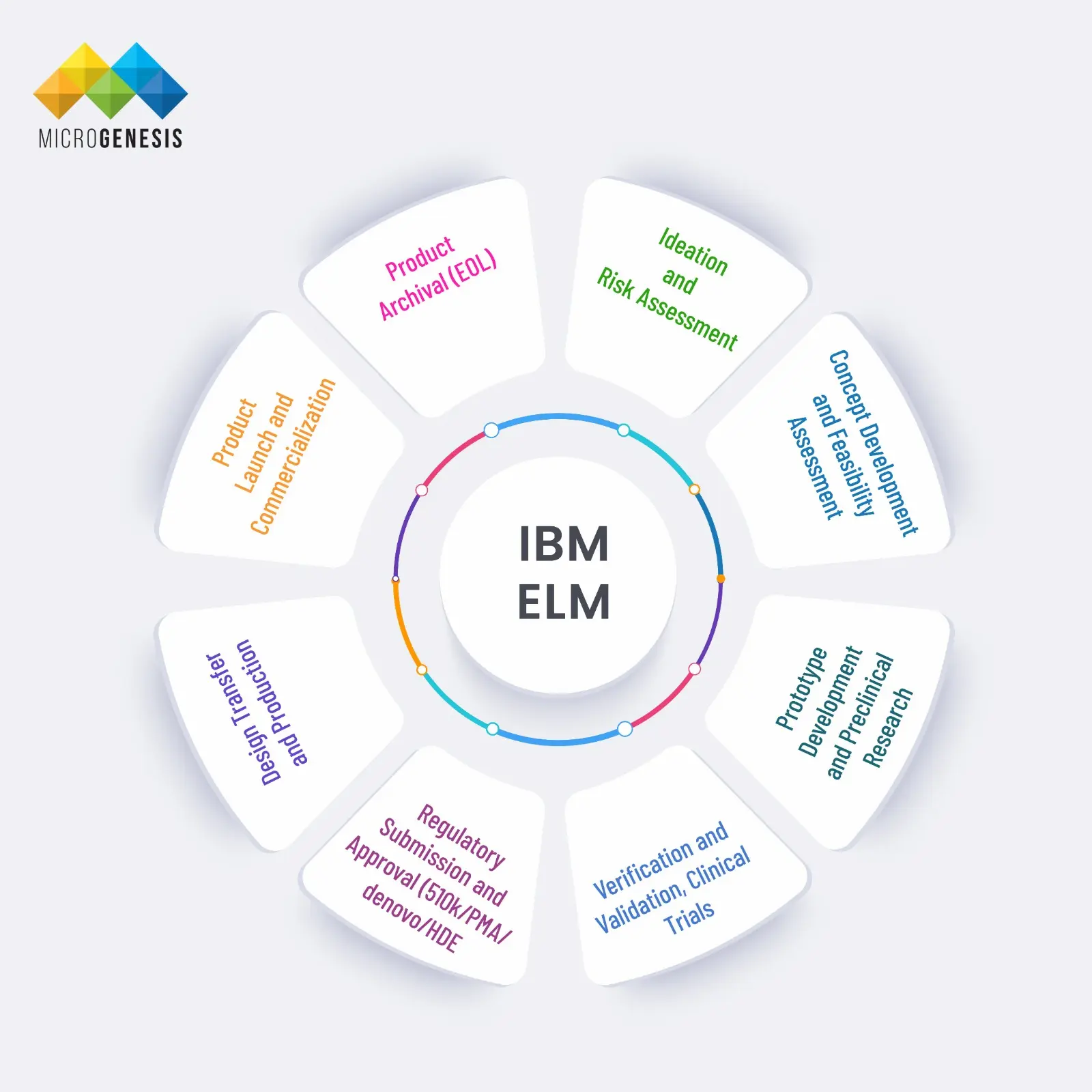
    IBM Engineering Lifecycle Management (ELM) simplifies the development of complex systems. It’s an all-in-one tool that manages all aspects of the lifecycle from planning and system design to workflow and test management. It extends the functionality of ALM technologies for better development. 

    Here’s why you should consider choosing IBM’s ELM for product engineering:

    • Reduce complexity: ELM tracks everything (requirements, design, tests) from start to finish. This helps to easily identify the root cause of problems, saving time and complexity.
    • Strategic reuse: ELM lets you efficiently reuse requirements, design data, and processes for various product versions and variations, resulting in more advanced and smarter systems.
    • Compliance: Ensure your development process adheres to industry standards and regulations.
    • Agile systems engineering: ELM enhances agility in large organisations by integrating with the SAFe framework, simplifying planning, expediting product delivery, and enhancing workflow across the entire value stream.

    The IBM Engineering Integration Hub integrates IBM Engineering Lifecycle Management (ELM) solutions with third-party tools like:

    • Micro Focus ALM 
    • Atlassian Jira 

    Broadcom Clarity, and more

    PTC Codebeamer

    PTC Codebeamer

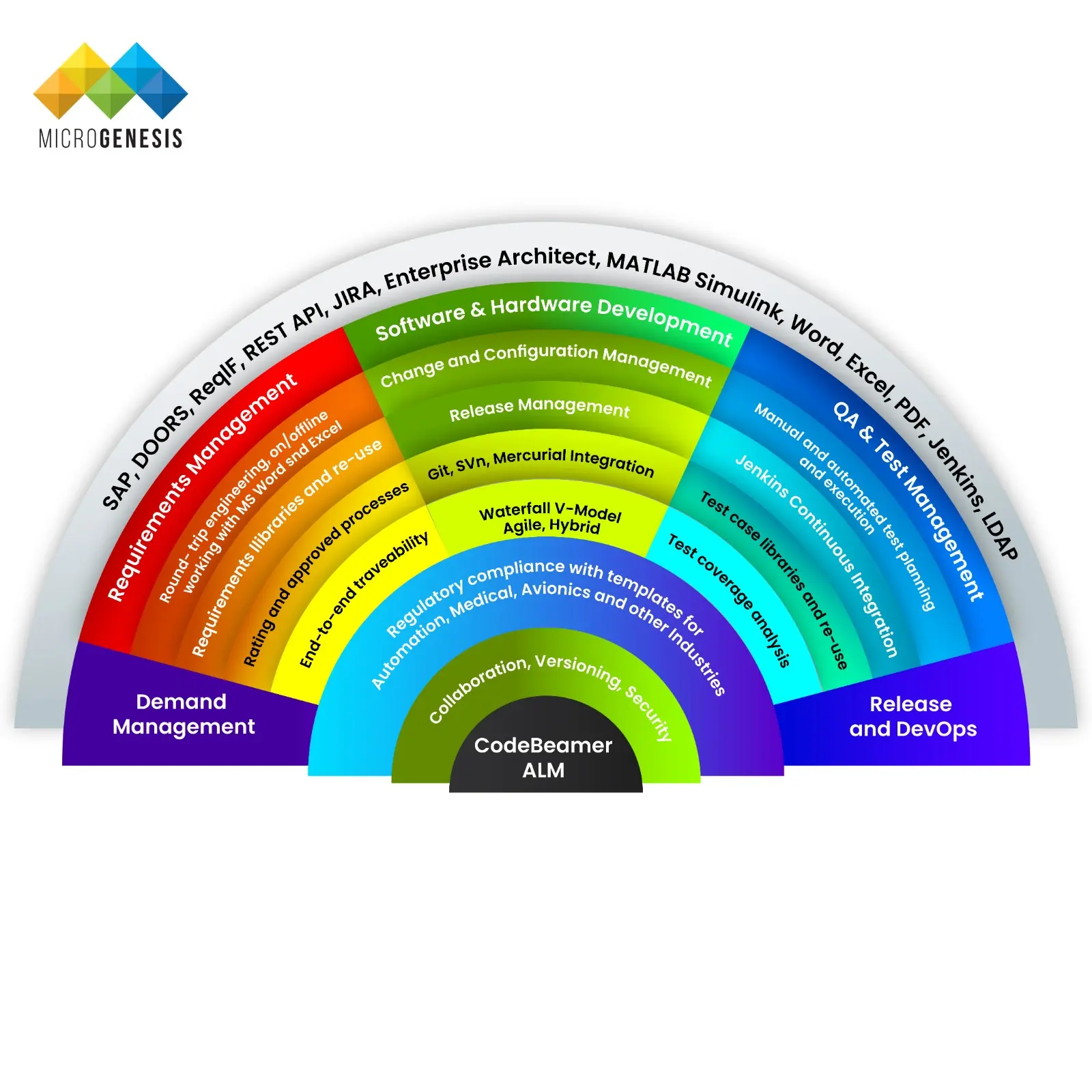
    PTC CodeBeamer, by Parametric Technology Corporation, boosts ALM support with special features designed for complex workflows. It offers digital workflows that streamline teamwork and ensure regulatory compliance. 

    It also seamlessly integrates with other PTC products, connecting everything to the engineering digital thread. As a best practice, it is recommended to start with a pilot project to test the system before deploying the PTC CodeBeamer.

    Key features:

    • Requirement management: Codebeamer is a powerful tool for managing requirements in software development. It lets you track everything from high-level epics to detailed user stories.

    • Software risk management: CodeBeamer assists in integrating software risk management into your software development lifecycle. Effective risk management practices can:
      • Increase client satisfaction
      • Protect customers from unsafe circumstances
      • Protect companies’ reputations
    • Test management: This feature ensures that products, software, and systems satisfy the agreed-upon specifications. It enables teams to deliver excellent products to market faster and at a reduced cost.
    • Product variant management: CodeBeamer simplifies managing different versions of your product. Whether it’s features, materials, or colours, you can easily track and manage variations throughout the entire product lifecycle.

    CodeBeamer integrates with tools like JIRA, Jenkins, and GitHub, enabling seamless workflows across platforms.

    Siemens Polarion ALM

    Siemens Polarion ALM

    Siemens Polarion ALM is a complete package for improving application development processes. It integrates teams and projects, offering a single approach to requirements, development, testing, and deployment. 

    Key features:

    • Enhance collaboration: Teams can work together on shared resources in a safe and organised way. The system lets you decide who can view certain information, who can make changes, and when they can do it. 
    • Increase traceability: You can easily view detailed information about each stage of the development process. The tool provides a full picture of the entire workflow, allowing users to access specific code modifications and high-level requests with a single click.
    • Effectively reuse data: Instead of starting from scratch for each project, the tool lets you reuse data from previous ones. This lets you work on multiple projects at once or one after another, sharing common elements like requirements, code, and tests.

    Polarion connects with a variety of tools, including Enterprise Architect, Jenkins, and MATLAB, giving it a wide range of capabilities.

    Features of Application Lifecycle Management Tools


    Feature IBM Engineering Lifecycle Management (ELM) PTC CodeBeamer Siemens Polarion ALM
    Focus Complex Systems Development ALM with Configurability Unified ALM Solution
    Requirements Mgmt Yes Yes Yes
    Risk Management Yes Yes Yes
    Test Management Yes Yes Yes
    Collaboration Improved team development Collaborative workflows Real-time communication
    Integrations IBM Integration Hub and various tools PTC products and various tools Various tools 

    Considerations for Tool Selection

    • User Interface (UI): The user interface improves the communication between the user and the tool and allows the user to switch between functions easily.
    • Integrations: Choosing a solution with efficient third-party integrations saves time and enables staff to complete jobs easily.
    • Price: If the offered price meets the tool’s required functionality and is within budget, it is usually the one to shortlist.
    • Data Storage: Selecting an ALM tool depends on your data storage location, whether it’s online or on-premises. Choose the option that best suits your company’s tech setup and security requirements.
    • Integration Option: When selecting AML software, look for one that integrates smoothly with the programmes you already use like your bank system and payment tools. This allows information to flow smoothly between them without disrupting your existing processes.

    Remember to facilitate ALM training programs for your team, so that they can use them for maximum efficiency. Read more about why ALM training is important here.

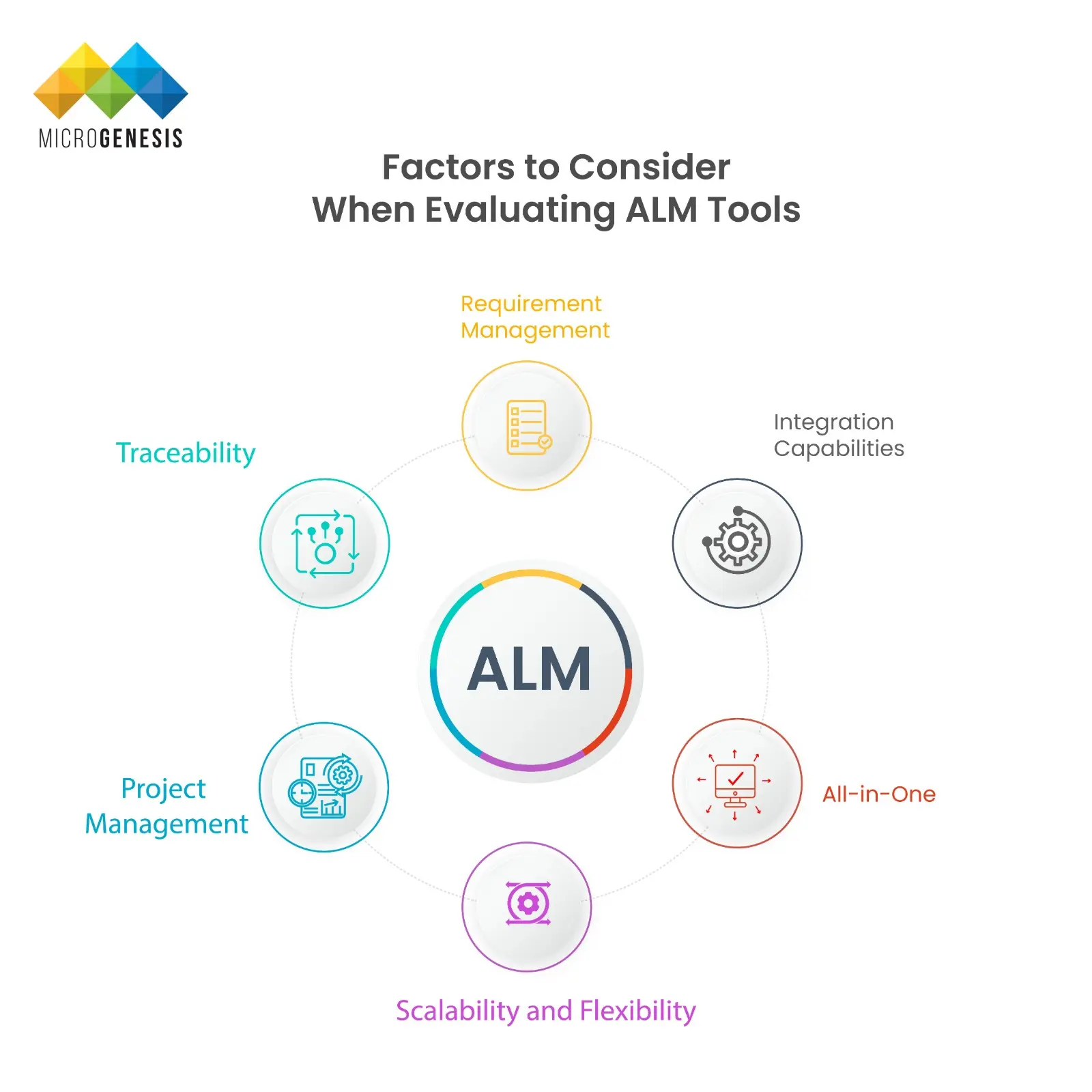
    Factors to Consider When Evaluating ALM Tools

    Feature Comparison Application Lifecycle Management Tools

    Here’s what you need to know about selecting the right integrated ALM solution:

    Requirement Management

    Managing requirements over the full lifetime can be difficult and frustrating. Thus, it’s important to choose an ALM system that can store, organise, and filter data and documents across a project’s lifecycle and numerous projects.

    Keep in mind that one of the best practices for requirements management in ALM is to categorise and prioritise the specifications for clear visualisation.

    Integration Capabilities

    The capacity of an ALM to interface with mission-critical systems is an important factor. An ALM should be a central hub for linking multiple tools and platforms used throughout the software development lifecycle, such as:

    • Quality management system (QMS) 
    • Continuous Integration and Deployment (CI/CD)

    All-in-One

    Using multiple tools in multiple processes can increase your project time and margin for error. Instead, choose an ALM tool with all-in-one functionality for real-time reporting and collaboration across the organisation.

    Scalability and Flexibility

    When choosing an ALM, it’s crucial to consider scalability. After all, scalability can increase ROI by as much as three-fold and increase revenue and cost savings by 15-20%!

    The system should be capable of handling an increasing number of users and large data volumes. It should also be able to accommodate sophisticated operations while maintaining performance, as your software becomes more complex and your business grows.

    Project Management

    Project management is crucial for budgets, deadlines, and deliverables. An integrated ALM solution can track and manage major milestone progress, including basic planning, time management options, and real-time monitoring capabilities.

    Traceability

    A reliable ALM tool shows you how everything in your software project interacts. This traceability is important for two reasons:

    • Staying Compliant: It ensures that your software adheres to the norms and standards that your industry requires.
    • Keeping track of changes: If you change something (for example, a requirement), you can readily see how it affects other areas of the project (such as code).

    Don’t underestimate the importance of compliance and traceability in ALM

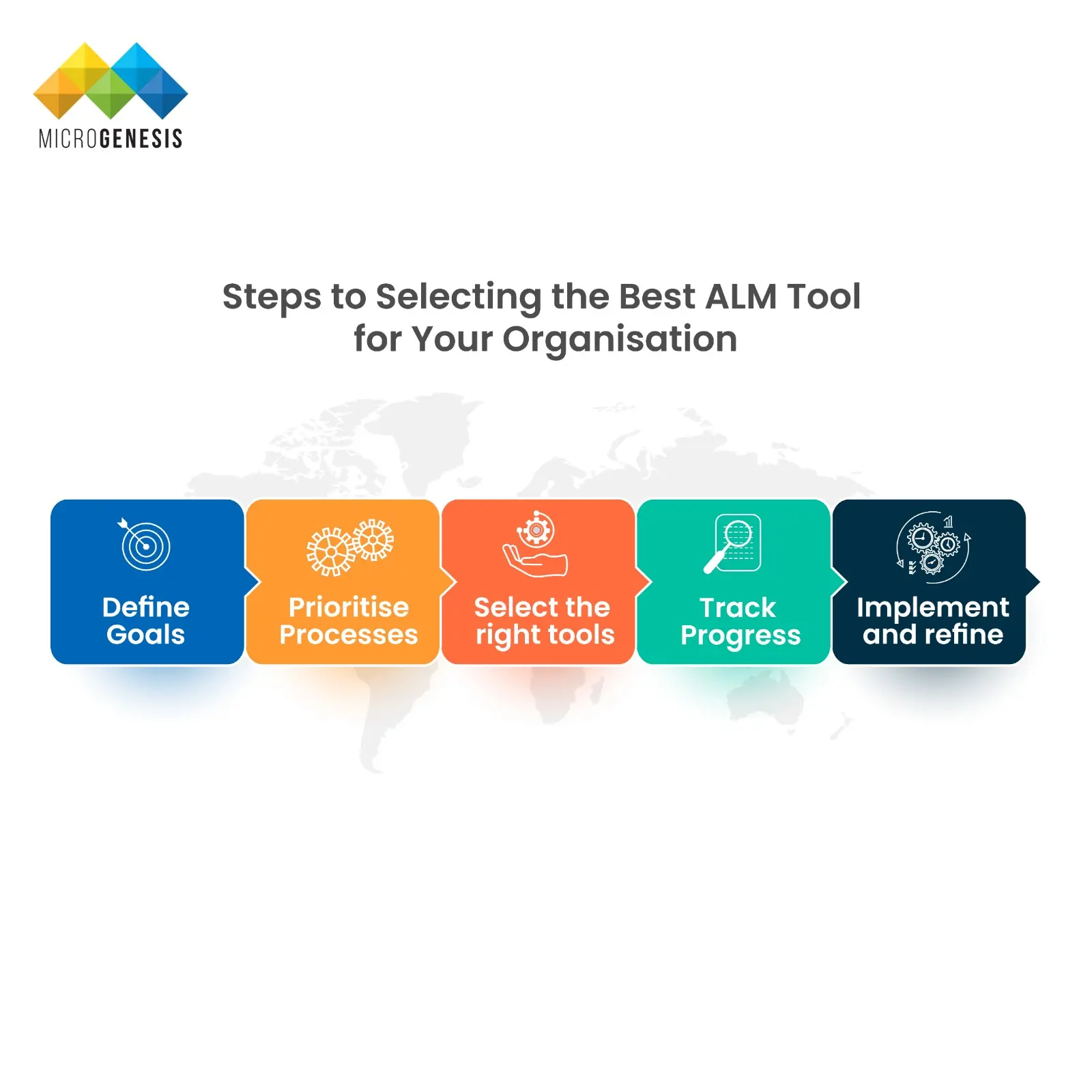
    Steps to Selecting the Best ALM Tool for Your Organisation

     Best ALM Tool for Your Organisation
    • Define goals: Set clear, measurable objectives aligned with your business strategy for a focused ALM journey.
    • Prioritise processes: Identify and prioritise key ALM processes like requirements, testing, and deployment to maximise impact.
    • Select the right tools: Evaluate and choose ALM tools that integrate seamlessly, are easy to use, and support your critical processes.
    • Track progress: Define ALM metrics and KPIs tied to your goals to measure success and identify areas for improvement.
    • Implement and refine: Train your team, refine metrics, and continuously improve your ALM processes for an evolving software landscape.

    Tips for Successful Implementation and Adoption

    Let’s take a look at some of the best practices for implementing your ALM tool
    • Regulatory Compliance
    • ALM tools should help you follow the rules (regulations) set by organisations. They must be able to track all activities and make sure that the products are safe and meet all compliance requirements. They should also provide thorough documentation to make the process of auditing and inspection easier.
    • Complexity of Products ALM tools act as a roadmap for managing the intricate details of complex products. They track everything and provide a streamlined workflow to make sure the build is successful.
    • Increased Collaboration
    • Bigger teams mean better teamwork! ALM software should act like a central hub, keeping everyone (designers, testers, developers) informed and working together smoothly. 
    • Cost of Quality
    • Quality control and assurance are crucial, especially in regulated industries where the cost of quality can be high. ALM testing tools must assist in reducing these costs by detecting problems early in the development process, thus decreasing the likelihood of expensive rework or recalls.
    • Scalability
    • As companies grow, their software development processes need to scale accordingly. The chosen tools should provide a framework that can adapt and grow along with the organisation. Focus on the customisation and configuration capabilities of your ALM tool. It will help ensure that they can support the increased demands of the company and accommodate more complex workflows without compromising on quality.

    Conclusion

    With more advanced technologies comes the need for advanced software management tools. ALM technologies are paramount in managing the full software development lifecycle and provide benefits like greater collaboration and performance. 

    In this guide, we have delved into several of the top Application Lifecycle Management tools that can help you. From IBM ETM to Siemens Polarion ALM, each comes with a set of unique advantages that can add value to your internal workflows.

    The process of selecting the right ALM tool can make all the difference. Don’t rush and make hasty decisions as it can cost you in the long run. Instead, take the time and evaluate your exact requirements before taking a call.

    If you’re still unsure about selecting the perfect ALM tool for your organisation, reach out to MicroGenesis for a demo. We’ll guide you through the decision-making process and help you implement the right solution.

    SERVICES

    IBM ELM Partners
    IBM ELM Partners

    Related posts