How DevOps Automates Processes in Software Development

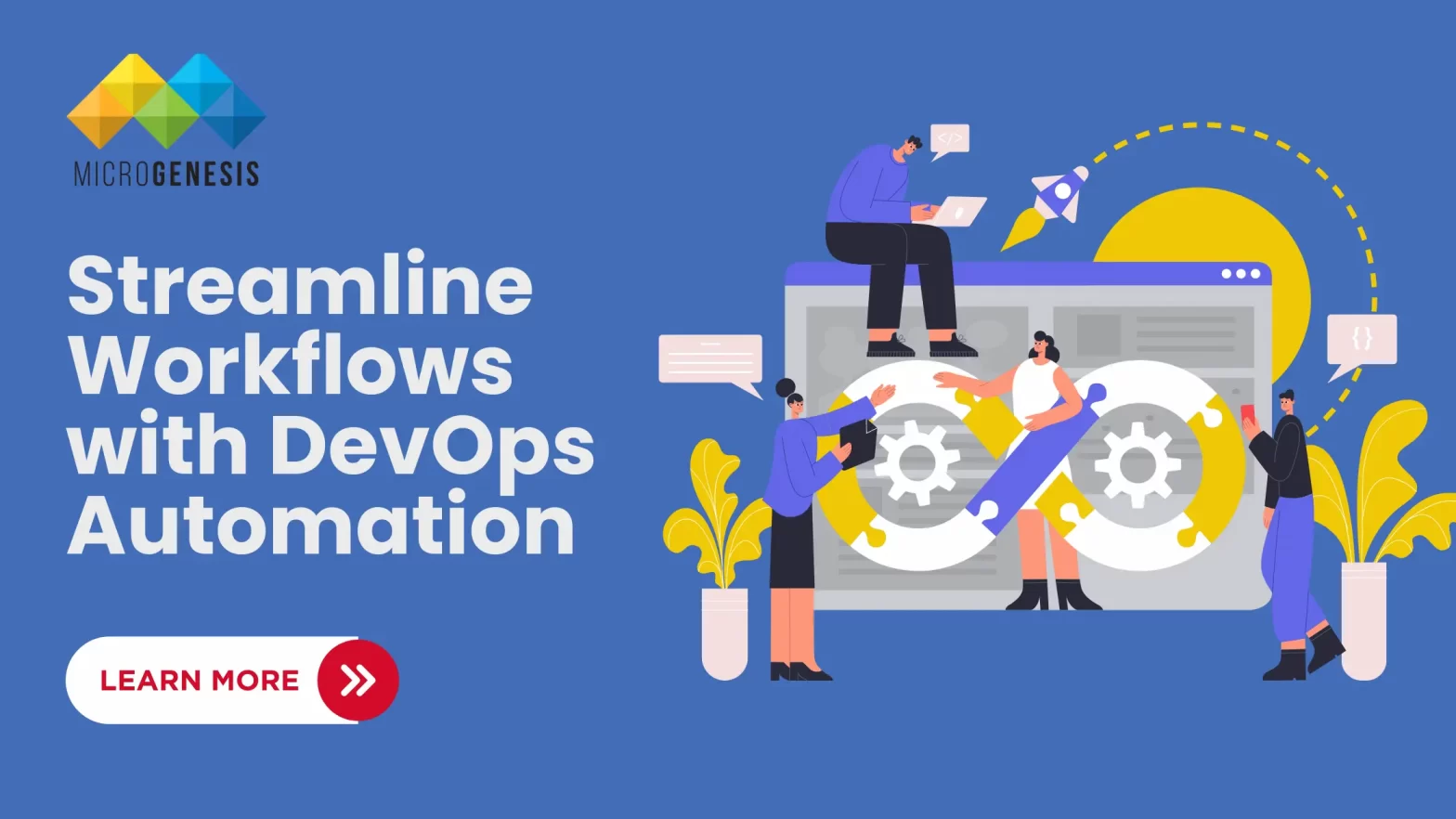
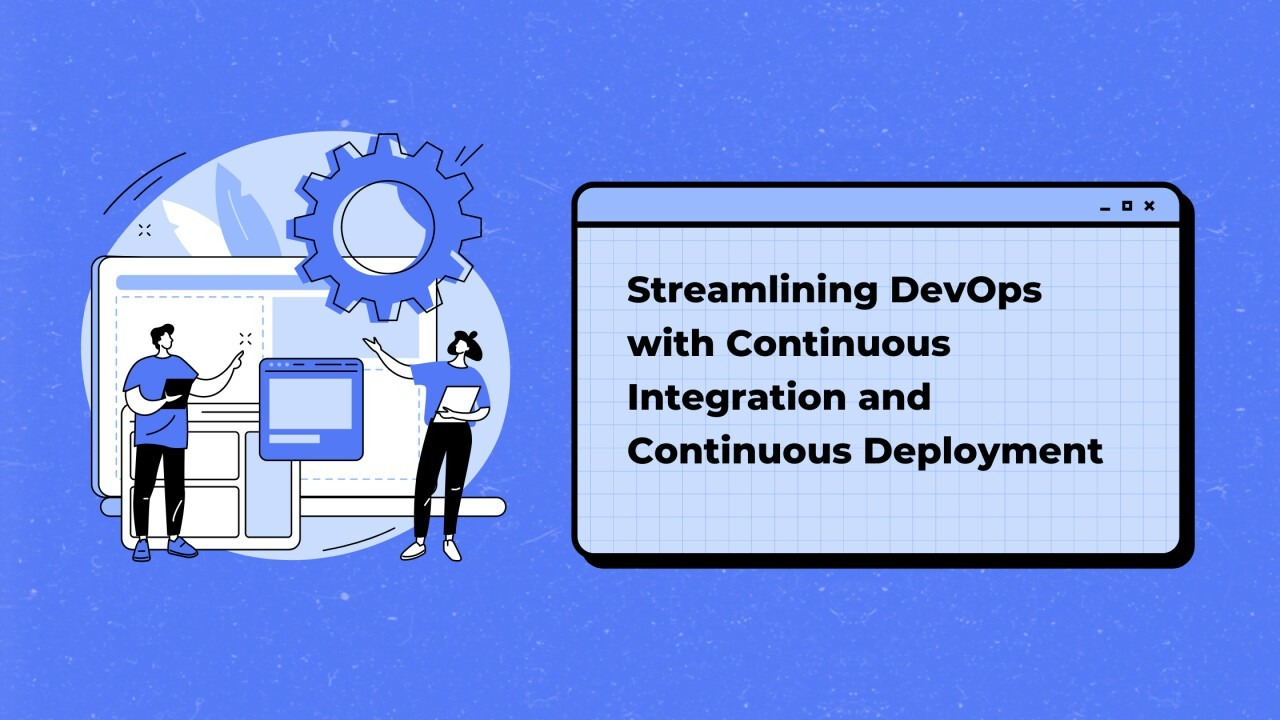
DevOps is a cultural and technical practice that promotes collaboration between development (Dev) and operations (Ops) teams to deliver software faster and more reliably. One of the core principles of DevOps is automation, which plays a critical role in streamlining and improving software development processes. Automation in DevOps eliminates manual tasks, reduces errors, and accelerates the software delivery pipeline.  In this blog, we’ll explore how DevOps automates processes across the software development lifecycle (SDLC) and why it’s essential for modern software delivery. With the integration of DevOps services, organizations can enhance efficiency, reduce manual errors, and accelerate software delivery while ensuring high quality and scalability. How DevOps Automates Software Development Processes  1. Automating Code Integration and Testing (CI/CD)  A key aspect of DevOps is Continuous Integration (CI) and Continuous Deployment/Delivery (CD). These practices involve automating the process of integrating code changes and deploying them to production.  How CI/CD Automation Works:  Tools Used: Jenkins, GitLab CI/CD, GitHub Actions, CircleCI, Travis CI  Benefits:  2. Infrastructure as Code (IaC)  Traditionally, infrastructure management was manual and time-consuming. DevOps automates this process through Infrastructure as Code (IaC), which allows infrastructure to be provisioned and managed using code.  How IaC Automation Works:  Tools Used: Terraform, AWS CloudFormation, Ansible, Puppet, Chef  Benefits:  3. Automating Build and Deployment Pipelines  In DevOps, build pipelines are automated workflows that compile, package, and deploy code changes to different environments.  How Build and Deployment Automation Works:  Tools Used: Jenkins, Bamboo, Azure DevOps, Argo CD  Benefits:  4. Automating Testing  Automated testing is a critical part of the DevOps pipeline. DevOps automates different types of tests to ensure the quality and reliability of the software.  Types of Automated Testing in DevOps:  Tools Used: Selenium, JUnit, TestNG, SonarQube  Benefits:  5. Automating Monitoring and Incident Management  DevOps emphasizes continuous monitoring to identify and resolve issues in real time. Automation plays a key role in setting up alerts and incident responses. With the support of DevOps consulting services, organizations can implement efficient monitoring systems, streamline incident management, and enhance overall system reliability. How Monitoring Automation Works:  Tools Used: Prometheus, Grafana, Datadog, Nagios, Splunk  Benefits:  6. Automating Security (DevSecOps)  DevOps practices integrate security automation to address vulnerabilities early in the development lifecycle, a practice known as DevSecOps.  How Security Automation Works:  Tools Used: OWASP ZAP, Snyk, WhiteSource, Aqua Security  Benefits:  7. Automating Collaboration and Communication  DevOps promotes better collaboration between development, operations, and other stakeholders. Automation tools streamline communication and feedback loops.  How Communication Automation Works:  Tools Used: Slack, Microsoft Teams, Jira, Confluence  Benefits:  Dig Deeper: DevOps Lifecycle : Different Phases in DevOps Benefits of DevOps Automation in Software Development  Conclusion  DevOps and automation go hand in hand to streamline the software development lifecycle (SDLC). By automating tasks such as code integration, testing, deployment, and monitoring, DevOps practices reduce manual effort, improve consistency, and enable faster, more reliable software delivery. MicroGenesis, a leading DevOps services provider and Best IT Company, helps organizations embrace DevOps automation to achieve operational efficiency, scalability, and continuous improvement. For businesses aiming to stay competitive in today’s fast-paced digital world, partnering with MicroGenesis ensures the successful adoption of cutting-edge DevOps practices and tools.

Containerization and Orchestration: Docker vs Kubernetes 

The world of software development has evolved significantly over the past decade, and two technologies that have played a pivotal role in this evolution are Docker and Kubernetes. These tools have revolutionized how applications are developed, deployed, and managed, making containerization and orchestration fundamental to modern DevOps practices.  In this blog, we will explore the concepts of containerization and orchestration, delve into the key differences between Docker and Kubernetes, and discuss how these technologies complement each other to streamline application delivery and management.  What is Containerization?  Containerization is a lightweight form of virtualization that packages an application and its dependencies into a single unit called a container. These containers can run on any environment, ensuring consistent application behavior across platforms. Partner with a leading DevOps services company like MicroGenesis to harness the power of containerization for seamless development and deployment. Benefits of Containerization  Key Containerization Tools  Among these, Docker has become the de facto standard for containerization.  What is Docker?  Docker is an open-source platform that enables developers to automate the deployment of applications inside containers. It simplifies building, sharing, and running containerized applications. Leverage DevOps consulting services from MicroGenesis to maximize Docker’s potential and streamline your application lifecycle management. Key Features of Docker  How Docker Works  Advantages of Docker  What is Orchestration?  Orchestration refers to the automated management of containerized applications across multiple hosts. It involves scheduling, deploying, scaling, and managing the lifecycle of containers to ensure high availability and performance.  Key Orchestration Tools  Among these tools, Kubernetes has emerged as the leading orchestration platform.  What is Kubernetes?  Kubernetes, often abbreviated as K8s, is an open-source container orchestration platform developed by Google. It automates the deployment, scaling, and management of containerized applications.  Key Features of Kubernetes  How Kubernetes Works  Docker vs. Kubernetes: Key Differences  While Docker and Kubernetes are often mentioned together, they serve different purposes. Docker is primarily a containerization platform, while Kubernetes is an orchestration platform.  Feature  Docker  Kubernetes  Purpose  Containerization  Orchestration  Ease of Use  Simple to set up and use  More complex to set up and manage  Scalability  Limited built-in scalability  Highly scalable  Self-Healing  Basic (requires manual intervention)  Automated self-healing capabilities  Load Balancing  Basic  Advanced load balancing across pods  Community Support  Large and active community  Large and active community  Deployment Type  Suitable for single-host deployments  Suitable for multi-host, large-scale deployments  How Docker and Kubernetes Work Together  While Docker and Kubernetes can be used independently, they are often used together to provide a complete solution for containerization and orchestration.  Workflow Example  Use Cases of Docker and Kubernetes  Docker Use Cases  Kubernetes Use Cases  Dig Deeper: How to Create a DevOps Workflow: Phases and Best Practices  Challenges of Using Docker and Kubernetes  Docker Challenges  Kubernetes Challenges  Conclusion  Containerization and orchestration are essential components of modern DevOps practices. Docker simplifies packaging and deployment, while Kubernetes automates the management of containerized applications at scale. MicroGenesis, a trusted DevOps services provider and IT solution company, helps organizations harness the power of Docker and Kubernetes to build robust, scalable, and efficient cloud-native applications. Our expertise ensures seamless integration of these technologies into your workflows, empowering faster development cycles, optimal resource utilization, and improved application reliability. Partner with MicroGenesis to streamline your DevOps processes and unlock the full potential of Docker and Kubernetes.

Mastering Jenkins Pipelines: A Comprehensive Guide to Building, Testing, and Deploying Software with Ease

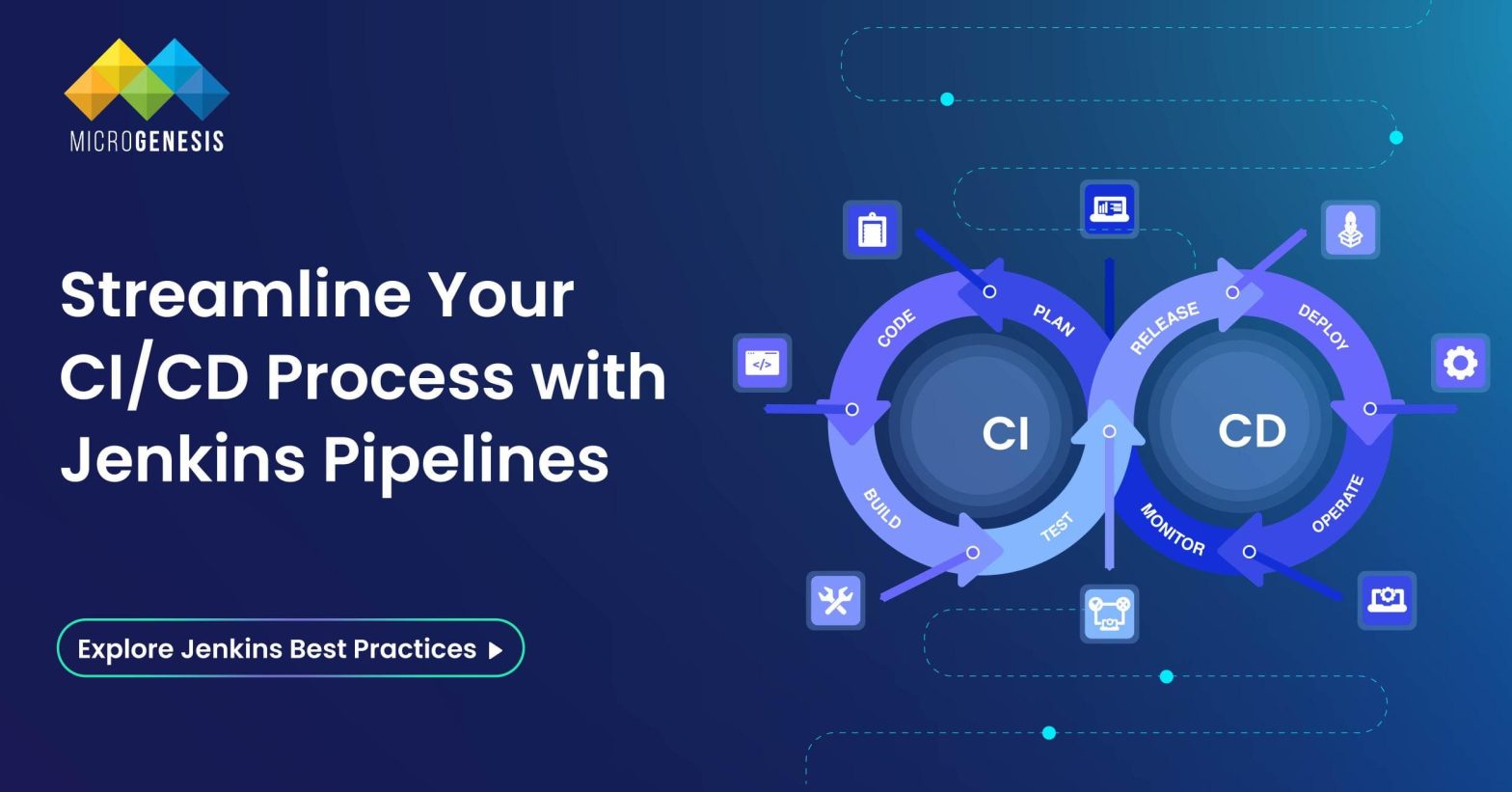
Jenkins Pipelines represent the backbone of modern software delivery, enabling developers to automate and streamline complex workflows efficiently. Whether you’re a seasoned DevOps engineer or a beginner exploring CI/CD concepts, mastering Jenkins Pipelines is pivotal for ensuring seamless software development, testing, and deployment.  What is a Jenkins Pipeline?  A Jenkins Pipeline is a robust set of automation tools within Jenkins, designed to support continuous integration and continuous delivery (CI/CD). It is a suite of plugins that enable defining and automating the build, test, and deployment phases of a software development process as code, known as Pipeline as Code.  This concept simplifies managing workflows and provides visibility, scalability, and resilience to the software delivery process, ensuring a streamlined approach to developing and deploying applications. Here’s a detailed exploration:  Key Features of Jenkins Pipeline (Expanded)  Jenkins pipelines use Groovy scripting to define workflows in text files like Jenkinsfile. This enables teams to version control their CI/CD processes alongside the application code. As workflows are stored as code, they are easy to review, share, and replicate, fostering consistency and collaboration.  Jenkins seamlessly integrates with numerous plugins, tools, and external services, such as Git for source control, Docker for containerized builds, and Kubernetes for orchestration. These integrations provide flexibility and adaptability to suit diverse project requirements and infrastructure needs.  With its ability to run jobs across distributed environments, Jenkins Pipelines can manage workloads for projects of varying sizes. It leverages master-agent architecture, allowing parallel task execution and efficient resource utilization, making it ideal for enterprise-level CI/CD systems.  Jenkins offers robust dashboards to monitor pipeline execution and performance metrics. These visual tools display detailed logs, job statuses, and build histories, enabling teams to quickly identify and address bottlenecks or failures in the pipeline.  Types of Jenkins Pipelines (Expanded)    Declarative Pipeline  Declarative pipelines are designed with a high-level, user-friendly syntax that emphasizes simplicity and readability. They are ideal for structured workflows and for users who are new to Jenkins. These pipelines are defined using a pipeline block, encapsulating all configuration details within structured stages. The syntax reduces complexity by providing built-in validation and error checking, which helps avoid mistakes in pipeline configuration. The declarative approach enforces a standardized format, making it easier for teams to adopt best practices and maintain consistency across workflows.  Key Features of Declarative Pipelines:  Scripted Pipeline  Scripted pipelines use the Groovy-based Domain-Specific Language (DSL) of Jenkins, offering advanced customization and dynamic functionality. They are well-suited for users with programming expertise who require flexible, programmatic control over pipeline behavior. Unlike declarative pipelines, scripted pipelines follow a free-form syntax, where workflows are defined using the node block. This allows users to incorporate loops, conditional logic, and external libraries, catering to complex CI/CD workflows.  Key Features of Scripted Pipelines:  Choosing Between Declarative and Scripted Pipelines  Selecting between declarative and scripted pipelines hinges on your project’s complexity and your team’s skill set:  Stages in a Jenkins Pipeline  1. Build Stage  The build stage focuses on compiling source code, managing dependencies, and preparing the application for further processes. This stage ensures that the codebase is correctly compiled and can involve tools like Maven, Gradle, or other build automation systems.  2. Test Stage  Testing is crucial to maintain software quality. In this stage:  3. Integration Stage  The integration stage validates that the combined code from multiple developers works cohesively. It resolves any conflicts, detects build issues, and confirms compatibility across various environments or platforms. As a DevOps service provider, we ensure seamless integration with expert tools and practices for efficient collaboration and error-free builds. 4. Deploy Stage  This stage automates the process of deploying the application to production, staging, or testing environments. It can include configurations for containers (e.g., Docker), virtual machines, or cloud platforms (AWS, Azure, GCP). Deployment pipelines often include rollback strategies and monitoring to ensure reliability.  Benefits of Jenkins Pipelines  1. Automation: Jenkins pipelines automate various repetitive tasks, such as building, testing, and deploying code, which helps to speed up the entire software development process. By automating these steps, developers can reduce manual intervention, ensuring a faster delivery pipeline while minimizing human errors.  2. Version Control Integration: Jenkins integrates directly with version control systems like Git, allowing teams to store pipelines as code. This integration ensures that the pipeline configurations are consistent, versioned, and auditable, enabling teams to track changes effectively and maintain codebase integrity.  3. Error Detection: Jenkins pipelines help detect errors early in the development cycle by running automated tests after each code change. Identifying and addressing issues at the earliest stages helps prevent delays in the later stages of the development process, ultimately leading to lower costs and better quality.  4. Team Collaboration: Jenkins provides a central platform where developers, testers, and operations teams can collaborate. With a unified view of the pipeline, all stakeholders can efficiently communicate, share progress, and ensure that the delivery pipeline is running smoothly. This promotes better teamwork, accountability, and continuous improvement across teams.  Read more: What Is DevSecOps and How Does It Work? Best Practices for Using Jenkins Pipelines  Common Challenges and How to Overcome Them  Solution: Regularly review and refactor pipelines to ensure they remain easy to maintain. Use modular and reusable components to simplify ongoing updates and changes.  Solution: Scale Jenkins infrastructure by adding more nodes and adjusting resource allocation to prevent bottlenecks during high-load builds.  Solution: Implement a robust testing strategy that includes unit, integration, and functional tests. Identify flaky tests and handle them with retry mechanisms to reduce false negatives.  Solution: Regularly audit pipeline configurations and use best practices for secret management. Apply security plugins to restrict access and minimize risks.  Advanced Features of Jenkins Pipeline  Conclusion  Jenkins Pipelines revolutionize the CI/CD process, offering developers an efficient, automated, and collaborative way to manage software delivery. By adopting pipelines, teams can ensure quality, scalability, and faster time-to-market for their applications. At MicroGenesis, a trusted digital transformation company, our DevOps consulting services empower businesses to harness the full potential of Jenkins Pipelines, delivering tailored solutions that align with your operational needs. Explore… Continue reading Mastering Jenkins Pipelines: A Comprehensive Guide to Building, Testing, and Deploying Software with Ease

DevOps Implementation: A Roadmap to Success, Benefits, and Key Metrics 

In a highly competitive and rapidly evolving digital landscape, businesses face immense pressure to deliver innovative solutions faster and more efficiently. The traditional software development lifecycle (SDLC) often falls short in meeting these demands due to bottlenecks, siloed teams, and inefficiencies in collaboration and deployment. Enter DevOps—a game-changing approach that bridges the gap between development and operations, fostering a culture of shared responsibility, automation, and continuous improvement.  This blog delves into the roadmap for DevOps implementation, its business benefits, and the key metrics to measure its success. By the end, you’ll understand how this methodology can be a transformative asset for your organization.  What is DevOps?  DevOps is not just a set of tools; it’s a cultural and operational philosophy that integrates people, processes, and technologies. It aims to eliminate silos between development (Dev) and operations (Ops) teams, enabling faster, more reliable software delivery.  At its core, DevOps emphasizes:  Business Benefits of DevOps Implementation  Adopting DevOps provides tangible advantages across various dimensions of your software delivery lifecycle:  1. Accelerated Time-to-Market  DevOps practices like Continuous Integration (CI) and Continuous Deployment (CD) ensure that software updates and new features are delivered quickly without compromising quality. As a leading DevOps service provider, we enable faster releases that empower businesses to respond promptly to market demands and gain a competitive edge. 2. Enhanced Collaboration and Communication  The collaborative nature of DevOps fosters a culture of shared responsibility, aligning goals between teams. This synergy leads to smoother workflows, fewer misunderstandings, and more innovative problem-solving.  3. Increased Efficiency through Automation  DevOps emphasizes automation across the SDLC, from code integration to testing and deployment. This reduces human intervention, minimizes errors, and speeds up delivery cycles, allowing teams to focus on high-value tasks.  4. Improved Software Quality  By integrating automated testing and real-time feedback, DevOps helps identify and resolve issues earlier in the development process. This results in more robust and reliable software, enhancing user satisfaction.  5. Scalability and Flexibility  With practices like Infrastructure as Code (IaC) and containerization, DevOps enables organizations to scale applications and infrastructure dynamically. This flexibility is crucial for handling growth and adapting to evolving business needs.  6. Continuous Feedback and Learning  DevOps thrives on iterative feedback loops, ensuring that teams are constantly improving processes and outcomes. This approach creates a culture of learning, innovation, and adaptability.  DevOps Implementation Roadmap  Implementing DevOps is a structured journey that involves cultural, technical, and procedural transformations. Here’s a step-by-step roadmap to guide your organization through the process:  Step 1: Assess the Current State  Begin by evaluating your existing development and operational workflows. Identify:  Define a clear vision for DevOps adoption, outlining measurable goals and objectives.  Step 2: Build a Cross-Functional Team  Assemble a team of stakeholders from development, operations, QA, and other relevant departments. Ensure they have the skills and commitment to drive DevOps adoption across the organization.  Step 3: Develop a Comprehensive Strategy  Craft a roadmap that aligns DevOps goals with business objectives. Key components of this strategy should include:  Step 4: Containerize Applications  Adopt containerization tools like Docker or Kubernetes to ensure consistent application environments. Containers simplify deployment processes, reduce dependency issues, and streamline operations management.  Step 5: Automate CI/CD Pipelines  Integrate CI/CD tools such as Jenkins, Bamboo, or GitLab CI/CD to automate code building, testing, and deployment. This step accelerates delivery cycles and reduces manual errors.  Step 6: Implement Test Automation  Prioritize test automation to ensure code quality and minimize post-release issues. Identify high-value tests for automation, such as regression and performance testing, and collaborate closely with QA teams.  Step 7: Monitor and Optimize  Use monitoring tools like Prometheus, Nagios, or Datadog to track application performance and identify issues in real-time. Establish a feedback loop for continuous improvement and optimization of processes.  Key Metrics for Measuring DevOps Success  The success of DevOps initiatives is best evaluated through quantifiable metrics. Here are some key performance indicators (KPIs) to consider:  1. Deployment Frequency  Measures how often new features or updates are deployed. A higher frequency indicates improved agility and efficiency.  2. Lead Time for Changes  Tracks the time taken for a change to move from development to deployment. Shorter lead times reflect a streamlined development process.  3. Change Failure Rate  Monitors the percentage of deployments that result in failures or require rollbacks. A low failure rate indicates higher reliability and stability.  4. Mean Time to Recover (MTTR)  Measures the time taken to recover from a failure or incident. A shorter MTTR minimizes downtime and ensures business continuity.  5. Cycle Time  Tracks the duration of completing development tasks from start to finish. Reduced cycle times indicate efficient workflows.  6. Customer Satisfaction  While not a technical metric, customer satisfaction surveys and Net Promoter Scores (NPS) provide valuable insights into the impact of DevOps on user experience.  Challenges in DevOps Implementation  While the benefits are significant, implementing DevOps is not without challenges:  Overcoming these challenges requires a strategic approach, strong leadership, and a commitment to fostering a DevOps culture.  Why Choose MicroGenesis as Your DevOps Partner?  At [Your Company Name], we specialize in helping organizations achieve DevOps excellence. Our expertise includes:  Our proven track record ensures that your organization can harness the full potential of DevOps to achieve faster, higher-quality software delivery.  Final Thoughts  DevOps is more than a buzzword; it’s a transformative approach that aligns your teams, processes, and technologies for unmatched efficiency and innovation. Partnering with experienced DevOps solution providers and a leading digital transformation company helps you follow a structured roadmap, embrace automation, and track success through key metrics to achieve higher productivity and customer satisfaction. Whether you’re just beginning your DevOps journey or looking to optimize existing practices, the right guidance and strategy can make all the difference.  Ready to accelerate your software delivery lifecycle? Partner with MicroGenesis TechSoft and start your DevOps transformation today!

How to Build a DevOps Pipeline: A Comprehensive Guide 

Introduction to DevOps Pipelines  The DevOps pipeline is a critical component of modern software development. It serves as an automated workflow that integrates and streamlines the stages of software development, testing, and deployment. The primary goal of a DevOps pipeline is to ensure faster, more reliable, and high-quality delivery of software.  Building a DevOps pipeline involves orchestrating various tools, processes, and practices that enable seamless collaboration between development and operations teams. As DevOps solution providers, we guide you through the steps to design and implement an efficient pipeline. This guide highlights tools and practices to streamline workflows and enhance productivity, ensuring a seamless DevOps transformation for your organization. What Is a DevOps Pipeline?  A DevOps pipeline is a set of automated processes and tools designed to facilitate the software delivery lifecycle (SDLC). It includes continuous integration (CI), continuous delivery (CD), and sometimes continuous deployment practices.  Key Stages in a DevOps Pipeline  Why Build a DevOps Pipeline?  A well-designed DevOps pipeline provides numerous benefits:  Steps to Build a DevOps Pipeline  1. Define Your Objectives  Start by understanding your team’s goals and the problems you want to solve. Key questions to consider:  2. Choose the Right Tools  Selecting the right tools is crucial for building a robust DevOps pipeline. Here are some categories and tools commonly used:  3. Set Up Source Control  A centralized version control system (VCS) is the backbone of any DevOps pipeline. Git is a popular choice for managing source code repositories.  4. Implement Continuous Integration (CI)  Continuous integration automates the process of merging and testing code changes. Steps to implement CI:  5. Automate Builds  Automating the build process ensures that your application is compiled, packaged, and ready for deployment. Use build tools like Maven or Gradle to:  6. Set Up Automated Testing  Testing is vital to maintain software quality. A typical pipeline includes the following types of tests:  7. Implement Continuous Delivery (CD)  Continuous delivery ensures that your application is always in a deployable state. To achieve CD:  8. Containerize Your Applications  Containers provide a consistent environment for running your applications, regardless of where they are deployed.  9. Automate Deployment  Automating deployment minimizes downtime and reduces human errors.  10. Enable Continuous Monitoring  Monitoring helps you track application performance, detect issues, and gather feedback from users.  Best Practices for Building a DevOps Pipeline  Read more: DevOps Lifecycle : Different Phases in DevOps Common Challenges in Building a DevOps Pipeline  1. Tool Overload  Selecting too many tools can complicate the pipeline. Choose tools that integrate well and fulfill your specific needs.  2. Cultural Resistance  Teams accustomed to traditional workflows may resist adopting DevOps practices. Provide training and promote a collaborative culture.  3. Maintaining Pipeline Speed  A complex pipeline can slow down builds and deployments. Optimize by parallelizing tasks and using efficient testing strategies.  4. Security Concerns  Integrating security into the pipeline can be challenging. Adopt DevSecOps practices to address this.  Example DevOps Pipeline Workflow  Conclusion  Building a DevOps pipeline is an iterative process that evolves with your team’s needs and technological advancements. A successful pipeline automates repetitive tasks, ensures software quality, and accelerates delivery timelines. At MicroGenesis, we provide DevOps solutions tailored to streamline your processes and foster digital transformation. As a trusted digital transformation company, we help organizations design and implement pipelines that drive efficiency, collaboration, and innovation. Partner with us to elevate your DevOps strategy.

How to Create a DevOps Workflow: Phases and Best Practices 

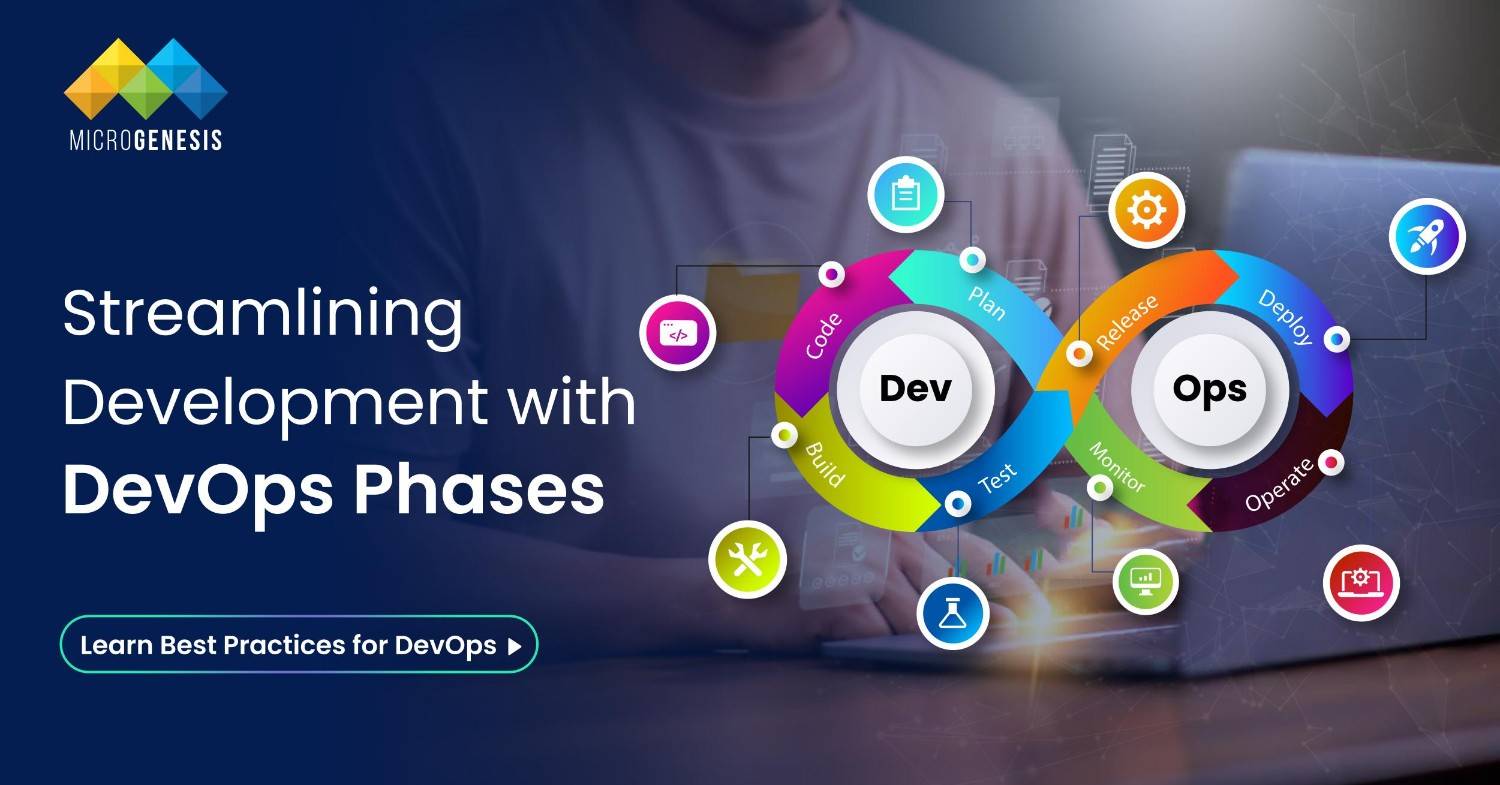
The demand for faster software delivery and increased collaboration between development and operations teams has driven the adoption of DevOps. A well-defined DevOps workflow is essential to achieving this goal, ensuring continuous integration, testing, deployment, and monitoring. This blog explores the key phases of creating a DevOps workflow and best practices to optimize its implementation.  What Is a DevOps Workflow?  A DevOps workflow refers to the sequence of processes, tools, and practices that guide the development and deployment of software. It integrates the efforts of development (Dev) and IT operations (Ops) teams to deliver applications more efficiently, with reduced errors and faster time-to-market.  Key objectives of a DevOps workflow include:  Phases of a DevOps Workflow  Creating a DevOps workflow involves several phases, each designed to streamline the software development lifecycle (SDLC). With DevOps consulting services from MicroGenesis, you can optimize these phases for efficiency and collaboration. Let’s explore these phases in detail: 1. Plan  The planning phase establishes the foundation for the entire workflow. Teams define objectives, identify deliverables, and allocate resources.  Key steps in the planning phase:  Best practices:  2. Develop  This phase focuses on writing and managing code. Developers work on new features, fix bugs, and ensure code quality.  Key practices:  Tools to consider:  3. Build  The build phase compiles the source code into a functional application. Automation plays a critical role here to ensure consistent builds.  Key steps:  Best practices:  4. Test  Testing ensures the application meets quality standards before deployment. This phase involves automated and manual testing to identify defects.  Types of testing:  Tools for testing:  Best practices:  5. Release  The release phase involves packaging the application for deployment. This step ensures the application is ready to go live.  Key practices:  Best practices:  6. Deploy  Deployment moves the application from a staging environment to production. Continuous Deployment (CD) practices ensure seamless releases.  Deployment strategies:  Best practices:  7. Operate  After deployment, the application enters the operational phase, where it is actively monitored and maintained.  Key steps:  Best practices:  8. Monitor  Monitoring is an ongoing process in DevOps workflows. It provides insights into application performance and user behavior.  Key metrics to monitor:  Read more : 10 Best DevOps Collaboration Tools for Software Teams Best practices:  Best Practices for Building a DevOps Workflow  To ensure the success of your DevOps workflow, follow these best practices:  1. Embrace a Collaborative Culture  Foster collaboration between development and operations teams by breaking down silos. Encourage open communication and shared responsibilities.  2. Automate Everything  Automation is the backbone of DevOps. From testing to deployment, automating repetitive tasks saves time and reduces errors.  3. Implement Continuous Feedback  Use feedback from monitoring and user analytics to identify areas for improvement. Incorporate this feedback into the planning phase for future iterations.  4. Use Modular Tools  Choose tools that integrate well with each other, allowing you to create a seamless workflow. Examples include:  5. Regularly Review and Refine  DevOps is a continuous process. Periodically review your workflow to identify bottlenecks and optimize efficiency.  Conclusion  Creating a DevOps workflow involves planning, automating processes, fostering collaboration, and continuously improving based on feedback. With MicroGenesis, a leading IT solution company, and our expert DevOps services, organizations can accelerate their software development lifecycle, reduce errors, and enhance product quality. Start building your DevOps workflow today with MicroGenesis to unlock its full potential!

Mastering DevOps Automation: Best Practices and Strategies 

In the DevOps community, there’s an ongoing debate: Is DevOps primarily a set of tools or practices? The reality is that DevOps encompasses both. New tools have emerged to support innovative practices, and practices have evolved alongside these tools. For example, continuous delivery tools automate release processes, making deployments more frequent and predictable. DevOps solution providers play a crucial role in this evolution, offering the tools and expertise needed to integrate these practices effectively and drive continuous improvement across the development lifecycle. To guide teams in integrating automation into their software development practices and fostering continuous feedback and iteration, consider the following reference architecture:  Automation Reference Architecture  Workflow and Practices  1. Plan and Track  2. Code  3. Detect  4. Package  5. Deploy  Evolving Team Practices for DevOps Success  Traditional methods are becoming less effective as DevOps practices evolve. The challenge lies in transforming team skills collectively rather than individually. It involves learning to implement CI/CD practices and adapting to new tools that benefit the entire team. By leveraging DevOps services, organizations can facilitate this transformation, ensuring that teams are equipped with the knowledge and tools needed to succeed in a rapidly changing environment. Dig Deeper: DevOps Implementation Strategy for Enterprises: A Practical Guide for Software Teams  Key Practices:  Current Performance Metrics  Process Indicators:  Tech Platform:  Implementing Team Changes  1. Customer-Centric Practices:  2. Learn from Experience:  3. Standardize Changes:  Comparison of Practices:  Embracing Automation  1. Infrastructure as Code (IaC):  2. Advanced Logging:  3. Dynamic Systems:  Conclusion  Adopting DevOps practices and automation tools requires a shift in both mindset and processes. By integrating DevOps solutions into each phase of the development lifecycle and focusing on team-wide skills development, organizations can achieve greater efficiency, improve software quality, and enhance overall productivity. As one of the top managed service providers, MicroGenesis is committed to helping businesses embrace these best practices, enabling them to navigate the evolving landscape of DevOps successfully.

DevOps Lifecycle : Different Phases in DevOps

Ever wondered how big tech companies release new features so fast and keep them top quality? It’s all around the DevOps workflow. The stages of the DevOps lifecycle support merging and automating software development (Dev) with IT operations (Ops). Leveraging expert DevOps consulting services can help you implement and optimize these practices for your own organization. But why is this so important in today’s world? In 2023, the global DevOps market was valued at over $10.4 billion, and it expects an annual growth rate of 19.7 % to reach $25.5 billion by 2028. This tremendous rise comes because businesses have to deliver quickly while making their operations smoother. Research showed that 83% of IT executives adopt DevOps for better quality work and faster software delivery. This proves that DevOps is much more than just being trendy; it does make a difference. So what are these stages within a typical devops cycle? Why do some succeed where others fail? The answer lies in knowing what each stage involves as well as how best they can be done – keep reading! What is the DevOps Lifecycle? The devops lifecycle is a set of actions or steps that combines software development with information technology operations (IT). These include planning, coding, building, testing, releasing(deployment), operating and monitoring. The aim for every stage is to foster collaboration which results into speedy delivery while ensuring continuity throughout the process. Let us take Netflix for example: Netflix had lots of data to handle besides serving millions users with uninterrupted videos streaming experience hence there arose a need for adopting various devops practices such as changing DevOps processes involved and DevOps software development life cycle. Netflix introduced continuous integration and continuous delivery (CI/CD) pipelines. This meant they could push updates quickly and reliably. They used a microservices approach and containerization, making their services more scalable and reliable. As a result, Netflix saw huge improvements: Thanks to these practices, Netflix grew its subscribers from 12.3 million in 2009 to over 278 million in Q2 2024. Their ability to deploy updates quickly and reliably has been key to staying ahead​​. The DevOps workflow at Netflix shows how mastering the stages of the DevOps lifecycle can lead to greater agility and efficiency. What are the Different Phases of the DevOps Lifecycle? Understanding the DevOps lifecycle stages is key to integrating development and operations smoothly. These stages help with continuous delivery, better teamwork, and faster project completion.  Knowing each phase well can make a big difference in your DevOps success. Planning First is planning. Here, teams set project goals, define the scope, and make timelines. Tools like Jira or Trello help manage tasks and ensure everyone knows their role. Planning involves regular meetings to refine objectives and make sure the team understands what and why they are building it. Coding Next is coding. Developers write the application’s code. They use version control systems like Git to manage changes and work together. The focus is on writing clean, efficient code. Peer reviews and automated tests help maintain high quality. Building In the building phase, the written code is compiled into executable files. Continuous integration (CI) tools like Jenkins automate this process, ensuring quick integration and testing of code changes. This helps catch and fix issues early. Testing Testing is crucial. Automated tools like Selenium run various tests to ensure the application works as expected. This phase includes unit, integration, and performance tests. Testing catches bugs before they reach production, ensuring stability and reliability. Releasing Releasing involves deploying the application to a production-like environment for final tests. Tools like Docker help manage containers and orchestrate deployments. The goal is a smooth transition from development to production. Deploying Deployment is the actual launch. The application goes live for users. Continuous deployment (CD) tools like Spinnaker automate this, allowing for quick updates. Monitoring is set up to track performance. Operating Operating involves maintaining the live application. This includes monitoring performance, handling issues, and making updates. Tools like Nagios are used to monitor the system. The goal is smooth and efficient operation. Monitoring The final phase is monitoring. Tools track performance and user experience. This involves gathering metrics to identify issues and areas for improvement. Feedback informs future development and operations. Additional Phases for DevSecOps Adding security to each phase of the DevOps lifecycle phases brings DevSecOps. This makes security part of the DevOps stages from the start. These extra phases ensure your DevOps process is not only fast and efficient but also secure. By including these practices, you can protect your applications from security risks while keeping the benefits of DevOps. Learn more about What Is DevSecOps and How Does It Work? here. Best Practices for the DevOps Lifecycle Using best practices in the DevOps lifecycle stages helps with smooth operations, better teamwork, and continuous delivery. These practices boost performance, keep quality high, and allow for quick changes. Automation Automation is key in DevOps. Automate tasks like code integration, testing, and deployment. Tools like Jenkins can automate these processes, saving time and reducing errors. This lets teams focus on complex tasks and keeps everything consistent. Continuous Integration and Continuous Deployment (CI/CD) CI/CD is vital for fast and reliable software delivery. Continuous integration means merging code changes often and testing them automatically. Continuous deployment ensures changes pass through automated tests and go live without manual steps. This reduces issues and speeds up delivery. Monitoring and Logging Monitoring and logging are crucial. Use tools like Prometheus and Grafana to track performance and system health. Logging tools like ELK Stack (Elasticsearch, Logstash, Kibana) help analyse logs and spot issues early. Continuous monitoring helps fix problems quickly. Collaboration and Communication Good collaboration and communication are essential. Use tools like Slack or Microsoft Teams to keep everyone connected. Regular updates and meetings ensure everyone knows what’s happening. Good communication helps resolve issues fast. Infrastructure as Code (IaC) IaC means managing infrastructure through code. Tools like Terraform and Ansible automate setting up infrastructure, making it consistent and reducing errors. IaC makes… Continue reading DevOps Lifecycle : Different Phases in DevOps

What Is DevSecOps and How Does It Work?

How do companies keep their software safe while building it? That’s where DevSecOps comes in. In 2022, the DevSecOps market was worth $4.4 billion and is set to grow to $30.51 billion by 2032. This growth is driven by increasing cyber threats and the use of advanced technologies like AI and cloud computing. Leveraging comprehensive DevOps services can enhance your DevSecOps strategy, ensuring robust security throughout the development lifecycle. DevSecOps helps find problems early, speeds up development, and cuts risks. For example, more than 72% of security pros say their security is “good” or “strong” thanks to DevSecOps​​. Want to know more about how DevSecOps software can keep your projects safe? Keep reading to find out! What is DevSecOps? DevSecOps stands for Development, Security, and Operations. It makes sure security is part of every step in making software, from start to finish. Usually, security checks happen at the end. But with DevSecOps technologies, they happen all the time. Think of it like building a house. Normally, you add security alarms after it’s built. But with DevSecOps, you build the house with security in every room from the start. This way, it’s faster and safer. DevSecOps security uses different technologies to keep security in the process. This includes tools for static application security testing (SAST), dynamic application security testing (DAST), and container security. This way, problems are found and fixed quickly​ DevSecOps vs. DevOps DevSecOps makes sure security is not added later but is part of everything from the beginning. This way, you find and fix security problems early, which saves time and cuts risks. When developers, operations, and security teams work together, the software is safer and more reliable. Let’s break it down with a simple comparison. Aspect DevOps DevSecOps Focus Speed and efficiency in development and operations Speed, efficiency, and security in development and operations Security Integration Added later, often at the end Integrated from the start Team Collaboration Developers and Operations Developers, Operations, and Security Risk Management Identified and managed post-deployment Continuous risk assessment and mitigation Tools Used CI/CD tools, configuration management CI/CD tools, configuration management, security tools Automation Primarily for deployment and testing Extensive automation, including security checks (using DevSecOps automation tools) Why is DevSecOps important? DevSecOps is important because it makes security part of the whole development process. Here’s why DevSecOps implementation matters: What are the Benefits of DevSecOps? DevSecOps brings a lot of benefits to the table, making it a crucial part of modern software development. By integrating security into every step of the development process, DevSecOps ensures that security issues are caught early and dealt with quickly. This proactive approach helps in building more secure, reliable, and efficient software.  Let’s look at some of the key benefits. Improved Security One of the biggest benefits of DevSecOps is improved security. Since security practices are integrated from the start, potential vulnerabilities are identified and fixed early. This reduces the risk of security breaches and helps in maintaining a strong security posture.  For instance, a study found that companies adopting DevSecOps see a 68% reduction in security incidents. This approach not only protects sensitive data but also builds trust with users. Moreover, DevSecOps managed services provide continuous monitoring and real-time threat detection, further increasing security. Faster Delivery DevSecOps speeds up the software delivery process. By automating security checks and integrating them into the CI/CD pipeline, teams can quickly identify and fix issues without slowing down development. This results in faster delivery of secure software.  For example, a survey showed that teams using DevSecOps deliver software faster than those using traditional methods. This rapid delivery is essential in today’s fast-paced digital world, where time to market is crucial.  DevSecOps support and maintenance ensure that security measures are consistently updated and applied, keeping the software secure without compromising on speed. Cost Efficiency Implementing DevSecOps can lead to significant cost savings. Early detection and resolution of security issues prevent costly fixes after deployment. According to a report, fixing a security issue during the development phase costs six times less than fixing it after deployment. This cost efficiency extends to compliance as well.  DevSecOps practices help in maintaining compliance with regulatory standards, avoiding hefty fines. With DevSecOps managed services, companies can optimise their security spend by leveraging expert services and tools, ensuring robust security at a lower cost. Enhanced Collaboration DevSecOps helps teams work better together. It breaks down barriers between development, security, and operations. Everyone works as a team, sharing the job of keeping things secure. A company improved its API security using DevSecOps, as shown in a case study from Cloud Security Web. Before DevSecOps, their security processes were messy, and their teams didn’t communicate well. This led to security gaps. But after starting DevSecOps, they saw big improvements. The teams began working closely, fixing security issues early. This proactive method cut down risks and made everything run smoother​. Also, the 2024 Global DevSecOps Report by GitLab showed that using DevSecOps can boost team collaboration. Better teamwork not only improves security but also makes everyone more productive. Regular chats and solving problems together are key parts of DevSecOps support and maintenance. This keeps improving security practices and helps align them with development goals​​. These real examples show that DevSecOps makes teams stronger. It encourages regular communication, shared duties, and continuous monitoring. This approach not only boosts security but also makes teams work more efficiently together. Read more: DevOps Best Practices for Digital Transformation: MicroGenesis Insights  What are the Challenges of DevSecOps? DevSecOps has many benefits, but it also has challenges. These can make it hard for companies to fully adopt DevSecOps. Implementing DevSecOps is not easy, but with the right strategies, these challenges can be managed. It’s a continuous journey of improving practices to meet changing security needs. Best Practices for DevSecOps Getting DevSecOps right can be tough, but some best practices can help. These tips will make it easier to add security to every step of making software. Here are the key practices: Final Thoughts  DevSecOps is… Continue reading What Is DevSecOps and How Does It Work?

10 Best DevOps Collaboration Tools for Software Teams

Remember when communication channels were a mess, information was siloed, and keeping everyone on the same page felt impossible? Those were the hard days. Now, DevOps is here to simplify it all and save the day! Remember the days when endless communication channels, siloed information, and a struggle to stay on the same page made DevOps feel like wrangling a three-headed communication monster? Yeah, those were the dark ages. Enter DevOps, the superhero of software development! DevOps tools help by making things run smoothly in stages, like gathering requirements, coding, testing, and deployment.  Today, we’ll dive deeper into these communication lifesavers, exploring their specific advantages and how they can empower your DevOps team. These DevOps collaboration tools help teams talk things through and work together seamlessly, no matter if they’re down the hall or across the globe. For expert guidance on integrating these tools effectively, consult with a leading DevOps consulting firm. 10 Effective DevOps Collaboration Tools 1. Rational DOORS Next Generation (DNG) A really effective DevOps collaboration tool is Rational DNG, which is like a communication quarterback for your team. DNG goes beyond just being a requirements management tool; it actively optimises DevOps collaboration and verification throughout the entire process. It streamlines requirement creation, fosters seamless collaboration (even with remote teams), and simplifies compliance. No more ambiguity, last-minute scrambling, or clunky tools – just clear communication and boosted efficiency for all development methodologies. 2. Rational Team Concert (RTC) This IBM offering manages tasks, projects, statuses, and collaborative change management. Its flexibility allows organisations to tailor it to their specific release cycles and dependencies.  When combined with other IBM Rational tools like DNG, it creates a complete Collaborative Lifecycle Management solution (available on-premise or cloud). Learn more about DevOps here – DevOps Best Practices for Digital Transformation: MicroGenesis Insights  3. Bitbucket Server Atlassian’s Bitbucket Server is a combo of a GIT server and a web interface product. This web-based hosting solution is ideal for projects using Mercurial or GIT version control systems.  It’s specifically developed for professional teams, enabling users to code, manage, and collaborate on GIT projects. 4. Pivotal Tracker Forget complex interfaces with this Software-as-a-Service (SaaS) product. It focuses on Agile Project Management and Collaboration.  Pivotal Tracker is a user-friendly, story-based Project Management application perfect for Agile projects for software development teams working together. But it isn’t just about stories; it empowers you to prioritise them effectively. 5. Atlassian Confluence Confluence is a content and team collaboration software that works by breaking down information silos. It allows your team to create, share, and collaborate on projects effortlessly. No more document chaos! Confluence keeps your team information organised and easily searchable. It allows you to create, share, and collaborate on projects, easily publish and organise company information, and even share knowledge among colleagues. 6. Atlassian JIRA JIRA, another Atlassian offering, tackles task management head-on. It’s a powerful DevOps collaboration tool designed to capture, assign, and prioritise tasks with ‌focus. It eliminates ambiguity and lets you capture tasks clearly, assign them to the right team members, and prioritise effectively. 7. Micro Focus Project and Portfolio Management This solution provides critical project information to executives, helping them make real-time decisions. It offers robust Work Breakdown Structures (WBS) and integrates with leading agile tools like ALM Octane and Agile Manager. Its flexible workflow allows for process automation throughout the project lifecycle. 8. Microsoft Teams This chat-based workspace for Office 365 helps colleagues stay connected, build collaboration, and maintain project history. It offers private group and channel-based conversations, real-time communication, and a customisable workspace. Teams also integrate seamlessly with Office 365 and Skype. 9. Slack For quick updates, casual discussions, and a touch of team camaraderie, there’s Slack. It is a popular collaboration tool with a “freemium” model.  Now, you can organise communication with channels dedicated to specific topics or projects. This is ideal for quick and real-time messaging; larger teams across geographical locations can communicate and stay on the same page. 10. Basecamp Basecamp is a project management tool that also features a chat tool called Campfire and a threaded chat message board.  It offers to-do lists and calendar functions, all woven into a single collaboration platform. While there’s no freemium model, a free trial is available. Wrapping up These tools are your secret weapons for collaboration in Azure DevOps (or any other platform). From Dev QA collaboration tools like DNG to communication hubs like Teams and Slack, the right arsenal can transform your team into a well-oiled machine. Successful collaboration in DevOps isn’t just about having the right tools but a culture of open communication and shared responsibility. By equipping your team with the resources they need, including top managed service providers and comprehensive DevOps solutions, you can easily tap into the true potential of your DevOps practice and achieve continuous delivery success. Looking to empower your team with DevOps and make the best of it? Reach out to us at MicroGenesis to schedule a call!