Cloud migration has become a strategic priority for organizations looking to improve agility, reduce infrastructure costs, and accelerate innovation. With DevOps Services in India, businesses can migrate applications to cloud platforms such as AWS, Microsoft Azure, and Google Cloud with greater efficiency and confidence. Without proper planning, organizations may encounter unexpected downtime, security vulnerabilities, performance issues, and rising operational costs.
This is where DevOps becomes a critical success factor.
By combining automation, collaboration, Infrastructure as Code (IaC), Continuous Integration/Continuous Deployment (CI/CD), and continuous monitoring, DevOps transforms cloud migration from a one-time infrastructure project into a structured, repeatable, and scalable modernization journey.
Organizations adopting a DevOps-driven migration strategy can provision cloud infrastructure automatically, validate deployments through continuous testing, recover quickly from failures, and continuously optimize cloud environments after migration.
Businesses modernizing their infrastructure should first understand the common challenges in cloud and DevOps integration and how addressing them early leads to smoother cloud adoption.
In this guide, we’ll explore why DevOps is essential for cloud migration, the key stages of a successful migration strategy, implementation best practices, common challenges, and how organizations can build a future-ready cloud operating model.
Why DevOps Is Essential for Cloud Migration
Traditional cloud migration projects often focus primarily on infrastructure. While moving workloads to the cloud is important, long-term success depends on how efficiently applications are built, deployed, monitored, and managed after migration. DevOps consulting services help organizations establish the right strategies, processes, and automation to ensure a smooth and scalable cloud transformation.
DevOps bridges this gap by integrating people, processes, and automation throughout the migration lifecycle. Backed by DevOps implementation services, businesses can streamline deployments, improve collaboration, and build a reliable cloud environment that supports continuous innovation.
Instead of relying on manual provisioning and isolated teams, DevOps enables organizations to:
- Automate cloud infrastructure deployment
- Standardize environments across development, testing, and production
- Accelerate software delivery
- Improve collaboration between development and operations
- Increase deployment reliability
- Enhance security and compliance
- Optimize cloud resources continuously
Cloud migration is no longer viewed as a single project—it has become an ongoing process of modernization and continuous improvement.
Organizations building scalable cloud environments often align migration initiatives with DevOps implementation roadmaps to create standardized delivery processes across teams.
Benefits of Using DevOps for Cloud Migration
Integrating DevOps into cloud migration delivers measurable improvements throughout the modernization journey.
Faster Migration Timelines
Automation significantly reduces the manual effort required to provision infrastructure, configure environments, deploy applications, and validate workloads.
Instead of waiting days or weeks for infrastructure setup, teams can deploy cloud environments within minutes using Infrastructure as Code.
Improved Deployment Reliability
Manual deployments frequently introduce configuration inconsistencies that lead to application failures after migration.
DevOps eliminates these issues through automated deployment pipelines, standardized infrastructure, and version-controlled configurations.
This creates repeatable deployment processes across every environment.
Better Collaboration
Cloud migration involves multiple stakeholders, including developers, operations teams, security specialists, architects, and business leaders.
DevOps encourages cross-functional collaboration by providing shared workflows, automation, and centralized visibility throughout the migration process.
This reduces communication gaps while accelerating decision-making.
Organizations building collaborative delivery environments can also strengthen their DevOps workflows to improve coordination between technical teams.
Enhanced Security
Security should be integrated into every stage of cloud migration rather than being addressed after deployment.
Modern DevOps practices incorporate:
- Automated vulnerability scanning
- Infrastructure compliance validation
- Secrets management
- Identity and access controls
- Policy enforcement
Embedding security into deployment pipelines enables organizations to reduce risks while maintaining regulatory compliance.
Faster Recovery from Failures
Cloud migrations occasionally encounter unexpected issues, including configuration errors, failed deployments, or performance degradation.
DevOps minimizes business impact by enabling:
- Automated rollback mechanisms
- Version-controlled infrastructure
- Immutable deployments
- Continuous monitoring
- Disaster recovery automation
This significantly improves operational resilience.
Long-Term Cloud Optimization
Migration is only the beginning.
DevOps enables organizations to continuously optimize cloud environments through:
- Automated scaling
- Cost optimization
- Performance monitoring
- Resource management
- Continuous deployment
These capabilities help maximize cloud investments long after workloads have been migrated.
Step 1: Assess Your Current Environment
Every successful cloud migration begins with a comprehensive assessment of the existing IT landscape.
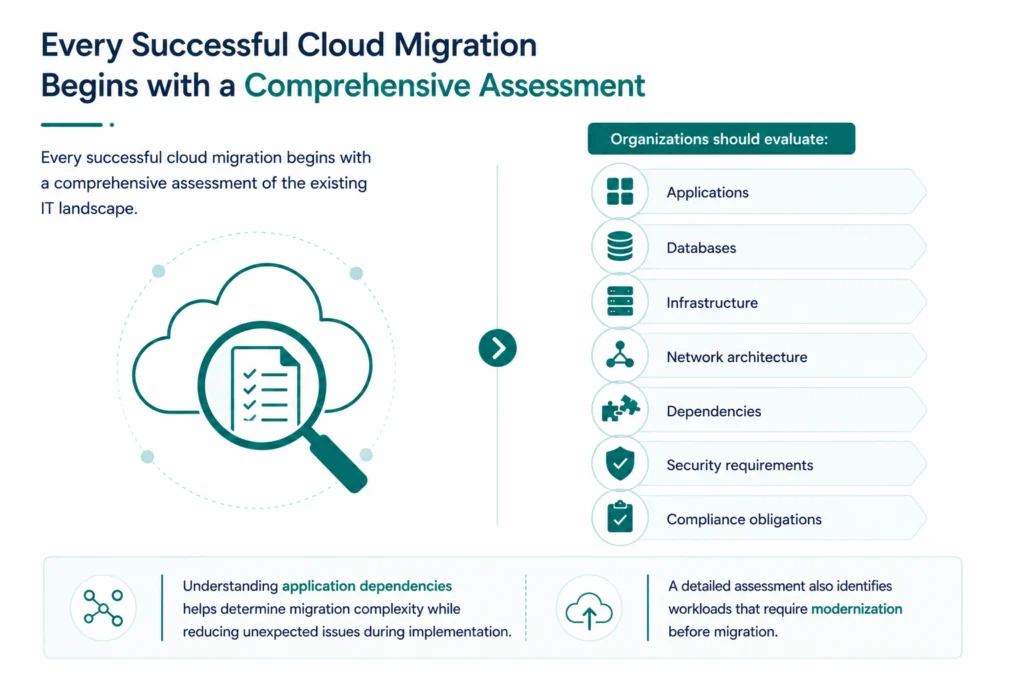
Organizations should evaluate:
- Applications
- Databases
- Infrastructure
- Network architecture
- Dependencies
- Security requirements
- Compliance obligations
Understanding application dependencies helps determine migration complexity while reducing unexpected issues during implementation.
A detailed assessment also identifies workloads that require modernization before migration.
Evaluate Cloud Readiness
Not every application is immediately ready for cloud deployment.
Organizations should determine:
- Which workloads are cloud-ready
- Which applications require refactoring
- Which systems should remain on-premises
- Which workloads should be retired
This assessment enables organizations to prioritize migration efforts based on business value and technical feasibility.
Define Business Objectives
Technology should support business outcomes.
Before migrating, organizations should establish clear objectives such as:
- Reducing infrastructure costs
- Improving application performance
- Increasing business agility
- Accelerating software releases
- Enhancing disaster recovery
- Supporting global scalability
- Modernizing legacy applications
Well-defined objectives provide measurable success criteria throughout the migration journey.
Choose the Right Cloud Strategy
Different workloads require different cloud deployment models.
Organizations typically choose between:
|
Cloud Model |
Best For |
|
Public Cloud |
Scalability and cost optimization |
|
Private Cloud |
Sensitive or regulated workloads |
|
Hybrid Cloud |
Gradual modernization and compliance |
|
Multi-Cloud |
Vendor flexibility and resilience |
Selecting the appropriate cloud model depends on business goals, compliance requirements, application architecture, and long-term IT strategy.
Businesses planning cloud-native modernization should also understand containerization in cloud and DevOps environments, as containers play an increasingly important role in modern cloud migration strategies.
Assess DevOps Maturity
Finally, evaluate your organization’s current DevOps capabilities.
Questions to consider include:
- Do teams use CI/CD pipelines?
- Is Infrastructure as Code already implemented?
- Are deployments automated?
- Is cloud monitoring centralized?
- Are security checks integrated into delivery pipelines?
- Are teams collaborating effectively?
Answering these questions helps identify capability gaps before migration begins.
A mature DevOps foundation significantly increases the likelihood of a successful cloud transformation.
Step 2: Build a DevOps-Enabled Cloud Foundation
Once you’ve assessed your existing environment, the next step is to establish a cloud foundation that supports automation, scalability, security, and operational consistency. Migrating applications without preparing the underlying cloud infrastructure often leads to configuration drift, deployment failures, and ongoing operational challenges. DevOps consulting helps organizations design a cloud-ready infrastructure that aligns with business and operational goals.
A DevOps-enabled cloud foundation ensures every environment—from development to production—is provisioned consistently and managed through automation. By leveraging DevOps services, businesses can build a secure, scalable, and resilient cloud environment that simplifies operations and accelerates application delivery.
Key Activities
- Configure cloud accounts and subscriptions
- Design virtual networks and connectivity
- Implement Identity and Access Management (IAM)
- Define governance and compliance policies
- Configure backup and disaster recovery
- Establish centralized logging and monitoring
- Create reusable infrastructure templates
Rather than configuring resources manually, organizations should automate infrastructure deployment from the very beginning with the support of DevOps implementation services.
Automate Infrastructure with Infrastructure as Code (IaC)
Infrastructure as Code (IaC) is one of the most important DevOps practices for cloud migration. Instead of manually provisioning virtual machines, networking, storage, and security policies, infrastructure is defined using code and stored in version control. As part of modern DevOps services, IaC enables consistent, repeatable, and scalable infrastructure management across cloud environments.
Popular IaC tools include:
- Terraform
- AWS CloudFormation
- Azure Resource Manager (ARM)
- Ansible
- Pulumi
Using IaC provides several advantages:
- Faster infrastructure provisioning
- Consistent environments
- Version-controlled infrastructure
- Easier disaster recovery
- Reduced human error
- Improved compliance
Infrastructure templates can be reused across development, testing, staging, and production environments, ensuring every deployment follows the same standards.
Organizations implementing cloud automation should also understand DevOps automation best practices to build scalable and reliable deployment workflows.
Build Continuous Integration and Continuous Deployment (CI/CD) Pipelines
Cloud migration should not stop once applications are deployed. Continuous Integration and Continuous Deployment (CI/CD) pipelines automate software delivery by integrating code changes, executing automated tests, and deploying applications with minimal manual intervention.
Modern CI/CD platforms include:
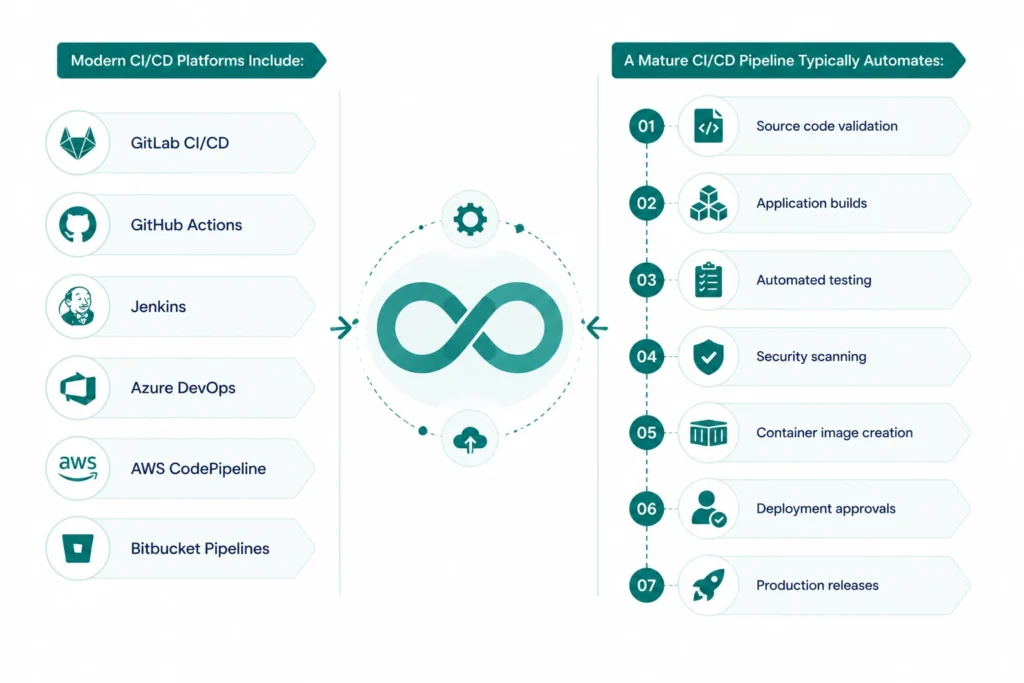
- GitLab CI/CD
- GitHub Actions
- Jenkins
- Azure DevOps
- AWS CodePipeline
- Bitbucket Pipelines
A mature CI/CD pipeline typically automates:
- Source code validation
- Application builds
- Automated testing
- Security scanning
- Container image creation
- Deployment approvals
- Production releases
By automating these processes, organizations reduce deployment risks while accelerating software delivery.
Businesses modernizing cloud delivery should also explore Continuous Integration and Continuous Deployment (CI/CD) to understand how automated pipelines improve deployment consistency and release frequency.
Implement Observability from Day One
Many organizations treat monitoring as a post-migration activity. However, successful cloud migrations require visibility throughout every phase of deployment.
A modern observability strategy should include:
- Infrastructure monitoring
- Application Performance Monitoring (APM)
- Centralized logging
- Distributed tracing
- Real-time alerting
- Cost monitoring
Popular observability platforms include Prometheus, Grafana, Datadog, Azure Monitor, Amazon CloudWatch, and Google Cloud Operations Suite.
Continuous monitoring allows teams to detect issues quickly, optimize cloud resources, and maintain service reliability after migration.
Step 3: Choose the Right Cloud Migration Strategy
Every application has different technical requirements and business priorities. Choosing the appropriate migration strategy ensures resources are used efficiently while minimizing operational risks.
The most common cloud migration strategies are known as the “6 Rs”.
|
Migration Strategy |
Description |
Best Used When |
|
Rehost |
Move applications with minimal or no code changes (Lift and Shift). |
Quick migration with limited modernization requirements. |
|
Replatform |
Make small optimizations while retaining the application’s core architecture. |
Improving cloud performance without extensive redevelopment |
|
Refactor / Rearchitect |
Redesign applications using cloud-native technologies such as microservices or containers |
Long-term modernization and scalability. |
|
Repurchase |
Replace existing applications with SaaS solutions. |
Legacy applications no longer meet business needs. |
|
Retire |
Decommission unused applications. |
Eliminating unnecessary maintenance costs. |
|
Retain |
Keep certain workloads on-premises temporarily. |
Regulatory, technical, or business constraints. |
Each workload should be evaluated individually to determine the most suitable migration approach.
Modernize Applications with Containers
Organizations choosing to replatform or rearchitect applications often adopt containerization to improve portability, scalability, and deployment consistency.
Containerized applications can move seamlessly across on-premises infrastructure, private clouds, and public cloud platforms without requiring significant configuration changes.
Containerization also enables:
- Faster deployments
- Independent service scaling
- Better resource utilization
- Simplified application updates
- Cloud-native development
Businesses modernizing legacy applications should also explore containerization in cloud and DevOps environments to understand how containers accelerate cloud migration and application modernization.
Step 4: Execute the Migration in Phases
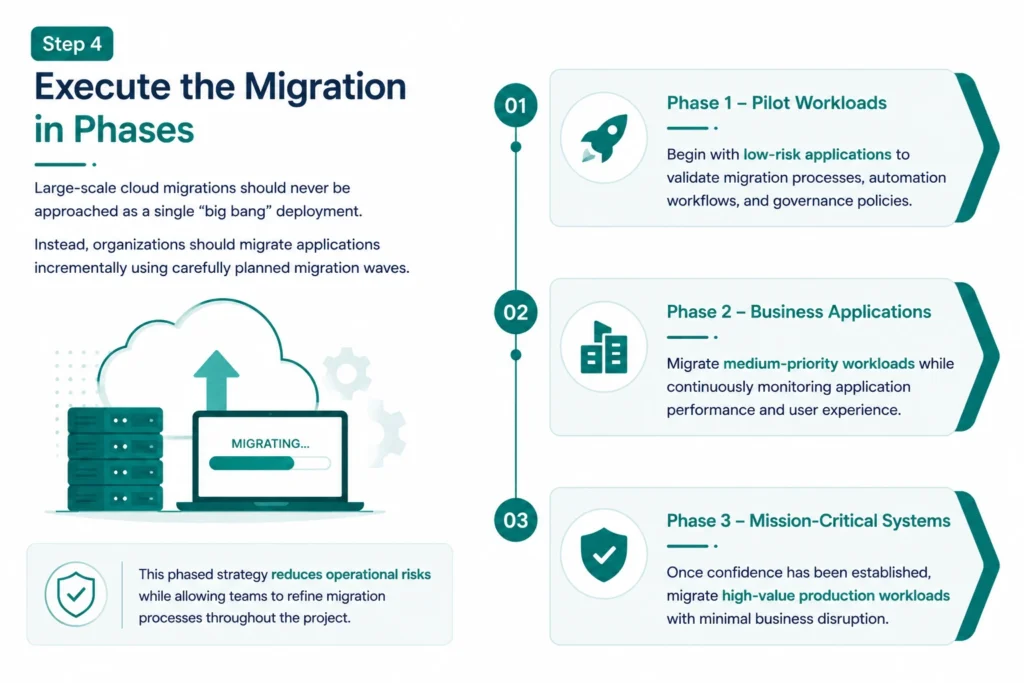
Large-scale cloud migrations should never be approached as a single “big bang” deployment.
Instead, organizations should migrate applications incrementally using carefully planned migration waves.
A phased migration typically follows this approach:
Phase 1 – Pilot Workloads
Begin with low-risk applications to validate migration processes, automation workflows, and governance policies.
Phase 2 – Business Applications
Migrate medium-priority workloads while continuously monitoring application performance and user experience.
Phase 3 – Mission-Critical Systems
Once confidence has been established, migrate high-value production workloads with minimal business disruption.
This phased strategy reduces operational risks while allowing teams to refine migration processes throughout the project.
Reduce Deployment Risks with Progressive Release Strategies
Modern DevOps practices help organizations minimize migration risks through controlled deployment techniques.
Common deployment strategies include:
Blue-Green Deployments
Maintain two identical production environments and switch traffic only after validating the new release.
Canary Releases
Deploy new versions to a small percentage of users before rolling out changes across the entire application.
Rolling Updates
Gradually replace existing application instances with new versions while maintaining application availability.
These deployment strategies reduce downtime, simplify rollback procedures, and improve user experience during cloud migrations.
Organizations implementing enterprise-scale release automation can strengthen deployment reliability by understanding GitLab Enterprise architecture for DevOps and its role in managing complex deployment pipelines.
Step 5: Monitor, Optimize, and Continuously Improve
Cloud migration does not end once workloads are deployed. In fact, the post-migration phase is where organizations begin realizing the full value of their cloud investment. Continuous monitoring, performance optimization, security enhancements, and cost management are essential for maintaining a healthy cloud environment. DevOps consulting services help organizations establish best practices for optimizing cloud operations and ensuring long-term success.
DevOps promotes a culture of continuous improvement by combining real-time insights with automation, allowing teams to proactively identify issues and optimize applications without disrupting business operations. Through comprehensive DevOps services, businesses can enhance performance, strengthen security, and continuously improve application reliability
Focus Areas After Migration
- Monitor application performance
- Optimize cloud resource utilization
- Automate infrastructure scaling
- Strengthen security and compliance
- Improve deployment pipelines
- Continuously reduce cloud costs
Modern cloud platforms provide extensive telemetry and analytics that help organizations make data-driven decisions and improve operational efficiency over time.
Build an Effective Cloud Monitoring Strategy
Without visibility into cloud environments, organizations cannot identify performance bottlenecks or prevent service disruptions.
A comprehensive monitoring strategy should cover:
Infrastructure Monitoring
Track the health of virtual machines, containers, storage, networking, and cloud services.
Application Performance Monitoring (APM)
Measure response times, request latency, error rates, and user experience to quickly identify application issues.
Log Management
Centralize logs from applications, servers, containers, and cloud services to simplify troubleshooting and security investigations.
Alerting and Incident Management
Configure automated alerts based on predefined thresholds so teams can respond before users are affected.
Organizations managing hybrid cloud environments should also explore optimizing IT operations in hybrid and multi-cloud environments to improve visibility, governance, and operational resilience.
Optimize Cloud Costs Continuously
One of the biggest misconceptions about cloud migration is that moving workloads automatically reduces costs.
Without proper governance, organizations often experience:
- Overprovisioned resources
- Idle virtual machines
- Unused storage
- Duplicate environments
- Inefficient scaling
DevOps helps optimize cloud spending through automation and continuous monitoring.
Best practices include:
- Enable auto-scaling
- Schedule non-production environments
- Monitor unused resources
- Optimize storage tiers
- Implement cloud cost dashboards
- Tag cloud resources consistently
Cost optimization should become an ongoing operational practice rather than a one-time exercise.
Best Practices for Cloud Migration with DevOps
Organizations that consistently achieve successful cloud migrations follow proven DevOps best practices throughout the modernization journey.
Start Small and Scale Gradually
Rather than migrating every workload simultaneously, begin with low-risk applications to validate processes and refine automation before moving mission-critical systems.
Automate Everything Possible
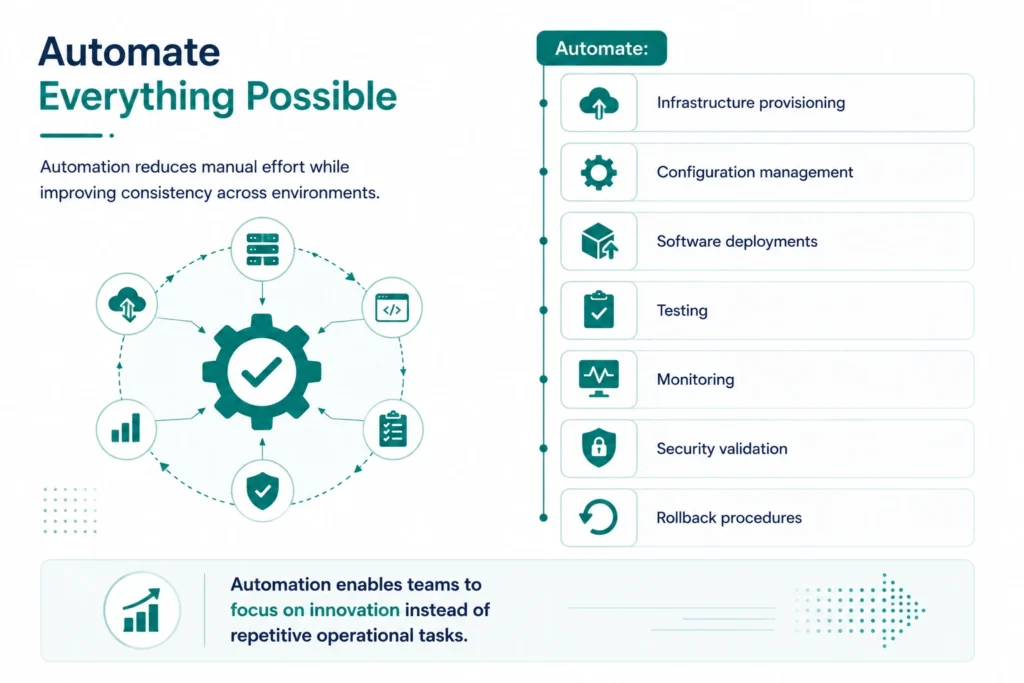
Automation reduces manual effort while improving consistency across environments.
Automate:
- Infrastructure provisioning
- Configuration management
- Software deployments
- Testing
- Monitoring
- Security validation
- Rollback procedures
Automation enables teams to focus on innovation instead of repetitive operational tasks.
Integrate Security from the Beginning
Security should be embedded into every stage of the migration lifecycle rather than treated as a separate activity.
Organizations adopting cloud-native architectures increasingly implement DevSecOps to integrate security directly into CI/CD pipelines while maintaining compliance and reducing deployment risks.
Standardize Infrastructure
Using Infrastructure as Code ensures every environment follows the same configuration standards.
This reduces configuration drift while simplifying disaster recovery, auditing, and future infrastructure expansion.
Invest in Team Enablement
Technology alone does not guarantee successful cloud migration.
Organizations should invest in continuous learning across areas such as:
- Cloud architecture
- Kubernetes
- CI/CD
- Infrastructure as Code
- Cloud security
- Observability
Well-trained teams adapt more quickly to evolving cloud technologies and DevOps practices.
Common Cloud Migration Challenges
Despite careful planning, cloud migration projects often encounter obstacles that can delay progress or increase operational risk.
Legacy Applications
Many legacy systems were never designed for cloud-native environments.
Organizations should evaluate whether applications should be:
- Rehosted
- Replatformed
- Refactored
- Replaced
Selecting the right modernization strategy reduces technical debt while improving long-term scalability.
Lack of Automation
Manual provisioning and deployment processes often create inconsistencies and slow down migration efforts.
Organizations should prioritize automation from the beginning to improve consistency and reduce operational overhead.
Skills Gaps
Cloud migration requires expertise across cloud platforms, DevOps, networking, security, and automation.
Building internal capabilities or partnering with experienced consultants can significantly reduce implementation risks.
Governance and Compliance
As cloud environments grow, maintaining governance becomes increasingly challenging.
Organizations should establish:
- Identity and Access Management (IAM)
- Resource tagging standards
- Security policies
- Compliance monitoring
- Cost governance
Strong governance ensures cloud environments remain secure, scalable, and cost-effective.
Emerging Trends Shaping Cloud Migration
Cloud migration strategies continue to evolve alongside advancements in automation, artificial intelligence, and cloud-native technologies.
Several trends are redefining how organizations approach cloud modernization.
GitOps
GitOps uses Git repositories as the single source of truth for infrastructure and application deployments, improving consistency, auditability, and deployment automation.
Platform Engineering
Internal developer platforms simplify cloud adoption by providing standardized environments, reusable templates, and self-service infrastructure provisioning.
AI-Powered Cloud Operations (AIOps)
Artificial Intelligence is transforming cloud operations by predicting failures, optimizing infrastructure utilization, automating incident response, and improving operational decision-making.
Organizations preparing for intelligent cloud management should explore Artificial Intelligence for IT Operations (AIOps) to understand how AI enhances operational efficiency and service reliability.
Serverless Computing
Many organizations are complementing traditional cloud infrastructure with serverless services to reduce operational overhead and improve application scalability.
Businesses modernizing cloud-native applications should also understand serverless architectures and DevOps and how serverless platforms simplify software delivery.
Why Choose MicroGenesis for Cloud Migration and DevOps?
Cloud migration is not just about moving workloads—it is about transforming the way your organization builds, deploys, secures, and manages applications.
MicroGenesis delivers DevOps consulting services in India that help organizations accelerate cloud transformation through proven DevOps methodologies and deep expertise in cloud platforms, automation, CI/CD, Infrastructure as Code (IaC), Kubernetes, and DevSecOps. Our DevOps implementation services enable businesses to modernize their infrastructure, streamline application delivery, and build secure, scalable, and resilient cloud environments.
Our cloud migration services help organizations:
- Assess cloud readiness and migration complexity
- Design scalable cloud architectures
- Automate infrastructure provisioning
- Build enterprise-grade CI/CD pipelines
- Strengthen cloud security and compliance
- Optimize application performance after migration
- Reduce operational costs through automation
Whether you’re migrating a single application or modernizing an enterprise technology landscape, MicroGenesis provides the technical expertise and strategic guidance needed to ensure a secure, scalable, and future-ready cloud transformation.
Conclusion
Cloud migration has become a strategic initiative for organizations seeking greater agility, scalability, and innovation. However, successful migration requires more than simply moving workloads to the cloud. By integrating DevOps principles such as automation, Infrastructure as Code, CI/CD, continuous monitoring, and collaborative workflows, DevOps consulting services help organizations reduce migration risks while accelerating software delivery.
A phased migration approach, combined with continuous optimization and strong governance, enables businesses to maximize the long-term value of their cloud investments. As cloud technologies continue to evolve with AI-driven operations, GitOps, and serverless computing, organizations leveraging modern DevOps implementation services will be better positioned to innovate faster and respond effectively to changing business demands.
With MicroGenesis as your trusted partner for DevOps consulting services, you can confidently modernize your infrastructure, streamline cloud operations, and build a resilient, cloud-native foundation that supports sustainable business growth and continuous innovation.