How to Connect Jira and Trello: A Comprehensive Guide

How to Connect Jira and Trello: A Comprehensive Guide

How to Connect Jira and Trello: A Comprehensive Guide

BROWSE TOPICS

Introduction

In today’s fast-paced business world, effective project management is crucial for success. Teams across various industries use different tools to manage their workflows, and Jira and Trello are two of the most popular project management tools available. While Jira is primarily used by software development teams for issue tracking, bug management, and Agile project management, Trello is favored by non-technical teams for its visual task boards and ease of use.

But what if your organization uses both tools? How can you ensure seamless collaboration between teams that rely on Jira and Trello to get their work done? The answer is simple: Connect Jira and Trello.

In this comprehensive guide, we’ll walk you through the benefits of integrating Jira and Trello, the steps to establish the connection, best practices for using both tools together, and how to overcome common challenges during integration.

Why Connect Jira and Trello?

Why Connect Jira and Trello?

Integrating Jira and Trello brings multiple benefits to teams across an organization. Here are some key reasons why connecting these tools can improve your workflow:

1. Enhanced Collaboration

By connecting Jira and Trello, you can bridge the gap between technical teams and non-technical teams. Developers using Jira can seamlessly share their progress with marketing, sales, and customer support teams who prefer using Trello.

2. Unified Project Management

Integration ensures that all your project-related tasks and issues are visible in both Jira and Trello, creating a single source of truth for your entire organization.

3. Automated Task Synchronization

With the integration, tasks created in Trello can automatically appear in Jira, and vice versa. This eliminates the need for manual updates and reduces the risk of miscommunication.

4. Improved Productivity

Connecting these tools helps teams stay in sync, avoid duplicate efforts, and manage their tasks more efficiently, ultimately improving overall productivity.

5. Better Visibility

Managers can gain a holistic view of the progress across different departments, ensuring that both technical and non-technical teams are aligned on project goals.

6. Support for Hybrid Teams

In many organizations, hybrid teams consist of technical staff who prefer Jira and business teams who prefer Trello. The integration allows both groups to use their preferred tools while staying in sync, reducing friction and boosting collaboration.

Methods to Connect Jira and Trello 

There are several ways to connect Jira and Trello. Depending on your specific use case, you can choose from the following options:

1. Using the Native Atlassian Power-Up

Atlassian, the company behind both Jira and Trello, offers a native Power-Up that allows you to connect Trello boards to Jira projects.

Steps to Set Up the Jira Power-Up in Trello:

1. Open your Trello board where you want to enable the integration.

2. Click on Power-Ups in the top menu.

3. Search for Jira in the Power-Ups directory.

4. Click Add next to the Jira Power-Up.

5. Authorize the Power-Up by logging into your Atlassian account.

6. Once connected, you can link Trello cards to Jira issues and see issue details directly from Trello.

2. Using Third-Party Integration Tools

If you need more customization or want to automate complex workflows, you can use third-party integration tools such as:

  • Zapier
  • Unito
  • Automate.io
  • Tray.io

Example: Setting Up Jira-Trello Integration with Zapier

1. Sign up for a Zapier account if you don’t have one.

2. Create a new Zap and select Trello as the trigger app.

3. Choose a trigger event, such as New Card Created.

4. Select Jira as the action app.

5. Choose an action event, such as Create Issue.

6. Map the fields between Trello and Jira.

7. Turn on the Zap to start the automation.

3. Using Jira Automation Rules

If you’re using Jira Cloud, you can leverage Jira Automation Rules to create connections between Jira and Trello.

Example: Creating an Automation Rule

1. Go to the Jira project settings.

2. Click on Automation.

3. Create a new rule and select a trigger (e.g., when a new issue is created).

4. Add an action to send data to Trello using webhooks.

5. Save and activate the rule.

Importance of Data Management

Once the integration is set up, you can easily link Trello cards to Jira issues. Here’s how to do it using the native Power-Up:

1. Open a Trello card.
2. Click on the Jira button in the card.
3. Select Link Jira Issue.
4. Search for the issue in Jira that you want to link.
5. Click Link to establish the connection.

Now, you’ll be able to see the Jira issue details directly from the Trello card, including its status, assignee, and priority.

Best Practices for Connecting Jira and Trello

Best Practices for Connecting Jira and Trello

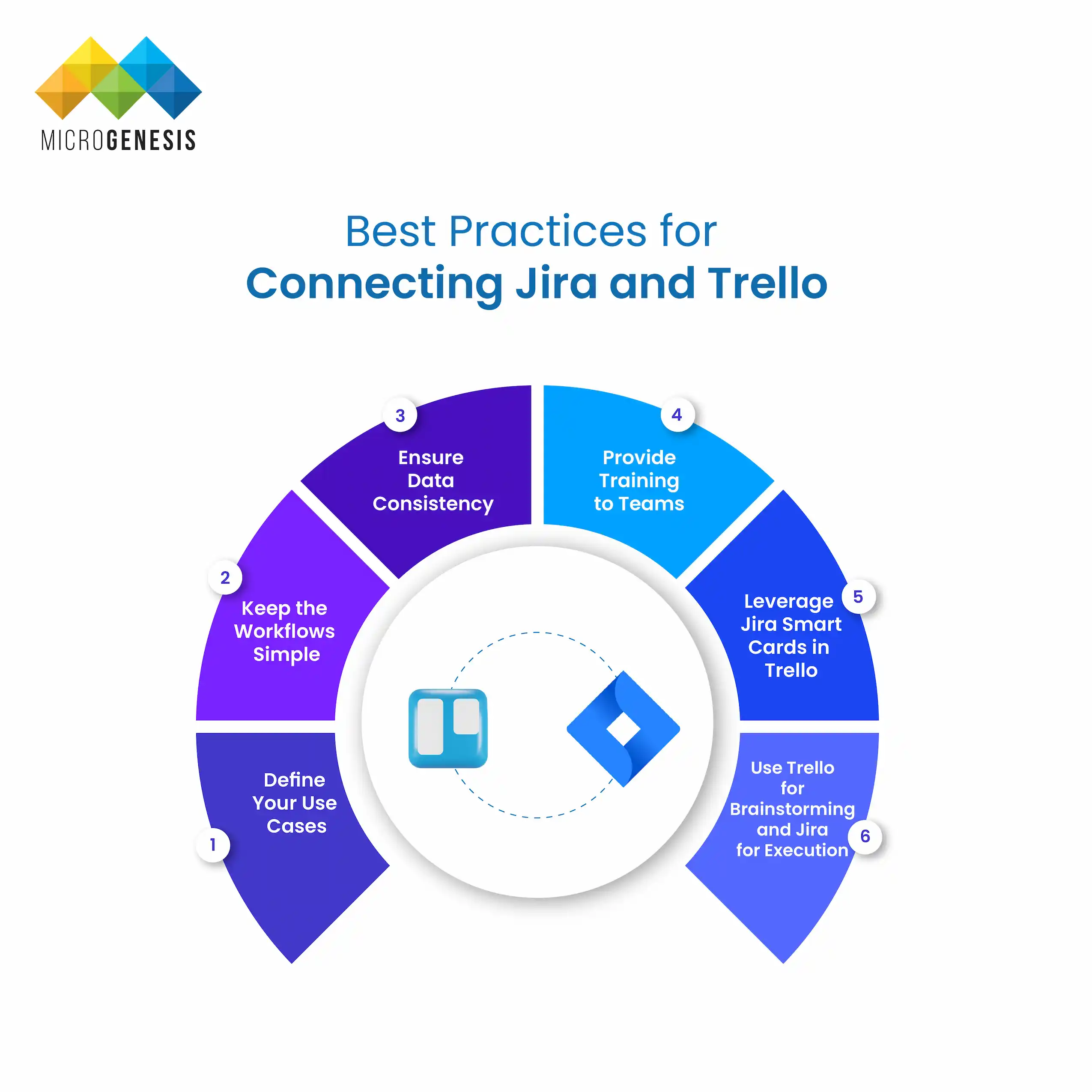
To make the most out of the integration between Jira and Trello, follow these best practices:

1. Define Your Use Cases

Before setting up the integration, identify the specific use cases you want to address. For example:

Do you want Trello cards to automatically create Jira issues?

Do you want to synchronize task statuses between the two tools?

2. Keep the Workflows Simple

Avoid overcomplicating the integration with too many rules and automations. Focus on the workflows that provide the most value to your teams.

3. Ensure Data Consistency

Make sure that the fields in Trello and Jira are mapped correctly to avoid discrepancies in task details.

4. Provide Training to Teams

Ensure that both technical and non-technical teams understand how the integration works and how to use it effectively.

5. Leverage Jira Smart Cards in Trello

Use Jira Smart Cards in Trello to display real-time updates on Jira issues. This feature allows team members to view issue details, such as status and assignee, without leaving Trello.

6. Use Trello for Brainstorming and Jira for Execution

Trello is a great tool for brainstorming and capturing ideas. Once ideas are refined, they can be turned into actionable Jira issues through the integration. This workflow keeps creativity and execution aligned.

Common Challenges and How to Overcome Them

Data Management Strategies

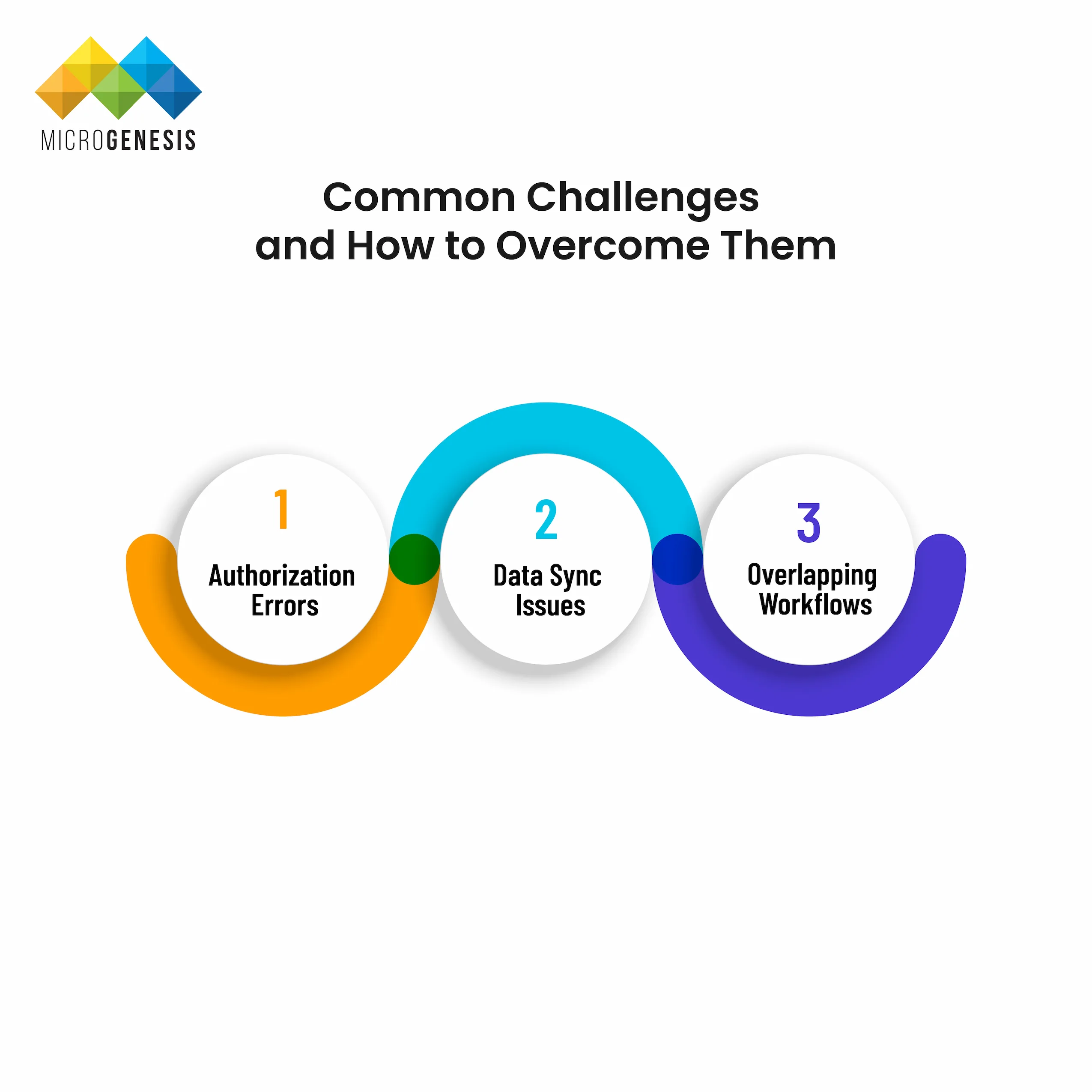
While connecting Jira and Trello is generally straightforward, you may encounter some challenges during the process. Here are a few common issues and their solutions:

1. Authorization Errors

Problem: Users may face authorization errors when trying to connect Trello to Jira.

Solution: Ensure that users have the necessary permissions in both Jira and Trello. Double-check that the Atlassian account is linked properly.

2. Data Sync Issues

Problem: Data may not sync correctly between Jira and Trello.

Solution: Check the field mappings and ensure that both tools are using the same format for fields such as priority, status, and assignee.

3. Overlapping Workflows

Problem: Teams may create duplicate tasks or issues due to overlapping workflows.

Solution: Clearly define your workflows and ensure that tasks are only created once in either Jira or Trello to avoid duplicates.

Use Cases for Jira-Trello Integration

Use cases for Jira -Trello intigration

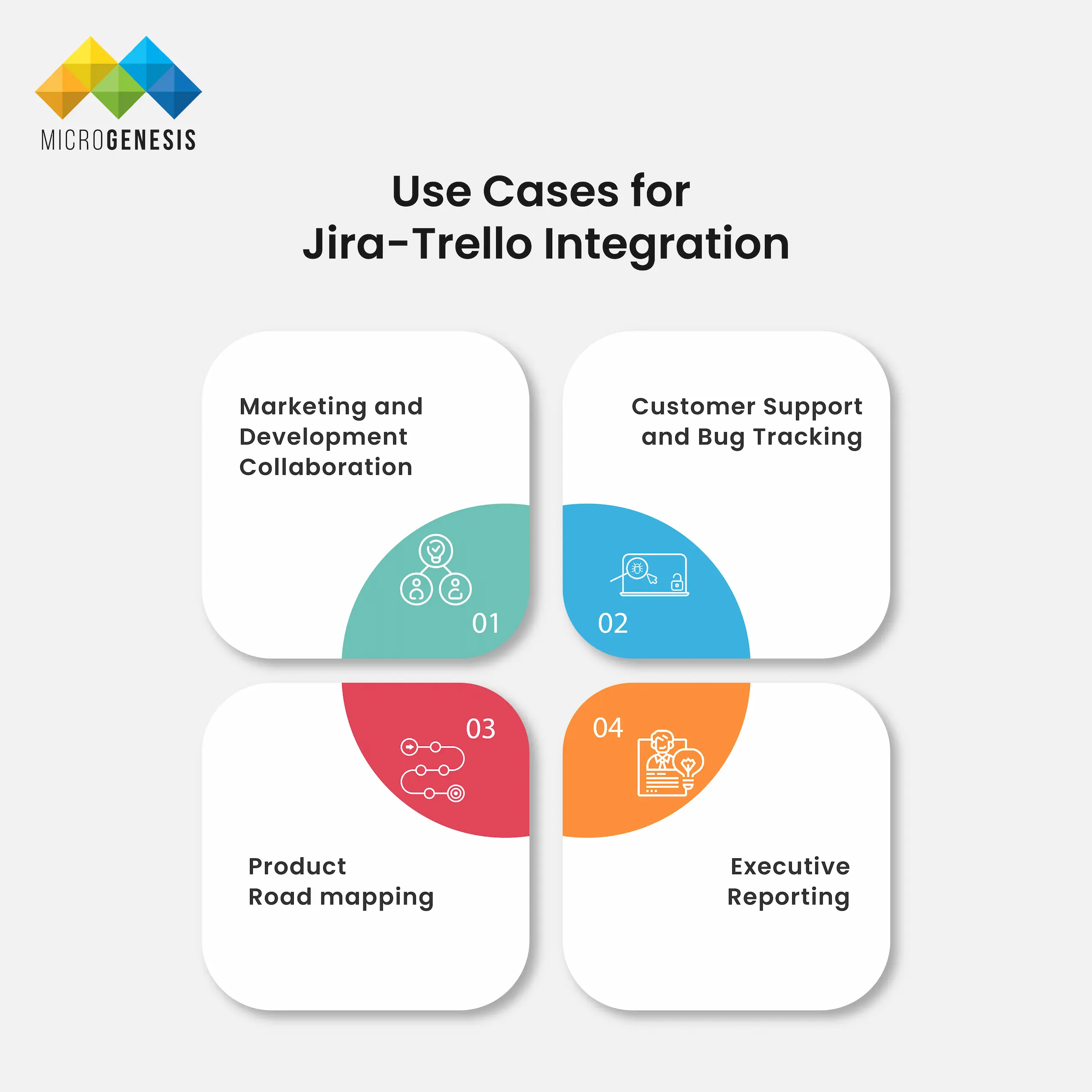
Here are some practical use cases for connecting Jira and Trello:

1. Marketing and Development Collaboration

Marketing teams can use Trello to plan campaigns and track content creation, while development teams use Jira to manage the technical implementation. Integration ensures that both teams stay aligned on project goals.

2. Customer Support and Bug Tracking

Customer support teams using Trello can link customer feedback or issues to Jira, where the development team can track and resolve bugs.

3. Product Roadmapping

Product managers can use Trello for high-level roadmaps and link them to Jira epics and stories for detailed development tracking.

4. Executive Reporting

Create Trello boards specifically for executive reporting by linking Jira issues to Trello cards that showcase progress, status updates, and completed tasks. This allows leadership to get a high-level overview without diving into the technical details.

Conclusion

Connecting Jira and Trello is a powerful way to enhance collaboration across your organization. Whether you use the native Power-Up, third-party tools like Zapier, or Jira Automation Rules, integrating these tools can help you streamline workflows, improve visibility, and boost productivity.

By following the steps and best practices outlined in this guide, you can ensure a seamless connection between Jira and Trello, allowing both technical and non-technical teams to work more efficiently toward shared project goals.

MicroGenesis is a leading Atlassian Platinum Partner with extensive experience in integrating Atlassian tools like Jira and Trello. Our team can help you implement these solutions effectively, ensuring your teams collaborate seamlessly and maximize productivity. Get in touch with us to simplify your project management processes and achieve your business goals.

Related posts
Comprehensive Guide to Data Management

Comprehensive Guide to Data Management

BROWSE TOPICS

Introduction

In today’s digital age, data is a critical asset for organizations across industries. Data management involves a set of practices, processes, and technologies used to collect, organize, store, and maintain data to ensure its accessibility, accuracy, and security. Effective data management enables businesses to make informed decisions, comply with regulations, improve operational efficiency, and protect sensitive information. This guide covers everything from the basics of data management to strategies, tools, and future trends that organizations must know to manage their data effectively.

What is Data Management?

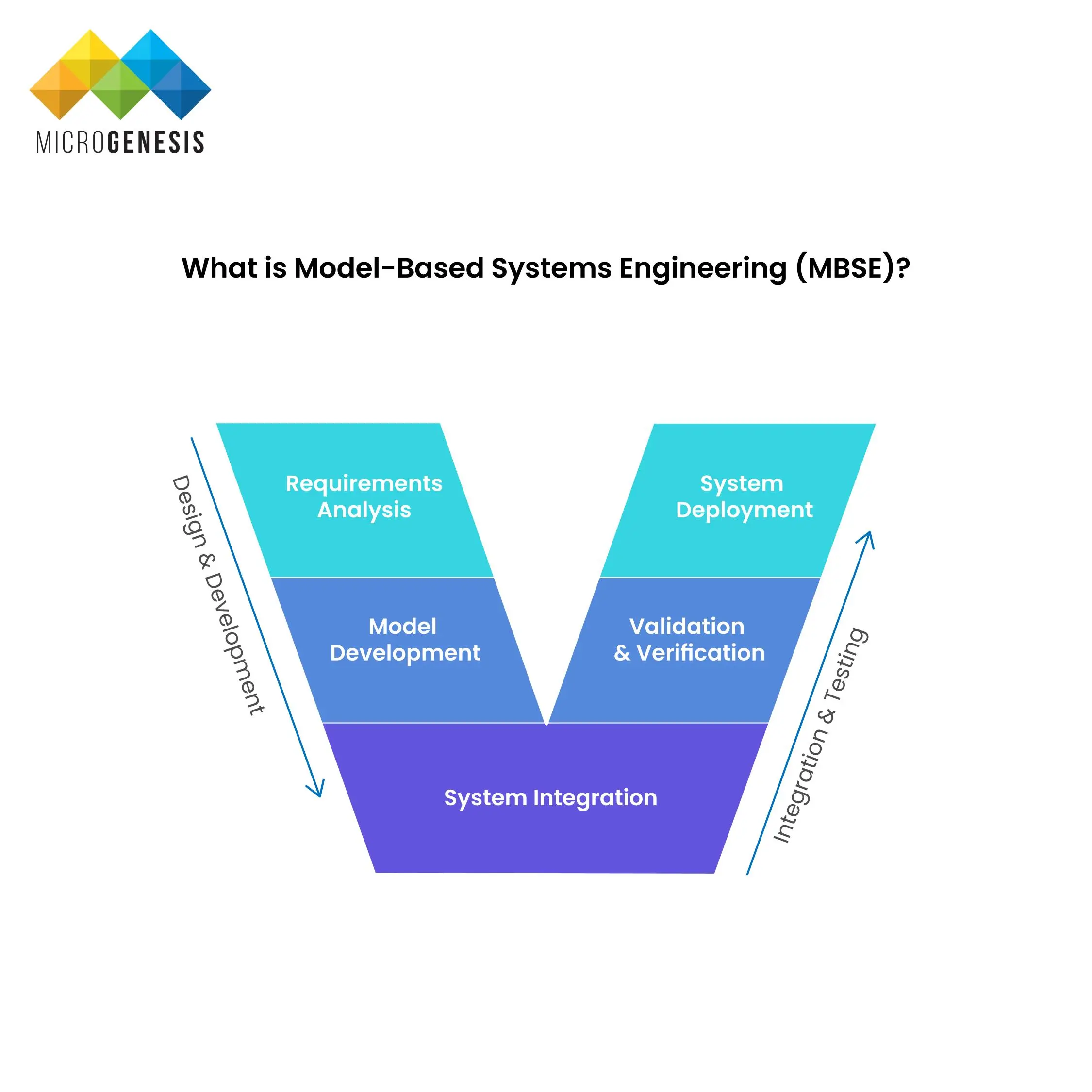
What is Model-Based Systems Engineering (MBSE)?
Data management refers to the process of handling data throughout its lifecycle. It includes collecting, storing, organizing, securing, and maintaining data to ensure that it is accurate, accessible, and usable. The primary goal of data management is to make sure that the right data is available to the right people at the right time to support decision-making and operational processes.

Key Objectives of Data Management:

  • Data Accuracy: Ensuring that data is correct and up-to-date.
  • Data Accessibility: Making data easily available to authorized users.
  • Data Security: Protecting data from unauthorized access or breaches.
  • Compliance: Ensuring that data practices comply with regulations like GDPR, HIPAA, and CCPA.

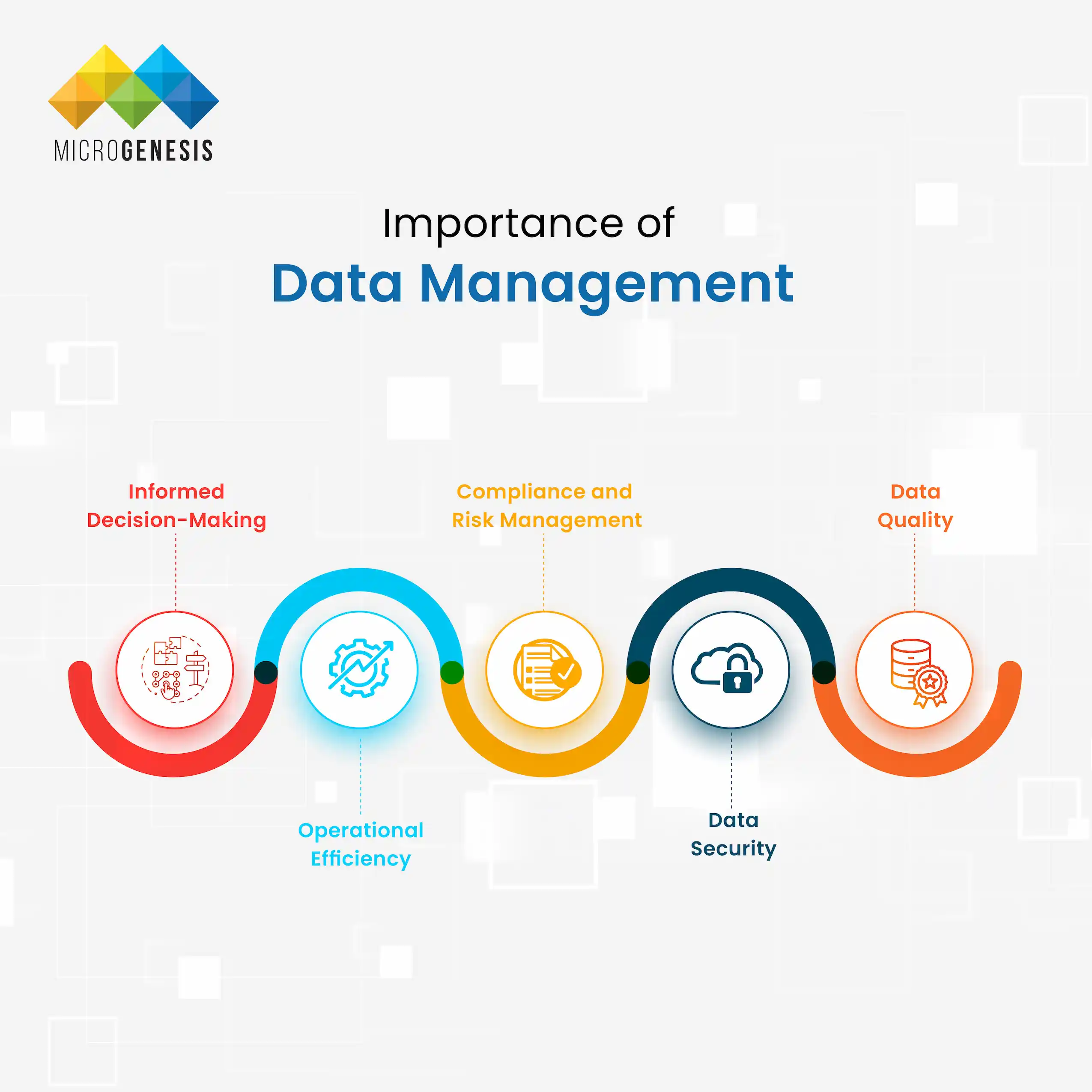
Importance of Data Management

Importance of Data Management

Data management is essential for organizations to achieve operational efficiency, data security, and regulatory compliance. Here’s why it matters:

1. Informed Decision-Making

Data-driven decision-making is a cornerstone of modern business. Organizations can use well-managed data to analyze trends, predict outcomes, and make better decisions.

2. Operational Efficiency

Proper data management reduces the time and effort spent searching for information. Organized and accessible data improves productivity across departments.

3. Compliance and Risk Management

Data management ensures that organizations comply with data privacy regulations, reducing the risk of fines and legal issues.

4. Data Security

Implementing data security measures through data management protects sensitive information from breaches and cyberattacks.

5. Data Quality

Maintaining data accuracy and completeness is essential for building trust in the insights derived from data.


Key Components of Data Management

Importance of Data Management

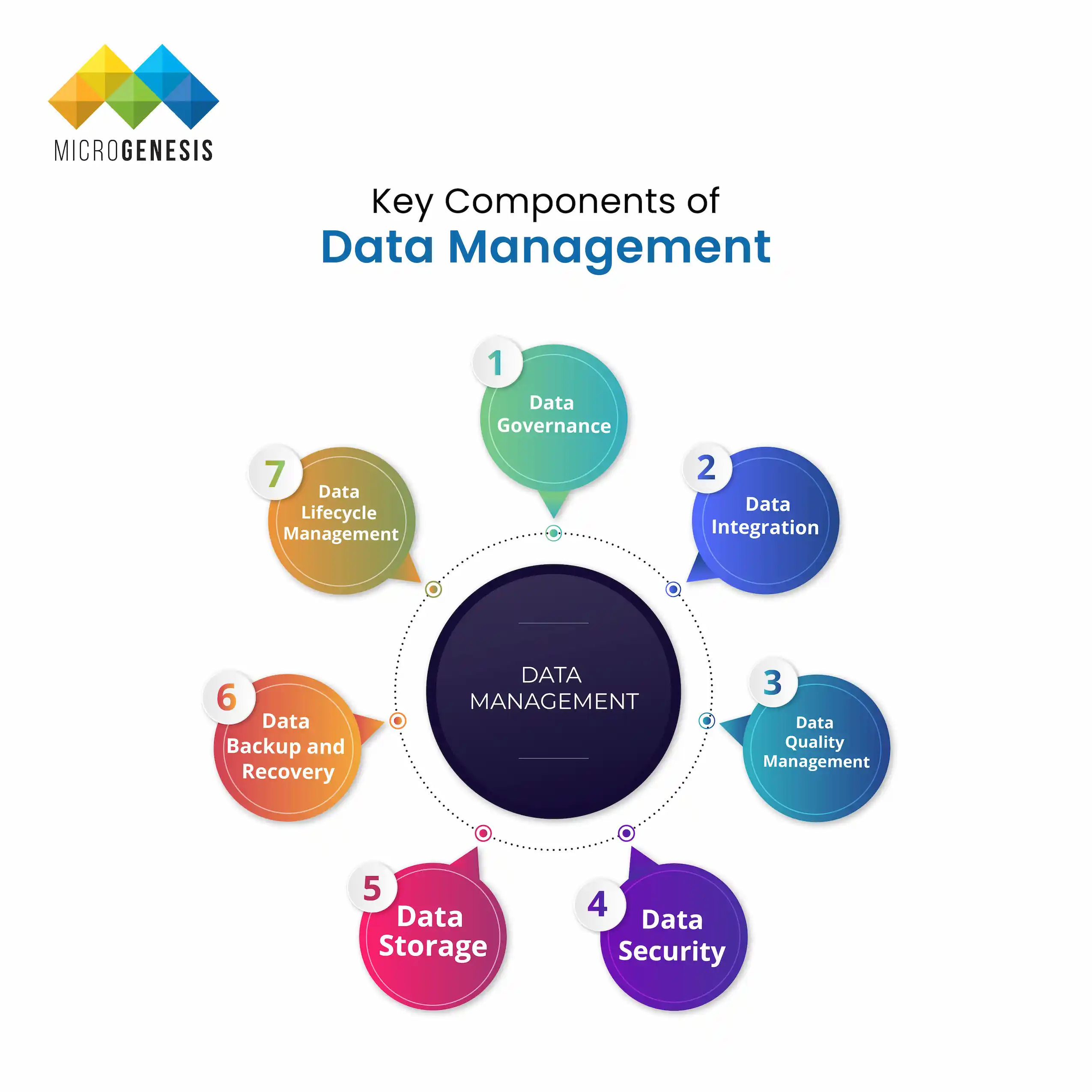
Data management consists of several core components that ensure the proper handling of data throughout its lifecycle.

1. Data Governance

Data governance refers to policies, procedures, and roles that ensure data is managed responsibly. It sets rules for data usage, security, and privacy.

2. Data Integration

Data integration involves combining data from multiple sources into a unified view. This process ensures that businesses can access comprehensive and accurate data.

3. Data Quality Management

Data quality management focuses on ensuring that data is accurate, complete, and consistent. Processes like data validation and cleansing are critical here.

4. Data Security

Data security includes implementing access controls, encryption, and monitoring to protect data from breaches and unauthorized access.

5. Data Storage

Data storage refers to how and where data is kept, whether in databases, data warehouses, or cloud solutions.

6. Data Backup and Recovery

Data backup and recovery ensures that data can be restored in case of loss or corruption, which is crucial for disaster recovery plans.

7. Data Lifecycle Management

Data lifecycle management covers data creation, usage, retention, and deletion. It ensures that data is handled responsibly at every stage.


Types of Data Management

Types of Data Management

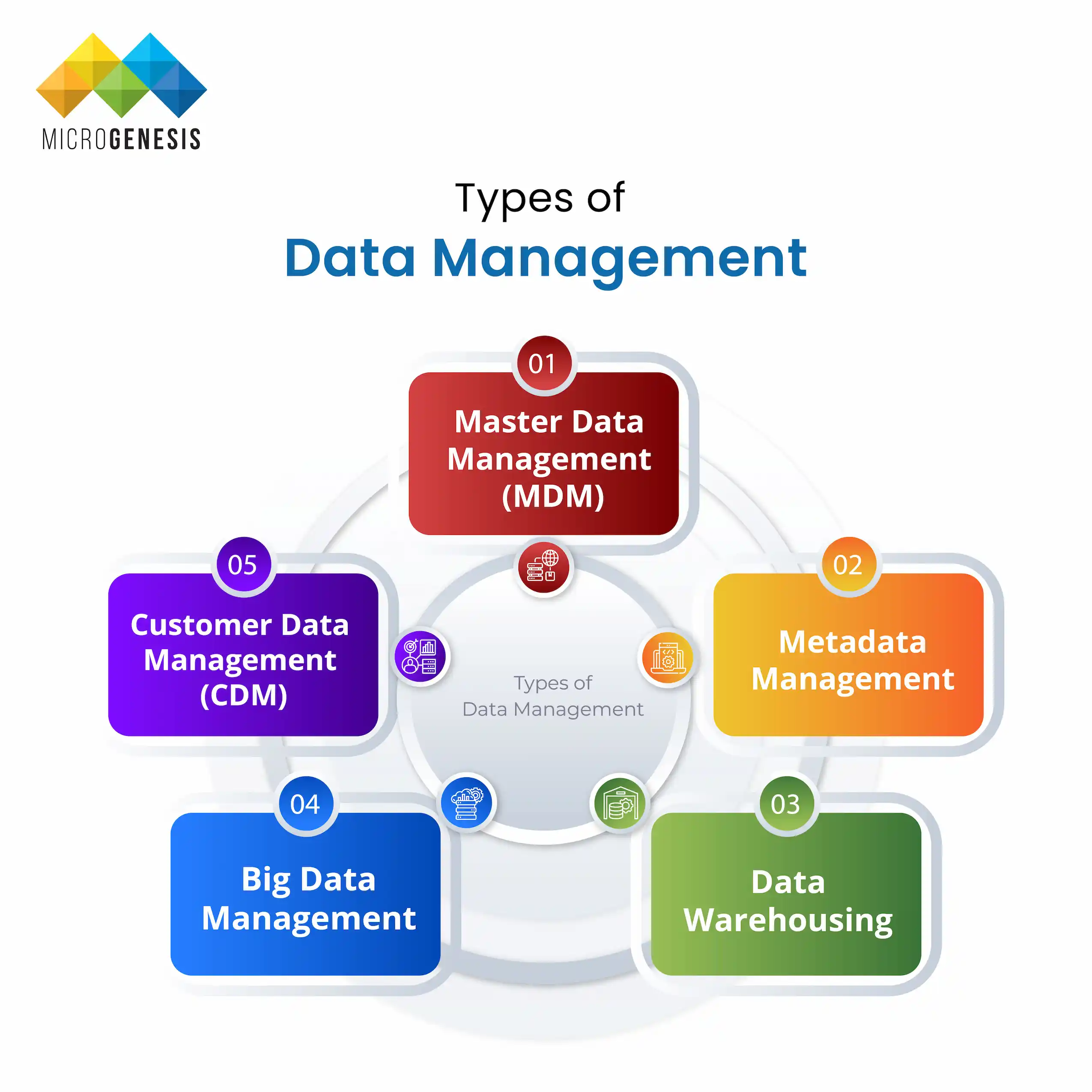
Different types of data management address various organizational needs. Here are some key types:

1. Master Data Management (MDM)

MDM focuses on creating a single source of truth for core business data, such as customer or product information.

2. Metadata Management

This involves managing data about data, like file descriptions and categorizations, to make data easier to find and use.

3. Data Warehousing

Data warehousing involves storing large volumes of structured data in a central repository for analysis and reporting.

4. Big Data Management

Big data management addresses large volumes of unstructured and structured data, often using real-time analytics.

5. Customer Data Management (CDM)

CDM focuses on managing customer information to improve customer relationships and personalize experiences.


Data Management Strategies

Data Management Strategies

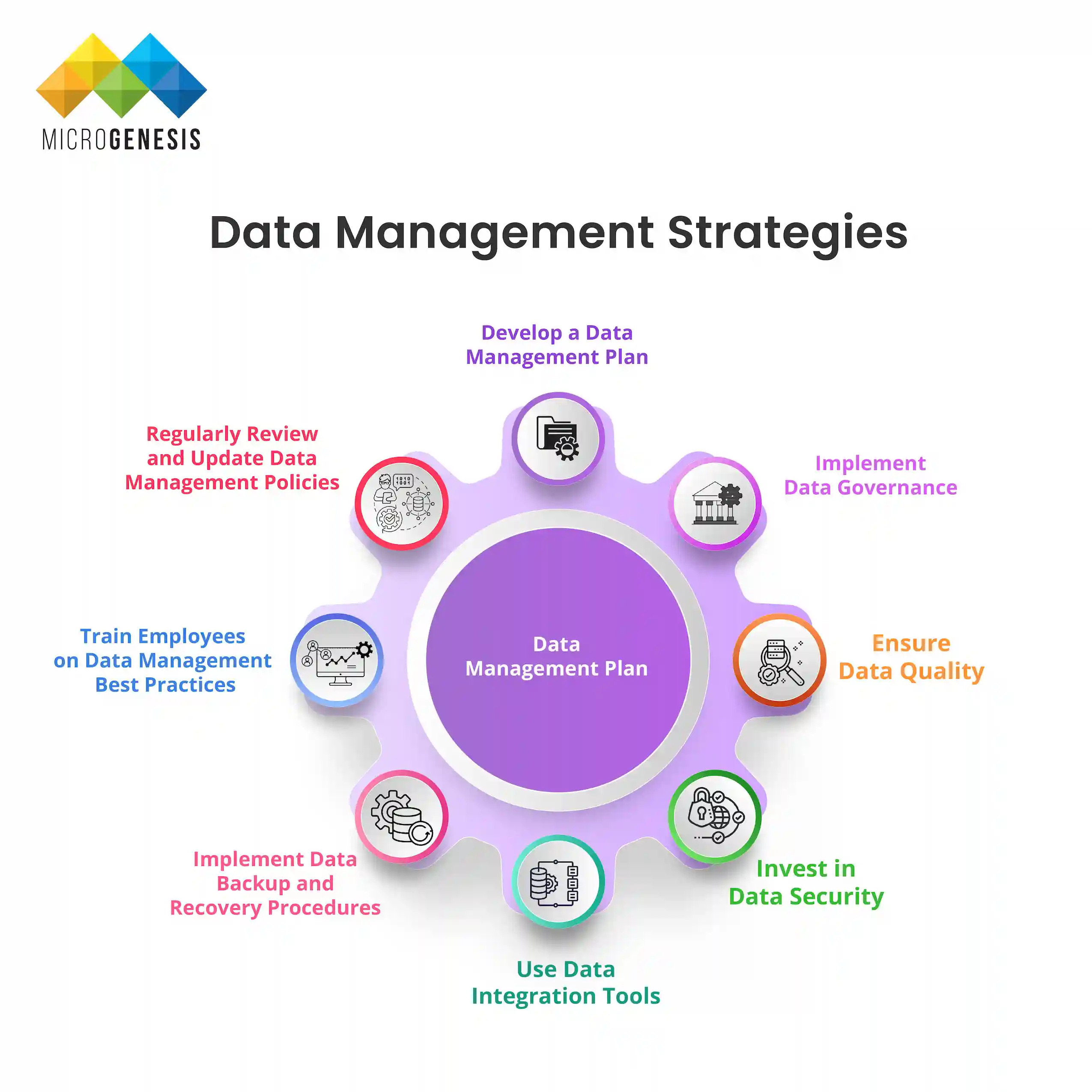
Effective data management strategies are essential for organizations to handle their data efficiently and achieve business goals. These strategies help improve data quality, security, accessibility, and compliance, ensuring that businesses can leverage their data assets for competitive advantage. Below are detailed strategies that organizations can implement to manage their data effectively.


Develop a Data Management Plan

A Data Management Plan (DMP) outlines how data will be collected, stored, managed, and used within an organization. It provides a roadmap for handling data throughout its lifecycle, ensuring consistency and accountability.

Key Elements of a Data Management Plan:

  • Data Collection Methods: Define how data will be collected, including sources and formats.
  • Data Storage Solutions: Identify where and how data will be stored (e.g., cloud, on-premise, hybrid).
  • Data Access Controls: Determine who can access specific data sets and under what conditions.
  • Data Retention Policies: Define how long data will be retained and when it will be archived or deleted.
  • Data Security Measures: Outline the security protocols to protect sensitive data from breaches.

Benefits:

  • Ensures data consistency and accuracy
  • Reduces redundancy and data silos
  • Improves data accessibility

Implement Data Governance

Data governance involves establishing policies, procedures, and standards for managing data within an organization. It ensures that data is handled responsibly and that roles and responsibilities are clearly defined.

Steps to Implement Data Governance:

  • Define Data Governance Roles: Assign roles such as data stewards, data owners, and data custodians.
  • Create Data Policies: Establish policies on data usage, privacy, security, and compliance.
  • Ensure Regulatory Compliance: Ensure adherence to regulations such as GDPR, HIPAA, and CCPA.
  • Monitor and Audit Data Usage: Regularly review data usage to ensure compliance and identify any issues.

Benefits:

  • Enhances data quality and consistency
  • Ensures compliance with legal and regulatory requirements
  • Reduces risks associated with data misuse

Ensure Data Quality

Data quality management focuses on maintaining accurate, complete, and consistent data. Poor data quality can lead to incorrect insights and poor decision-making.

Steps to Ensure Data Quality:

  • Data Validation: Verify that data is accurate and meets predefined criteria.
  • Data Cleansing: Identify and correct errors or inconsistencies in data.
  • Data Enrichment: Enhance data by adding missing information or additional context.
  • Continuous Monitoring: Implement tools and processes to continuously monitor data quality.

Benefits:

  • Improves decision-making accuracy
  • Reduces operational inefficiencies
  • Enhances customer trust and satisfaction

Invest in Data Security

Data security is critical for protecting sensitive information from unauthorized access, breaches, and cyberattacks. A strong data security strategy helps organizations safeguard their data assets.

Key Data Security Measures:

  • Encryption: Secure data both in transit and at rest.
  • Access Controls: Implement role-based access to limit data access to authorized personnel.
  • Regular Security Audits: Conduct audits to identify and address vulnerabilities.
  • Backup and Recovery Plans: Ensure data can be restored in case of loss or corruption.

Benefits:

  • Protects sensitive data from breaches
  • Ensures compliance with data privacy regulations
  • Builds customer trust

Use Data Integration Tools

Data integration involves combining data from various sources to provide a unified view. It enables organizations to gain comprehensive insights and make better decisions.

Steps to Implement Data Integration:

  • Identify Data Sources: Determine all internal and external data sources.
  • Select Integration Tools: Use tools like Talend, Informatica, or Apache NiFi for data integration.
  • Ensure Data Consistency: Implement processes to reconcile data from different sources.
  • Monitor Integration Processes: Regularly check for issues in data integration workflows.


Benefits:

  • Eliminates data silos
  • Improves data accessibility
  • Enhances data-driven decision-making

Implement Data Backup and Recovery Procedures

A robust backup and recovery strategy ensures that data can be restored in case of loss, corruption, or cyberattacks. It is essential for maintaining business continuity.

Steps to Implement Backup and Recovery:

  • Identify Critical Data: Determine which data sets are essential for operations.
  • Select Backup Solutions: Use tools like Veeam, Acronis, or Cohesity for data backup.
  • Schedule Regular Backups: Ensure data is backed up regularly.
  • Test Recovery Procedures: Conduct periodic tests to ensure data can be restored successfully.

Benefits:

  • Ensures business continuity
  • Reduces the impact of data loss incidents
  • Protects against ransomware attacks

Train Employees on Data Management Best Practices

Employees play a critical role in data management. Providing them with the necessary training ensures that they handle data responsibly and securely.

Training Topics:

  • Data Security Protocols: Teach employees how to protect sensitive data.
  • Data Privacy Regulations: Ensure employees understand compliance requirements.
  • Data Quality Management: Train employees on data validation and cleansing practices.

Benefits:

  • Reduces the risk of data breaches due to human error
  • Improves data handling practices
  • Ensures compliance with regulations

Regularly Review and Update Data Management Policies

Organizations must regularly review their data management policies to adapt to changing business needs and regulatory requirements.

Steps to Review Policies:

  • Conduct Policy Audits: Regularly review existing data policies.
  • Update Policies: Make necessary updates based on audit findings.
  • Communicate Changes: Ensure all employees are aware of policy updates.

Benefits:

  • Keeps policies relevant and effective
  • Ensures ongoing compliance
  • Improves overall data management practices

Data Management Tools and Technologies

Data Management Tools and Technologies

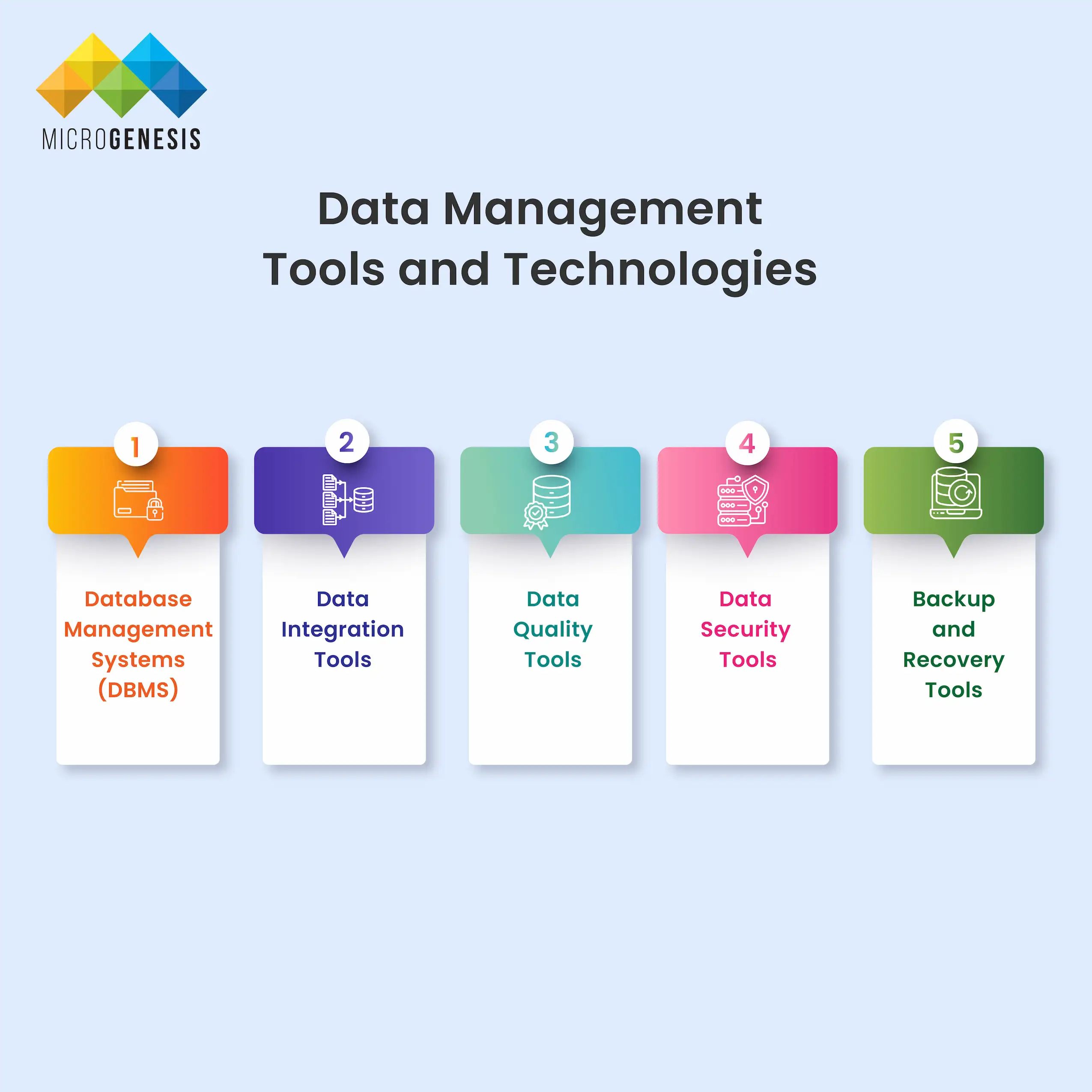
In the ever-evolving world of data management, various tools and technologies are essential for organizations to efficiently handle their data. These tools help ensure data is accurate, secure, and accessible.

1. Database Management Systems (DBMS)

Database Management Systems are software solutions that allow users to create, manage, and interact with databases. They provide a structured way to store and retrieve data efficiently.

Popular DBMS Tools:

  • MySQL: An open-source relational database management system.
  • PostgreSQL: Known for its robustness and support for complex queries.
  • Oracle: A powerful commercial DBMS used by enterprises worldwide.
  • MongoDB: A NoSQL database that handles unstructured data efficiently.

2. Data Integration Tools

Data integration tools combine data from various sources into a unified view, making it easier to analyze and gain insights.

Popular Data Integration Tools:

Talend: An open-source tool for data integration and data quality.

Informatica: A leading enterprise cloud data management tool.

Apache NiFi: Provides real-time data movement and transformation.

Zapier: Automates workflows by connecting different apps and data sources.

3. Data Quality Tools

Data quality tools help ensure that data is accurate, consistent, and free from errors. These tools are critical for maintaining trust in data-driven decision-making.

Popular Data Quality Tools:

Trifacta: A tool for data cleansing and preparation.

IBM InfoSphere QualityStage: Ensures high-quality data across the organization.

Ataccama ONE: Offers AI-driven data quality management.

4. Data Security Tools

Data security tools protect sensitive data from unauthorized access and breaches, ensuring compliance with data privacy regulations.

Popular Data Security Tools:

McAfee Data Loss Prevention (DLP): Prevents data breaches and protects sensitive information.

Symantec DLP: Offers comprehensive data loss prevention solutions.

IBM Guardium: Protects sensitive data across multiple environments.

5. Backup and Recovery Tools

Backup and recovery tools ensure that data is protected and can be restored in the event of data loss or corruption.

Popular Backup and Recovery Tools:

Veeam Backup & Replication: Provides fast and reliable backup and recovery.

Acronis Cyber Protect: Combines backup, cybersecurity, and endpoint protection.

Cohesity: Offers data protection and recovery solutions for hybrid environments.


Data Management Best Practices

Implementing best practices for data management helps organizations maintain data integrity, security, and accessibility.

1. Develop a Data Management Policy

Create a comprehensive policy that outlines how data will be collected, stored, accessed, and disposed of within the organization.

2. Implement Data Governance

Establish clear roles, responsibilities, and processes to ensure that data is managed responsibly and consistently.

3. Ensure Data Quality

Regularly validate, cleanse, and enrich data to maintain accuracy and consistency across all systems.

4. Invest in Data Security

Implement robust security measures, such as encryption, access controls, and regular security audits, to protect sensitive data.

5. Train Employees

Provide training on data management best practices to ensure that all employees understand their roles in managing data securely.

6. Regularly Review Policies

Periodically review and update data management policies to adapt to changing business needs and regulatory requirements.

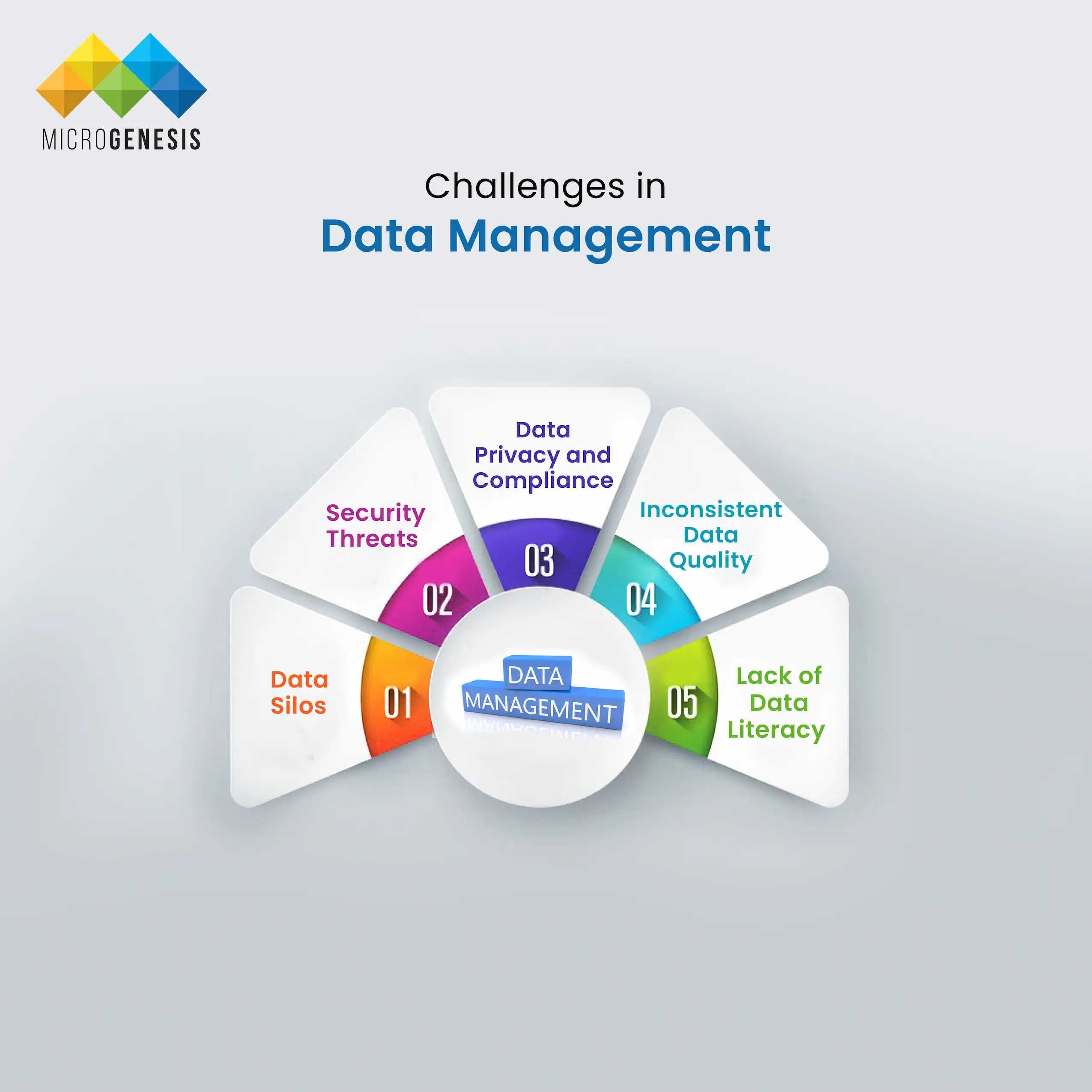
Challenges in Data Management and How to Overcome Them

Challenges in Data Management and How to Overcome Them

Organizations face several challenges in managing data effectively. Here are some common challenges and ways to address them:

1. Data Silos

Challenge: Data silos occur when data is isolated in different departments or systems, making it difficult to access and share information.

Solution: Implement data integration tools to break down silos and create a unified view of data.

2. Data Privacy and Compliance

Challenge: Organizations must comply with various data privacy regulations, such as GDPR, HIPAA, and CCPA.

Solution: Implement data governance policies and use data security tools to ensure compliance with regulatory requirements.

3. Security Threats

Challenge: Data breaches and cyberattacks pose a significant risk to organizations.

Solution: Use data security tools, such as encryption and access controls, and conduct regular security audits.

4. Inconsistent Data Quality

Challenge: Inconsistent or inaccurate data can lead to poor decision-making.

Solution: Implement data quality management processes to validate, cleanse, and enrich data.

5. Lack of Data Literacy

Challenge: Employees may lack the skills needed to manage and analyze data effectively.

Solution: Provide regular training and education on data management best practices.

The field of data management is constantly evolving. Here are some key trends that will shape the future of data management:

1. Artificial Intelligence (AI) and Machine Learning (ML)

AI and ML will play a significant role in automating data management tasks, improving data quality, and providing predictive insights.

2. Real-Time Data Processing

Organizations will increasingly adopt real-time data processing to make faster, data-driven decisions and improve customer experiences.

3. Blockchain for Data Security

Blockchain technology will be used to enhance data security by providing a transparent and tamper-proof way to manage data.

4. Data-as-a-Service (DaaS)

DaaS will become more popular, allowing organizations to access and use data on demand without managing their own infrastructure.

5. Increased Focus on Data Privacy

With stricter data privacy regulations, organizations will need to invest more in data governance and security measures to protect sensitive information.

Conclusion

Data management is crucial for modern businesses to remain competitive and compliant in a data-driven world. By implementing robust data management strategies, investing in the right tools, and adopting best practices, organizations can ensure their data is accurate, secure, and accessible. By addressing common challenges and keeping up with future trends, businesses can unlock the full potential of their data assets and achieve long-term success. Effective data management will continue to be a key driver of innovation, operational efficiency, and customer satisfaction.

Services

Related posts
A complete guide to System and Software Engineering

A complete guide to System and Software Engineering

System and Software Engineering

BROWSE TOPICS

Introduction to System and Software Engineering

System and software engineering are the cornerstones of modern technological development. System engineering focuses on designing and managing complex systems over their life cycles, ensuring that all components of a system work together seamlessly. Software engineering is a branch of engineering concerned with developing software applications, ensuring that they are reliable, maintainable, and scalable.

In today’s technology-driven world, system and software engineering solutions are essential in building innovative, reliable, and efficient software systems that power industries ranging from healthcare to aerospace. These engineering approaches ensure the delivery of high-quality solutions, making them integral to modern product development, infrastructure management, and operational processes.

Key Concepts in System and Software Engineering

In system and software engineering, several key concepts form the foundation for successful project development and management:

System Architecture: This is the blueprint that defines the structure, behavior, and interaction of components within a system. A well-architected system ensures all components work together smoothly, promoting efficiency, scalability, and reliability.

Requirements Engineering: This involves gathering, analyzing, and documenting the needs and expectations for a system. It ensures both functional (what the system should do) and non-functional (performance, security) requirements are clearly defined and met.

Design Principles: In software development, design principles like modularity (breaking down into smaller components), separation of concerns (handling different functionalities independently), and reusability (using components across different projects) are crucial for building scalable and maintainable systems.

Quality Assurance (QA): QA ensures that the software meets specific standards for reliability, performance, and security. It involves testing at various stages to identify defects and ensure the software works as expected.

Software Development Methodologies: Approaches like Waterfall, Agile, and DevOps guide how projects are managed:

Waterfall follows a linear, step-by-step approach, with each phase completed before the next begins.

Agile emphasizes iterative development, flexibility, and close collaboration between teams.

DevOps integrates development and operations to automate deployment and ensure continuous delivery.

These key concepts ensure efficient, reliable, and successful system and software engineering projects.

System and Software Development Lifecycle (SDLC)

System and Software Development lifecycle

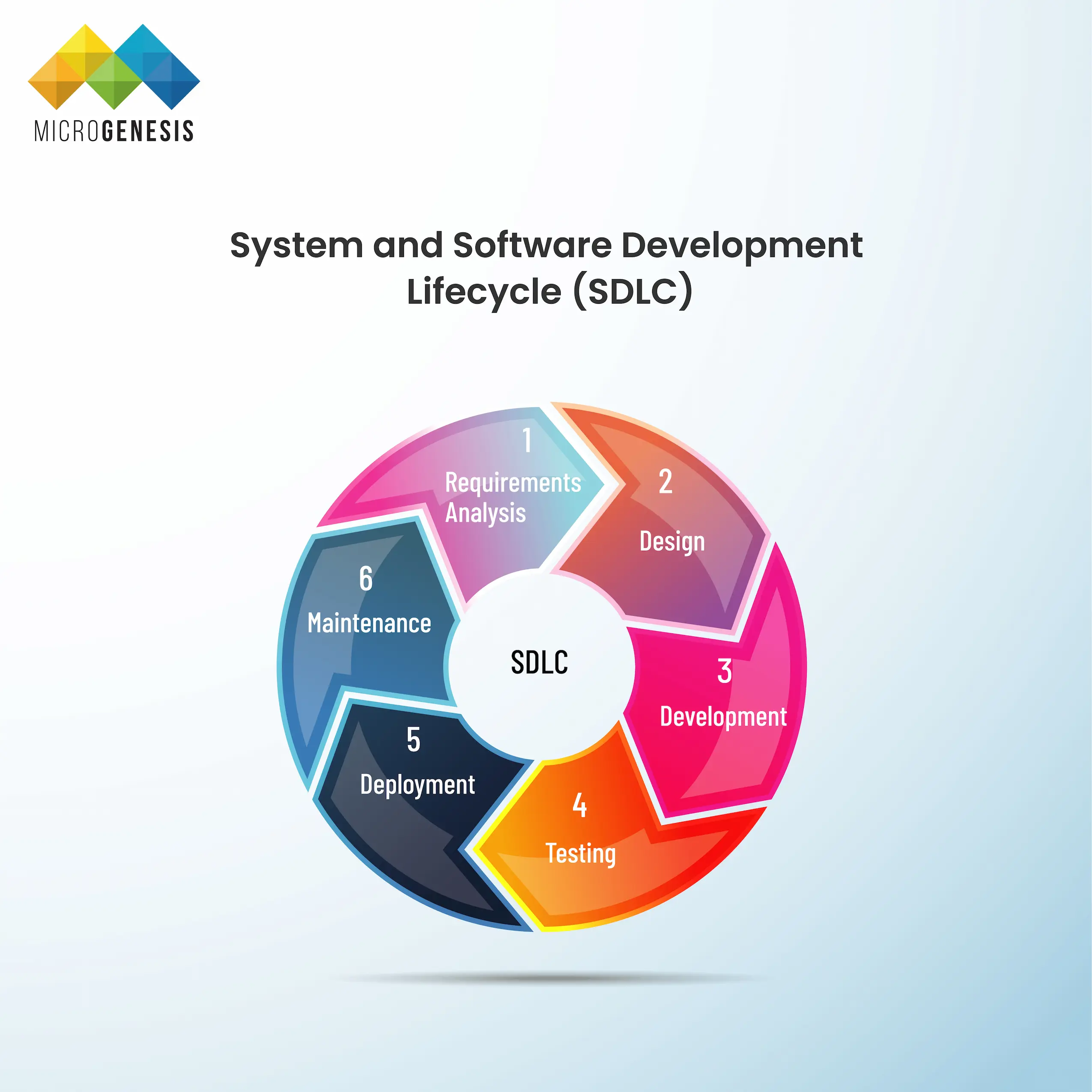
The System and Software Development Lifecycle (SDLC) outlines the critical stages that every system or software project must go through, ensuring a structured approach to development. Each phase contributes to delivering a reliable, efficient, and maintainable solution:

  • Requirements Analysis: This is the first phase where the project’s objectives are identified. It involves working closely with stakeholders to understand and document the functional (what the system should do) and non-functional requirements (performance, security, etc.). Clear requirements help set the foundation for the project’s success.
  • Design: In this phase, a blueprint for the system or software is created. It includes planning the architecture, components, data flow, and interfaces, ensuring that the design meets both technical and business requirements. This phase outlines how the system will be built.
  • Development: The actual coding happens here. Developers write the code based on the design specifications, turning ideas into a working software or system. This phase requires collaboration among development teams and often involves multiple iterations.
  • Testing: After development, testing is critical to ensure that the system works as intended. This phase involves verifying functionality, performance, security, and identifying any bugs or issues. Different types of testing (unit, integration, system, and acceptance) are conducted to ensure the system meets its requirements.
  • Deployment: Once the system has passed testing, it is moved to the production environment, making it available to users. This phase may include finalizing configurations, data migrations, and user training. Deployment must be carefully managed to minimize disruptions.
  • Maintenance: After deployment, ongoing maintenance is required to ensure the system remains up-to-date, secure, and bug-free. This includes providing user support, fixing any new issues, and making improvements or updates as needed.

Successfully managing a project through the SDLC involves strong project management, aligning teams, timelines, and resources, along with strategic planning and technical execution to deliver a high-quality solution.

System and Software Requirements Engineering is a crucial discipline within the software and system development process. It ensures that the final product aligns with both business objectives and user needs, minimizing rework and maximizing project success. This process revolves around the identification, analysis, documentation, and validation of the requirements that the system or software must meet. Each step plays a key role in creating a product that is both functional and efficient.

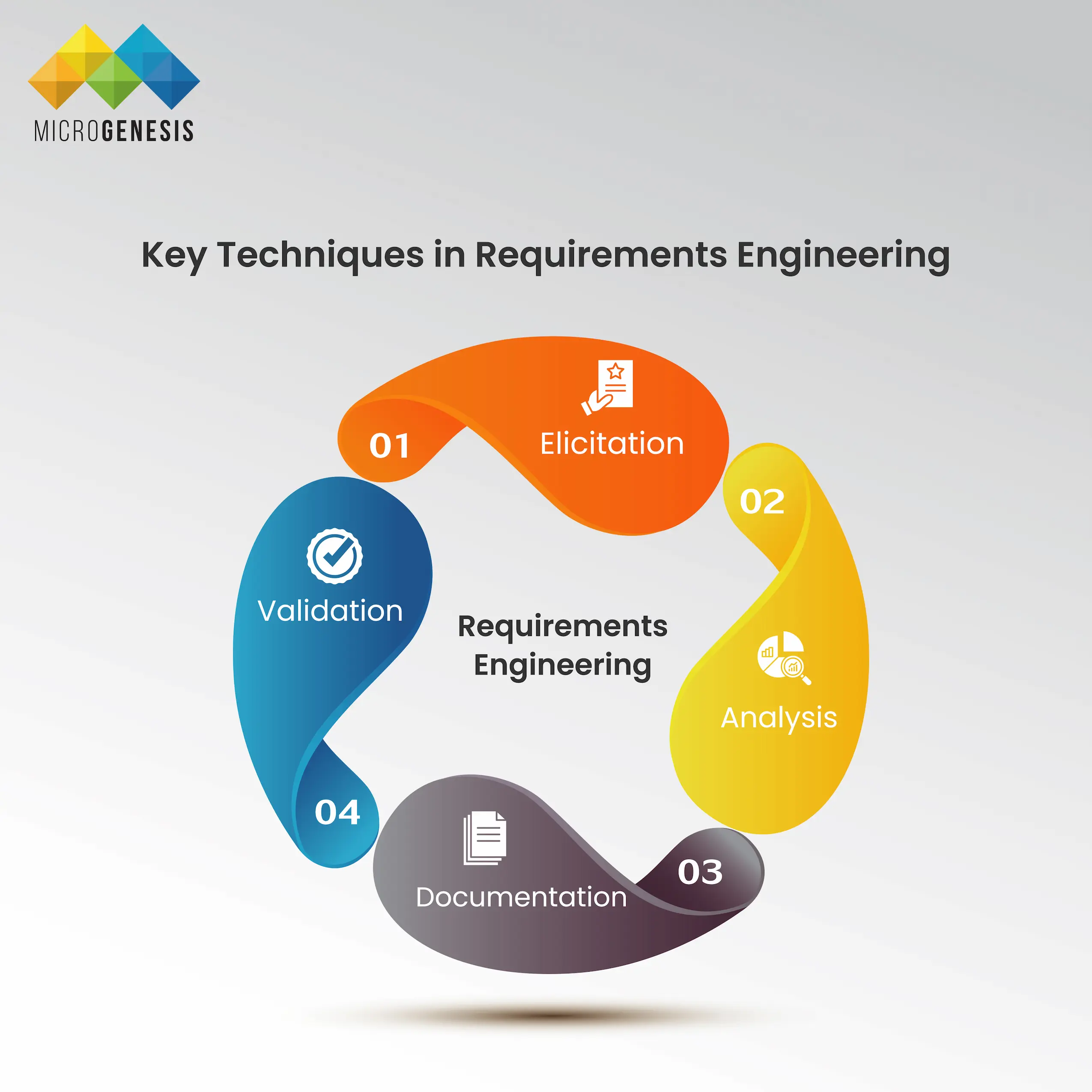
Key Techniques in Requirements Engineering:

Key Techniques in Requirements Engineering

1. Elicitation:

a. Purpose: The first step in requirements engineering, elicitation focuses on gathering information from stakeholders to understand their needs, expectations, and constraints. The goal is to identify what the system or software must achieve and which problems it needs to solve. 

b. Methods: Elicitation can involve various methods such as: 

i. Interviews: Direct conversations with stakeholders to gather in-depth information. 

ii. Workshops: Collaborative sessions where teams work together to discuss and refine requirements. 

iii. Surveys and Questionnaires: Gathering data from a broader audience to capture diverse viewpoints. 

iv. Observation: Studying how users currently interact with similar systems to identify pain points and areas for improvement. 

c. Challenges: A significant challenge in this phase is dealing with conflicting stakeholder needs, vague requirements, or discovering hidden requirements later in the development cycle. 

2. Analysis: 

a. Purpose: Once the requirements are gathered, the next step is analyzing them to ensure they are complete, clear, and feasible. The focus here is on understanding the relationships between different requirements, identifying any conflicts or dependencies, and ensuring that all requirements are aligned with business goals. 

b. Activities: 

i. Prioritization: Determining which requirements are most critical to the system’s success and should be addressed first. 

ii. Feasibility Studies: Ensuring that the gathered requirements are technically feasible and within the project’s scope and budget. 

iii. Modeling: Creating visual representations (e.g., use case diagrams, flowcharts) to better understand system functionality and relationships between requirements. 

c. Outcome: The result is a refined set of requirements that are clearly defined and structured to guide the development team in their work. 

3. Documentation: 

a. Purpose: Proper documentation ensures that the requirements are clearly outlined and accessible to all stakeholders. This document acts as a blueprint for the development process, guiding the design, development, and testing teams. 

b. Content: 

i. Functional Requirements: Define what the system should do (features, behaviors). 

ii. Non-Functional Requirements: Define how the system should perform (speed, security, reliability). 

iii. Constraints: Document limitations such as budget, technology choices, or compliance requirements. 

c. Formats: Requirements documents can vary from simple text-based specifications to complex models depending on the project needs. Common documentation standards include Software Requirements Specifications (SRS) or user stories in Agile development. 

4. Validation: 

a. Purpose: After the requirements are documented, validation ensures that they accurately reflect stakeholder needs and are ready for development. This step aims to confirm that the documented requirements align with business goals and that stakeholders agree on what is being built. 

b. Techniques: 

i. Prototyping: Creating a visual or functional prototype allows stakeholders to review and provide feedback early in the process. 

ii. Walkthroughs and Reviews: Conducting structured reviews with stakeholders to ensure the documented requirements meet their expectations. 

iii. Test Cases: Writing test cases based on the requirements ensures that, once developed, the system will be tested for adherence to those requirements. 

c. Outcome: Validated requirements reduce the risk of miscommunication and misunderstandings. This step also ensures that all stakeholders have a shared understanding of the system’s goals and features before development begins. 

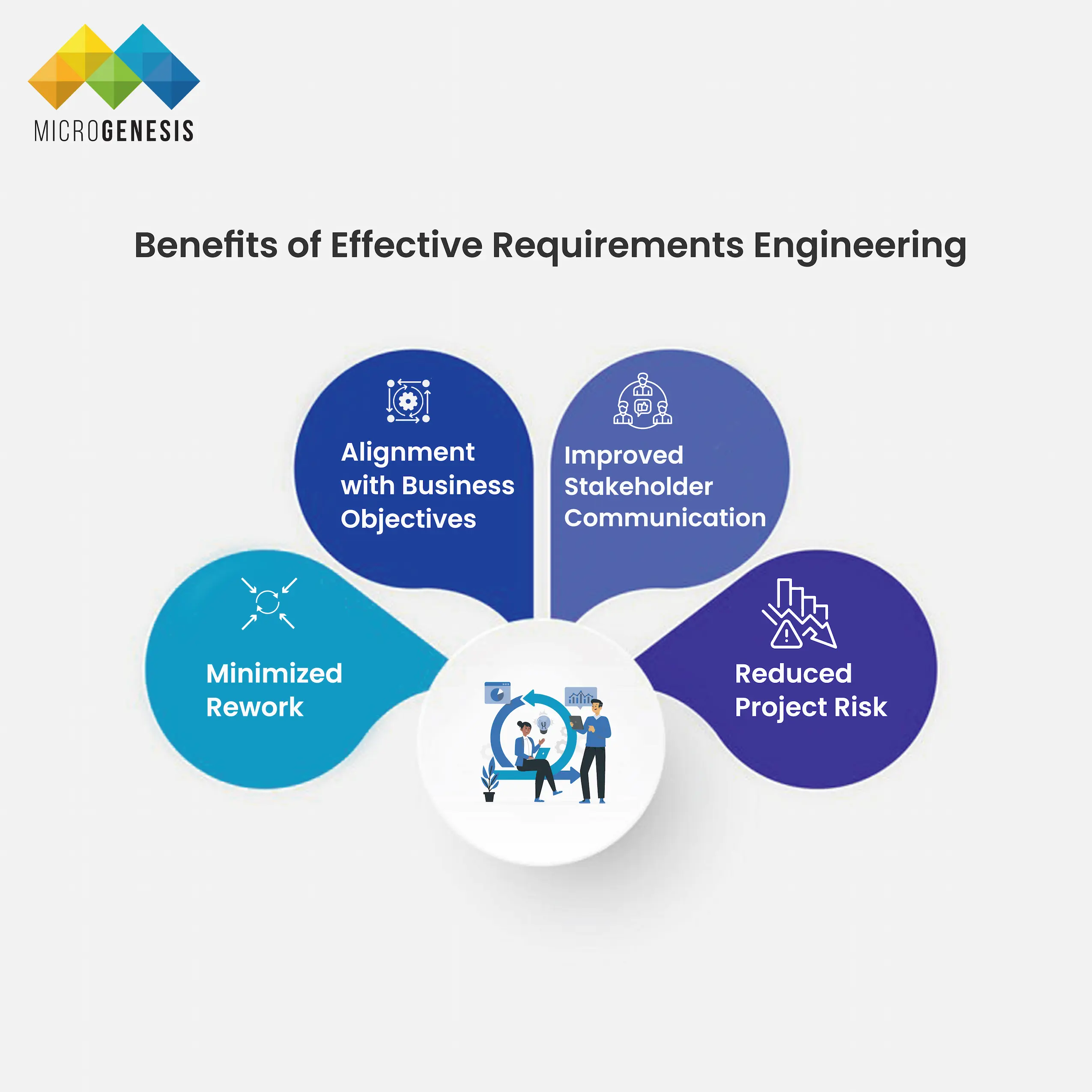
Benefits of Effective Requirements Engineering:

Benefits of Effective Requirements Engineering
  • Minimized Rework: By clearly defining and validating requirements early, there’s less risk of discovering errors or omissions later in the development cycle, which can lead to costly rework.
  • Alignment with Business Objectives: Proper requirements engineering ensures that the system or software aligns with business goals, increasing the likelihood of delivering a successful product.
  • Improved Stakeholder Communication: Regular validation and documentation ensure that all parties involved have a common understanding of the project’s goals, reducing the risk of misaligned expectations.
  • Reduced Project Risk: A structured approach to requirements minimizes the risk of scope creep, budget overruns, and timeline delays.

By focusing on gathering, analyzing, documenting, and validating the system’s needs, requirements engineering ensures a clear path from project conception to delivery. It fosters collaboration between stakeholders and the development team, reducing misunderstandings and building a solid foundation for success.

System and Software Design Principles

System and Software Design Principles provide the foundation for creating scalable, maintainable, and secure systems and software. These principles guide developers and architects in structuring software in a way that makes it easy to understand, test, and modify, ensuring long-term success and adaptability. Key design principles include:

1. Modularity:

    • Definition: Modularity is the practice of breaking down a system or software into smaller, self-contained components or modules that can be developed, tested, and maintained independently.
    • Benefits:
      • Easier troubleshooting: If an issue arises, developers can isolate the problem to a specific module without affecting the entire system.
      • Parallel development: Multiple modules can be worked on simultaneously by different teams, improving development efficiency.
      • Reusability: Modules can be reused across different projects, reducing redundant work.
    • Example: In a large-scale e-commerce system, the payment module, user authentication module, and product catalog can be developed as independent units.

2. Separation of Concerns:

    • Definition: Separation of concerns is a design principle that advocates for organizing a system so that distinct concerns, or functionalities, are isolated into separate components. Each component handles one aspect of the system without overlapping into others.
    • Benefits:
      • Simplifies code: Each part of the system deals with a single concern, making the codebase easier to understand and maintain.
      • Flexibility: Changes to one concern (e.g., UI) do not affect other parts of the system (e.g., business logic), making updates more manageable.
  • Example: In a web application, the user interface (UI) is separate from the business logic and data storage layers, making it easier to update the front-end without disrupting the back-end.

3. Design Patterns:

    • Definition: Design patterns are standardized, reusable solutions to common design problems that arise during software development. They are templates that can be adapted to solve particular problems, ensuring consistency and reliability in the design process.
    • Common Patterns:
      • Model-View-Controller (MVC): A pattern used in web applications that separates the application into three components: the model (data), the view (UI), and the controller (logic), allowing for better separation of concerns and more manageable code.
      • Singleton Pattern: Ensures that a class has only one instance and provides a global point of access to that instance. Useful in resource management (e.g., database connections).
      • Factory Pattern: Provides an interface for creating objects, allowing subclasses to alter the type of objects that will be created without changing the client code.
    • Benefits:
      • Efficiency: Design patterns offer proven solutions, saving time during development.
      • Consistency: Teams can follow familiar patterns, reducing misunderstandings and improving collaboration.
      • Maintainability: Since design patterns are well-documented, they enhance the readability and future maintainability of the code.

4. Scalability:

    • Definition: Scalability refers to a system’s ability to handle increased loads, whether in terms of users, data, or transactions, without compromising performance.
    • Design Considerations:
      • Architect systems to be horizontally scalable, meaning additional servers or resources can be added to handle more load.
      • Use load balancing and distributed systems to spread workloads across multiple resources.
    • Example: Cloud-based systems that can automatically scale resources based on traffic demand, such as increasing server instances during peak usage.

5. Maintainability:

    • Definition: Maintainability focuses on designing systems that are easy to update, fix, and extend over time. The goal is to reduce the complexity of future modifications and improve the lifespan of the software.
    • Best Practices:
      • Write clean, well-documented code to help developers understand the system easily.
      • Apply the DRY (Don’t Repeat Yourself) principle to avoid code duplication and reduce maintenance effort.
      • Ensure modularity and separation of concerns to make code easier to manage.

6. Security by Design:

    • Definition: Security should be integrated into the design phase of system and software development to protect against vulnerabilities and attacks from the outset.
    • Key Practices:
      • Use encryption and secure authentication methods.
      • Perform regular code reviews to identify potential security vulnerabilities.
      • Design for the principle of least privilege, ensuring users only have access to the resources they need.
    • Example: In a financial system, secure design practices like data encryption and role-based access control (RBAC) ensure the safety of sensitive data and reduce the risk of breaches.

Good Design Practices: Adhering to these principles allows developers to create systems and software that are flexible and adaptable to changes. Well-designed systems:

    • Can be easily modified and extended with new features or updates.
    • Are easier to debug and maintain.
    • Perform efficiently, even under increased loads.
    • Are resistant to security threats, reducing the risk of future vulnerabilities.

Ultimately, following these design principles ensures that software solutions are robust, scalable, and built for longevity.

Quality Assurance and Testing in System and Software Engineering

Quality Assurance (QA) and Testing are critical aspects of the software and system development process, ensuring that the product meets both functional and non-functional requirements. QA encompasses a variety of testing practices designed to identify and fix issues early, maintain performance standards, and secure the system before deployment.

Without comprehensive testing, even minor issues can escalate into serious problems, leading to system failures, costly downtime, and potential security breaches. Effective QA helps avoid these risks, ensuring that the software or system operates smoothly and reliably once it reaches the end user.

Types of Testing:

1. Unit Testing:

  • Definition: Unit testing focuses on verifying the functionality of individual components or modules of a system. Each module is tested separately to ensure that it works as expected in isolation before being integrated with other parts of the system.
  • Goal: Catch bugs early in the development process, preventing issues from spreading across the system.
  • Example: Testing a function in a payment processing system to ensure that it calculates the correct total for a purchase.

2. Integration Testing:

  • Definition: Integration testing ensures that different components or modules of a system work together as intended. After individual components pass unit testing, integration testing verifies the interaction between them.
  • Goal: Identify and resolve issues related to data flow and interaction between different parts of the system.
  • Example: Testing the integration of the payment gateway with the shopping cart module in an e-commerce platform.

3. System Testing:

  • Definition: In system testing, the entire system is tested as a whole. This includes testing all integrated components to ensure they function together as expected. System testing is designed to verify that the product meets the specified requirements.
  • Goal: Ensure that the system operates correctly in an environment similar to the production environment.
  • Example: Testing an e-commerce system’s functionality, including browsing, adding items to the cart, checkout, and payment processing, to ensure that all features work seamlessly.

4. Acceptance Testing:

  • Definition: Acceptance testing is the final phase of testing, where the system is evaluated to ensure it meets the needs of the end-users and stakeholders. This testing is often performed by users or business stakeholders to verify that the software works as expected in real-world scenarios.
  • Goal: Confirm that the system is ready for deployment and meets all business objectives.
  • Example: Testing an online banking platform to ensure that customers can successfully transfer funds, pay bills, and access account information as they would in real use.

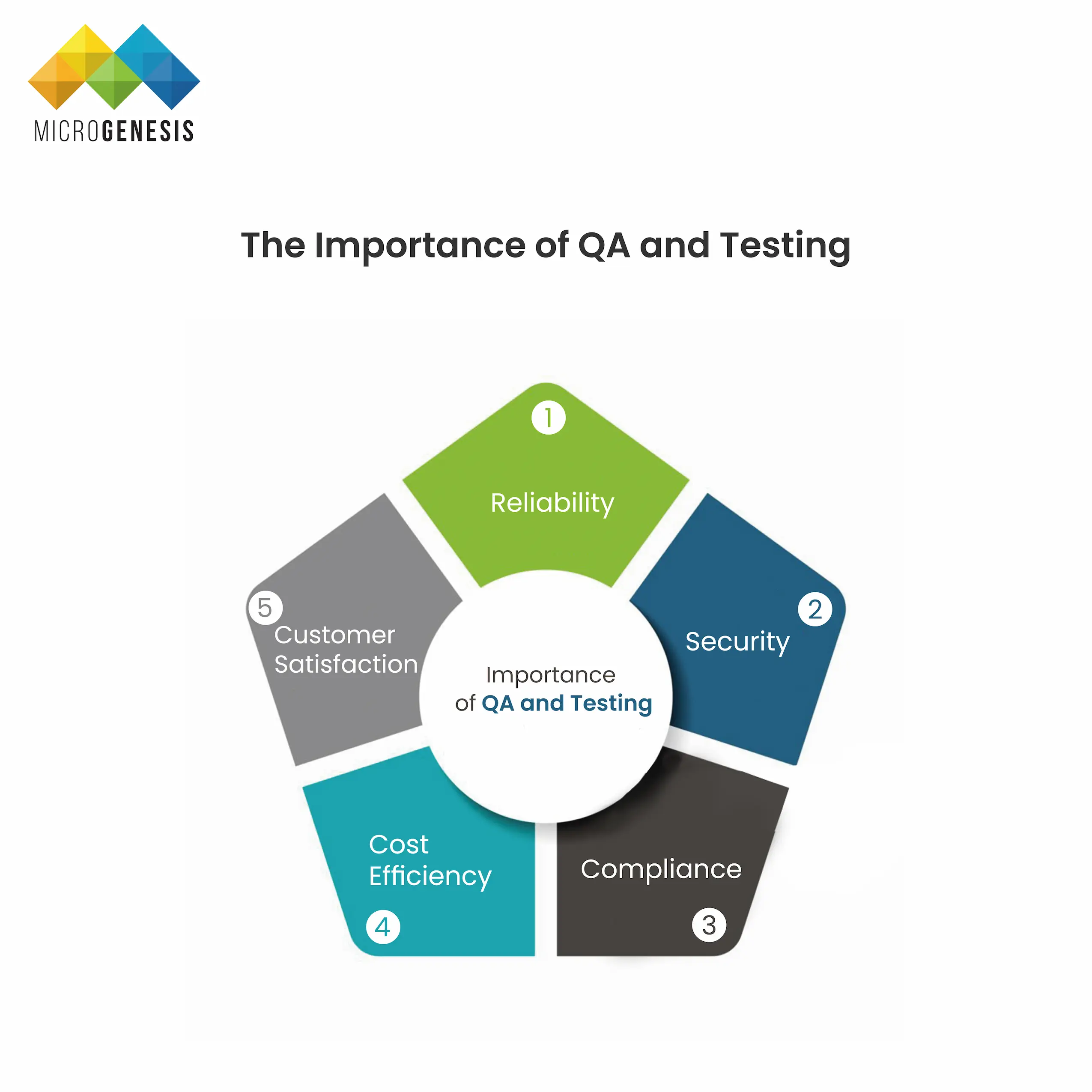
The Importance of QA and Testing:

Importance of QA and Testing
  • Reliability: QA ensures that the system or software performs consistently under different conditions. Rigorous testing can catch issues before they affect end users, ensuring the product is stable and reliable.
  • Security: In today’s digital landscape, security vulnerabilities are a major concern. QA processes, including security testing, help identify and resolve potential threats, reducing the risk of data breaches and cyberattacks.
  • Compliance: Many industries, such as healthcare and finance, have strict regulatory requirements. QA ensures that the software complies with relevant laws and industry standards, avoiding costly fines or legal issues.
  • Cost Efficiency: Fixing bugs and issues early in the development process is far less expensive than addressing them after deployment. QA reduces the overall cost of development by minimizing the need for costly rework or fixes later in the project lifecycle.
  • Customer Satisfaction: A well-tested product leads to a positive user experience, resulting in higher customer satisfaction, fewer complaints, and greater trust in the brand.

In conclusion, QA and testing are essential to delivering high-quality software that meets business and user requirements. By employing different testing techniques, organizations can ensure that their systems are robust, secure, and ready for real-world use.

System and Software Configuration Management

System and Software Configuration Management is essential for ensuring the consistency, integrity, and reliability of software systems, especially as they evolve over time. It involves a set of practices and tools that help manage and track changes to software components, ensuring that all modifications are controlled and well-documented. Without effective configuration management, software can become unstable or inconsistent, making troubleshooting and maintenance difficult.

Here are the key aspects of configuration management:

1. Version Control:

    • Definition: Version control systems are tools that allow developers to track and manage changes to source code or system configurations over time. They provide a detailed history of changes, making it easier to revert to previous versions if needed and to collaborate with other team members.
    • Popular Tools: Git, Subversion (SVN), Mercurial.
    • Benefits:
      • Collaboration: Multiple developers can work on the same project simultaneously without overwriting each other’s changes.
      • Rollback: If a new change introduces a bug, the system can easily be rolled back to a previous, stable version.
      • Branching and Merging: Developers can work on different features or bug fixes in separate branches, then merge changes back into the main codebase when they’re ready.
    • Example: In an enterprise software project, version control tools like Git allow teams to manage multiple versions of the software while keeping track of updates and changes made by different developers.

2. Change Management:

    • Definition: Change management is the process of requesting, evaluating, and approving modifications to a system or software project. It ensures that changes are deliberate and evaluated for potential impacts on the system’s functionality, security, and stability.
    • Steps in Change Management:
      • Change Request: The change process begins with submitting a formal change request, detailing the proposed modification, reasons, and potential impact.
      • Evaluation: The proposed change is reviewed and analyzed to determine its feasibility, risks, and benefits.
      • Approval: Based on the evaluation, the change is either approved or rejected by stakeholders.
      • Implementation: If approved, the change is implemented following a structured process.
      • Review: Post-implementation, the change is reviewed to ensure it has achieved the desired result without introducing any new issues.
    • Benefits:
      • Reduced Risk: Ensures that changes are carefully considered and planned to minimize the risk of unintended consequences.
      • Transparency: Provides a clear audit trail of who approved the change and why, making it easier to track responsibility.
      • Consistency: Ensures changes are made in a controlled and structured manner, reducing the likelihood of errors or inconsistencies.
    • Example: In a banking application, a change management process would be essential when introducing a new feature, such as adding two-factor authentication, to ensure it doesn’t disrupt existing services.

3. Release Management:

    • Definition: Release management coordinates and oversees the deployment of new software updates, features, or patches. It ensures that changes are introduced smoothly, without disrupting the existing operations or causing system downtime.
    • Stages of Release Management:
      • Planning: Defining what will be included in the release and establishing a timeline for implementation.
      • Development: Creating the new feature or update in a controlled environment.
      • Testing: Ensuring the release is thoroughly tested for quality, performance, and security.
      • Deployment: Deploying the update to the live environment in a way that minimizes disruption to users.
      • Monitoring: Observing the system post-deployment to catch any potential issues or performance degradation.
    • Benefits:
      • Controlled Deployment: Reduces the risk of errors or issues during the deployment of new updates.
      • Rollback Plans: Allows for the quick reversal of updates in case problems arise during or after deployment.
      • End-User Satisfaction: Ensures new features or changes are introduced smoothly, reducing frustration for users.
    • Example: In a SaaS platform, release management would ensure that updates are deployed during off-peak hours and that users are notified of any new features or changes, minimizing disruptions.

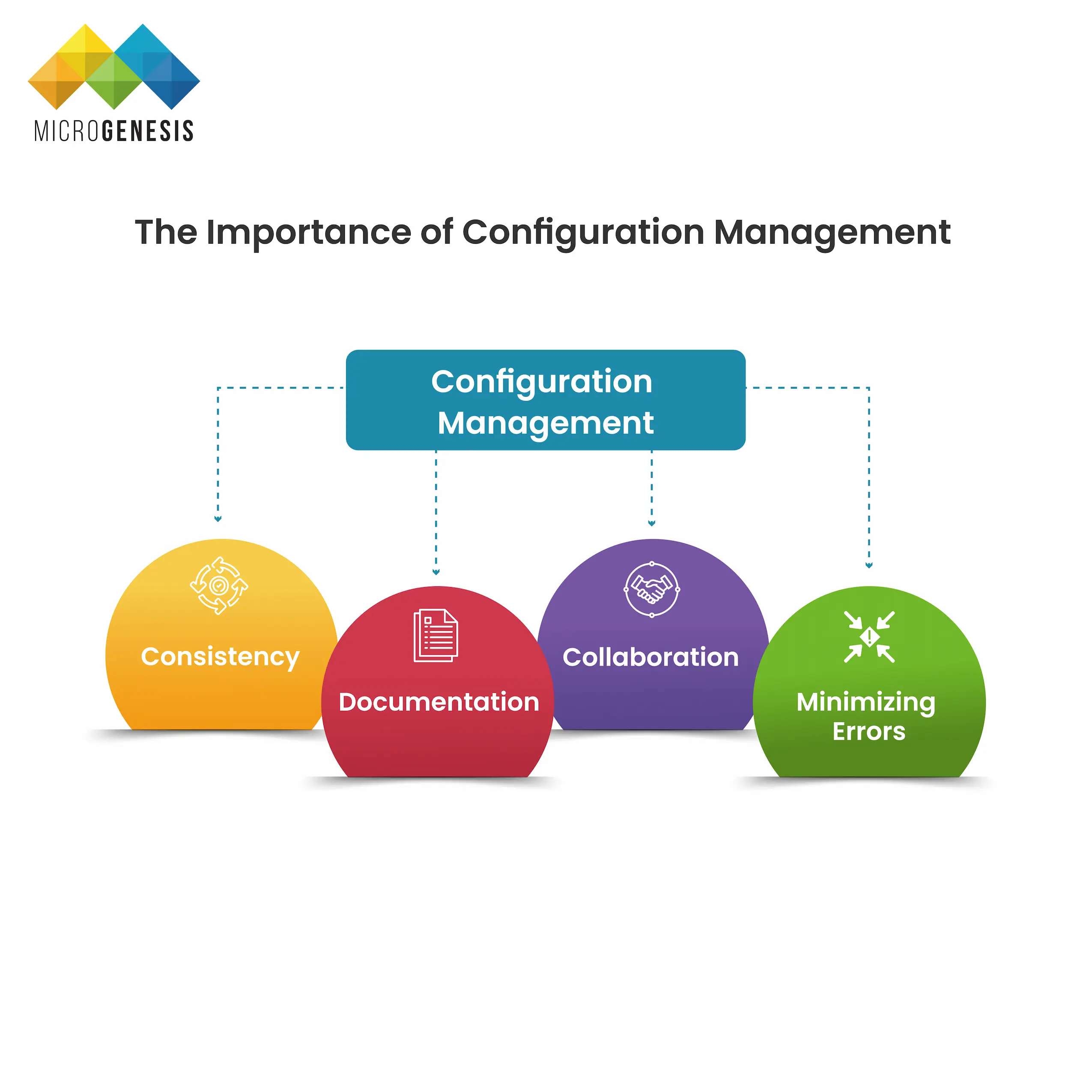
The Importance of Configuration Management

Importance of Configuration Management
    • Consistency: By managing changes in a structured way, configuration management ensures that systems remain consistent over time, even as updates and improvements are made.
    • Documentation: Configuration management tools track every change, including who made the change and why. This creates a clear record that helps with debugging, auditing, and compliance with regulatory requirements.
    • Collaboration: In large projects involving multiple teams, configuration management ensures everyone is working on the latest version of the system and that changes don’t conflict with each other.
    • Minimizing Errors: By controlling how and when changes are made, configuration management reduces the likelihood of errors being introduced into the system.

In conclusion, system and software configuration management is vital for ensuring that software systems remain stable, consistent, and reliable throughout their lifecycle. By employing version control, change management, and release management practices, organizations can handle the complexities of modern software development while minimizing the risks associated with change.

System and Software Deployment and Maintenance

System and Software Deployment and Maintenance are crucial phases in the software development lifecycle (SDLC), ensuring that systems and applications are made available to end-users in a stable and efficient manner. Deployment marks the transition of software from a development environment to a production environment, while maintenance ensures the system remains functional, secure, and up to date over time.

Here are the key strategies and practices in deployment and maintenance:

1. Deployment:

    • Definition: Deployment is the process of moving a system or software application from the development environment, where it is built and tested, to a live production environment where it is accessible to end-users. It is a critical step because any errors in deployment can result in system failure, user disruption, or security vulnerabilities.
    • Phases of Deployment:
      • Planning: Identifying which version of the software will be deployed, the timing of the deployment, and any potential impacts on users.
      • Preparation: Ensuring the production environment is ready for deployment, including configuring servers, databases, and infrastructure.
      • Execution: Moving the software from development to production, either manually or through automated tools.
      • Verification: Testing the deployed system in the production environment to ensure that it works as expected.
    • Challenges in Deployment:
      • Risk of system downtime or disruption for end-users.
      • Potential bugs or incompatibilities that were not caught during the testing phase.
      • Coordination between different teams, including developers, operations, and business stakeholders.

2. Continuous Deployment:

    • Definition: Continuous Deployment (CD) is an automated process that allows new features, bug fixes, and updates to be deployed to production frequently, often several times a day. It is part of the broader DevOps strategy, which emphasizes the automation of the software development and deployment process to improve speed, collaboration, and reliability.
    • Benefits:
      • Faster Release Cycles: CD allows teams to deploy updates quickly and frequently, providing end-users with new features and fixes faster.
      • Reduced Human Error: Automation reduces the risk of errors during the deployment process, ensuring consistent, repeatable results.
      • Greater Agility: Continuous deployment enables teams to respond to changes in business needs or user feedback more effectively.
    • Tools: Jenkins, GitLab CI/CD, CircleCI, and Bamboo are popular tools used to automate the continuous deployment process.
    • Example: In an e-commerce platform, continuous deployment can be used to regularly release new features like product recommendations, updates to payment gateways, or security patches, ensuring that users always have access to the latest functionality.

3. Monitoring and Maintenance:

    • Monitoring: After deployment, it’s important to continuously monitor the performance of the system or software to ensure that it functions as expected. Monitoring tools provide real-time data about the health of the system, including server performance, network activity, error logs, and user behavior.
      • Tools for Monitoring: Prometheus, Nagios, Datadog, and Splunk are common tools for system monitoring.
      • Benefits: Early detection of issues, such as performance bottlenecks or security vulnerabilities, allows teams to address problems before they affect end-users.
      • Proactive Monitoring: By analyzing data from monitoring tools, teams can proactively make adjustments, such as scaling infrastructure or optimizing code, to ensure the system remains stable under changing conditions.
  • Maintenance:
    • Definition: Maintenance refers to the ongoing process of updating and optimizing a system or software application to ensure it remains secure, functional, and relevant to users over time. Maintenance is necessary to address bugs, implement patches, upgrade components, and optimize performance.
    • Types of Maintenance:
      • Corrective Maintenance: Fixing bugs or issues that arise after deployment.
      • Adaptive Maintenance: Modifying the system to work in new environments or with updated hardware/software.
      • Perfective Maintenance: Improving performance, usability, or functionality based on user feedback or evolving requirements.
      • Preventive Maintenance: Making proactive changes to avoid future issues, such as updating libraries or addressing potential security vulnerabilities.

4. Best Practices in DevOps:

DevOps is a set of practices that automates and integrates the processes of software development and IT operations. It emphasizes collaboration, communication, and automation to streamline the deployment and maintenance process.

    • Automation: Automating repetitive tasks like testing, deployment, and infrastructure configuration reduces the risk of errors and speeds up the release cycle.
    • Collaboration: DevOps fosters close collaboration between development and operations teams, ensuring smoother deployments and faster problem resolution.
    • Continuous Integration/Continuous Deployment (CI/CD): CI/CD pipelines automate the process of integrating code changes and deploying them to production, allowing for more frequent and reliable releases.
    • Infrastructure as Code (IaC): IaC tools like Terraform and Ansible allow teams to manage and provision infrastructure using code, making it easier to scale and replicate environments.
    • Monitoring and Feedback Loops: DevOps encourages the use of feedback loops, where real-time monitoring data is used to inform ongoing development and operational improvements.

Importance of Deployment and Maintenance:

  • User Experience: A smooth deployment ensures that users can access new features without disruption. Ongoing maintenance ensures that the system remains reliable, fast, and secure, providing a better overall user experience.
  • Security: Regular updates and patches are critical for addressing security vulnerabilities that can emerge over time. Monitoring tools can also help detect suspicious activity, allowing teams to respond quickly to potential threats.
  • Cost Efficiency: Proactively maintaining a system helps prevent major issues that could lead to downtime or expensive fixes. Automation of deployment and maintenance tasks also reduces labor costs and minimizes the risk of human error.

system and software deployment and maintenance are essential for delivering and sustaining high-quality systems and applications. By implementing strategies such as continuous deployment and leveraging monitoring tools, organizations can ensure that their systems perform reliably, remain secure, and meet the needs of their users in a dynamic and ever-changing environment. DevOps practices help automate and optimize these processes, reducing errors and fostering better collaboration across teams.

System and Software Security Engineering

System and Software Security Engineering is an integral part of modern software development, aimed at protecting systems, data, and users from a wide range of threats. Security must be incorporated into the entire software engineering process, from initial design through deployment and maintenance. The cost of ignoring security can be significant, leading to data breaches, operational disruptions, financial loss, and damage to an organization’s reputation.

Here are the key aspects of security in system and software engineering:

1. Cyber Threats:

Cyber threats refer to malicious activities aimed at compromising the integrity, confidentiality, or availability of a system or data. These include:

    • Hacking: Unauthorized access to a system or network with the intent to steal, alter, or destroy data.
    • Malware: Malicious software, such as viruses, ransomware, or spyware, designed to damage or disrupt systems.
    • Phishing: Fraudulent attempts to obtain sensitive information, such as passwords or credit card details, by posing as a legitimate entity in electronic communications.

2. Vulnerabilities:

Vulnerabilities are weaknesses or flaws in a system that can be exploited by attackers. These can arise from poor software design, coding errors, outdated software, or misconfigurations. Common vulnerabilities include:

    • SQL Injection: A code injection technique that allows attackers to manipulate databases by executing unauthorized SQL queries.
    • Cross-Site Scripting (XSS): A vulnerability in web applications where attackers inject malicious scripts into web pages viewed by other users.
    • Buffer Overflow: An error where a program writes data beyond the buffer’s memory boundary, potentially allowing attackers to overwrite memory and execute malicious code.

3. Security Engineering Best Practices:

To defend against these threats and vulnerabilities, security needs to be an ongoing, integral part of the system and software engineering process. The following best practices are fundamental to building secure systems:

    • Encryption:
      • Definition: Encryption is the process of converting sensitive data into a coded format that can only be deciphered by authorized individuals with the correct decryption key. This ensures that even if data is intercepted by attackers, it cannot be read.
      • Types of Encryption:
        • Symmetric Encryption: A single key is used for both encryption and decryption.
        • Asymmetric Encryption: Two keys are used—one for encryption (public key) and one for decryption (private key).
      • Applications: Encryption is widely used to protect sensitive information such as passwords, financial data, and communications. Secure protocols like HTTPS use encryption to protect web traffic.
    • Access Control:
      • Definition: Access control involves implementing rules and policies that restrict who can view, modify, or use certain resources or data within a system. Effective access control ensures that only authorized personnel have the appropriate level of access.
      • Techniques:
        • Role-Based Access Control (RBAC): Access is granted based on the user’s role within the organization. For example, a system administrator may have more privileges than a regular user.
        • Multi-Factor Authentication (MFA): Requires users to provide two or more verification factors, such as a password and a one-time code sent to their phone, to gain access to a system.
      • Example: In a healthcare system, only doctors and authorized medical staff may have access to patient records, while administrative staff may be limited to scheduling information.
    • Security Testing:
      • Definition: Security testing is the process of evaluating a system for vulnerabilities and weaknesses that could be exploited by attackers. Regular testing ensures that security measures are effective and up-to-date.
      • Types of Security Testing:
        • Penetration Testing (Pen Testing): Simulating an attack on a system to identify and exploit vulnerabilities, allowing them to be fixed before a real attack occurs.
        • Vulnerability Scanning: Automated tools are used to scan systems for known vulnerabilities, such as outdated software or misconfigured settings.
        • Code Reviews: Reviewing source code to identify security flaws such as hard-coded passwords, insecure data handling, or improper input validation.
    • Example: A financial institution may conduct regular penetration tests on its online banking platform to ensure that it is secure against cyber attacks.

4. The Importance of Security by Design:

Security engineering must begin during the design phase, rather than being an afterthought. Building security into the architecture from the outset is known as “security by design,” and it ensures that systems are designed with robust protections against threats. Key practices include:

    • Threat Modeling: Identifying potential security threats during the design phase and planning countermeasures to mitigate them.
    • Least Privilege Principle: Ensuring that users and processes have only the minimal access necessary to perform their tasks, reducing the potential damage from a breach.
    • Defense in Depth: Implementing multiple layers of security, such as firewalls, encryption, and access controls, to protect against different types of attacks.

5. Security Monitoring and Incident Response:

In addition to preventive measures, it’s essential to have mechanisms in place to detect and respond to security incidents in real-time. Security monitoring involves continuously tracking system activities for signs of malicious behavior or breaches.

    • Intrusion Detection Systems (IDS): Monitors network traffic for suspicious activity and alerts administrators to potential threats.
    • Security Information and Event Management (SIEM): Aggregates data from various sources to provide a comprehensive view of security events and identify patterns that indicate an attack.
    • Incident Response: A formal process for managing and responding to security incidents, including containment, eradication, and recovery efforts.

6. The Role of Compliance in Security:

Many industries are subject to regulations and standards that dictate specific security requirements. Organizations must adhere to these compliance frameworks to avoid legal penalties and maintain trust with customers. Common security compliance frameworks include:

    • GDPR (General Data Protection Regulation): European regulation governing the privacy and protection of personal data.
    • HIPAA (Health Insurance Portability and Accountability Act): U.S. regulation governing the security and privacy of health-related information.
    • ISO/IEC 27001: An international standard for information security management systems.Security is a critical component of system and software engineering, ensuring that systems remain resilient against cyber threats and vulnerabilities. By employing encryption, access control, and regular security testing, and by adopting a security-by-design approach, organizations can significantly reduce the risk of breaches and maintain the trust of their users. Additionally, ongoing security monitoring and compliance with industry regulations are necessary to safeguard systems in a dynamic threat landscape.

Integrating security into the entire software development lifecycle—rather than treating it as an afterthought—ensures a holistic and robust approach to protecting both systems and data.

How MicroGenesis can help

MicroGenesis offers comprehensive Systems Engineering Solutions designed to help organizations manage the complexity of system development across various industries. By integrating tools and processes, MicroGenesis enables efficient collaboration between stakeholders, ensuring that requirements, design, testing, and validation are seamlessly aligned. Their solutions focus on:

    • Requirements Management: Ensuring all system requirements are captured, tracked, and met throughout the development lifecycle.
    • Model-Based Systems Engineering (MBSE): Using models to define, design, and document systems, allowing for improved system architecture and design decisions.
    • Verification & Validation: Ensuring systems are thoroughly tested against requirements, enhancing reliability and performance.

With their expertise in systems engineering, MicroGenesis helps organizations deliver high-quality, compliant, and efficient systems that meet business objectives.

Conclusion

In summary, system and software engineering are vital for developing and managing complex technological solutions in today’s fast-paced environment. By understanding and applying key concepts such as system architecture, requirements engineering, design principles, and quality assurance, organizations can create reliable, efficient, and scalable systems that meet the needs of their users.   Microgenesis, a leader in systems engineering services and digital transformation, is dedicated to helping businesses navigate these complexities. With a focus on innovative engineering solutions, Microgenesis empowers organizations to leverage the latest technologies and methodologies, ensuring they remain competitive in their respective industries. Partnering with us means embarking on a transformative journey that not only enhances operational efficiency but also drives sustainable growth.

Services

Related posts
The Ultimate guide to Digital Transformation

The Ultimate guide to Digital Transformation

Digital Transformation:

The Ultimate Guide

BROWSE TOPICS

Digital transformation has become a buzzword in recent years, as businesses across industries seek to adapt to rapidly evolving technologies and customer expectations. But what exactly is digital transformation? Why is it so crucial for enterprises today, and what are the key areas to focus on? In this comprehensive guide, we’ll dive deep into the concepts, drivers, benefits, and practical frameworks of digital transformation, providing you with the knowledge and insights to embark on this journey with confidence.

What is Digital Transformation?

Digital transformation refers to the integration of digital technology into all areas of a business, fundamentally changing how the organization operates and delivers value to customers. It’s not just about digitizing existing processes, but rather a complete cultural and operational shift towards agility, innovation, and customer-centricity.

The goal is to leverage digital tools, data, and innovation to improve business processes, enhance customer experiences, increase operational efficiency, and open new revenue streams. However, digital transformation is more than a technological upgrade; it’s a profound change in the way companies approach problem-solving, decision-making, and collaboration.

3 Key Areas of Enterprise Digital Transformation
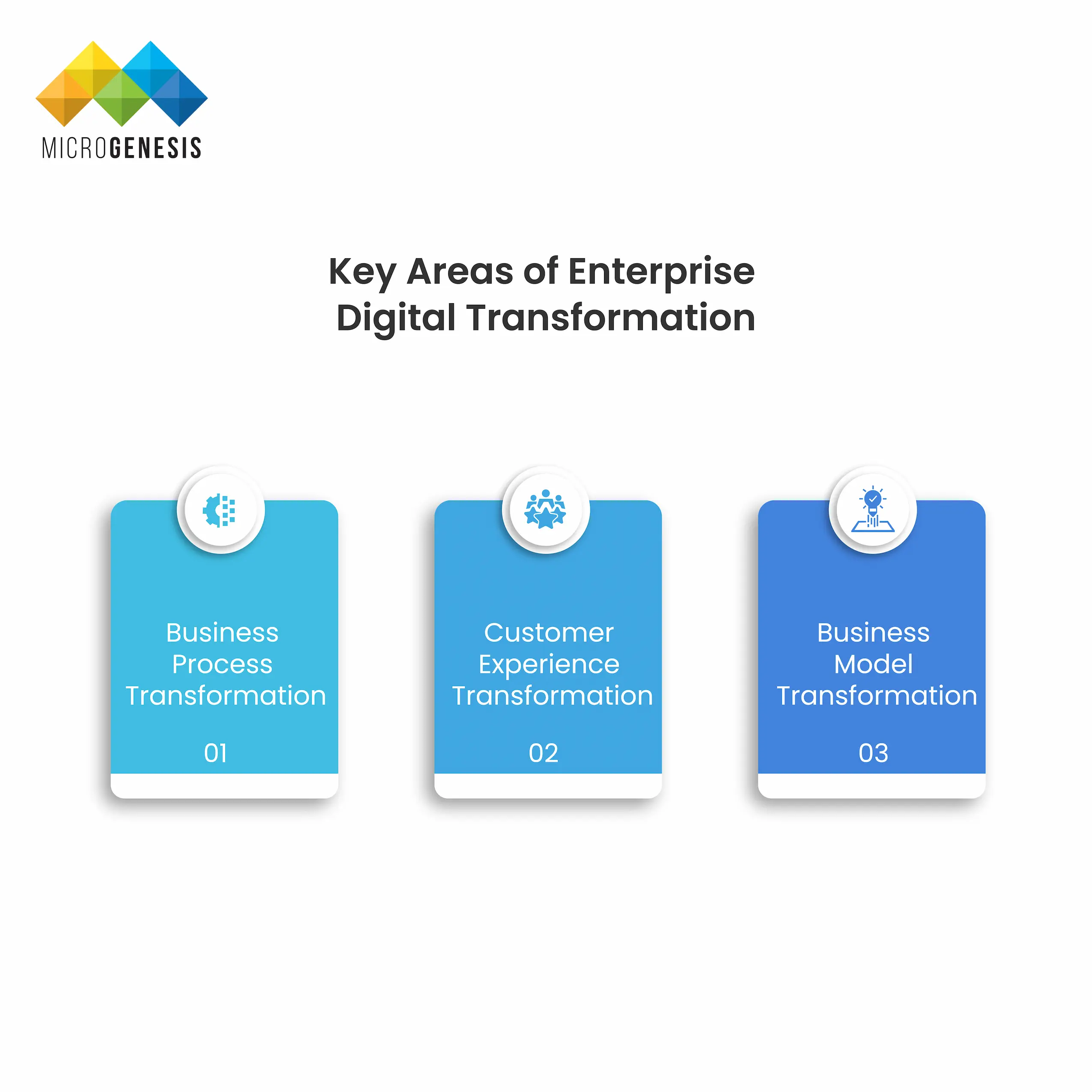
Key areas of Digital Transformation
There are three primary areas where businesses need to focus their digital transformation efforts: 1. Business Process Transformation This involves leveraging digital tools to redesign business operations, enhancing both efficiency and effectiveness. Organizations must move beyond automating simple tasks to fully rethinking workflows and operational structures. Technologies like robotic process automation (RPA), AI, and machine learning can optimize and automate repetitive tasks, enabling employees to focus on higher-value activities. For example, by automating supply chain operations, manufacturers can improve production efficiency, reduce costs, and increase the accuracy of forecasting demand, thus enhancing overall business performance. Furthermore, AI and data analytics tools help streamline decision-making by delivering real-time insights based on large sets of data. 2. Customer Experience Transformation The modern customer expects personalized, seamless, and highly responsive interactions with businesses. Delivering exceptional customer experiences is at the heart of digital transformation. To meet these expectations, companies are adopting digital solutions that allow for more meaningful engagement through mobile apps, social media, and chatbots, to name a few. Companies like Disney have mastered digital customer experience through its MagicBand wristbands, which use RFID technology to enhance guest experience at its theme parks. From seamless access to rides to personalized services, Disney uses data to deliver frictionless, delightful interactions at every touchpoint. 3. Business Model Transformation In the digital age, businesses must rethink their entire value proposition and revenue models. Digital transformation empowers companies to move beyond traditional product-based sales models and explore new opportunities such as subscription services, digital marketplaces, or service-based models. Cloud computing, AI, and IoT provide the technical foundation for these new revenue streams. A perfect example of business model transformation is Airbnb. The company disrupted the hospitality industry by creating a peer-to-peer digital platform that connects travelers with private accommodation providers. This model offers a scalable, asset-light business without the need to own real estate, relying instead on technology to facilitate seamless transactions and communications.

What is the Importance of Digital Transformation?
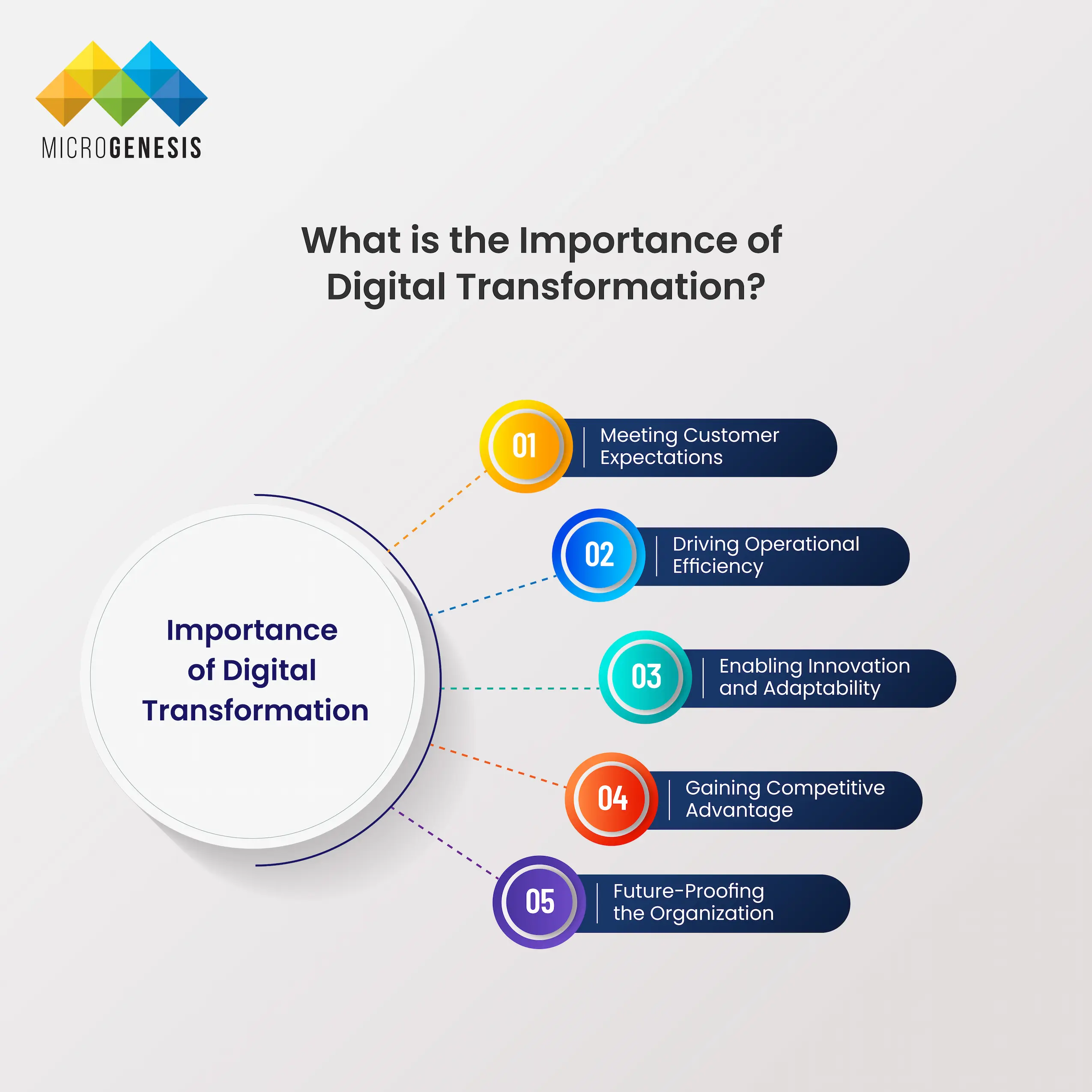
Importance of Digital Transformation
Digital transformation is not optional for businesses seeking to maintain a competitive edge in today’s marketplace. It has become a necessity for companies aiming to stay relevant, agile, and customer-centric. Here are some key reasons why digital transformation is crucial: 1. Meeting Customer Expectations Today’s customers are empowered, tech-savvy, and connected. They expect fast, personalized, and convenient experiences. Companies that fail to meet these expectations risk losing customers to more digitally mature competitors. A company’s ability to leverage digital tools—such as AI-driven personalization, chatbots, and predictive analytics—will directly impact its ability to attract, retain, and delight customers. 2. Driving Operational Efficiency Through automation, digital transformation helps companies eliminate redundant tasks, reduce manual errors, and improve speed and precision. This leads to higher productivity and cost savings across all business functions, from supply chain management to human resources. Cloud-based platforms and AI-driven workflows allow businesses to be more agile and responsive to market changes, freeing up resources to focus on innovation and strategy. 3. Enabling Innovation and Adaptability In a rapidly changing business environment, companies must remain agile to survive. Digital transformation fosters a culture of innovation by encouraging experimentation and the adoption of new technologies. Businesses that invest in digital tools can quickly pivot to address new opportunities, whether through the development of new products, services, or revenue models. 4. Gaining Competitive Advantage A company that undergoes digital transformation is better positioned to outperform competitors that lag in adopting digital tools. For example, businesses that leverage predictive analytics can identify market trends faster, allowing them to make smarter decisions before competitors even recognize a shift. 5. Future-Proofing the Organization Digital transformation prepares businesses to navigate an uncertain future. It enables them to adapt to new technologies, emerging markets, and regulatory changes more efficiently. A future-proof organization is one that embraces digital innovation as a continual process, rather than a one-time initiative.

What Does a Digital Transformation Framework Look Like?
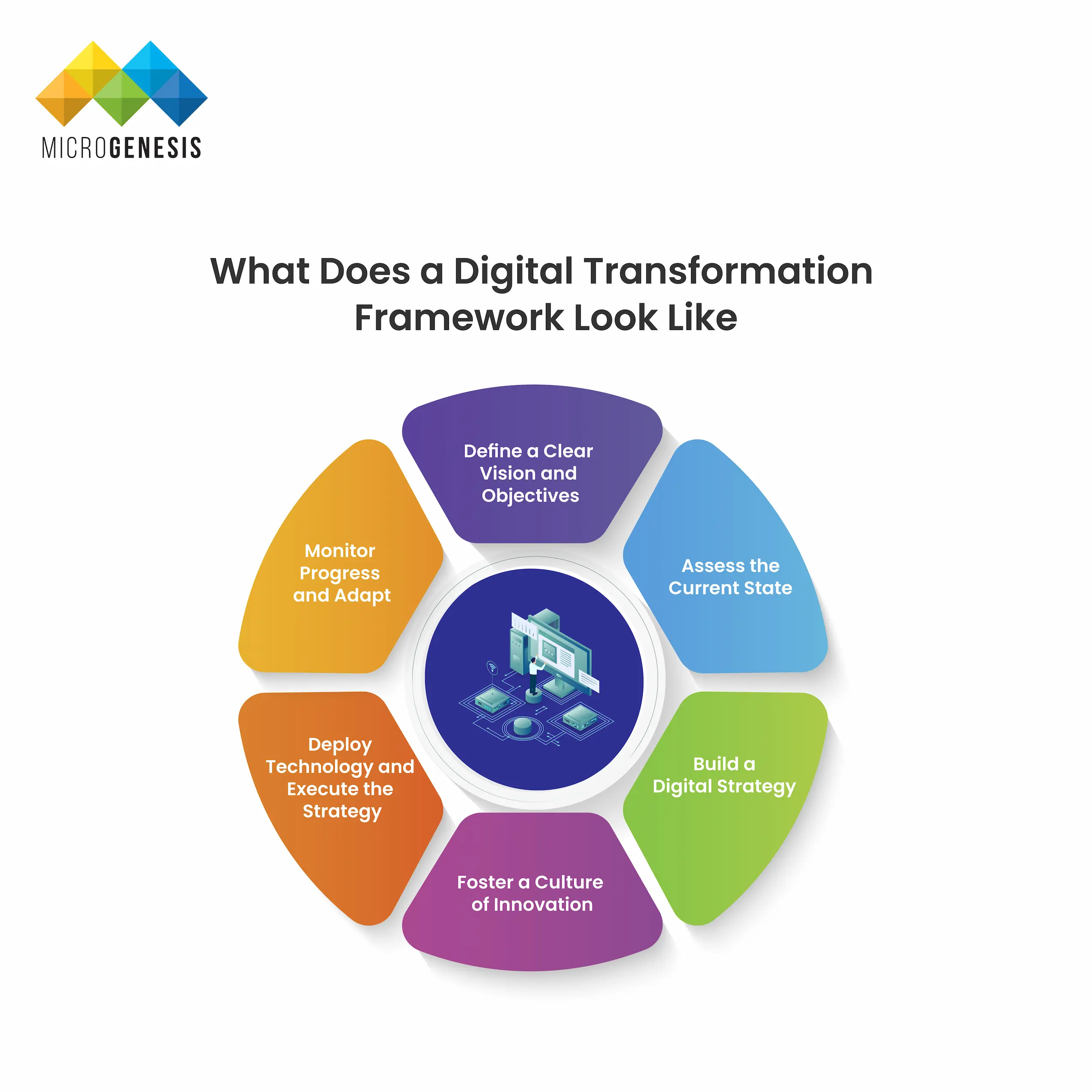
Digital Tranformation framework
A digital transformation framework is a structured approach that helps organizations navigate the complexities of integrating digital technologies into their core business. A well-defined framework guides the organization through the different stages of transformation and ensures alignment with business goals. Here’s a general outline of a robust digital transformation framework: 1. Define a Clear Vision and Objectives Before embarking on the digital transformation journey, leaders must clearly articulate their vision. What are the primary goals? Whether it’s enhancing customer experience, improving operational efficiency, or driving new revenue streams, having a well-defined set of objectives is essential to align the entire organization. 2. Assess the Current State Understanding the current state of the business is crucial. This includes assessing the existing technology infrastructure, analyzing workflows, and evaluating employee digital skills. Conducting a gap analysis helps to identify areas that require digital upgrades or process changes. 3. Build a Digital Strategy Once gaps are identified, a comprehensive digital strategy should be developed. This strategy should map out the technologies, processes, and skills needed to achieve the desired outcomes. It should also include a timeline, budget, and key performance indicators (KPIs) for measuring success. 4. Foster a Culture of Innovation Technology alone cannot drive transformation. People are at the heart of digital change. A culture of innovation—where employees are encouraged to embrace new technologies, take calculated risks, and continuously learn—is crucial for a successful digital transformation. Leaders must foster an open, agile environment where experimentation and learning from failures are embraced. 5. Deploy Technology and Execute the Strategy Once the strategy is in place, the next step is to deploy the right technologies to support it. Cloud computing, AI, big data, IoT, and automation tools are just a few examples of technologies that can drive transformation. The deployment should be phased, allowing the organization to address challenges incrementally and measure success. 6. Monitor Progress and Adapt Digital transformation is not a one-time project but a continuous process. Organizations must continuously monitor their progress using KPIs and adapt their strategy as they evolve. This ensures that the digital transformation effort remains aligned with business goals and market trends.

What Drives Digital Transformation?
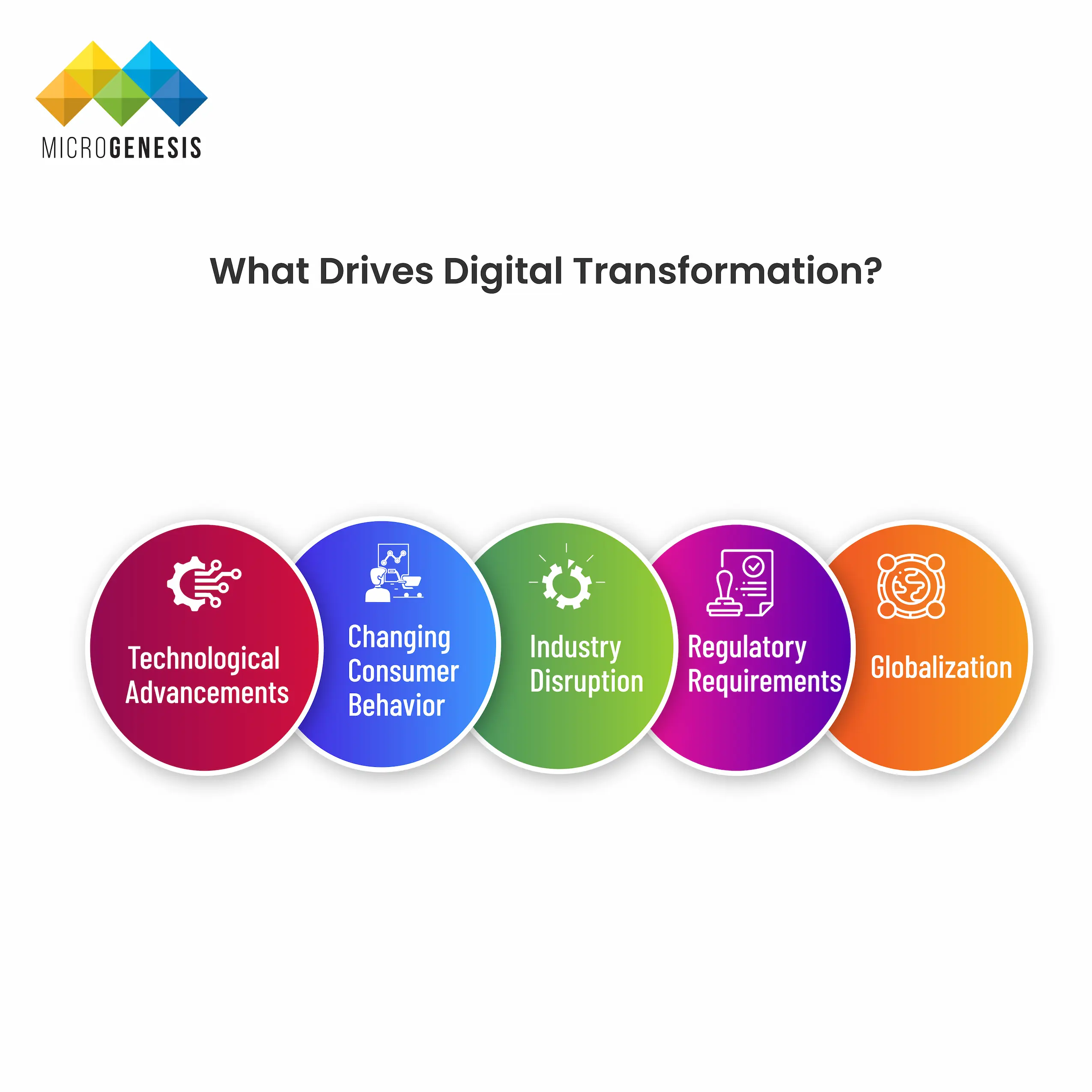
Digital Transformation
Digital transformation is driven by several key factors that compel organizations to rethink the way they operate. Here are the primary drivers: 1. Technological Advancements The rapid pace of technological innovation is one of the most significant drivers of digital transformation. Emerging technologies such as AI, machine learning, blockchain, IoT, and cloud computing offer businesses new ways to create value, streamline operations, and engage with customers. Companies that fail to adopt these innovations risk falling behind competitors. 2. Changing Consumer Behavior Today’s consumers are digital-first. They expect personalized, immediate, and seamless interactions with brands across various channels. Businesses must adopt digital strategies to meet these evolving expectations, or they risk losing market share to more agile competitors. 3. Industry Disruption Many industries are being disrupted by digital-native startups that leverage technology to deliver better customer experiences, lower prices, or more innovative products. Companies must undergo digital transformation to stay competitive in the face of new entrants. 4. Regulatory Requirements In industries such as healthcare, finance, and insurance, regulatory compliance often drives digital transformation. Digital tools can streamline reporting, ensure data security, and help organizations comply with evolving regulations more efficiently. 5. Globalization Digital tools enable businesses to operate on a global scale with relative ease. Organizations can use digital platforms to engage with customers in new markets, scale their operations, and collaborate with international partners more effectively.

The Benefits of Digital Transformation
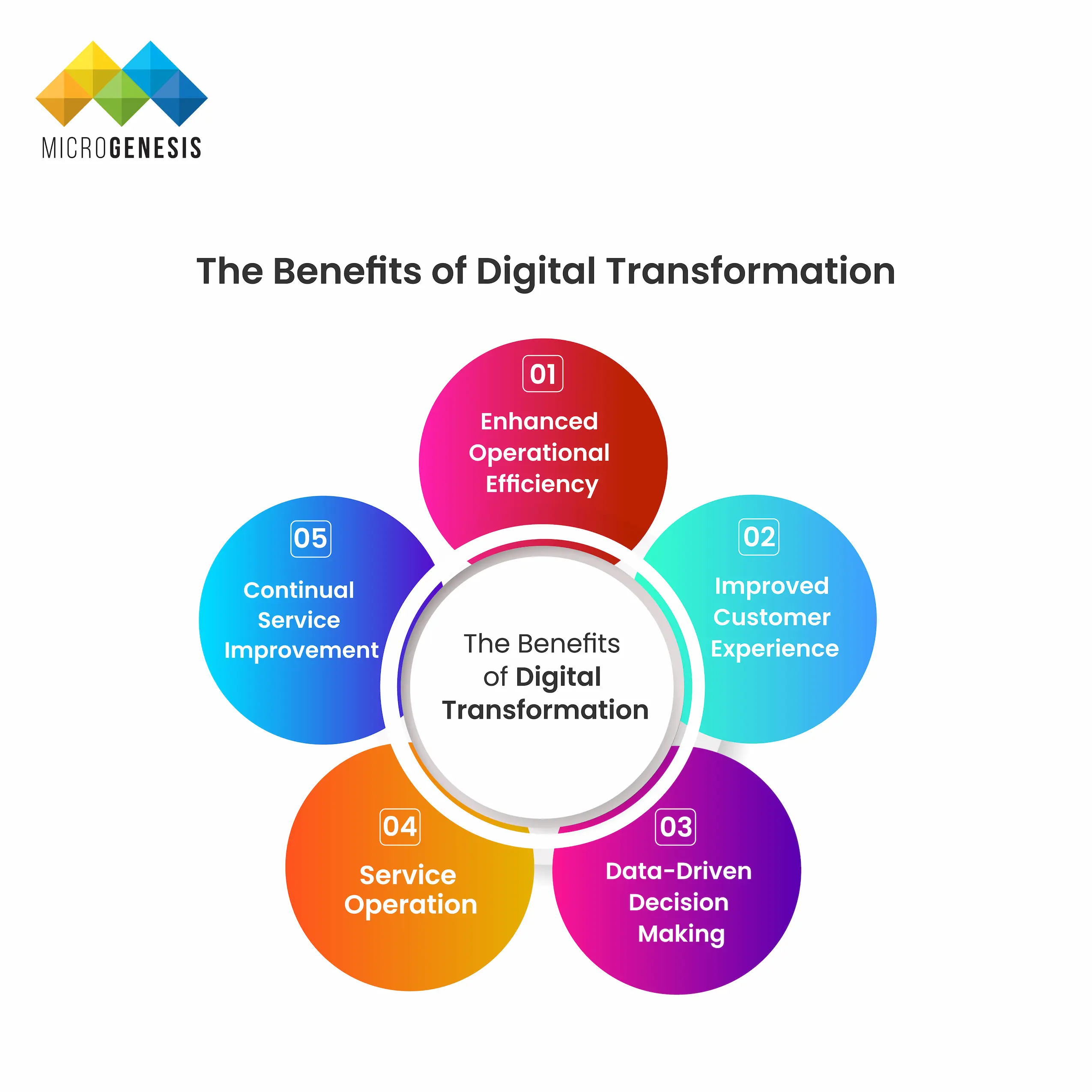
Benefits of Digital Transformation
Digital transformation offers a wide range of benefits that extend across an organization’s operations, customer interactions, and long-term growth. These include: 1. Enhanced Operational Efficiency By automating routine tasks, digitizing workflows, and leveraging data analytics, organizations can significantly improve operational efficiency. Manual processes that once took days or weeks can now be completed in minutes, reducing errors, enhancing accuracy, and speeding up decision-making. 2. Improved Customer Experience With the integration of digital tools such as customer relationship management (CRM) systems, AI-driven chatbots, and personalized marketing platforms, businesses can better understand customer preferences and deliver more tailored experiences. This personalization leads to higher customer satisfaction and loyalty. 3. Data-Driven Decision Making One of the key advantages of digital transformation is the ability to harness vast amounts of data from various sources. By leveraging data analytics tools, businesses can extract actionable insights to make informed, data-driven decisions. This helps in optimizing operations, identifying new market opportunities, and improving customer service. 4. Increased Agility and Innovation Digital transformation encourages a culture of agility and continuous improvement. Businesses that embrace digital tools can quickly respond to changes in the market, emerging technologies, and customer demands. This flexibility allows them to innovate faster and more effectively. 5. Cost Savings and Revenue Growth Automating processes and optimizing workflows not only leads to cost savings but also frees up resources that can be redirected toward growth initiatives. Digital transformation also opens up new revenue opportunities through digital channels, subscription services, and other innovative business models. 6. Stronger Competitive Advantage Organizations that embrace digital transformation are better positioned to stay ahead of their competition. By adopting cutting-edge technologies, businesses can offer unique value propositions, deliver superior customer experiences, and optimize their operations more efficiently than their competitors.

Examples of Digital Transformation

Many companies have successfully navigated their digital transformation journeys, offering valuable lessons for others:
  • Netflix
Netflix transformed from a DVD rental service into a global streaming platform, leveraging digital technologies to change the way people consume media. Their use of data analytics to offer personalized content recommendations has been a significant driver of customer satisfaction and growth.
  • Amazon
Amazon’s digital transformation is one of the most notable in history. They revolutionized e-commerce by adopting advanced logistics, AI-driven recommendations, and cloud computing to create a seamless online shopping experience.
  • General Electric (GE)
GE transformed its industrial equipment business by adopting IoT and predictive analytics. Their “Industrial Internet” platform allows machines to communicate, providing data insights that enhance performance and reduce downtime.

Most Important Aspects of Digital Transformation
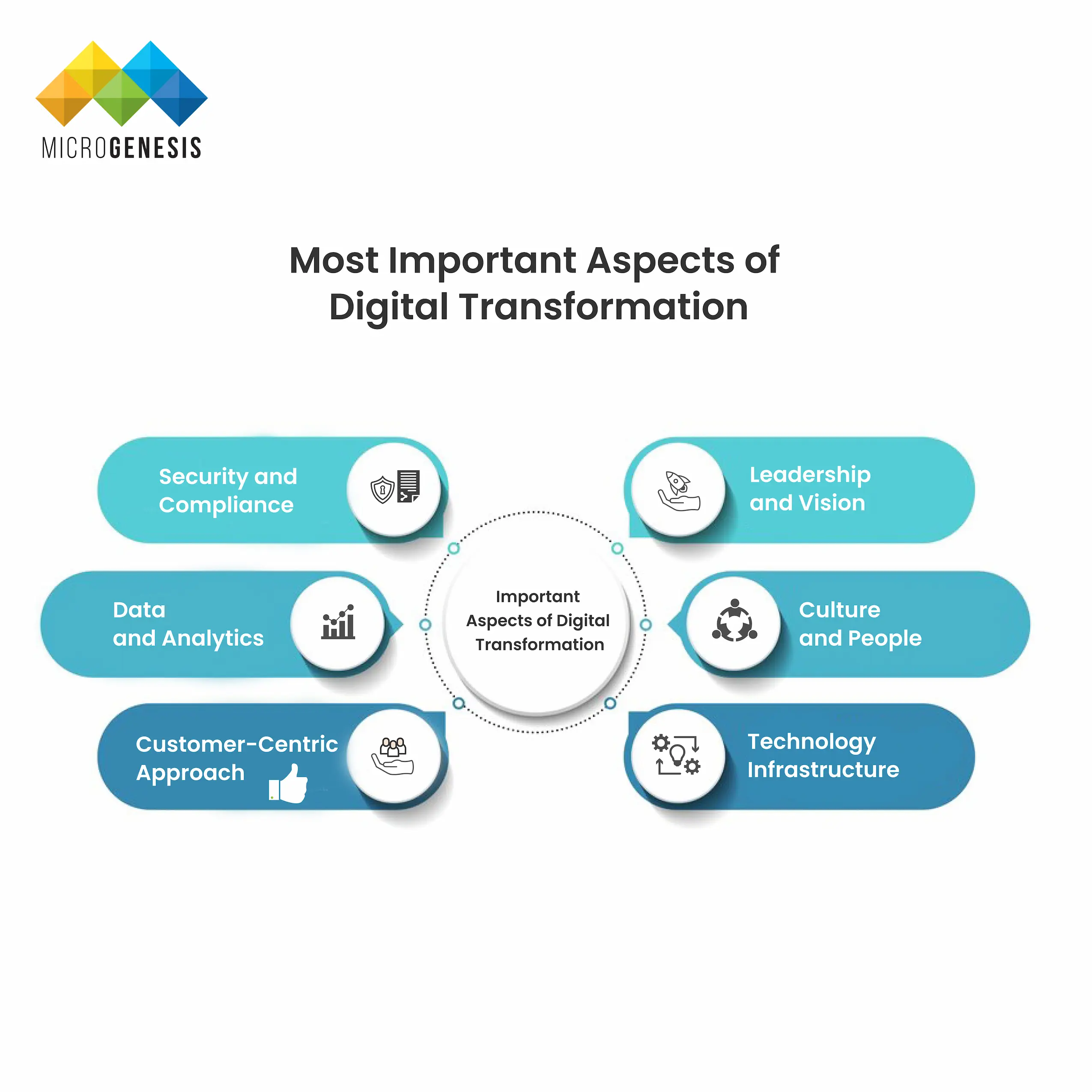
Importance Aspects of Digital Transformation
Digital transformation is a complex process that touches every part of an organization. Here are some of the most important aspects to focus on: 1. Leadership and Vision Successful digital transformation requires strong leadership and a clear vision. Leaders must champion digital initiatives, communicate the importance of transformation to the organization, and guide employees through the changes. Leadership buy-in is critical for driving cultural change and securing the resources needed for transformation efforts. 2. Culture and People People are at the heart of digital transformation. Organizations must foster a culture of innovation, agility, and continuous learning. Employees need to be empowered to embrace new technologies and rethink traditional workflows. Upskilling and reskilling initiatives are also vital to ensure employees have the digital skills required to thrive in a transformed workplace. 3. Technology Infrastructure Investing in the right technology is critical for driving transformation. Cloud computing, data analytics, artificial intelligence, and IoT are just a few examples of technologies that can power digital initiatives. It’s essential to have a scalable, secure, and adaptable IT infrastructure in place to support ongoing transformation. 4. Customer-Centric Approach At the end of the day, digital transformation is about delivering value to customers. Companies must adopt a customer-first mindset and leverage technology to provide personalized, seamless, and engaging experiences. Whether it’s through personalized marketing, AI-driven chatbots, or self-service portals, the goal is to create experiences that meet customers’ evolving needs. 5. Data and Analytics Data is a key enabler of digital transformation. Businesses must harness the power of data to gain insights into customer behavior, operational efficiency, and market trends. Advanced data analytics, predictive modeling, and machine learning can help organizations make data-driven decisions that drive better outcomes. 6. Security and Compliance With the rise of digital transformation comes the increased importance of data security and regulatory compliance. Organizations must implement robust security measures to protect customer data and intellectual property from cyber threats. Compliance with industry regulations such as GDPR, HIPAA, or PCI-DSS is also crucial in avoiding legal and financial penalties.

How Can I Measure ROI on Digital Transformation?

Measuring the return on investment (ROI) of digital transformation can be challenging, given its wide-ranging impact across multiple areas of the business. However, it is crucial for justifying investment in digital initiatives and ensuring that the transformation is delivering value. Here are some key metrics to consider: 1. Operational Efficiency One of the most straightforward ways to measure ROI is through increased operational efficiency. By tracking the time saved from automated processes, reduced error rates, and lower costs, you can quantify the gains made from digital transformation. For example, you can measure the reduction in manual tasks or time taken to complete key processes before and after automation. 2. Revenue Growth Track the impact of digital transformation on revenue growth. This could be through the adoption of new digital business models, the launch of new digital products, or the expansion into new markets via digital channels. Compare revenue growth pre- and post-transformation to gauge the financial impact. 3. Customer Experience Improvements in customer experience often translate to increased customer satisfaction, retention, and lifetime value. Use metrics such as Net Promoter Score (NPS), customer satisfaction ratings, and churn rates to measure the impact of digital transformation on customer loyalty and engagement. 4. Employee Productivity Digital transformation often leads to significant improvements in employee productivity. You can measure this through metrics such as task completion time, the number of projects completed, or the number of clients served within a given period. These productivity gains can directly impact the organization’s bottom line. 5. Innovation and Agility Assess the organization’s ability to innovate and adapt to market changes post-transformation. This can be measured by tracking the time taken to develop and launch new products, the number of new initiatives started, and the speed at which the organization can pivot in response to new opportunities or challenges. 6. Cost Savings Cost savings are another critical measure of ROI. By comparing costs before and after digital transformation initiatives, particularly in areas such as IT infrastructure, supply chain management, and customer support, you can calculate the financial impact of digitization.

Why Digital Transformation Projects Fail

Despite the many potential benefits, digital transformation projects often fail to deliver on their promises. Here are some common reasons why: 1. Lack of Clear Vision and Strategy Without a well-defined vision and strategy, digital transformation efforts can lack direction and coherence. It’s essential to have a clear understanding of the business objectives and how digital tools will help achieve them. Otherwise, transformation efforts may result in disjointed initiatives that fail to deliver value. 2. Resistance to Change People are naturally resistant to change, and this can be a major barrier to digital transformation. Employees may fear that new technologies will render their skills obsolete, or they may be uncomfortable with changes to established workflows. Overcoming this resistance requires strong leadership, clear communication, and investment in training and development. 3. Underestimating the Complexity Digital transformation is a complex, multi-faceted process that affects every part of an organization. Many companies underestimate the time, effort, and resources required to execute a successful transformation. Over-simplifying the process or expecting quick results can lead to failure. 4. Failure to Align with Business Goals If digital transformation efforts aren’t aligned with broader business goals, they may end up as isolated IT projects that don’t deliver real value. For example, implementing AI tools without a clear understanding of how they will improve customer service or operational efficiency can result in wasted resources and missed opportunities. 5. Lack of Employee Buy-In Without employee buy-in, even the best digital strategies will fail. It’s important to involve employees in the digital transformation process from the beginning, addressing their concerns and highlighting how digital tools will benefit them in their roles. 6. Inadequate Budget and Resources Digital transformation requires significant investment in both technology and people. A lack of budget or underestimation of the resources required can doom a digital transformation project to failure before it even begins.

How to Get Started with Digital Transformation

For companies that haven’t yet begun their digital transformation journey, starting can feel overwhelming. Here are practical steps to get started: 1. Assess Your Current Digital Maturity Before embarking on digital transformation, it’s important to understand where your company currently stands. Conduct a digital maturity assessment to evaluate your existing technology stack, digital skills, and processes. Identify the areas that require the most improvement. 2. Set Clear Objectives Define your transformation goals clearly. Are you looking to enhance customer experiences, improve operational efficiency, or create new revenue streams? Setting clear objectives will help focus your efforts and ensure alignment with broader business goals. 3. Build a Cross-Functional Team Digital transformation affects every part of an organization, so it’s important to have a cross-functional team leading the effort. This team should include representatives from IT, marketing, operations, HR, and other departments to ensure a holistic approach. 4. Start with Small Pilot Projects Rather than trying to transform the entire organization all at once, start with small pilot projects. These projects can provide quick wins and demonstrate the value of digital transformation to stakeholders. Once successful, these initiatives can be scaled across the organization. 5. Invest in Digital Skills Digital transformation requires a workforce that is comfortable using digital tools and technologies. Invest in upskilling and reskilling initiatives to ensure your employees have the digital skills needed to thrive in a transformed organization. 6. Monitor Progress and Adjust Digital transformation is an ongoing process. Continuously monitor the progress of your initiatives and adjust your strategy as needed. Use KPIs to measure success and ensure that transformation efforts are delivering real value.
Here are some of the latest trends in digital transformation that are shaping the future of business: 1. Artificial Intelligence and Machine Learning AI and machine learning continue to be major drivers of digital transformation. From personalized marketing and customer service chatbots to predictive analytics and automation, AI is enabling businesses to operate more efficiently and deliver superior customer experiences. 2. Cloud Computing Cloud adoption is accelerating as businesses look for scalable, flexible, and cost-effective solutions to power their digital initiatives. Cloud platforms provide the foundation for other digital technologies, enabling businesses to access computing resources on-demand and scale as needed. 3. 5G Technology The rollout of 5G networks is expected to revolutionize industries by providing faster, more reliable internet connections. This will enable new digital transformation opportunities, such as enhanced IoT applications, autonomous vehicles, and real-time analytics. 4. Digital Twins Digital twins are virtual replicas of physical assets, processes, or systems that use real-time data to simulate performance. This technology is being used in industries such as manufacturing, healthcare, and logistics to optimize operations, reduce downtime, and improve product development. 5. Cybersecurity As digital transformation accelerates, the need for robust cybersecurity measures has never been more important. Companies are increasingly investing in advanced cybersecurity solutions to protect against data breaches, cyber-attacks, and compliance risks.

Where Can I Learn More?

Here are some excellent resources for further learning:

  • Books: “Digital Transformation Playbook” by David Rogers, “Leading Digital” by George Westerman, Didier Bonnet, and Andrew McAfee
  • Websites: McKinsey & Company, Deloitte Insights, and Harvard Business Review
  • Online Courses: Coursera’s “Digital Transformation” courses, edX’s “Leading Digital Transformation” programs

Conclusion

Digital transformation is more than just adopting new technologies—it’s a fundamental shift in how businesses operate, innovate, and deliver value to their customers. By integrating digital tools and fostering a culture of agility and customer-centricity, companies can streamline processes, improve customer experiences, and unlock new growth opportunities. However, successful digital transformation requires a clear strategy, strong leadership, and a willingness to embrace change at every level of the organization. Microgenesis, as a digital transformation consultant, specializes in guiding businesses through this complex process. With tailored strategies and deep industry expertise, Microgenesis helps companies not only implement the right technologies but also foster the cultural and operational shifts needed for long-term success in the digital era

FAQs

1.What is digital transformation in simple terms? It’s the integration of digital technology into all areas of business, changing how businesses operate and deliver value to customers. 2.How long does digital transformation take? It varies but typically takes several years, depending on the scale of transformation. 3.Is digital transformation only about technology? No, it’s also about changing the culture, processes, and business models to fully leverage technology. 4.What is the role of leadership in digital transformation? Leadership plays a critical role in setting the vision, securing buy-in, and driving the cultural shift necessary for transformation.


Services

Related posts
Understanding Model-Based Systems Engineering

Understanding Model-Based Systems Engineering

Model-Based Systems Engineering 

BROWSE TOPICS

Introduction

Model-Based Systems Engineering (MBSE) has emerged as a critical methodology for managing the complexity of modern systems. Unlike traditional document-centric approaches, MBSE leverages models to support the entire lifecycle of system development, from initial concept through to deployment and beyond. This approach has gained traction due to the increasing adoption of digital-modeling environments, which provide a more integrated and efficient way of handling the intricate demands of system engineering.

What is Model-Based Systems Engineering (MBSE)?

What is Model-Based Systems Engineering (MBSE)?
Model-Based Systems Engineering (MBSE) is a formalized methodology that utilizes models to support the requirements, design, analysis, verification, and validation of complex systems. MBSE places models at the heart of system development, ensuring that all aspects of the system’s design and behavior are captured and communicated effectively. This model-centric approach contrasts with traditional document-based methods, which rely heavily on disparate documents to convey system information.

The Rise of MBSE in Modern Engineering

The adoption of MBSE has accelerated in recent years, driven by the increasing complexity of systems and the need for more reliable and efficient development processes. For instance, NASA noted in January 2020 that MBSE “has been increasingly embraced by both industry and government as a means to keep track of system complexity.” The shift towards MBSE is further fueled by advancements in digital-modeling environments, which offer powerful tools for creating, managing, and analyzing system models.

MBSE and Cybersecurity

One critical application of MBSE is in the realm of cybersecurity. The SEI CERT Division has begun exploring how MBSE can be used to address security risks early in the system-development process. By capturing system attributes in models, engineers can perform threat-modeling analysis at the design stage, enabling the incorporation of mitigation strategies that reduce overall security-related risks. This approach contrasts with the traditional practice of adding security features later in the development process, often leading to vulnerabilities and inefficiencies.

Advantages of MBSE in a Digital-Modeling Environment

MBSE in a digital-modeling environment offers several key advantages over document-based systems engineering:

  • Single Source of Truth: In a document-based approach, multiple documents are generated by different authors, each capturing different stakeholder views of the system. MBSE, however, creates a single source of truth where all discipline-specific views—such as system behavior, software, hardware, safety, and security—are derived from the same model elements.
  • Standards-Based Approach: A digital-modeling environment provides a common standards-based approach to documenting the system. This can be programmatically validated to eliminate inconsistencies and enforce the use of standard practices across all stakeholders, improving system analysis and reducing defects.
  • Consistency Across Disciplines: The availability of digitalized system data for analysis across disciplines ensures consistent propagation of corrections and the incorporation of new information. This enhances collaboration and ensures that all stakeholders are working with the most up-to-date and accurate information.
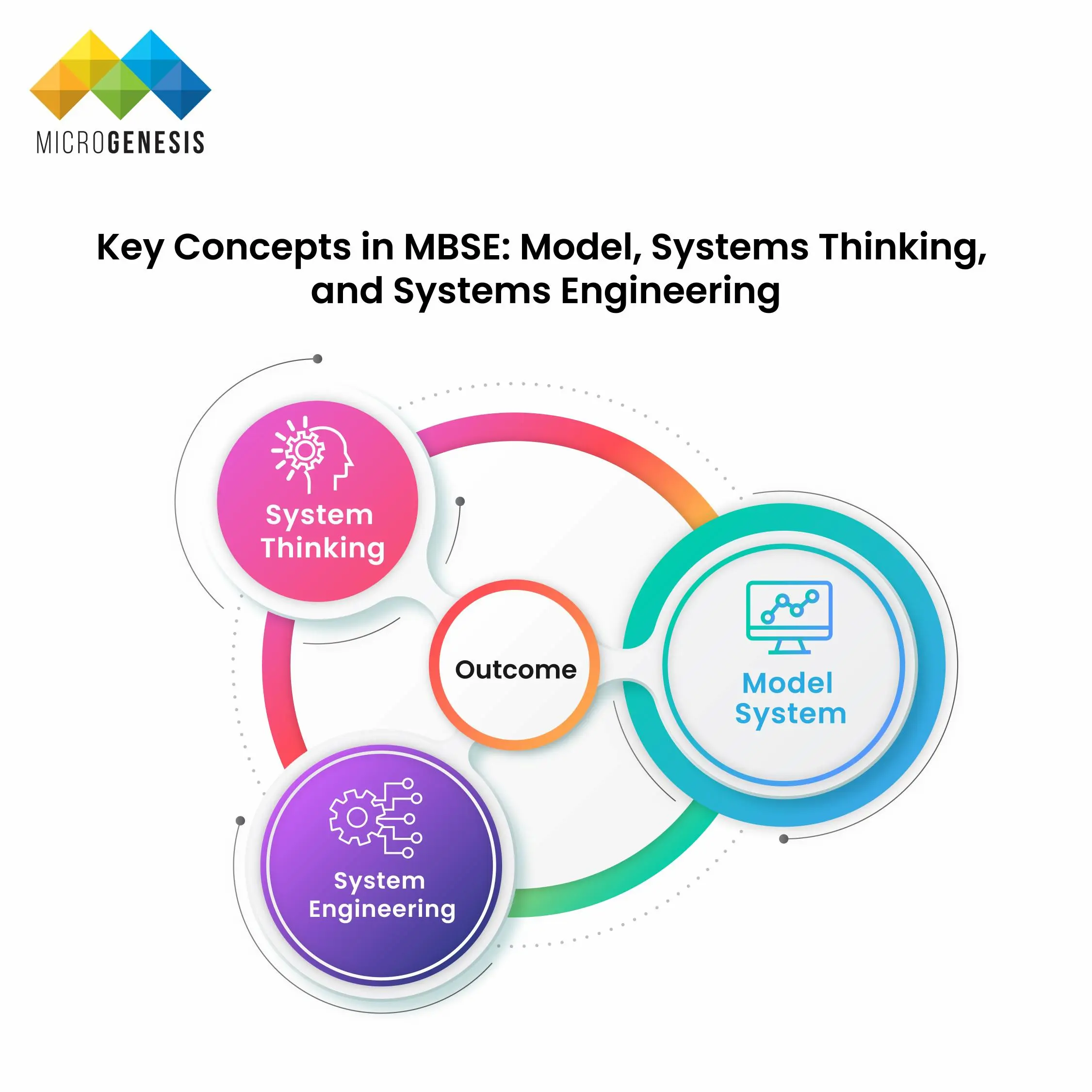
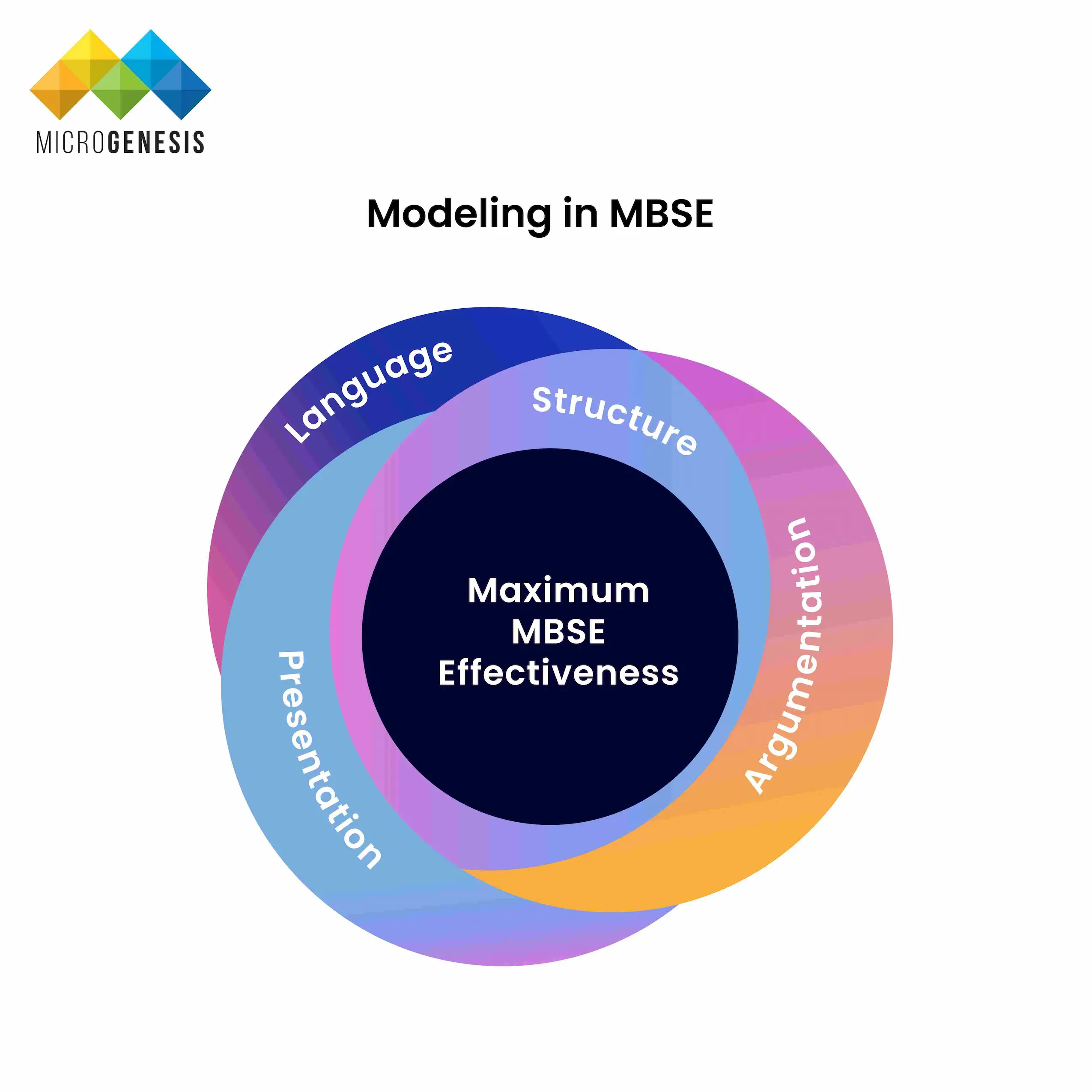
  • Reduction of Development Risks: When implemented correctly, MBSE reduces development risks by providing a clear and consistent framework for system design, verification, and validation. This leads to fewer errors, reduced rework, and more efficient development processes.
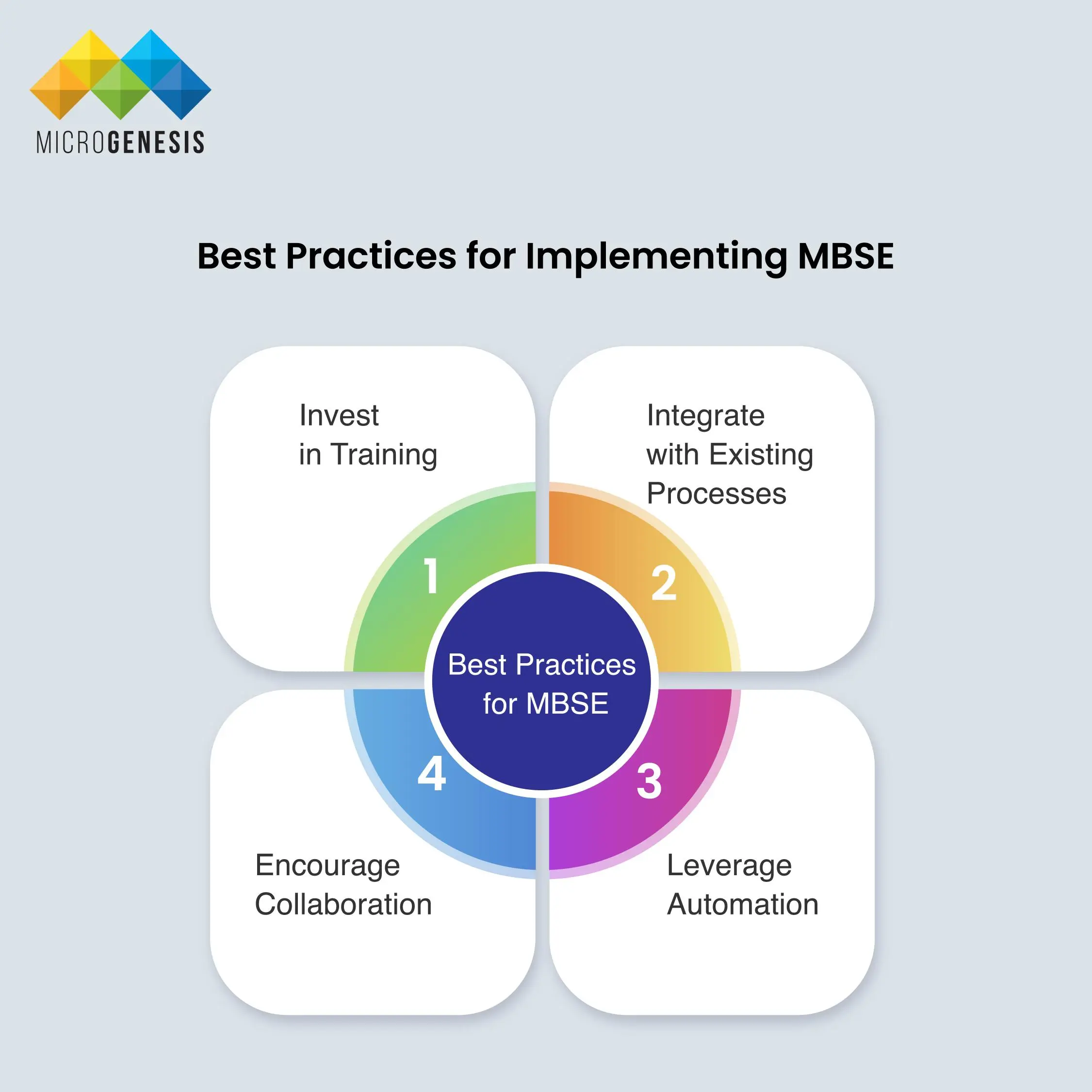
Key Concepts in MBSE

Key Concepts in MBSE

MBSE brings together three fundamental concepts:

  • Model: A model is a simplified representation of something, whether it’s graphical, mathematical, or physical. It abstracts reality to eliminate complexity, making it easier to understand and manage. In MBSE, models should sufficiently represent the system, providing clarity on its structure and behavior.
  • Systems Thinking: Systems thinking is an approach that views a system as part of a larger interconnected whole. It emphasizes understanding the system’s context, lifecycle, and interdependencies, enabling engineers to manage complexity and identify issues that may not be apparent at first glance.
  • Systems Engineering: Systems engineering is a transdisciplinary approach that integrates various methods and principles to ensure the successful realization of complex systems. It covers all aspects of the system lifecycle, including architecture, implementation, integration, analysis, and management.

Modeling in MBSE

Modeling in MBSE

Modeling is a fundamental technique in MBSE, involving the use of language, structure, argumentation, and presentation:

  • Language: A modeling language provides a common terminology for clearly communicating abstract ideas. Examples include the Systems Modeling Language (SysML), Unified Modeling Language (UML), and Architecture Analysis Design Language (AADL). SysML, with its strict syntax and rules, is particularly suited for creating formal models that avoid ambiguity.
  • Structure: A well-structured model is essential for making the model understandable, usable, and maintainable. The structure should demonstrate how the system’s design satisfies its requirements in a comprehensible way, often through visualization.

  • Argumentation: Argumentation in modeling involves the logical reasoning behind the model’s structure and behavior. It ensures that the model’s design decisions are justified and traceable back to the system’s requirements.
  • Presentation: Effective presentation of models helps stakeholders visualize and understand the system. This is critical for ensuring that the system meets its intended purpose and that all stakeholders are aligned with the design.

Modeling Domains in MBSE

Modeling Domains in MBSE

MBSE encompasses four key systems-engineering domains:

  • Requirements/Capabilities: Capturing what the system must do.
  • Behavior: Describing how the system will perform its functions.
  • Architecture/Structure: Outlining the system’s components and their interactions.
  • Verification and Validation: Ensuring that the system meets its requirements and performs as expected.

These domains are represented in the model itself, providing a formal way to document and analyze the system.

  1. Operational Point of View (Logical)
    • Purpose and Focus:
    • This quadrant addresses the logical aspects of the system from the perspective of the users, operators, and business stakeholders. It focuses on understanding the needs and expectations of these stakeholders by examining business processes, objectives, organizational structure, use cases, and information flows. The goal is to define what the system needs to achieve without getting into the specifics of how it will be implemented.

    • Key Components:
      • Business Processes:
      • Detailed descriptions of the workflows and activities that the system will support or enhance. This includes identifying key stakeholders, roles, and responsibilities within the organization.
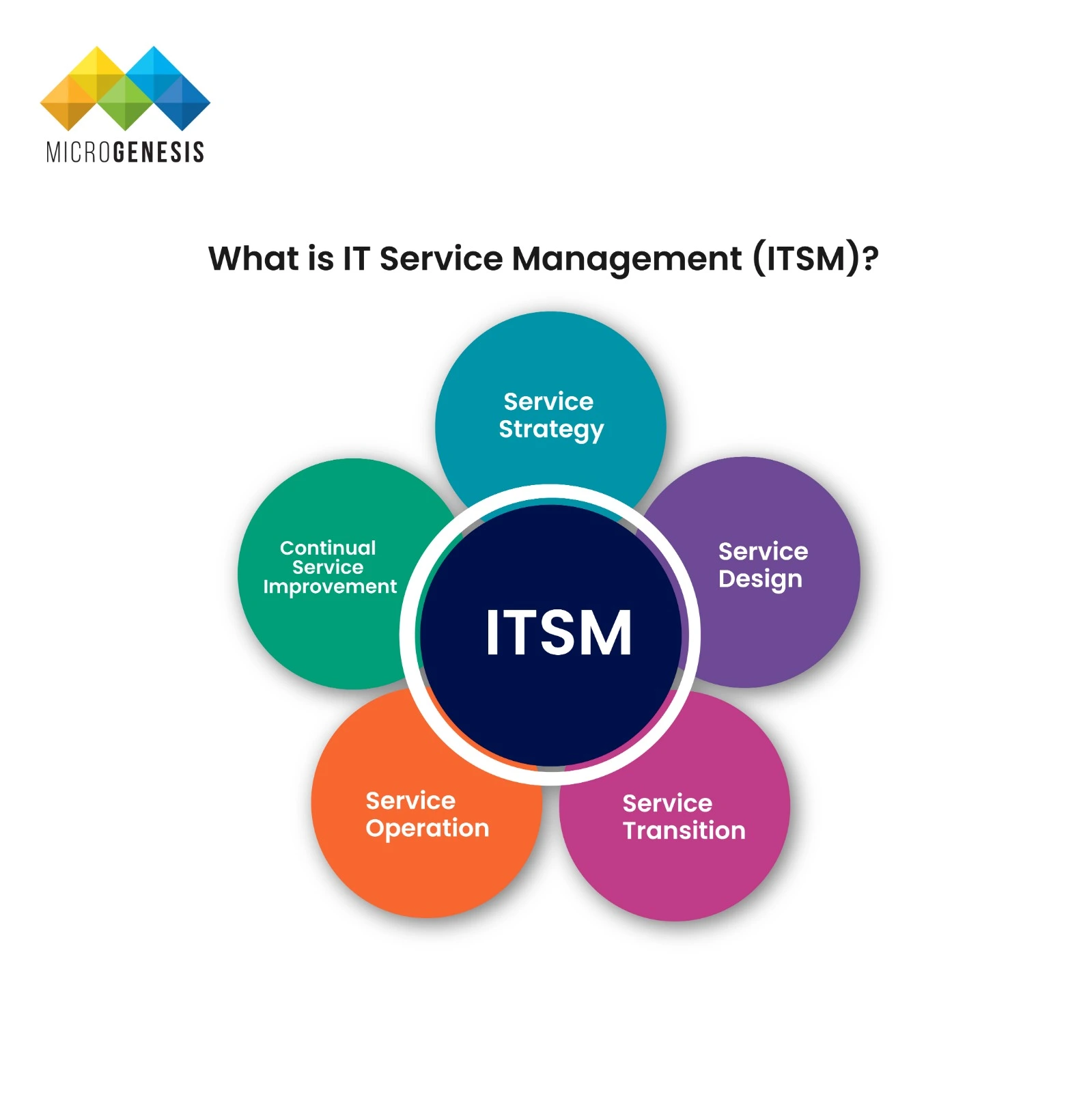
      • Objectives:
      • High-level goals that the system is designed to meet, such as improving efficiency, reducing costs, or enhancing user experience.

      • Organizational Structure:
      • The arrangement of teams and departments that will interact with or be affected by the system. Understanding this structure is essential for aligning the system with business needs.

      • Use Cases:
      • Scenarios that describe how different stakeholders will interact with the system to achieve specific goals. Use cases help to clarify the functional requirements of the system.

      • Information Flows:
      • The movement of data and information within the organization, including how information is generated, shared, and used by different stakeholders.

    • Importance:
    • The logical operational view provides a clear understanding of what the system must accomplish from a business perspective. It serves as the foundation for defining the system's requirements and ensures that the system aligns with the organization's goals and processes.

  2. Operational Point of View (Physical)
    • Purpose and Focus:
    • This quadrant focuses on the physical aspects of the system's operation within its real-world context. It describes the current ("as-is") state of the system and the desired future state ("to-be") after the system is implemented. This includes considerations of how the system will fit within the existing operational environment and any changes that may be needed to accommodate it.

    • Key Components:
      • "As-Is" State:
      • A detailed description of the current operational environment, including existing systems, processes, and infrastructure. This helps in identifying potential challenges or limitations that the new system must address.

      • "To-Be" State:
      • A vision of the future operational environment, detailing how the system will function once implemented. This includes any modifications to existing processes, integration with other systems, and changes in the operational workflow.

      • Contextual Considerations:
      • The physical environment in which the system will operate, including factors such as location, hardware constraints, network infrastructure, and external dependencies.

    • Importance:
    • The physical operational view ensures that the system is designed with a clear understanding of its real-world environment. It helps in planning for the transition from the current state to the future state, ensuring that all necessary changes are accounted for and that the system will function as intended within its operational context.

  3. System Point of View (Logical)
    • Purpose and Focus:
    • This quadrant represents the logical aspects of the system’s architecture, behavior, and functionality. It defines the system's structure in terms of components, their interactions, and the data flows between them. This view abstracts away from the physical implementation details, focusing instead on how the system should logically function to meet the requirements defined in the operational views.

    • Key Components:
      • System Architecture:
      • A high-level overview of the system’s structure, including its major components, subsystems, and their relationships. This includes both static structures (e.g., components and their hierarchies) and dynamic interactions (e.g., data flow and control flow).

      • Behavioral Models:
      • Detailed descriptions of how the system behaves in response to various inputs, events, and conditions. This includes state diagrams, sequence diagrams, and activity diagrams that depict the system’s functionality over time.

      • Data Flows:
      • The logical flow of data between different components and subsystems. This includes defining data types, interfaces, and communication protocols used within the system.

      • Functional Decomposition:
      • Breaking down the system’s high-level functions into smaller, manageable tasks or operations. This helps in understanding how different parts of the system contribute to overall functionality.

    • Importance:
    • The logical system view provides a blueprint for how the system should work in theory, without being constrained by physical considerations. It is crucial for ensuring that the system’s design meets the operational requirements and that all components work together cohesively to achieve the desired outcomes.

  4. System Point of View (Physical)
    • Purpose and Focus:
    • This quadrant details the physical implementation of the system, describing how the logical design will be realized in the real world. It includes the selection of hardware, software, and other physical components, as well as the deployment strategies that will be used to bring the system to life. This view also considers alternative solutions and their potential impact on the system’s performance and scalability.

    • Key Components:
      • Physical Architecture:
      • The actual hardware, software, and network infrastructure that will be used to implement the system. This includes details on servers, storage, network devices, and other physical components that will support the system’s operation.
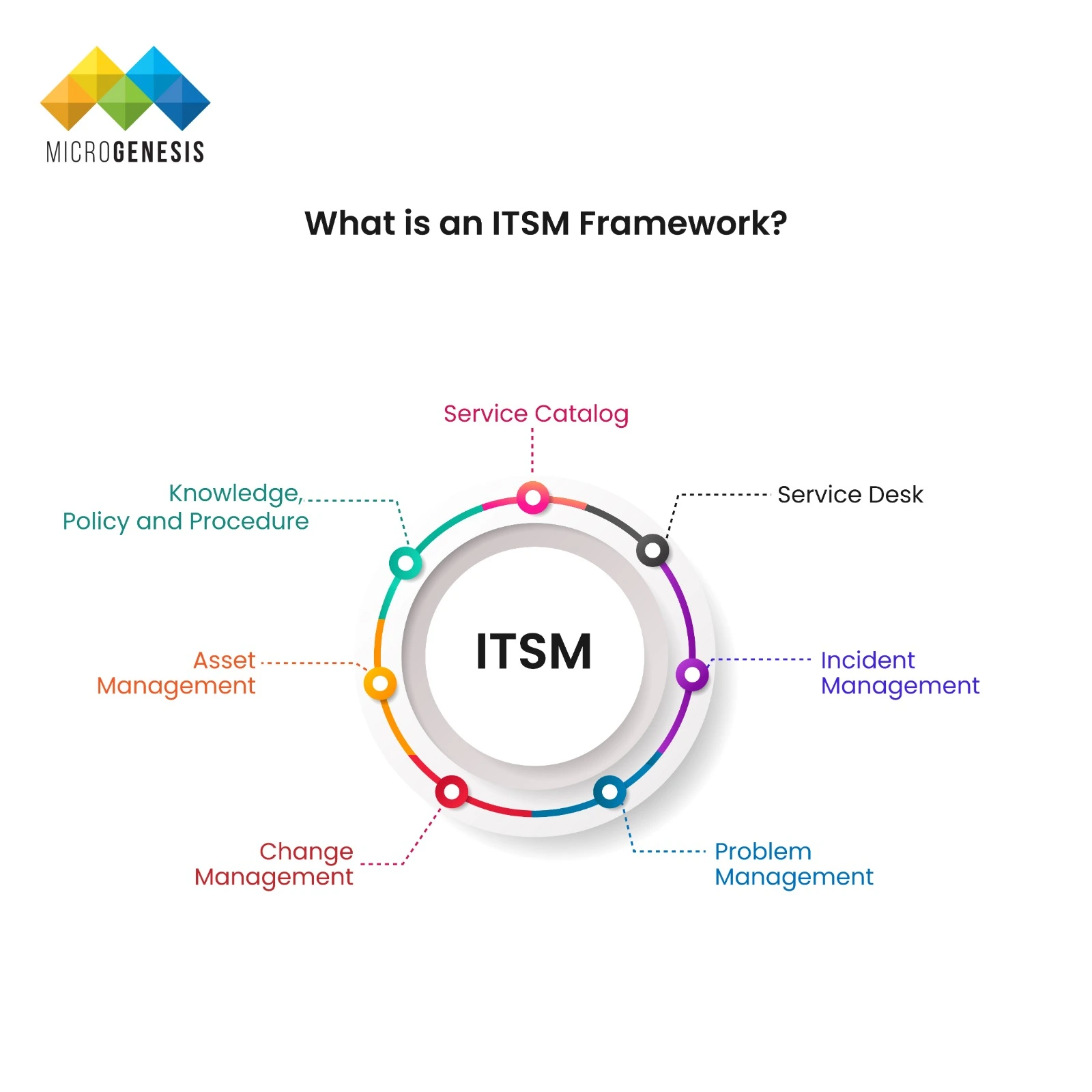
      • Deployment Strategies:
      • Plans for how the system will be rolled out, including timelines, resource allocation, and potential risks. This also covers considerations for scaling the system, maintenance, and future upgrades.

      • Solution Alternatives:
      • Analysis of different possible implementations of the system, weighing the pros and cons of each. This may include cost-benefit analysis, performance considerations, and impact assessments for each alternative.

      • Integration and Interfaces:
      • How the system will interface with other systems, both internally and externally. This includes integration with legacy systems, third-party services, and any required data migration.
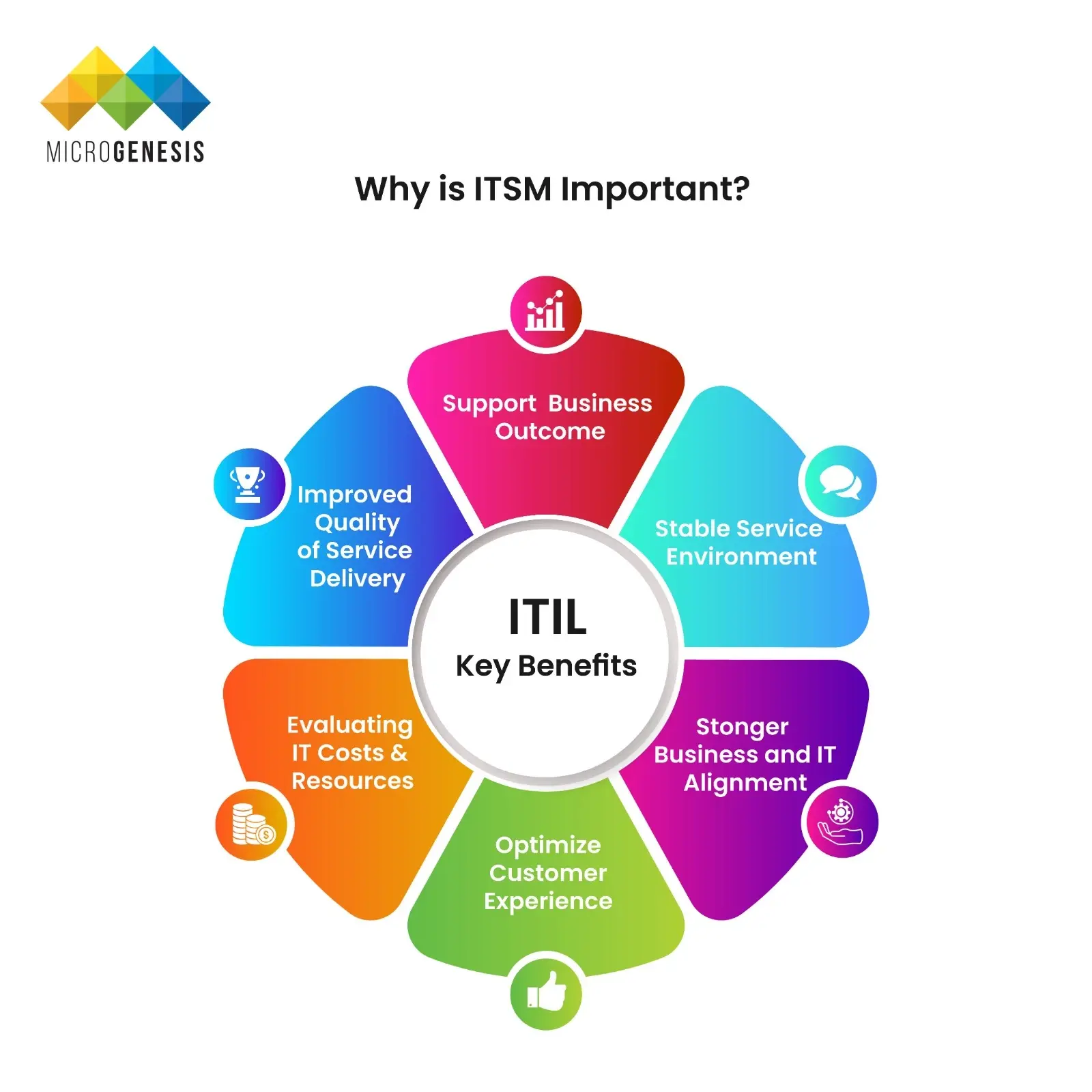
    • Importance:
    • The physical system view ensures that the logical design is translated into a working system that can be deployed and operated in the real world. It provides the necessary details for system engineers to build, integrate, and maintain the system, ensuring that it meets both functional and non-functional requirements.
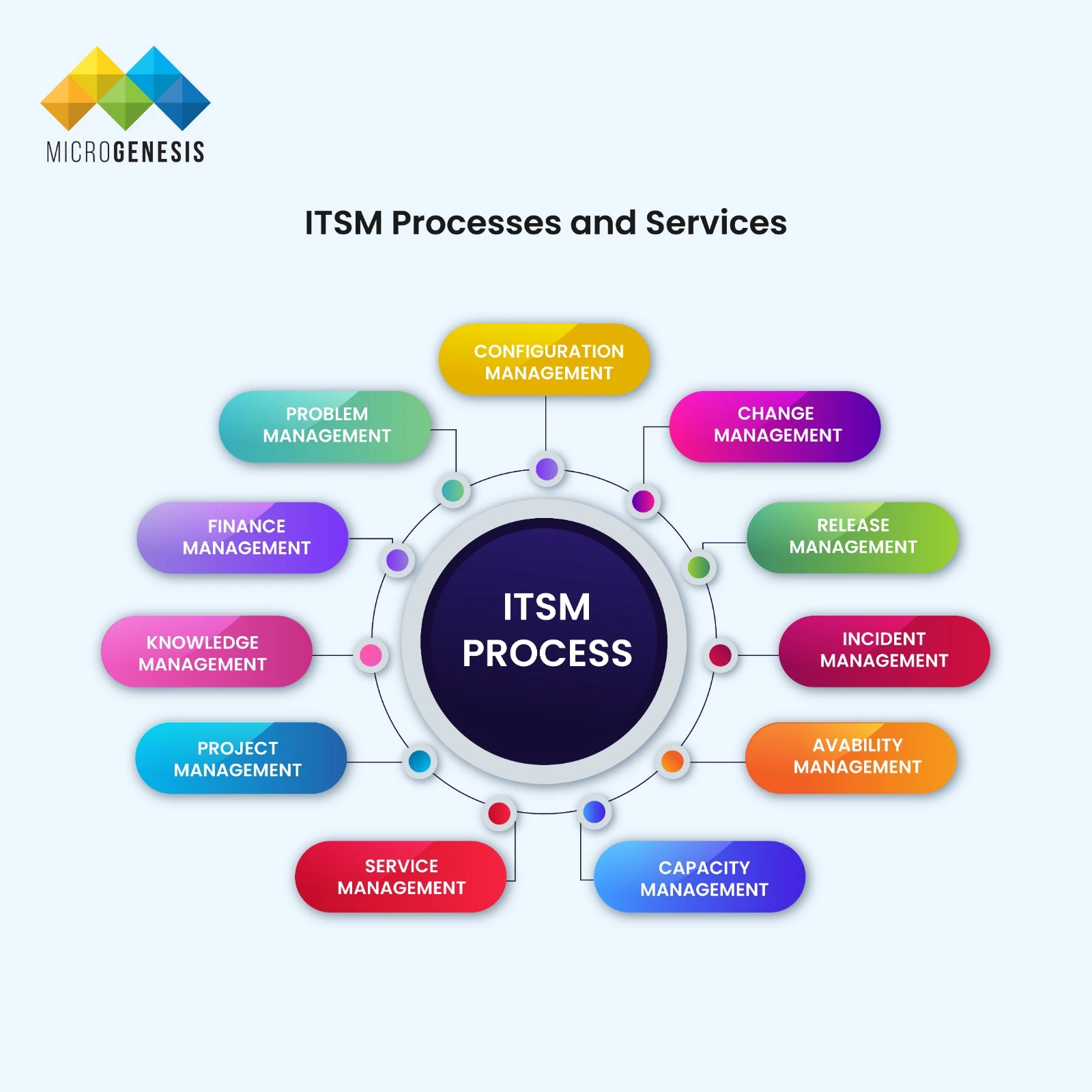
Interconnection and Traceability Between the Quadrants

All four quadrants must be tightly interconnected to ensure that the system is designed and implemented in a way that meets all requirements and operates effectively within its intended environment. Traceability is a key concept in MBSE, allowing for the seamless flow of information between the quadrants. For example:

  • From Problem to Solution:
  • The operational views (both logical and physical) define the problem space, including what the system needs to achieve and the context in which it will operate. These views directly inform the system views, guiding the logical and physical design of the system to ensure it addresses the identified needs.

  • Logical to Physical:
  • The logical aspects of both the operational and system views provide a conceptual understanding of what the system should do and how it should be structured. The physical aspects then translate these concepts into real-world implementations, ensuring that the design is feasible and effective.

  • Feedback Loops:
  • Changes in one quadrant often necessitate revisions in another. For instance, if a new technology becomes available, it might affect the physical system view, which in turn could require adjustments to the logical system view. Similarly, changes in business objectives captured in the operational logical view might lead to redesigns in the system views.

Ensuring Comprehensive Analysis and Stakeholder Alignment

By maintaining tight connections between these quadrants, MBSE allows for comprehensive system analysis, including dependency matrices, simulations, and various stakeholder views. This interconnected approach ensures that:

  • Stakeholders can trace requirements from the operational views through to the final system implementation.
  • System engineers can identify potential impacts of changes early in the process, reducing risks and avoiding costly rework.
  • The system remains aligned with business goals and operational needs throughout its lifecycle.

Challenges in Adopting MBSE

While MBSE offers significant advantages, its adoption is not without challenges:

Learning Curve: Transitioning to MBSE requires mastering new tools, languages, and processes, which can be daunting for teams accustomed to traditional methods.

Tool Integration: Seamlessly integrating MBSE tools with existing systems and processes can be challenging, especially in large organizations.

Cultural Shift: Organizations must embrace a model-centric approach, which may require a significant cultural shift, particularly in environments where document-based methods are deeply ingrained.

Initial Investment: The upfront investment in MBSE tools, training, and process changes can be substantial, making it a challenge for some organizations to justify the transition.

Best Practices for Implementing MBSE

Best Practices for Implementing MBSE
Start with a Pilot Project: Begin with a small, manageable project to demonstrate MBSE’s value before scaling it across the organization. Invest in Training: Ensure that all team members are well-versed in MBSE tools and methodologies to ease the transition. Integrate with Existing Processes: MBSE should complement and enhance existing systems engineering processes, not replace them. Encourage Collaboration: Foster cross-functional collaboration by involving all stakeholders in the MBSE process. Leverage Automation: Utilize automation tools to maintain model consistency and streamline the development process.
Conclusion

Model-Based Systems Engineering (MBSE) represents a transformative approach to systems engineering, enabling more efficient, reliable, and consistent development of complex systems. By shifting from a document-based to a model-based approach, organizations can better manage system complexity, improve collaboration, and reduce development risks. As industries continue to adopt digital transformation strategies, MBSE is poised to become an integral part of modern engineering, driving innovation and efficiency across a wide range of sectors. MicroGenesis, with its expertise in implementing advanced engineering solutions, can play a pivotal role in assisting organizations with the successful implementation of Model-Based Systems Engineering (MBSE) tools. Here’s how MicroGenesis can help:

  1. Tool Selection and Customization
    • Expert Guidance:
    • MicroGenesis provides expert advice on selecting the most appropriate MBSE tools that align with your organization’s specific needs, industry standards, and existing infrastructure.
    • Customization:
    • We tailor the chosen MBSE tools to fit your organization's unique processes and requirements, ensuring that the tool’s functionalities are fully leveraged to enhance system engineering practices.
  2. Integration with Existing Systems
    • Seamless Integration:
    • We ensure that the MBSE tools are seamlessly integrated with your current systems, including PLM (Product Lifecycle Management), ALM (Application Lifecycle Management), and other enterprise tools.
    • Data Synchronization:
    • Our team handles the synchronization of data across platforms, ensuring consistent and accurate information flow, which is crucial for maintaining the "single source of truth" in MBSE.
  3. Process Optimization
    • Streamlining Workflows: MicroGenesis helps in optimizing and automating engineering workflows using MBSE tools, reducing manual effort, and minimizing errors.
    • Best Practices Implementation:We implement industry best practices in MBSE, helping your team adopt and adapt to new methodologies efficiently.
  4. Training and Support
    • Comprehensive Training: Defines the business strategy and processes
    • Ongoing Support: MicroGenesis provides continuous technical support and troubleshooting to ensure that the tools operate smoothly and any issues are resolved quickly.
  5. Consultancy and Model Development
    • Scalable Solutions: We design MBSE solutions that can scale with your organization’s growth, allowing for easy updates and expansions as your system engineering needs evolve.
    • Future-Proofing: MicroGenesis stays ahead of industry trends and technological advancements, ensuring that your MBSE tools remain relevant and effective in the long term.
  6. Consultancy and Model Development
    • Standards Alignment:
    • MicroGenesis ensures that your MBSE implementation adheres to relevant industry standards (such as ISO, IEEE, and others) and regulatory requirements, particularly in sectors like automotive, aerospace, and medical devices.
    • Verification and Validation:
    • We help set up rigorous verification and validation processes within the MBSE framework, ensuring that the models meet all specified requirements and are aligned with compliance needs.
  7. Scalability and Future-Proofing
    • Scalable Solutions:
    • We design MBSE solutions that can scale with your organization’s growth, allowing for easy updates and expansions as your system engineering needs evolve.
    • Future-Proofing:
    • MicroGenesis stays ahead of industry trends and technological advancements, ensuring that your MBSE tools remain relevant and effective in the long term.
  8. Collaboration and Communication Enhancement
    • Improved Collaboration:
    • We enhance collaboration across teams by setting up shared modeling environments where all stakeholders can contribute, review, and align on system models.
    • Effective Communication:
    • By integrating MBSE tools with communication platforms, we ensure that all team members, from engineers to management, have access to real-time updates and insights, fostering better decision-making.

Services

Related posts
What is IT Service Management

What is IT Service Management

What is ITSM?

A Guide to IT Service Management

BROWSE TOPICS

Have you ever faced a situation where a simple IT issue escalated into a full-blown crisis, halting business operations? Imagine a typical Monday morning, your team is ready to start the week, but the email server is down. Panic sets in, productivity drops, and the IT team scrambles to fix the problem while your business loses valuable hours.
This scenario is all too common, and it’s where many businesses realise the need for a structured approach to IT management. That’s where IT Service Management (ITSM) comes into play.

The ITSM market is growing fast. In 2023, it was worth around $10.5 billion. By 2028, it could almost double to over $22 billion. This growth comes from the rising demand for automated solutions that make IT services more efficient. In India, many companies are turning to ITSM to stay ahead and improve their IT operations.

Want to learn more about how ITSM can help your business? Keep reading to find out how IT Service Management processes can boost your IT operations and support your business goals.

What is IT Service Management (ITSM)?

What is ITSM

IT Service Management, or ITSM, is how IT teams handle everything related to delivering IT services to customers. It’s not just about fixing computers or solving technical issues. ITSM is a whole system that helps IT teams manage their work.

Using IT service management tools is key to making this system work well. Now, let’s break down the stages of ITSM and explore how to choose the right ITSM tool for digital era success .

  1. Service Strategy:
    This stage is concerned with planning what types of IT services your company needs and how they will support business functions. You also decide which services should be offered, who uses them and what value they provide. The aim here is to ensure that all your IT assets track according to your overall corporate strategy. At this point in time working with IT asset management software becomes very important as it helps you keep track of all your different kinds of information technology resources ensuring their optimal utilisation.
  2. Service Design:
    Once you have a strategy, it’s time for Service Design. This stage is about designing the IT services you planned in the strategy. You work out the details, like how the services will work, what processes you need, and what policies to follow. During this stage, IT service management tools help you design and document everything so that nothing is left to chance.
  3. Service Transition:
    Next comes Service Transition. This is where you take the services you designed and make them real. It’s about testing, deploying, and transitioning these services into your live environment. The goal is to ensure that the services are delivered smoothly and meet the requirements you set. Change management is a big part of this stage. It helps manage any changes to the services without causing disruption. IT management is key here, ensuring that every part of the transition is handled well. The focus of Service Transition is to deliver services on time, within budget, and with as little disruption as possible.
  4. Service Operation:
    Service Operation is where the services you've planned and designed are now being used every day. This phase deals with activities like responding to incidents, fulfilling requests, managing problems etc. The focus here is on delivering services at the agreed-upon levels and keeping customers happy. IT service management platforms are essential during this stage. They help manage and monitor the services to ensure everything is working as it should.
  5. Continual Service Improvement:
    The last stage involves continually improving your IT services by learning from past experiences and using that knowledge for future performance. This is where IT Asset Management becomes crucial. Understanding what is IT Asset Management and why is it important helps you track and manage resources effectively, ensuring services improve in both quality and efficiency. IT service management tools provide the insights needed to identify areas for enhancement.

What is an IT Service?

An IT service is any help or support related to technology that a business or person might need. This can include things like setting up computers, fixing software problems, or helping with online security. IT services make sure that all the technology in a company runs smoothly so people can do their jobs without issues. In 2023, Indian companies spent over ₹50,000 crores on IT services to keep their businesses running smoothly. This shows just how important IT services are. So, the next time you enjoy smooth online shopping or a trouble-free video call, remember there’s a strong IT service making it all work.

What is an ITSM Framework?

ITSM Framework

An ITSM framework is a set of guidelines that helps businesses manage their IT services more effectively. Think of it as a toolkit that helps ensure that IT services are well-organized and aligned with the business’s goals. It offers a structured way to design, deliver, and manage IT services so everything runs smoothly.
Now, let’s explore some of the most popular ITSM frameworks available.

  • ITIL®
  • ITIL is one of the most well-known ITSM frameworks in the world. It was first introduced in the 1980s and has been a trusted guide for businesses looking to use IT for growth and change. Over the years, ITIL has evolved to stay up-to-date with modern needs, and the latest version, ITIL 4, is particularly useful today.
    ITIL 4 helps businesses adapt their IT services to the current landscape, including trends like cloud computing, Agile, and DevOps. It includes a new feature called the ITIL Service Value System (SVS), which provides a clear approach for creating, delivering, and improving services continuously. The SVS is made up of key components such as the service value chain, ITIL practices, guiding principles, governance, and continual improvement.
    ITIL 4 introduces a four-dimensions model, which ensures a balanced and holistic approach by focusing on organizations and people, information and technology, partners and suppliers, and value streams and processes. If you’re looking for an ITSM Implementation Framework that stays relevant, ITIL 4 is a great choice.
  • COBIT
  • COBIT stands for Control Objectives for Information and Related Technologies. It’s another popular ITSM framework that helps businesses manage their IT governance and information management. COBIT is particularly useful for developing strong governance strategies and addressing risk management. The latest version, COBIT 2019, has been updated to meet the challenges of today’s business environment, including new technologies and security concerns. What’s great about COBIT IT governance is that it works well with other frameworks like ITIL and TOGAF, providing a unified approach to IT governance. COBIT’s Core Model includes 40 governance and management objectives. These help businesses create a solid governance structure. They also align IT goals with business objectives. If you need a framework that covers all bases in IT governance, COBIT is definitely worth considering.
  • eTOM
  • The enhanced Telecom Operations Map (eTOM) is a framework tailored specifically for the telecommunications industry. It provides best practices, models, and standards to help businesses manage their telecom services. eTOM is organised into three main areas:
    1. Strategy, Infrastructure, and Product: Focuses on long-term planning and managing the telecom infrastructure.
    2. Operations:Deals with day-to-day telecom service management.
    3. Enterprise Management: Covers overall business management strategies.
    Using eTOM helps standardise processes and improves communication within teams, thanks to its clear definitions and uniform language. If you’re in the telecom sector, eTOM is a valuable framework for streamlining your operations.
  • TOGAF
  • TOGAF, or The Open Group Architecture Framework, is a framework that helps businesses align their IT architecture with their overall goals. Originally developed in 1996, TOGAF has remained relevant by continuously adapting to new business needs. The core of TOGAF is the Architecture Development Method (ADM), which helps businesses manage the lifecycle of their enterprise architecture. The latest version of TOGAF focuses on four key areas:
    1. Business Architecture: Defines the business strategy and processes.
    2. Applications Architecture:Focuses on software applications and their interactions.
    3. Data Architecture: Manages data organisation and governance.
    4. Technical Architecture: Covers the technical infrastructure that supports the business.
    TOGAF is an excellent choice for businesses looking to implement structured IT Service Lifecycle Frameworks that align with their long-term objectives.

Why is ITSM Important?

Why is ITSM Important

IT Service Management (ITSM) is very important for any business using technology. It’s not just about fixing things when they break. It’s about making sure everything runs smoothly. With the right service management tools, you can handle user requests and manage your IT inventory management system better.

However, understanding the benefits and challenges of AI in ITSM can help you automate tasks and solve issues more easily. This means less downtime, more productivity, and lower costs. ITSM also makes sure IT services match your business goals. It keeps your tech working for you, not against you. Simply put, ITSM is key to a well-run IT environment.

ITSM Processes and Services

ITSM Proccess and Services

ITSM includes many steps to help manage IT services well. These steps are key for making sure IT runs smoothly. A good IT asset management system covers all these areas. 

Here’s a look at the main ITSM steps:

  • Service request management deals with user requests. It makes sure they are logged, tracked, and sorted.
  • Change management handles changes to the IT setup to avoid problems.
  • Problem management finds and fixes the root causes of issues to stop them from happening again.
  • Asset management tracks and manages IT assets. This is vital for a strong IT asset inventory management.
  • Knowledge management keeps a central store of info, helping teams fix issues faster.
  • Capacity management makes sure IT resources can meet current and future needs, which is a key part of ITSM best practices for service management.
  • Project management in ITSM, especially IT services project management, makes sure IT projects are done on time and on budget, matching business goals.

These steps are not just about keeping things going. They are about improving IT services and making sure they give the most value to the business.

ITSM Software and Tools

ITSM Tools and Software

Alright, so you’ve got a handle on IT Service Management. But what about the tools you need to actually manage it all? Imagine trying to cook a meal without any kitchen utensils—frustrating, right? The same goes for managing IT services. Without the right tools, you’re just making things harder for yourself. But with so many options out there, which ones should you pick? Don’t worry, we’ve got it sorted.

    Now, let’s dive into some of the best ITSM tools out there:

  • ServiceNow: When comparing ServiceNow vs. Jira Service Desk for ITSM workflow management , ServiceNow stands out as the Swiss Army knife of ITSM tools. It’s powerful, customizable, and highly regarded in the industry, frequently listed by Gartner as a top choice. Gartner often lists it as one of the top ITSM tools
  • BMC Helix ITSM: Known for its flexibility and smart features, BMC Helix helps streamline your IT operations. It’s definitely one of the best ITSM tools you can get.
  • Jira Service Management (by Atlassian): If you’re already using Jira for project management, this is a great choice. It integrates well and is perfect for teams that work in an agile environment.
  • Freshservice: This tool is really user-friendly, which makes it a top pick for smaller businesses. It’s a solid option for those new to IT service management (ITSM) tools software.
  • Ivanti Neurons: This one stands out because it can automate a lot of your IT tasks, making life easier for your team. It’s a top pick among service management tools.
  • ManageEngine ServiceDesk Plus: If you’re looking for a tool that’s budget-friendly but still packed with features, this is a great option. It’s well-liked for its reliability.
  • Cherwell:What’s cool about Cherwell is that you don’t need to be a tech wizard to customise it. It’s great for businesses that need something tailored to their needs.
  • SolarWinds Service Desk:This tool is built with IT teams in mind. It’s a good all-rounder for managing incidents, changes, and assets.
  • So, when you’re looking at these IT service management (ITSM) tools software, think about how they can help you manage IT services better, keep your customers happy, and drive your business forward. The right tool can make all the difference.

Atlassian for Your ITSM Needs

When you think about IT service management (ITSM), one name often comes up—Atlassian. But why Atlassian? Atlassian offers tools like Jira Service Management that make managing IT tasks easier and faster.

Jira Service Management is trusted by over 65,000 organisations worldwide. That includes some of the biggest companies out there. This tool doesn’t just help you keep track of IT services; it actually helps you improve how your team works. Think of it as a toolkit that has everything you need in one place.

Another thing to like about Atlassian is how well it works with other tools. If you’re using Confluence for your documents or Bitbucket for code, everything connects smoothly. You don’t have to jump between different tools from different companies. Atlassian keeps it all together, making your work life simpler.

So, why should you care? Because in ITSM, getting things done quickly and correctly is key. Atlassian doesn’t just help you manage your services; it helps you do it better, making your team more efficient.

Final Thoughts

If you’re looking for a solid ITSM tool, Atlassian is a great choice. It’s not just about getting your tasks done; it’s about doing them well. With tools that are trusted around the world and proven to boost efficiency, Atlassian is a smart option.

But let’s face it—choosing the right ITSM tool can be confusing. With so many choices, how do you know which one is the best for your company? That’s where we can help.

MicroGenesis is here to guide you. If you’re still unsure about picking the right ITSM tool, reach out to MicroGenesis for a demo. We’ll help you find the perfect solution and make sure it fits your needs. Don’t just manage your IT services—make them work better for you.

Services

IBM ELM Partners
IBM ELM Partners
Related posts