
by Hemanth Kumar | Jan 30, 2025 | Jira Service Management
Jira workflows are an important part of managing projects, helping teams stay organized and efficient. “Expressions for Jira” makes workflows even better by letting users add custom expressions. With this app, Users can make workflows smarter and more flexible by using expressions to control workflow steps, including validators and conditions.
About ‘Expressions for Jira’
‘Expressions for Jira’ is an App developed on the Forge platform, for Jira, that helps users to add custom logic to Jira workflows using Jira expressions. Users can write custom validators, conditions and fields using Expressions.
- Validator: Validate the values that are met before moving to the next step.
- Condition: Allow or block transitions based on specific criteria.
- Custom Fields: A suite of Custom field types.
This makes it easy to customize workflows and automate tasks based on the team’s needs.
Key Features:
1. Calculated Custom Fields
Create fields that automatically calculate and display values. These include:
- Text Fields: Show the text field values using Jira Expressions.
- Date Fields: Show the date field values using Jira Expressions.
- Number Fields: Show the number field values using Jira Expressions.
2. Regex Validated Fields
Ensure the data entered fields is correct using regular expressions (regex). For example:
- Check if a field contains a valid email address.
- Make sure numbers stay within a certain range.
If the input doesn’t match the Regex, it shows an error and blocks the action.
3. Expression Repository
Streamline and optimize your workflows with MicroGenesis’ Jira consulting services. From implementation to customization, we help organizations leverage Jira’s full potential for efficient project and task management. Our expertise ensures seamless configuration, integration, and support tailored to your unique needs.
Every workflow’s validator and condition user created is stored in the Repository under the Manage Apps section. This makes it easy to see and manage all workflows in one place, simplifying administration and ensuring smooth operations.
Read more: How Jira Service Management Fuels Innovation in Hi-Tech & Electronics
How It Helps
1. Workflow Logic
Add Expressions to control workflows. For example:
- Mandate specific fields to be filled before moving to “Approved.”
- Allow transitions only if the user belongs to a certain group.
2. Automatic Field Calculations
Save time with fields that update automatically. For example:
- Show when the issue’s last child was created.
- Count the number of comments on an issue and display it.
3. Input Validation with Regex
Ensure data is accurate by enforcing input rules. For example:
- Only accept valid Email in a field.
- Make sure a phone number has valid syntax.
Why Use Expressions for Jira?
- Flexible: Easily add custom logic to workflows.
- Time-Saving: Simplify repetitive tasks.
- Easy to Manage: Keep all workflows organized in one place.
How to Get Started
- Install the App: Get Expressions for Jira from the Atlassian Marketplace. Follow the Link: Expressions for Jira (Admin Tools) | Atlassian Marketplace
- Access the Repository: Go to the Manage Apps section to view the Expressions repository.
- Add Expressions: Write Jira expressions to add in workflow transitions or in Configuration custom fields.
Final Thoughts:
With Expressions for Jira, users can create smarter and more adaptable workflows tailored to their team’s needs. Whether it’s validating inputs, calculating field values, or adding custom logic, this app simplifies doing more with Jira.
Partner with MicroGenesis, a trusted digital transformation company and Jira implementation consultant, to unlock the full potential of Jira and streamline your workflows effectively.
by Hemanth Kumar | Jan 13, 2025 | Jira Service Management
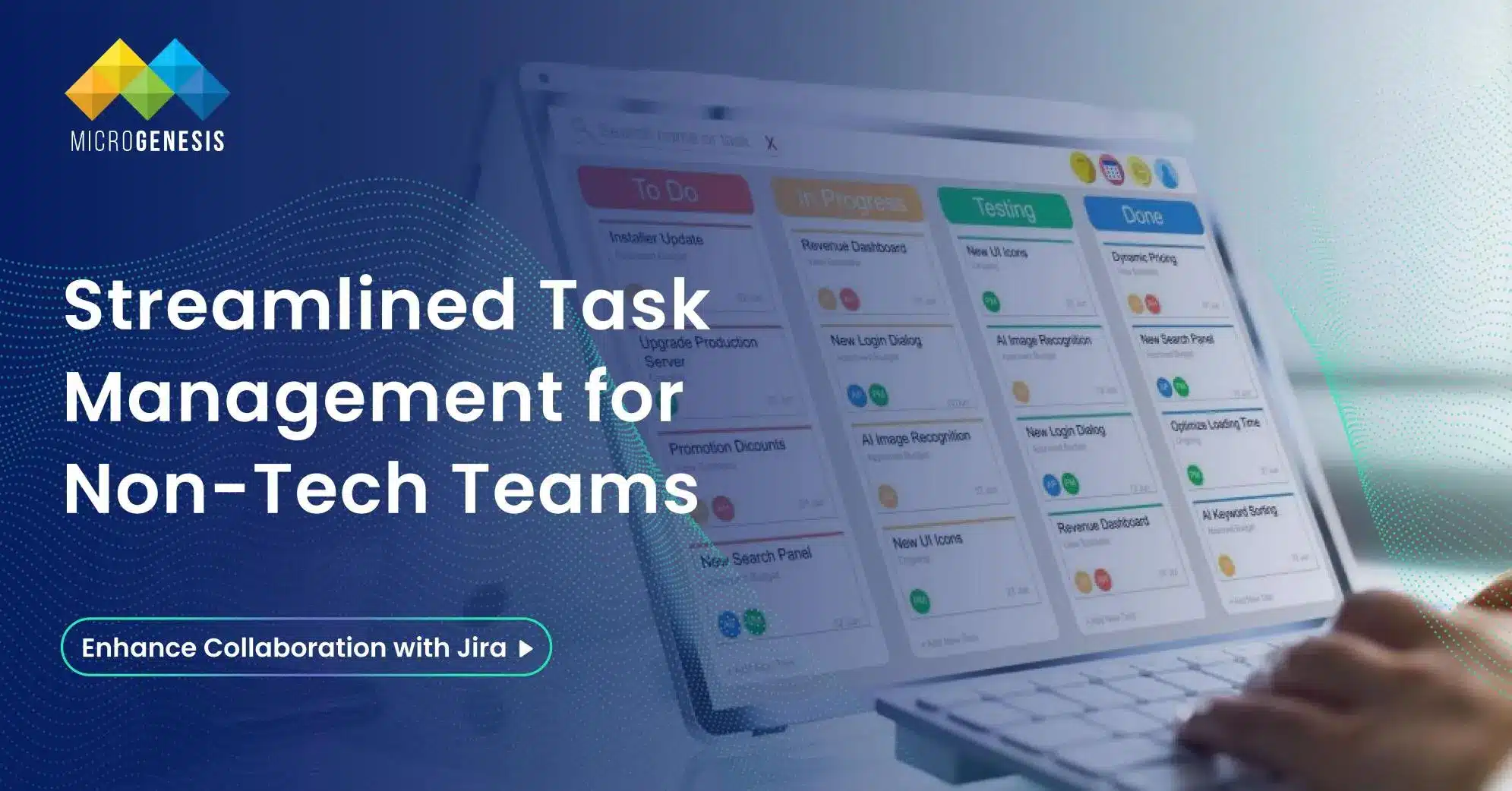
In today’s fast-paced business world, effective project management is crucial for all types of teams – not just for developers and tech specialists. However, many non-technical teams shy away from project management tools like Jira, thinking it’s too complicated or geared solely towards software development. The truth is, Jira can be a powerful tool for marketing, HR, finance, and other non-tech teams if utilized correctly.
In this comprehensive guide, we will explore how non-tech teams can leverage Jira to streamline their workflows, improve collaboration, and manage projects efficiently without needing to dive deep into technical jargon. With expert Jira services, you’ll discover how to set up Jira for your team, customize it to fit your needs, and overcome common challenges seamlessly.
Why Non-Tech Teams Should Use Jira
Jira is often associated with software development, but it’s a highly versatile tool that can be customized to fit the needs of any team. Here are some key benefits for non-tech teams:
- Improved Project Visibility: Jira provides a clear view of tasks, deadlines, and project progress.
- Better Collaboration: Teams can easily communicate and track updates in one central location.
- Customizable Workflows: Jira workflows can be tailored to fit any team’s processes, from marketing campaigns to recruitment pipelines.
- Powerful Reporting: Built-in reporting tools help track performance and identify bottlenecks.
- Scalable Solution: Jira can grow with your team, supporting everything from small projects to enterprise-level initiatives.
Common Misconceptions About Jira for Non-Tech Teams
Before diving into the details, it’s essential to address some common misconceptions that non-tech teams may have about Jira. With the right guidance and customization through Jira consulting services, teams can unlock its full potential, transforming it into a user-friendly and powerful tool for project management.
- Misconception: Jira is Only for Developers
- Truth: Jira offers templates and features suitable for any business team, including marketing, HR, finance, and operations.
- Misconception: Jira is Too Complex
- Truth: Jira can be as simple or as complex as you make it. Start with basic workflows and add complexity as needed.
- Misconception: Non-Tech Teams Won’t Benefit from Jira
- Truth: Any team that manages tasks and projects can benefit from Jira’s tracking and reporting capabilities.
Getting Started with Jira for Non-Tech Teams
1. Setting Up Your Jira Project
To start managing projects in Jira, follow these simple steps:
Step 1: Create a New Project
- Log in to your Jira account.
- Click on Projects and then Create Project.
- Choose a project template that best fits your team’s needs. For non-tech teams, the Business Project template is a good starting point.
Step 2: Customize Your Project Settings
- Set the project name and key.
- Adjust project permissions to ensure the right people have access.
Step 3: Define Your Workflow
- Identify the stages your tasks typically go through (e.g., To Do, In Progress, Done).
- Customize the workflow to match your team’s processes. For example:
- Marketing Teams: Draft → Review → Approved → Published
- HR Teams: Application Received → Interviewing → Offer Made → Hired
2. Creating and Managing Issues
In Jira, tasks are called issues. Non-tech teams can use issues to track various types of work, such as:
- Marketing: Blog posts, social media campaigns, event planning
- HR: Recruitment, onboarding, policy updates
- Finance: Budget tracking, invoice approvals, financial reports
- Operations: Process improvements, vendor management
How to Create an Issue
- Fill in the issue details, such as summary, description, and due date.
How to Assign and Prioritize Issues
- Assign issues to team members.
- Set priority levels (e.g., High, Medium, Low) to indicate urgency.
Use Labels and Components
- Labels: Add labels to categorize issues (e.g., Blog, Social Media, Finance Report).
- Components: Use components to group related tasks within a project.
Using Jira Boards to Visualize Work
Jira boards provide a visual representation of your project. For non-tech teams, the Kanban board is a great choice, as it’s simple and focuses on continuous workflow.
How to Set Up a Kanban Board
- Go to your project and click on Board.
- Choose Create Board and select Kanban.
- Customize the columns to reflect your workflow stages (e.g., To Do, In Progress, Done).
Read more: How Jira Service Management Fuels Innovation in Hi-Tech & Electronics
Benefits of Using Kanban Boards
- Drag and Drop: Move tasks between columns to update their status.
- Visual Progress: See the overall progress of your project at a glance.
- Identify Bottlenecks: Quickly spot where tasks are getting stuck.
Practical Use Cases for Non-Tech Teams
1. Marketing Teams
Marketing teams can use Jira to manage campaigns, content creation, and events.
- To Do → In Progress → Review → Published
2. HR Teams
HR teams can manage recruitment, onboarding, and policy updates in Jira.
- Application Received → Interviewing → Offer Made → Hired
- Employee onboarding tasks
3. Finance Teams
Finance teams can track budgets, invoices, and financial reports.
- To Do → In Review → Approved → Paid
Tips for Non-Tech Teams to Succeed with Jira
- Start Simple: Don’t overcomplicate your Jira setup. Start with basic workflows and adjust as needed.
- Use Automation: Automate repetitive tasks to save time. For example, automatically assign tasks to specific team members when a new issue is created.
- Leverage Templates: Use templates for recurring tasks to save time and ensure consistency.
- Train Your Team: Make sure everyone on your team understands how to use Jira. Conduct training sessions if necessary.
- Regularly Review Your Board: Hold regular meetings to review the board, update statuses, and discuss any blockers.
Common Challenges and How to Overcome Them
Challenge 1: Resistance to Change
Solution: Highlight the benefits of using Jira and provide proper training.
Challenge 2: Overcomplicating the Setup
Solution: Start with simple workflows and gradually add complexity as needed.
Challenge 3: Keeping Jira Updated
Solution: Set reminders and encourage team members to update Jira regularly.
Advanced Features for Non-Tech Teams
- Automation Rules: Create rules to automate repetitive tasks, such as transitioning issues when statuses change.
- Custom Fields: Add custom fields to capture specific information relevant to your team’s projects.
- Jira Integrations: Integrate Jira with other tools like Slack, Confluence, and Google Workspace for seamless collaboration.
- Reports and Dashboards: Use Jira’s reporting features to track project performance and identify areas for improvement.
Conclusion
Jira is a powerful project management tool that can benefit non-tech teams when used effectively. By customizing workflows, creating clear boards, and leveraging Jira’s features, teams like marketing, HR, and finance can streamline processes and enhance collaboration. As a trusted Jira Service Desk Consultant and Best IT Company, MicroGenesis helps non-technical teams unlock Jira’s full potential. Don’t let its reputation as a “developer tool” hold you back—MicroGenesis ensures a smooth and impactful adoption of Jira for any team.
Start simple, stay consistent, and elevate your team’s productivity with MicroGenesis and Jira!

by Hemanth Kumar | Nov 15, 2024 | Jira Service Management
The pharmaceutical and life sciences industry operates under intense regulatory scrutiny and requires efficient, scalable processes to manage clinical trials, research data, and compliance. Jira Service Management (JSM) offers powerful tools to streamline workflows, enhance collaboration, and ensure strict compliance, making it invaluable for companies looking to accelerate innovation while maintaining high standards in patient safety and data security.
Key Challenges in Pharma & Life Sciences
- Regulatory Compliance: Meeting rigorous standards like FDA, EMA, and HIPAA is essential for any operation in this sector.
- Complex Project Management: From R&D to product launch, each stage demands precision, strict documentation, and cross-functional collaboration.
- Data Security and Privacy: Handling sensitive patient and clinical data requires robust security protocols to prevent data breaches.
- Efficient Resource Allocation: With high costs in R&D and testing, efficient resource tracking and allocation are crucial to manage project budgets and timelines.
Jira Service Management supports these unique requirements with its extensive capabilities in workflow management, automation, and security.
Key Features of Jira Service Management for Pharma & Life Sciences
1. Regulatory Workflow Automation
JSM enables teams to set up regulatory-specific workflows that ensure all necessary steps, approvals, and documentation are completed for compliance. Automated workflows help prevent missed steps and facilitate audit-readiness.
2. Incident Management for Lab Operations
Incidents in lab environments can be tracked, logged, and resolved quickly with JSM, helping to avoid delays in research and testing. Incident escalation and automation also help teams respond faster to urgent issues, minimizing risk.
3. Customizable Compliance Templates
JSM offers compliance-focused templates that help standardize processes across the organization, ensuring that documentation and protocols align with regulatory requirements in real time.
4. Asset and Configuration Management
Pharmaceutical companies rely heavily on lab equipment, software tools, and other assets. JSM’s asset management capabilities allow teams to track and maintain these resources, ensuring they meet safety and compliance requirements.
5. Data Privacy and Security Management
With Jira Service Management, teams can implement strict data access controls and audit trails to ensure that sensitive data remains secure, in line with GDPR, HIPAA, and other privacy standards.
Benefits of Using Jira Service Management in Pharma & Life Sciences
1. Accelerated R&D Process
By automating workflows and enabling seamless collaboration, JSM allows R&D teams to move more efficiently from research to development, cutting down on administrative tasks and freeing up resources for innovation.
2. Enhanced Compliance Management
JSM’s built-in compliance tracking and documentation features make it easier for companies to maintain high standards and pass audits without delays, helping mitigate costly regulatory penalties. With MicroGenesis as your Jira Service Desk consultant, we ensure you maximize these features to meet compliance requirements seamlessly and efficiently.
3. Improved Resource Efficiency
By tracking and managing resources effectively, JSM helps pharmaceutical companies reduce waste, optimize asset use, and stay within budget, especially in resource-intensive environments like clinical trials.
4. Real-Time Data Monitoring and Reporting
JSM provides real-time reporting and data monitoring, which aids in decision-making, supports timely interventions, and ensures management can quickly identify and resolve bottlenecks.
5. Seamless Collaboration Across Teams
With JSM, cross-functional teams can collaborate more effectively, sharing insights and updates, which is particularly valuable during clinical trials and R&D phases that require interdisciplinary input.
Dig Deeper: Mastering Bug Tracking in Jira Service Management: 4 Best Practices
Use Cases of Jira Service Management in Pharma & Life Sciences
- Clinical Trial Management By managing trial requests, coordinating patient data, and tracking trial progress, JSM can streamline clinical trial workflows, ensuring regulatory compliance and minimizing delays.
- Compliance Documentation and Audit Trails JSM can be configured to maintain comprehensive audit trails for compliance purposes, helping companies remain audit-ready and compliant with FDA, EMA, and other international standards.
- Lab Equipment and Asset Management JSM’s asset tracking and configuration management tools help pharmaceutical companies monitor lab equipment status, schedule maintenance, and reduce downtime.
- Incident Management in Laboratory Environments With JSM, labs can log incidents, escalate them based on priority, and resolve them quickly, reducing operational disruptions and maintaining a safe environment for research.
- Data Privacy Management By utilizing JSM’s secure platform, pharma companies can enforce data privacy protocols, limit access to sensitive patient information, and maintain compliance with data protection laws.
Implementing Jira Service Management in Pharma & Life Sciences
- Define Compliance-Centric Workflows: Set up custom workflows that align with compliance standards to ensure documentation and reporting meet regulatory requirements.
- Automate Repetitive Tasks: Use JSM’s automation tools to streamline administrative tasks, such as assigning incidents, sending reminders for approvals, and updating stakeholders on project status.
- Establish Security and Access Controls: Implement data access controls and audit trails within JSM to protect sensitive patient and clinical data.
- Provide Training on Compliance Protocols: Ensure that teams are well-versed in compliance protocols and the JSM platform, especially for departments handling sensitive data.
- Track and Monitor Performance Metrics: Use JSM’s reporting tools to track project timelines, incident response times, and compliance adherence, enabling continuous improvement.
Conclusion
In the highly regulated world of pharmaceuticals and life sciences, Jira Service Management provides an adaptable solution that supports compliance, accelerates R&D, and enhances operational efficiency. Its powerful automation, real-time reporting, and customizable workflows help companies meet industry standards while focusing on innovation and development.
Microgenesis, an IT solution company offering expert Jira services, enables pharma and life sciences companies to leverage JSM for improved data security, enhanced collaboration, and efficient service delivery. Position your organization for success in a rapidly evolving industry. Contact us at info@mgtechsoft.com to learn more.

by Hemanth Kumar | Nov 15, 2024 | Jira Service Management
The healthcare sector demands robust solutions for managing patient data, ensuring regulatory compliance, and streamlining communication between care teams. Jira Service Management (JSM) offers a powerful platform that helps healthcare organizations optimize workflows, improve patient outcomes, and maintain high standards in security and privacy compliance.
Key Challenges in Healthcare
- Regulatory Compliance: Meeting strict regulations like HIPAA and GDPR is crucial for patient privacy and organizational compliance.
- Efficient Workflow Management: Healthcare facilities require seamless coordination across departments for timely patient care.
- Data Security: Protecting sensitive patient data from breaches or unauthorized access is critical.
- Scalability: With growing patient loads and diverse care requirements, scalable systems are essential to keep up with demand.
Jira Service Management’s advanced features allow healthcare organizations to address these challenges, supporting them with secure and efficient service management.
Key Features of Jira Service Management for Healthcare
1. Automated Workflow for Compliance
JSM enables automated, regulation-compliant workflows, ensuring documentation and tasks are completed and tracked for audit readiness and HIPAA compliance.
2. Incident and Change Management
JSM’s incident management tools allow healthcare teams to handle urgent issues rapidly, minimizing impact on patient care. Change management tracks system updates, ensuring safety and compliance.
3. Patient and Staff Request Management
With JSM, patient and staff requests can be tracked and resolved efficiently, supporting seamless care transitions and minimizing administrative delays.
4. Data Privacy and Access Control
JSM provides robust security measures to protect patient data, with role-based access and detailed audit logs that align with GDPR and HIPAA requirements.
5. Customizable Service Templates
JSM offers templates that can be tailored for various healthcare workflows, from handling patient information to managing equipment and resource availability.
Benefits of Using Jira Service Management in Healthcare
1. Enhanced Compliance Tracking
JSM’s compliance-focused workflows and documentation make it easier to maintain readiness for audits, helping to mitigate costly penalties and meet regulatory standards.
2. Improved Patient Outcomes
By automating and organizing workflows, healthcare teams can spend less time on administrative tasks and focus more on patient care.
3. Increased Data Security
JSM’s strict access controls and monitoring capabilities help healthcare organizations protect sensitive information, reducing the risk of data breaches.
4. Faster Service Delivery
Automated workflows and incident tracking allow healthcare providers to respond swiftly to service requests, equipment needs, or patient inquiries, improving care efficiency.
5. Enhanced Collaboration Across Departments
JSM facilitates communication and coordination across departments, which is especially useful in complex care cases that require input from multiple healthcare professionals.
Use Cases of Jira Service Management in Healthcare
- Patient Data Management JSM can be configured to handle patient requests, updates, and data transfers between departments securely and efficiently.
- Compliance Workflow Management From onboarding new healthcare staff to managing patient data protocols, JSM’s compliance workflows help healthcare organizations meet HIPAA and GDPR standards.
- Resource and Asset Tracking JSM allows healthcare facilities to track medical equipment and resources, scheduling maintenance, and ensuring availability when needed.
- Incident Response for IT and Operations In cases where IT issues impact healthcare services, JSM’s incident management tools enable quick resolution to minimize interruptions in patient care.
- Employee Support Desk With healthcare professionals often working in fast-paced, high-stress environments, JSM’s support desk features can help manage staff needs, from onboarding to addressing tech support issues.
Read More : How to Use Jira (for Beginners) in IT Project Management?
Implementing Jira Service Management in Healthcare
- Set Up Compliance-Centric Workflows: Implement workflows tailored to HIPAA, GDPR, and other standards to streamline compliance processes.
- Automate Routine Tasks: Use JSM’s automation features to reduce time spent on repetitive administrative tasks, allowing staff to focus more on direct patient care.
- Implement Security Protocols and Access Controls: Customize JSM’s access settings to ensure only authorized staff can view or modify sensitive patient information.
- Provide Training on JSM for Staff: Ensure that all healthcare staff understand how to use JSM effectively, especially for functions like incident management and patient data handling.
- Track and Monitor Metrics for Continuous Improvement: Leverage JSM’s reporting tools to monitor response times, compliance adherence, and patient service metrics, enabling continuous optimization.
Conclusion
Jira Service Management is an ideal solution for healthcare organizations aiming to enhance operational efficiency, improve patient care, and maintain regulatory compliance. Its automated workflows, security features, and collaborative tools streamline operations, ensuring high-quality patient service and data protection.
Microgenesis, a software development company and digital transformation consultant offering expert Jira consulting, supports healthcare solutions by helping providers leverage JSM for better patient interactions, secure data management, and team collaboration. Deliver efficient, compliant, and patient-centered care with our customized Jira services. We support healthcare solutions tailored to your needs.
Contact us at info@mgtechsoft.com to learn more.

by Hemanth Kumar | Nov 15, 2024 | Jira Service Management
The hi-tech and electronics industry is characterized by rapid innovation, complex supply chains, and intense competition. From managing product development cycles to supporting customer requests and maintaining robust systems, companies in this sector need tools that can streamline workflows, improve collaboration, and enhance service delivery. Jira Service Management (JSM) offers powerful solutions to help hi-tech and electronics companies manage their complex workflows, ensure product quality, and deliver exceptional service.
Key Challenges in the Hi-Tech & Electronics Industry
- Complex Product Development: Managing intricate development cycles across different teams, from R&D to engineering and support.
- Supply Chain Coordination: Ensuring smooth coordination among suppliers, manufacturers, and distributors.
- Customer Support and Service: Offering efficient post-sales support to customers and managing a high volume of inquiries.
- Regulatory Compliance: Keeping up with regulatory standards in electronics manufacturing and data handling.
- Innovation Pressure: Staying competitive by continuously bringing new products to market faster.
Jira Service Management can address these challenges with its collaborative, customizable, and automation-enabled platform.
Key Features of Jira Service Management for Hi-Tech & Electronics
1. Customizable Workflow Automation
JSM allows hi-tech companies to set up tailored workflows, automating repetitive tasks across departments such as R&D, quality assurance, and support. This helps streamline development and issue resolution processes, allowing teams to bring products to market faster.
2. Asset and Configuration Management
Managing complex assets and configurations, from testing equipment to IT infrastructure, becomes simpler with JSM’s asset management capabilities. This feature helps keep track of equipment status, maintenance schedules, and version control for hardware and software products.
3. Cross-Departmental Collaboration
Collaboration is critical in the hi-tech industry, especially between R&D, engineering, quality control, and customer support. With JSM, teams can collaborate in real-time, ensuring everyone is aligned and working towards shared goals. Communication between departments is streamlined, reducing delays and misunderstandings.
4. Omni-Channel Support
JSM’s omni-channel support integrates with email, chat, and customer portals, ensuring that customer inquiries are routed to the right team for fast, effective responses. This is particularly valuable for managing high-volume inquiries, product issues, or support requests.
5. Data-Driven Decision-Making
With JSM’s reporting and analytics tools, companies can gain insights into key metrics like response times, issue resolution rates, and customer satisfaction. These insights support better decision-making, enabling companies to optimize their workflows and identify areas for improvement. At MicroGenesis, our Jira implementation consultant services ensure you leverage these tools effectively to streamline your operations and drive continuous improvement.
Benefits of Using Jira Service Management in Hi-Tech & Electronics
1. Accelerated Product Development Cycles
By automating workflows and providing clear visibility into tasks and timelines, JSM helps reduce bottlenecks in the development process. Teams can focus on high-value activities rather than manual tasks, resulting in shorter product cycles and faster time-to-market.
2. Enhanced Customer Support
With centralized request management and omni-channel support, JSM enables companies to handle customer inquiries more efficiently. This leads to higher customer satisfaction, stronger brand loyalty, and better post-sales support.
3. Effective Asset Management
By keeping track of all assets—be they testing equipment or customer devices—hi-tech companies can avoid downtime, manage resources effectively, and reduce costs associated with lost or underutilized assets.
4. Improved Compliance and Quality Assurance
JSM’s structured workflows and audit trails make it easier to track compliance requirements and ensure that all processes meet industry standards. This supports quality control and helps companies avoid costly compliance issues.
5. Cross-Functional Team Alignment
JSM fosters a collaborative environment where R&D, production, and customer service can work together seamlessly. Real-time updates and shared dashboards keep everyone on the same page, helping reduce communication gaps and delays.
Read More: Pros and Cons of Jira Software for Project Management in 2024
Use Cases of Jira Service Management in Hi-Tech & Electronics
- Product Lifecycle Management JSM supports the entire lifecycle of a product, from ideation and development to post-launch support. Teams can manage product changes, log defects, and track resolutions—all within a single platform.
- Supply Chain Issue Resolution When supply chain disruptions occur, JSM allows teams to track and resolve issues quickly. Workflow automation can prioritize high-impact disruptions, helping teams respond faster and mitigate delays.
- Quality Assurance Tracking QA teams can use JSM to log, track, and prioritize product issues, ensuring defects are addressed before launch. This helps maintain product quality and reduce rework costs.
- Real-Time Collaboration for Customer Feedback Customer feedback on products can be directly integrated into the development process, with JSM tracking these inputs as issues to address or features to improve.
- IT and Asset Management Companies can track their hardware, software, and IT assets, schedule regular maintenance, and manage software version control for devices, ensuring operational continuity.
Implementing Jira Service Management in Hi-Tech & Electronics
- Define Key Workflows and Automation Needs: Identify specific workflows across product development, customer service, and quality assurance to tailor JSM to your needs.
- Customize Templates for Different Teams: Set up templates for issue tracking, defect management, customer support, and more to ensure all teams can work within their optimized workflows.
- Provide Training and Support: Train your teams to use JSM’s features effectively, with a focus on collaboration and automation.
- Monitor and Adjust: Use JSM’s reporting tools to track key performance metrics and adjust workflows as needed to continually improve efficiency.
Conclusion
In the hi-tech and electronics industry, where speed, quality, and customer satisfaction are essential, Jira Service Management, supported by Microgenesis and our Jira consulting services, provides a powerful platform for optimizing workflows and enhancing cross-departmental collaboration. By automating tasks, simplifying asset management, and centralizing customer inquiries, JSM enables companies to focus on innovation and product quality, sustaining a competitive edge in a fast-paced market.
Microgenesis offers expertise in customizing Jira Service Management to help hi-tech and electronics companies streamline operations, support customer needs, and drive growth. Contact us at info@mgtechsoft.com to learn more.

by Hemanth Kumar | Nov 14, 2024 | Jira Service Management
In an industry defined by precise coordination, high demand, and strict timelines, transport and logistics companies are under constant pressure to deliver seamless and reliable service. From tracking shipments to managing fleets and resolving issues quickly, companies in this sector need robust tools to manage a vast network of workflows and data. Jira Service Management (JSM) empowers transport and logistics companies to streamline operations, automate repetitive tasks, and maintain strong communication across the entire supply chain.
Key Challenges in Transport & Logistics
- Efficient Asset and Fleet Management: Managing fleet data and ensuring the availability and reliability of assets are critical to keeping logistics running smoothly.
- Complex Workflow Coordination: Managing logistics involves multiple departments and real-time tracking, making seamless communication essential.
- Customer Service Expectations: Customers demand real-time updates and swift responses to inquiries and concerns.
- Compliance and Safety: Meeting safety and regulatory standards is crucial, as well as maintaining records for audits and compliance.
Jira Service Management provides solutions to each of these challenges through enhanced asset management, automation, and centralized communication channels.
Key Features of Jira Service Management for Transport & Logistics
1. Omni-Channel Request Management
JSM centralizes all requests, from internal fleet support tickets to customer inquiries, across various channels like email, chat, and mobile. This ensures every request is directed to the right team, helping reduce response time and prevent lost information.
2. Automated Workflows for Efficiency
Automated workflows allow logistics companies to create standard operating procedures (SOPs) for repetitive tasks, like shipment processing and customer updates. By automating steps within the workflow, Jira Service Management reduces manual work, allowing teams to focus on higher-priority tasks and providing better service.
3. Asset and Configuration Management
Managing assets, such as fleets, warehousing equipment, and logistics tech infrastructure, is simplified with JSM’s asset management capabilities. This allows companies to:
- Track maintenance schedules and service histories.
- Monitor asset usage and plan replacements or upgrades.
- Keep a comprehensive view of asset lifecycles to reduce unexpected downtimes.
4. Service Level Agreement (SLA) Tracking and Management
Transport and logistics companies often operate under strict SLAs. Jira Service Management allows for custom SLA configurations, helping teams prioritize and manage requests efficiently to meet these agreements and keep customers satisfied.
5. Real-Time Communication and Collaboration
Effective communication between dispatchers, drivers, warehouse teams, and customer service reps is vital. With JSM, team members can communicate in real time, share files, and manage tasks across departments, keeping everyone aligned with current information.
6. Data-Driven Insights and Reporting
JSM’s reporting capabilities provide visibility into operational performance and service efficiency. By analyzing metrics such as response times, ticket volumes, and asset performance, logistics managers can make informed decisions to optimize workflows and allocate resources more effectively.
Read more : Unlocking Efficiency:Customizing Workflows in Jira
Benefits of Using Jira Service Management in Transport & Logistics
1. Enhanced Fleet and Asset Management
Transport companies can reduce maintenance costs and prevent unexpected breakdowns by tracking fleet performance and maintenance schedules in one place. JSM’s asset management capabilities provide insights into asset utilization, allowing for proactive maintenance and efficient fleet operations.
2. Increased Efficiency and Reduced Manual Work
By automating routine tasks and processes, logistics teams can reduce time spent on manual data entry and repetitive tasks. This streamlining frees up staff to focus on more complex issues and customer-facing interactions, driving up overall productivity.
3. Better Customer Experiences
With a centralized request management system, customers receive timely responses and accurate updates on their shipments. JSM’s omni-channel support ensures all inquiries are answered, improving customer satisfaction and loyalty.
4. Improved Compliance and Safety Tracking
By documenting asset data, maintenance logs, and SLA performance, JSM helps logistics companies keep accurate records to meet regulatory standards. This minimizes the risk of non-compliance, which could otherwise lead to fines or operational delays.
5. Greater Visibility into Operations
With comprehensive dashboards and reporting tools, managers can monitor key metrics, including on-time delivery rates, response times, and asset uptime. This visibility enables quicker adjustments to prevent delays and maximize service quality.
Use Cases of Jira Service Management in Transport & Logistics
- Fleet Maintenance Tracking Using JSM, logistics companies can set up maintenance schedules for their fleet, automatically generating reminders for inspections or repairs to prevent costly downtime.
- Incident Management for Shipment Issues When shipment delays or issues arise, JSM’s ticketing system can log and categorize incidents, helping teams resolve them quickly and track root causes to prevent recurrence.
- Customer Inquiry Tracking Customers can inquire about shipments or issues through various channels, and JSM consolidates these inquiries in one place. This allows customer service teams to track responses and ensure every customer receives timely updates.
- Cross-Department Collaboration for Issue Resolution Complex logistical issues may require input from multiple teams. JSM enables real-time collaboration, allowing teams across warehousing, transportation, and customer support to work together efficiently.
Implementing Jira Service Management in Transport & Logistics
The implementation of Jira Service Management in logistics requires careful planning and customization to align with unique industry needs. Here’s how companies can approach this:
- Define Key Processes and SLAs: Identify core workflows, such as fleet management and customer service response, and establish SLAs that reflect service expectations.
- Customize Workflows for Logistics Operations: Tailor workflows to match your specific processes, such as automating incident handling or asset management.
- Train Teams and Encourage Adoption: Provide thorough training for teams on how to use JSM effectively and integrate it into their daily operations. Showcasing the time-saving features can drive faster adoption.
- Set Up Metrics for Performance Tracking: Identify KPIs related to on-time delivery, customer satisfaction, and asset uptime to monitor and improve operational performance.
Conclusion
In the fast-paced world of transport and logistics, efficiency and reliability are essential. With the support of Microgenesis and our Jira consulting services, Jira Service Management equips organizations with automated workflows, effective communication, asset management, and SLA tracking. These capabilities enable logistics companies to enhance operational efficiency, improve customer service, and optimize asset performance while maintaining regulatory compliance.
Microgenesis, a top managed service provider, offers tailored solutions to help transport and logistics companies leverage Jira Service Management to meet industry demands and exceed customer expectations. Contact us at info@mgtechsoft.com to learn more about our Jira services.”