
AWS workloads can work perfectly well in production and still have architectural weaknesses that only become visible when traffic increases, costs rise, an incident occurs, or the business starts demanding stronger security and reliability.
That is where an AWS Well-Architected Review (WAFR) becomes valuable.
A Well-Architected Review gives your team a structured way to examine how an AWS workload is designed, operated, secured, and optimized. More importantly, it helps turn architectural observations into practical improvements instead of leaving them as items in a technical report.
For organizations that are preparing for AWS migration, modernizing an existing environment, scaling workloads, or dealing with growing cloud complexity, a review can provide an independent perspective on where the architecture stands today and what should change next.
In this guide, we’ll walk through a practical AWS Well-Architected Review checklist, explain the six pillars, show what teams should examine under each pillar, and explain when bringing in an experienced AWS consulting partner makes sense.
What Is an AWS Well-Architected Review?
An AWS Well-Architected Review is a structured assessment of an AWS workload against the principles and best practices of the AWS Well-Architected Framework.
It is not simply a security audit or infrastructure health check.
The review encourages teams to ask questions such as:
- Can the application recover when a critical component fails?
- Are users, applications, and services given appropriate permissions?
- Can the architecture handle changes in demand?
- Are cloud resources being used efficiently?
- Can the operations team detect and respond to problems quickly?
- Are architecture decisions aligned with business requirements?
- Is the workload designed with sustainability considerations in mind?
The purpose isn’t to prove that an environment is perfect. Cloud architectures involve trade-offs. A design that is appropriate for one workload may be completely unsuitable for another.
The real objective is to identify architectural risks, understand their business impact, and create a prioritized improvement plan.
When should you conduct a Well-Architected Review?
A review is particularly useful:
- Before moving a major workload to AWS
- Before production go-live
- After a significant architecture change
- When cloud costs become difficult to control
- Following a security or reliability incident
- During application modernization
- Before scaling a business-critical workload
- When preparing for compliance or governance assessments
- When an existing AWS environment has grown organically over time
If your AWS environment has evolved through multiple teams, projects, and technology decisions, an external review can also uncover assumptions that have become accepted simply because “that’s how we’ve always done it.”
Planning an AWS migration or modernization initiative?
Explore MicroGenesis AWS Consulting Services to discuss your architecture and cloud requirements with our team.
The Six Pillars of the AWS Well-Architected Framework
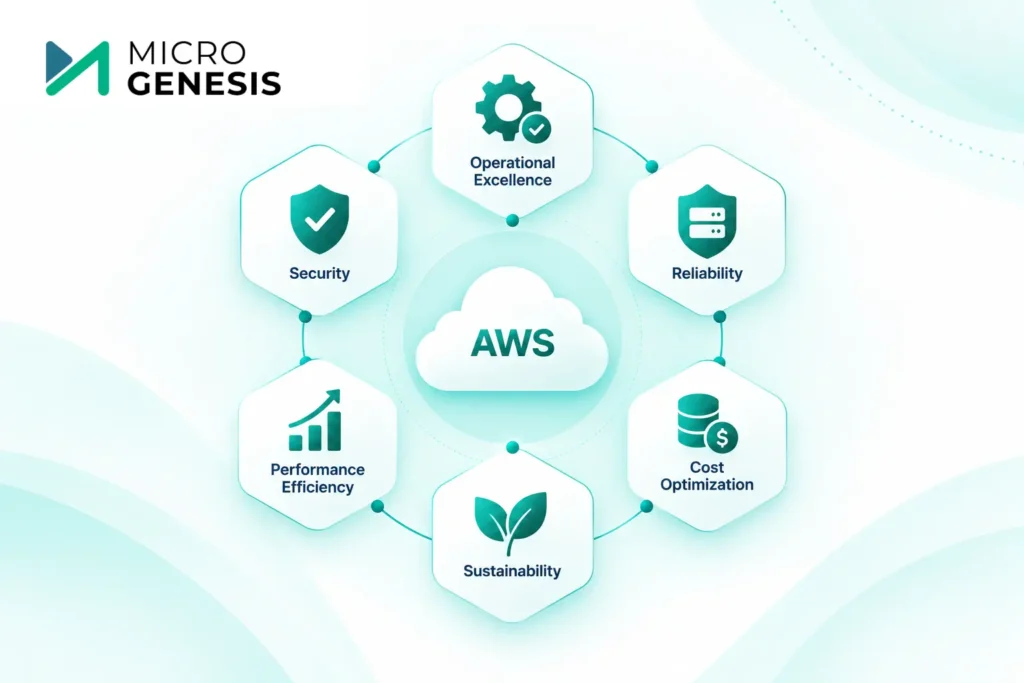
The AWS Well-Architected Framework organizes architectural best practices into six pillars:
Operational Excellence
Security
Reliability
Performance Efficiency
Cost Optimization
Sustainability
The pillars should not be treated as isolated checkboxes. A decision that improves one area can affect another.
For example, adding additional redundancy may improve reliability but increase cost. Similarly, increasing compute capacity may improve performance while reducing cost efficiency if the resources remain underutilized.
A good review therefore looks at the workload as a whole.
1. Operational Excellence Checklist
Operational Excellence focuses on how effectively your organization operates and improves its AWS workloads.
A technically sound architecture can still cause problems if teams lack clear ownership, monitoring, deployment processes, or operational procedures.
Review these areas:
Organization
- Are workload owners clearly identified?
- Are responsibilities and escalation paths defined?
- Are operational decisions aligned with business outcomes?
- Does the team have the skills required to operate the workload?
Prepare
- Is the workload observable?
- Are meaningful metrics and alerts configured?
- Are deployment risks understood?
- Are operational runbooks available?
- Is the team prepared to support the workload in production?
Operate
- Can the team identify workload health quickly?
- Are incidents detected and handled consistently?
- Are operational events documented?
- Are alerts actionable rather than simply generating noise?
Evolve
- Are incidents and operational failures used as learning opportunities?
- Are recurring problems addressed at their root?
- Does the team periodically review architecture and operational practices?
Example
Imagine an e-commerce application where the development team receives an alert every time CPU utilization crosses a threshold.
The alert exists, but nobody knows:
- Who should respond?
- What constitutes a genuine incident?
- What should be checked first?
- When should capacity be increased?
- What happens if the issue occurs outside business hours?
The infrastructure may technically be functioning, but the operational model is weak.
A Well-Architected Review would expose this gap and help the organization build a more reliable operating model.
2. Security Checklist
Security should be considered throughout the workload rather than added after deployment.
The Security pillar examines how identities, infrastructure, applications, data, and incident-response processes are protected.
Review these areas:
Identity and access
- Is least-privilege access implemented?
- Are privileged accounts tightly controlled?
- Are unnecessary permissions removed?
- Are machine identities managed securely?
- Is multi-factor authentication used where appropriate?
Detection
- Are security events logged?
- Are suspicious activities monitored?
- Can the team investigate security incidents?
- Are alerts connected to an appropriate response process?
Infrastructure protection
- Are network boundaries clearly defined?
- Are unnecessary public endpoints avoided?
- Are security controls applied across workload layers?
Data protection
- Is sensitive data classified?
- Is encryption used appropriately?
- Are data access permissions reviewed?
- Are backups protected?
Incident response
- Is there a documented response process?
- Has the team practiced responding to security incidents?
- Can compromised credentials or resources be isolated quickly?
Example
Consider an application where developers have broad production permissions because it makes troubleshooting easier.
It may save time initially, but it creates unnecessary security exposure.
A better approach is to define appropriate roles, separate production access from development access, and provide elevated privileges only when required.
3. Reliability Checklist
Reliability asks a fundamental question:
What happens when something fails?
AWS provides highly available services, but simply using AWS does not automatically make an application highly resilient.
Review these areas:
- Are critical workloads designed to avoid single points of failure?
- Is the application distributed appropriately?
- Are databases and critical components protected against failure?
- Are backups automated?
- Are backup restoration procedures tested?
- Can the workload handle demand changes?
- Are service quotas monitored?
- Are failure scenarios understood?
- Is disaster recovery planned?
- Are recovery objectives defined?
- Are recovery procedures tested?
Example
Suppose a production application has automated database backups.
That sounds reassuring.
But if the organization has never tested restoration, it doesn’t really know whether the backup strategy will work when needed.
A Well-Architected Review should therefore examine not only whether backups exist, but whether the organization can actually recover from a failure within its business requirements.
4. Performance Efficiency Checklist
Performance Efficiency is about delivering the required performance without unnecessarily overprovisioning resources.
The goal isn’t simply to make everything faster.
It’s to select the right architecture and resources for the workload and continuously adapt as requirements change.
Review these areas:
- Are compute resources appropriate for the workload?
- Is the architecture designed for expected traffic patterns?
- Are databases configured appropriately?
- Is caching being used where it makes sense?
- Are storage choices appropriate?
- Is networking designed around workload requirements?
- Are performance metrics monitored?
- Is capacity adjusted as demand changes?
- Are newer AWS services or architectures evaluated when they provide a clear benefit?
Example
An application may run on oversized compute instances because the original team provisioned resources for peak demand.
If utilization remains low most of the time, the architecture may be functioning correctly while still being inefficient.
The review should ask whether the workload could achieve the required performance through better sizing, scaling, architecture, or managed services.
5. Cost Optimization Checklist
Cloud costs can become difficult to understand as environments grow.
Cost Optimization examines whether the organization is receiving appropriate business value from its AWS spending.
For a deeper look at identifying cloud waste, improving resource utilization, and building a continuous approach to controlling AWS spending, explore our guide to AWS cost optimization.
Review these areas:
- Are cloud costs visible to the teams responsible for them?
- Are workloads and resources properly tagged?
- Are unused resources identified?
- Are resources right-sized?
- Are scaling policies aligned with demand?
- Are appropriate pricing models being evaluated?
- Are storage and data-transfer costs understood?
- Are non-production environments controlled?
- Are cost anomalies monitored?
- Are teams reviewing AWS usage regularly?
Example
A development environment might run continuously even though it is only used during working hours.
The solution isn’t necessarily to remove the environment. A more practical approach could be scheduling resources to stop when they are not required.
Small operational changes like this can become meaningful when applied consistently across a large environment.
Want to identify opportunities to improve your AWS environment?
Talk to MicroGenesis about AWS consulting and discuss your architecture, optimization, and cloud transformation requirements.
6. Sustainability Checklist
Sustainability considers the environmental impact of running workloads in the cloud.
It is not simply about selecting a particular AWS Region or service. It requires teams to consider how efficiently resources are consumed throughout the workload lifecycle.
Review these areas:
- Are resources appropriately sized?
- Are idle resources removed?
- Does the architecture scale according to demand?
- Are efficient managed services being considered?
- Is unnecessary data storage avoided?
- Are workload utilization patterns understood?
- Are sustainability goals included in architecture decisions?
- Can the application deliver the required business outcome with fewer resources?
Example
If an application experiences significant traffic variation, running maximum capacity continuously may result in unnecessary resource consumption.
An architecture that scales according to actual demand can potentially improve both operational efficiency and resource utilization.
AWS Well-Architected Review Checklist: Quick Assessment
Use this as a starting point before conducting a formal review.
Pillar | Questions to Ask |
Operational Excellence | Do we have clear ownership, monitoring, deployment and incident processes? |
Security | Are identities, infrastructure, applications and data adequately protected? |
Reliability | Can the workload recover from component failures and major disruptions? |
Performance Efficiency | Are we using the right resources and architecture for the workload? |
Cost Optimization | Do we understand where AWS spending goes and whether resources are being used efficiently? |
Sustainability | Are we minimizing unnecessary resource consumption? |
If several answers are unclear, that is usually a sign that the workload deserves a deeper assessment.
What Happens During an AWS Well-Architected Review?
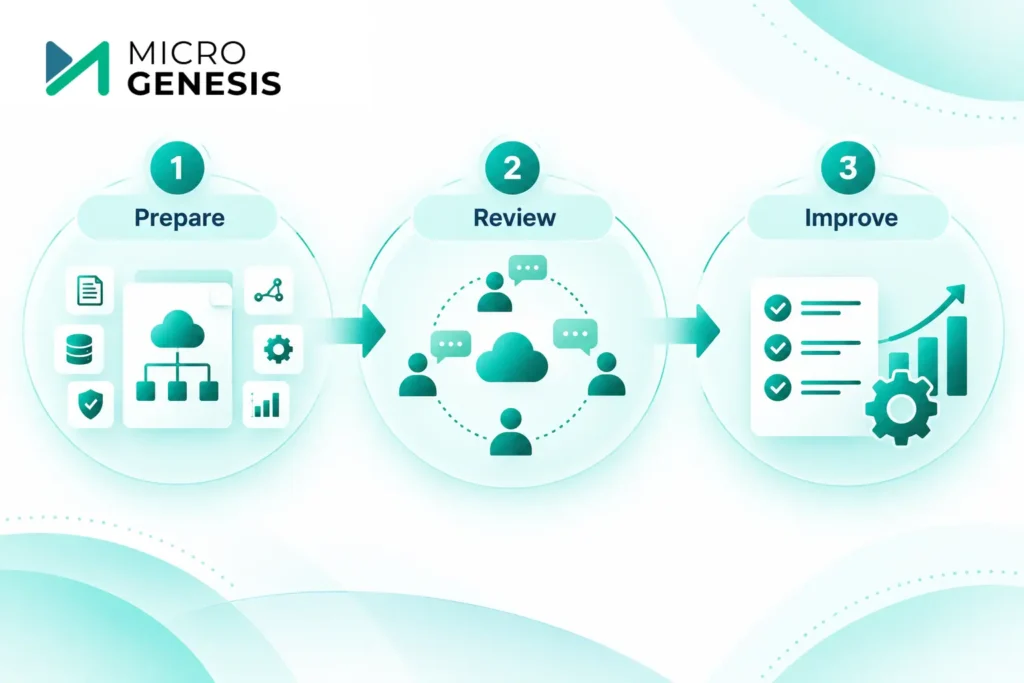
A successful review shouldn’t be a meeting where someone simply reads questions and records answers.
A practical review generally follows three stages.
1. Prepare
First, define the workload.
Don’t attempt to review an entire AWS organization at once.
Instead, identify a specific application, platform, or business workload and gather relevant information such as:
- Architecture diagrams
- Application dependencies
- Infrastructure configuration
- Operational procedures
- Security controls
- Monitoring information
- Backup and recovery procedures
- Cost information
- Known technical risks
The right stakeholders should also participate, including architects, developers, operations teams, security teams, and business owners where appropriate.
2. Review
The team then works through the Well-Architected questions.
The important part is the discussion behind each answer.
For example:
“Do we have backups?”
isn’t enough.
The discussion should continue:
- What is backed up?
- How frequently?
- Where are backups stored?
- How long are they retained?
- Who owns recovery?
- When was restoration last tested?
- What recovery time is required by the business?
This is where an experienced reviewer can add significant value.
They can challenge assumptions, identify gaps, and connect technical decisions to business consequences.
3. Improve
The review should finish with an actionable improvement plan.
Findings should be categorized based on:
- Business impact
- Technical risk
- Remediation effort
- Dependencies
- Ownership
- Priority
Avoid producing a report containing dozens of findings with no clear next step.
Instead, identify what needs to happen first.
For example:
Finding | Business Impact | Priority | Next Step |
Missing recovery testing | Extended outage risk | High | Conduct recovery exercise |
Excess production permissions | Security exposure | High | Review IAM roles |
Oversized compute resources | Unnecessary spend | Medium | Right-size instances |
Limited operational documentation | Slower incident response | Medium | Create runbooks |
The objective is not to create another document that sits in SharePoint.
The objective is to improve the workload.
Common Mistakes During AWS Well-Architected Reviews
Even teams with experienced AWS engineers can make mistakes during reviews.
1. Treating the review like an audit
If teams believe they’re being judged, they may focus on defending existing decisions rather than exposing genuine weaknesses.
A productive review should encourage honest discussion.
2. Reviewing everything at once
Trying to assess every AWS account, application, and environment in one exercise quickly becomes overwhelming.
Start with business-critical workloads.
3. Focusing only on technology
A technically strong architecture can still fail if ownership, operational processes, recovery procedures, or business requirements are unclear.
4. Fixing everything immediately
Don’t turn the review into a solution-design meeting.
First understand and prioritize the risks. Then develop remediation plans.
5. Ignoring architectural trade-offs
There is rarely a single “perfect” AWS architecture.
The right design depends on requirements around availability, performance, security, cost, compliance, and business priorities.
6. Stopping after the assessment
A review has limited value if findings aren’t assigned, tracked, and revisited.
The improvement phase is where the assessment becomes useful to the business.
Self-Assessment or AWS Consulting Partner?
Teams can conduct an initial assessment internally, particularly when they have strong AWS expertise and a good understanding of the Well-Architected Framework.
However, an independent review can be valuable when:
- The environment is business-critical
- Multiple teams manage the architecture
- The AWS environment has grown organically
- There are unresolved security or reliability concerns
- The organization is planning modernization
- Cloud costs are increasing unexpectedly
- The team wants an independent architectural perspective
- Internal teams don’t have enough time for a structured assessment
The biggest advantage isn’t simply having another person answer AWS questions.
It’s having someone challenge the assumptions behind the architecture and translate technical findings into practical business priorities.
If your organization is considering ongoing AWS operations in addition to architecture assessment, it is also important to understand what to look for when selecting an AWS Managed Service Provider, including expertise, security, monitoring, cost management, automation, support, and governance capabilities.
Why Choose MicroGenesis for AWS Consulting?

Choosing an AWS consulting partner should go beyond checking whether the provider can deploy AWS services.
You need a partner that understands architecture, implementation, modernization, operations, security, and business objectives together.
MicroGenesis approaches AWS consulting with a focus on helping organizations make practical cloud decisions rather than recommending technology for its own sake.
Our AWS consulting capabilities can support organizations across areas such as:
- AWS cloud consulting
- Cloud architecture and modernization
- AWS migration planning
- Application modernization
- Cloud infrastructure
- DevOps and automation
- Security and governance
- Performance and scalability
- Cloud optimization
- Ongoing AWS environment improvement
For a Well-Architected Review, this broader perspective matters because many findings aren’t isolated infrastructure problems.
For example, a reliability issue could require changes to architecture, deployment automation, monitoring, and operational processes at the same time.
Similarly, a cost issue may be connected to application design rather than simply resource sizing.
Looking for an AWS partner to assess or improve your cloud environment?
Explore MicroGenesis AWS Consulting Services
How to Prepare for an AWS Well-Architected Review
You don’t need to wait until the review begins to start preparing.
Before the session, gather:
Architecture information
- Current architecture diagrams
- AWS services being used
- Application dependencies
- Data flows
- External integrations
Operations information
- Monitoring dashboards
- Incident records
- Runbooks
- Deployment procedures
- Change-management processes
Security information
- IAM structure
- Network architecture
- Encryption practices
- Logging and monitoring
- Security incident procedures
Reliability information
- Backup policies
- Recovery procedures
- Disaster recovery plans
- Availability requirements
- Previous failure scenarios
Cost information
- AWS billing information
- Major cost contributors
- Resource utilization
- Non-production usage
- Cost allocation structure
The better prepared the team is, the more time can be spent discussing meaningful architectural decisions rather than gathering basic information.
AWS Well-Architected Review: A Practical Approach
A Well-Architected Review shouldn’t be treated as a one-time compliance exercise.
A stronger approach is to make architecture reviews part of the workload lifecycle.
Consider reviewing workloads:
Before launch → Validate the architecture before major decisions become difficult to change.
After major changes → Reassess the workload when architecture, data flows, or technology changes significantly.
After incidents → Examine whether architectural weaknesses contributed to the event.
During modernization → Use the review to establish a baseline before changing the architecture.
Regularly → Revisit important workloads as business and technical requirements evolve.
This creates a continuous improvement cycle:
Assess → Prioritize → Remediate → Validate → Reassess
That is much more valuable than completing a checklist once and filing the results away.
Final Thoughts
The AWS Well-Architected Framework gives organizations a structured way to examine the decisions behind their cloud workloads.
But the checklist itself isn’t the outcome.
The real value comes from understanding why a workload has a particular risk, what that risk means for the business, and which improvements should happen first.
Use the six pillars as a practical framework:
- Operational Excellence to improve how workloads are operated
- Security to protect identities, applications, infrastructure, and data
- Reliability to prepare for failure
- Performance Efficiency to align resources with workload requirements
- Cost Optimization to improve the value received from cloud spending
- Sustainability to reduce unnecessary resource consumption
If your AWS environment has become complex, you’re preparing for migration or modernization, or you simply want an independent view of your architecture, a structured Well-Architected assessment can help you identify where to focus next.
Ready to assess your AWS environment?
Connect with MicroGenesis for AWS Consulting Services and discuss your AWS architecture, migration, modernization, or optimization requirements with our team.
Frequently Asked Questions
What is an AWS Well-Architected Review?
An AWS Well-Architected Review is a structured assessment of an AWS workload against the AWS Well-Architected Framework. It helps organizations identify architectural risks and prioritize improvements across six key areas.
What are the six AWS Well-Architected pillars?
The six pillars are Operational Excellence, Security, Reliability, Performance Efficiency, Cost Optimization, and Sustainability.
Is an AWS Well-Architected Review only for large enterprises?
No. The framework can be applied to workloads of different sizes. The depth of the review should depend on the workload’s business importance, complexity, risk, and requirements.
When should a company conduct an AWS Well-Architected Review?
Good opportunities include before production launch, during AWS migration, after major architecture changes, following an incident, during modernization initiatives, or when security, reliability, performance, or cost concerns emerge.
Can we conduct an AWS Well-Architected Review ourselves?
Yes. Organizations with sufficient AWS expertise can perform a self-assessment. However, an experienced external AWS consulting partner can provide an independent perspective and challenge assumptions that internal teams may overlook.
What should we prepare before an AWS Well-Architected Review?
Prepare architecture diagrams, workload information, monitoring and operational data, security controls, backup and recovery procedures, cost information, and details about known technical or business risks.
How often should an AWS workload be reviewed?
There is no universal schedule that fits every workload. Business-critical workloads should be reassessed when significant architectural, operational, security, or business changes occur, with periodic reviews used to ensure the architecture continues to meet its requirements.
How can MicroGenesis help with AWS?
MicroGenesis provides AWS consulting capabilities covering areas such as cloud architecture, migration, modernization, infrastructure, DevOps, security, optimization, and ongoing cloud improvement. Learn more about MicroGenesis AWS Consulting Services