JIRA–IBM ELM Integration adapter — Bidirectional Traceability Across the Complete Engineering Lifecycle

Ensure end-to-end traceability between requirements, work items, test artifacts, and Jira issues. Maintain compliance, improve collaboration, and reduce manual effort across IBM ELM and Atlassian Jira.

Disconnected Systems, Disrupted Outcomes
Introducing The Integration That Gets It Right

Compliance-driven projects require strong traceability across requirements, development, and testing activities. While IBM ELM (ERM/DOORS Next, EWM/CCM, ETM/QM) and Atlassian Jira are industry-leading solutions, traditional integrations leave major gaps—especially for Jira Cloud users. Teams manually maintain links across separate systems, resulting in lost traceability, audit challenges, and inefficient impact analysis.

Integration challenge

The JIRA–IBM ELM Integration adapter delivers seamless, bidirectional integration across Jira Cloud and on-premises deployments, connecting all three IBM ELM applications with Jira.

  • Live traceability without data duplication
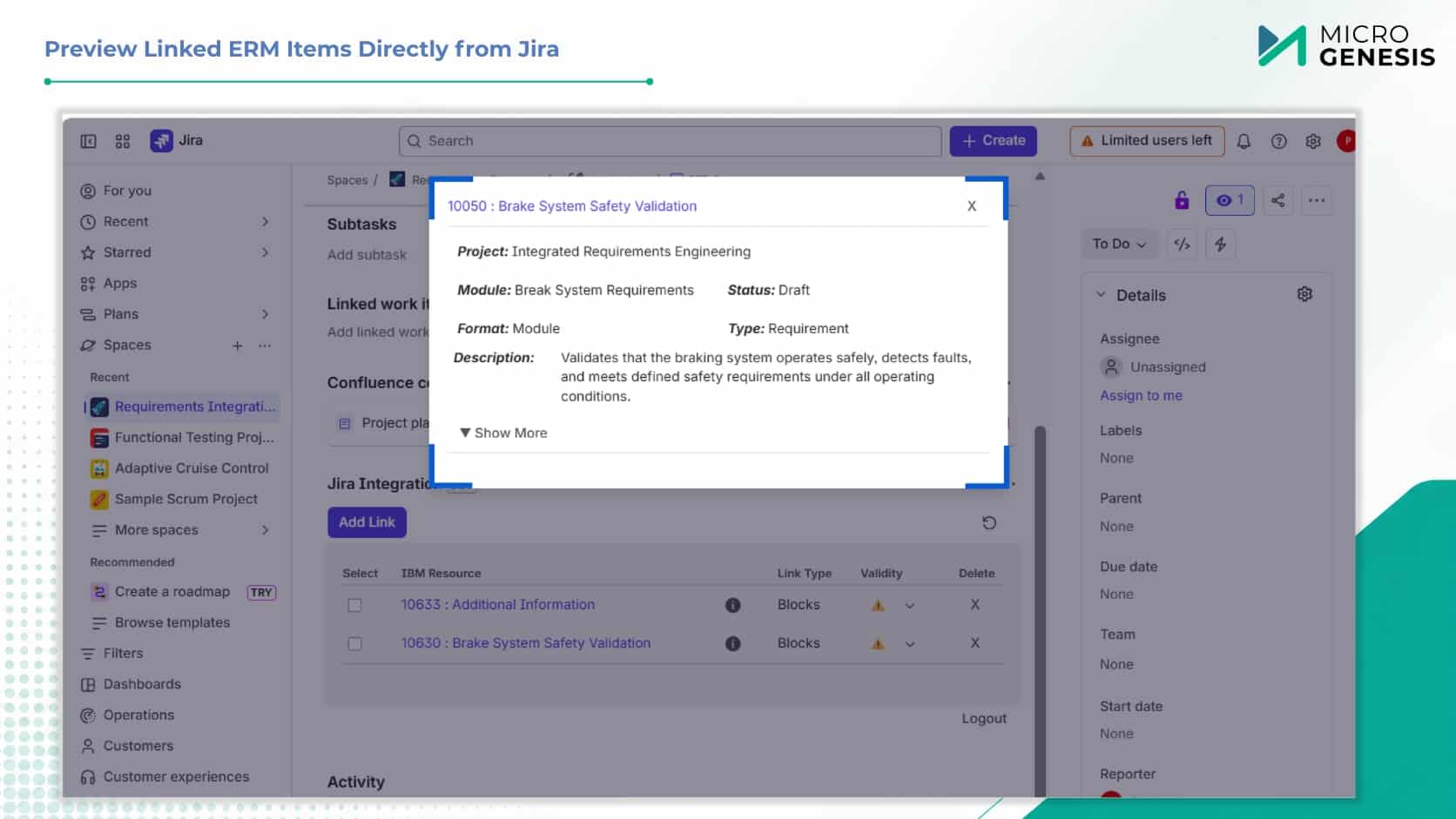
  • Impact analysis with artifact previews
  • Global Configuration (GC) and non-GC project support
  • Advanced search and unified link management
  • JRS-based real-time reporting
Integration solution

What Sets Us Apart
Traditional Integrations
JIRA–IBM ELM Integration Adapter
Limited or no support for Jira Cloud
Supports both Jira Cloud and on-premises
Separate adaptors for Cloud vs On-Premises
Single unified adaptor supports both environments
Manual linking, prone to errors
Automated bidirectional linking & support for multiple link types
Poor visibility into requirement-to-issue relationships
End-to-end traceability across requirements, work items, test artifacts, and Jira issues
No built-in preview or search
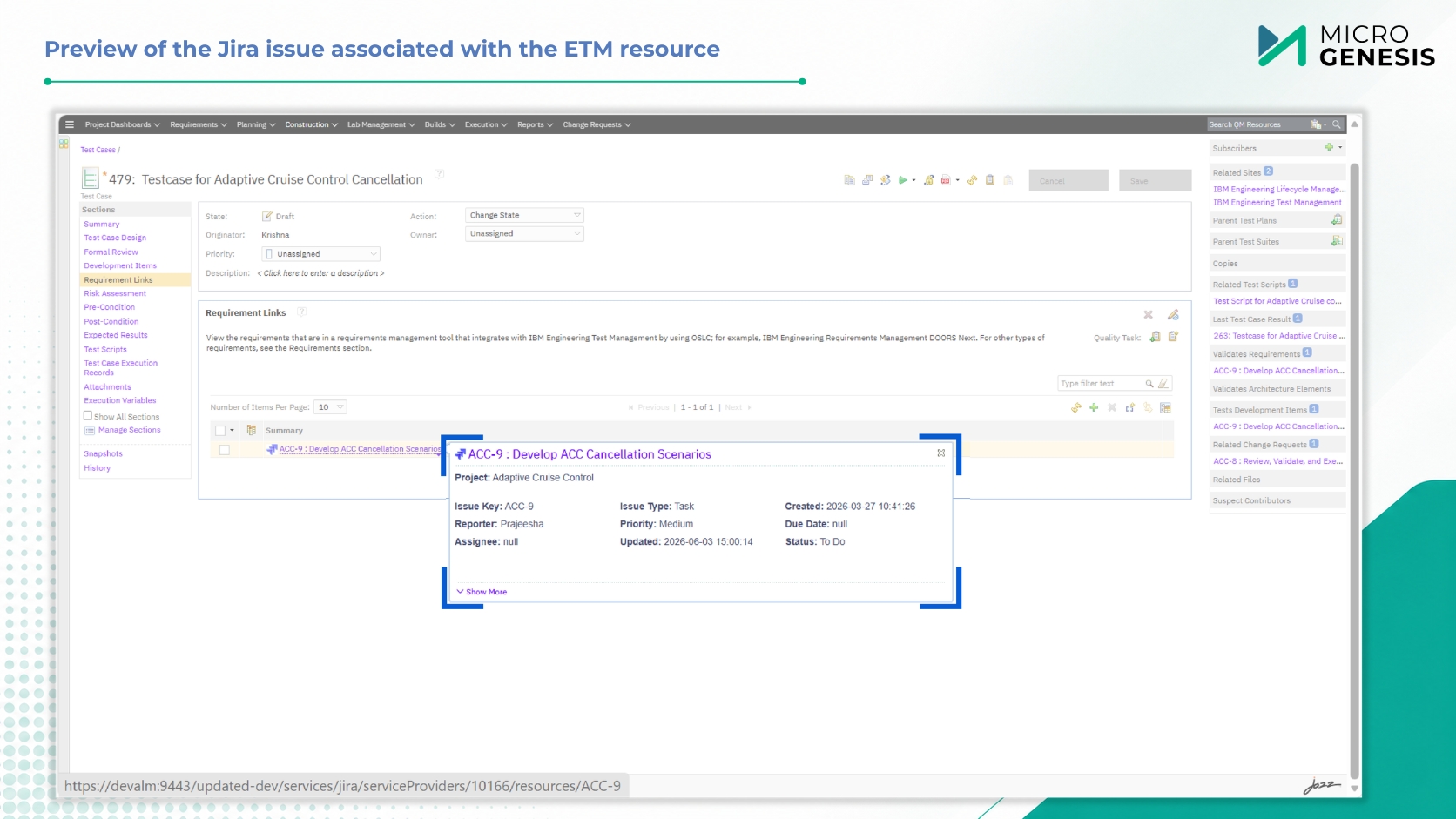
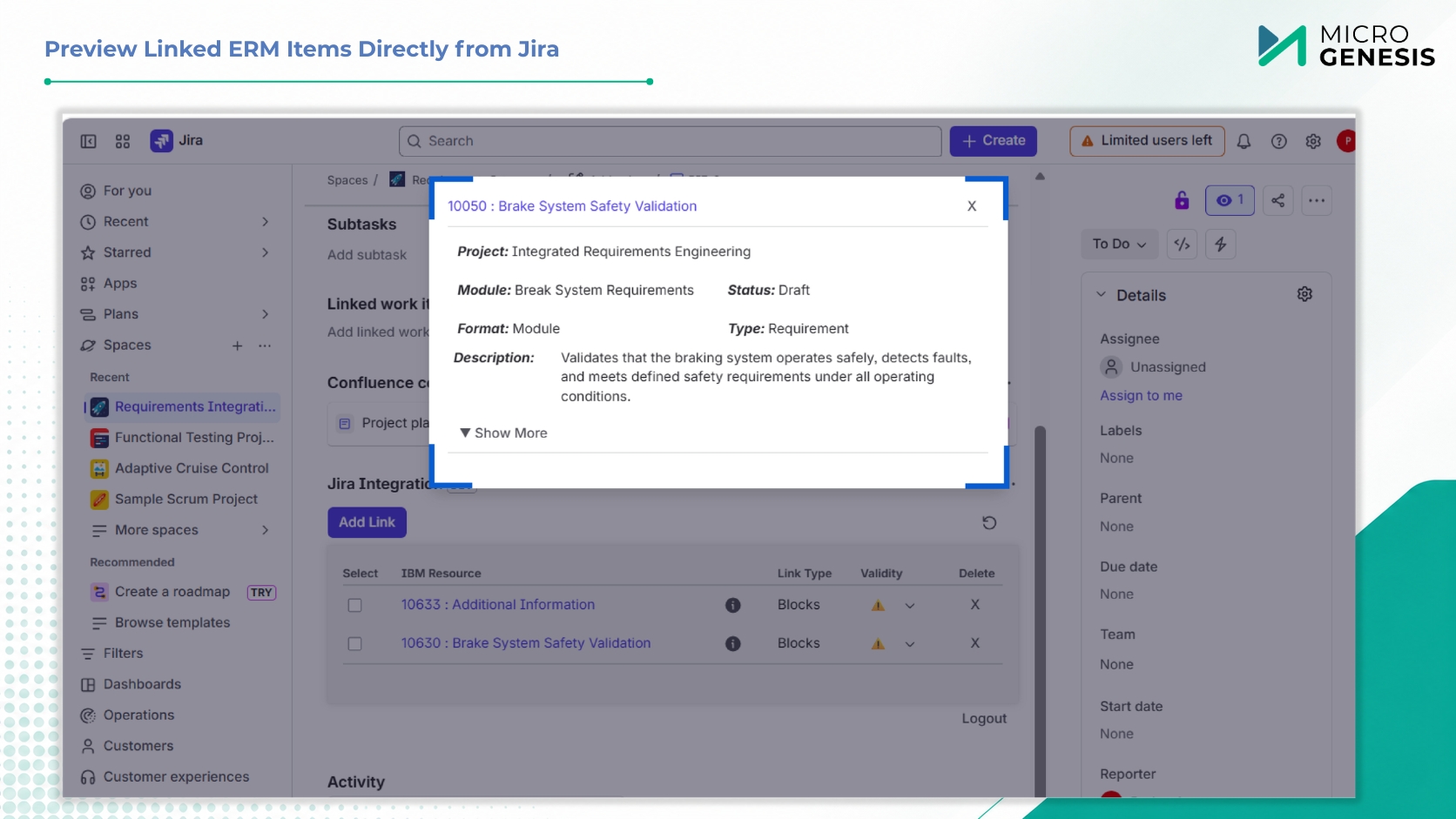
Hover previews and advanced search within ERM-DN
Often requires data duplication
Live linking — no syncing, no duplication
Limited to specific project types
Supports both GC-enabled and non-GC projects across DNG, EWM, and ETM
Manual Reporting
JRS-based real-time reporting
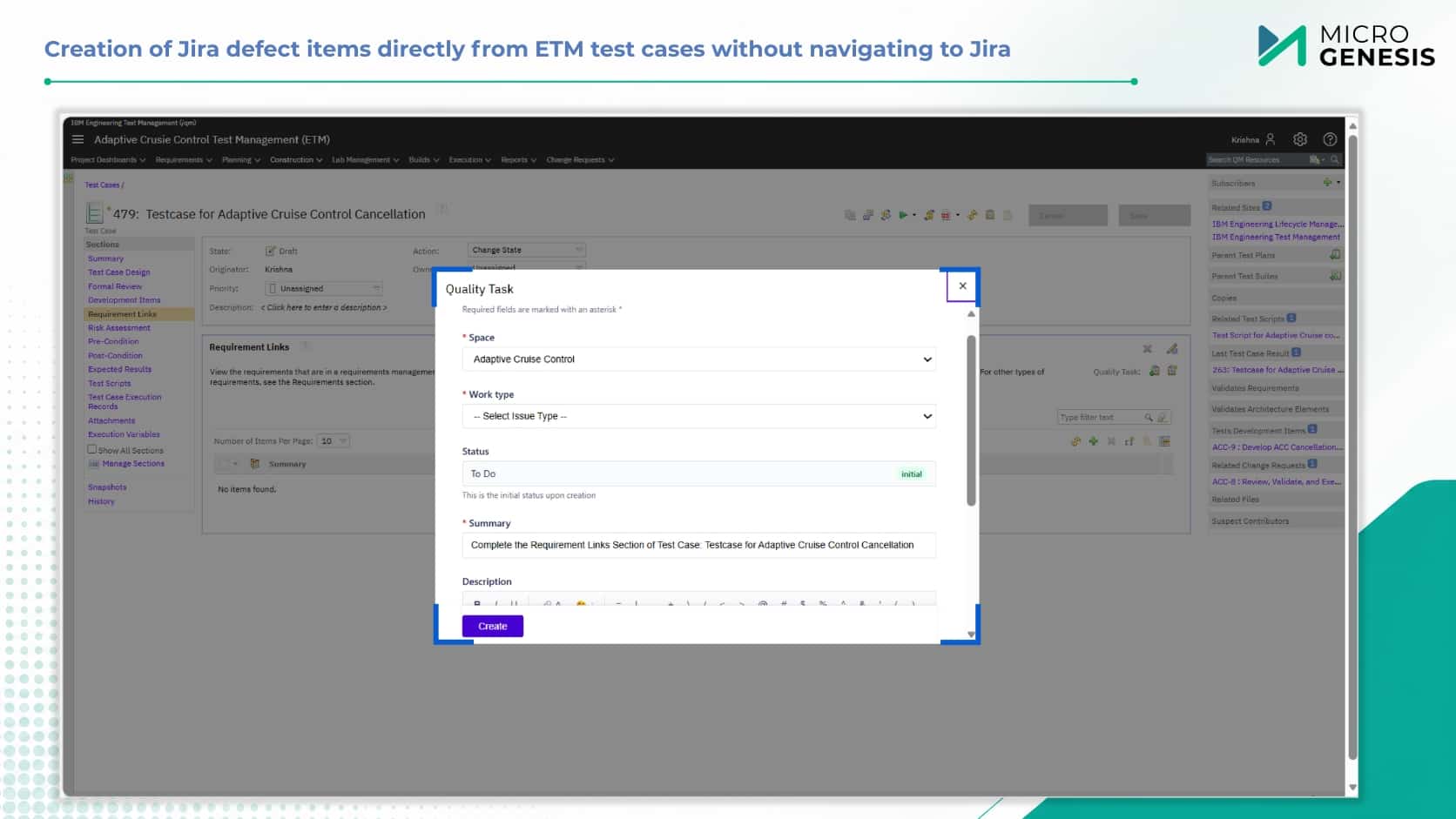
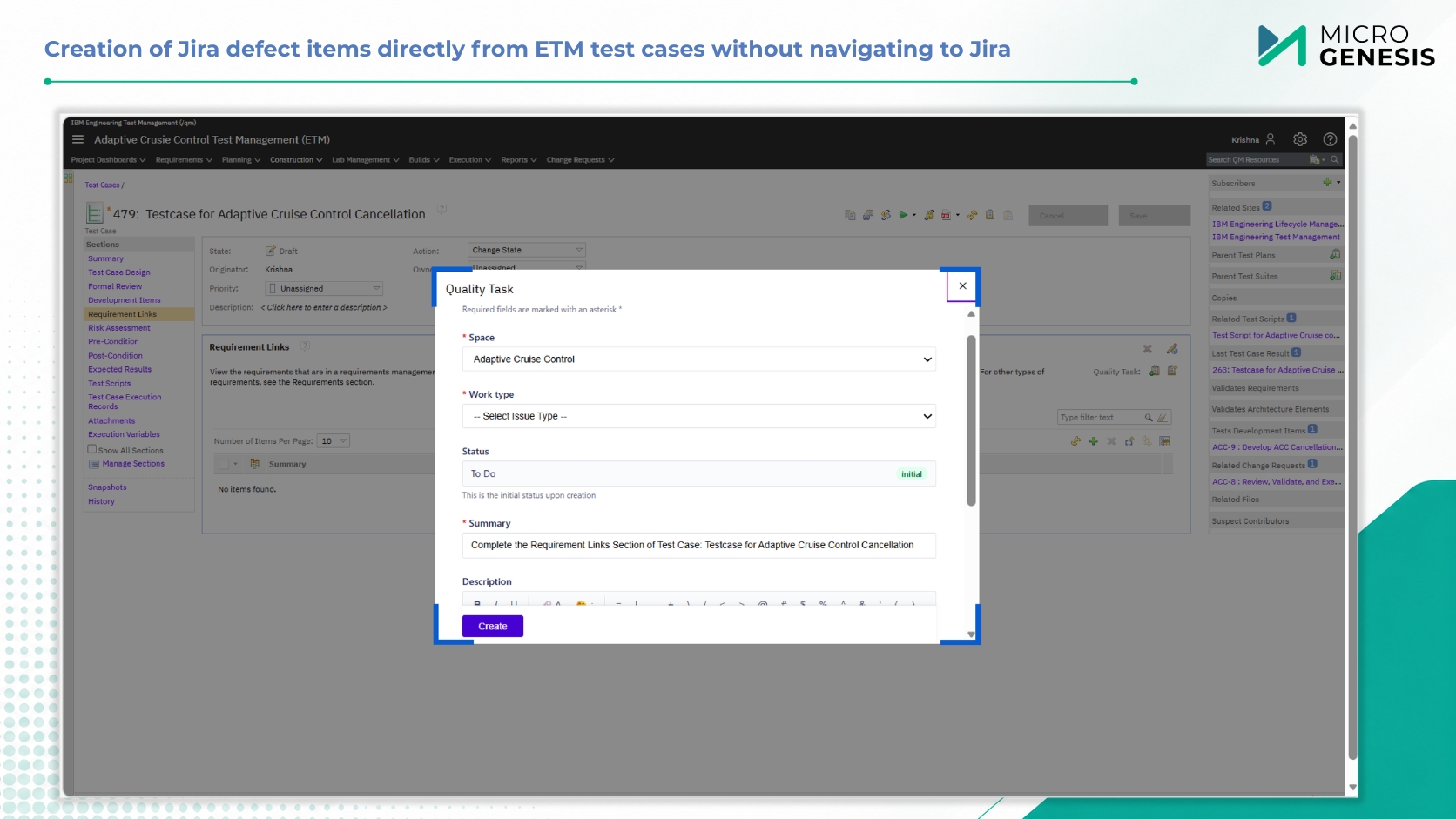
No native defect creation from test artifacts
Create Jira defects directly from IBM ETM artifacts

Core Capabilities

Bidirectional Linking

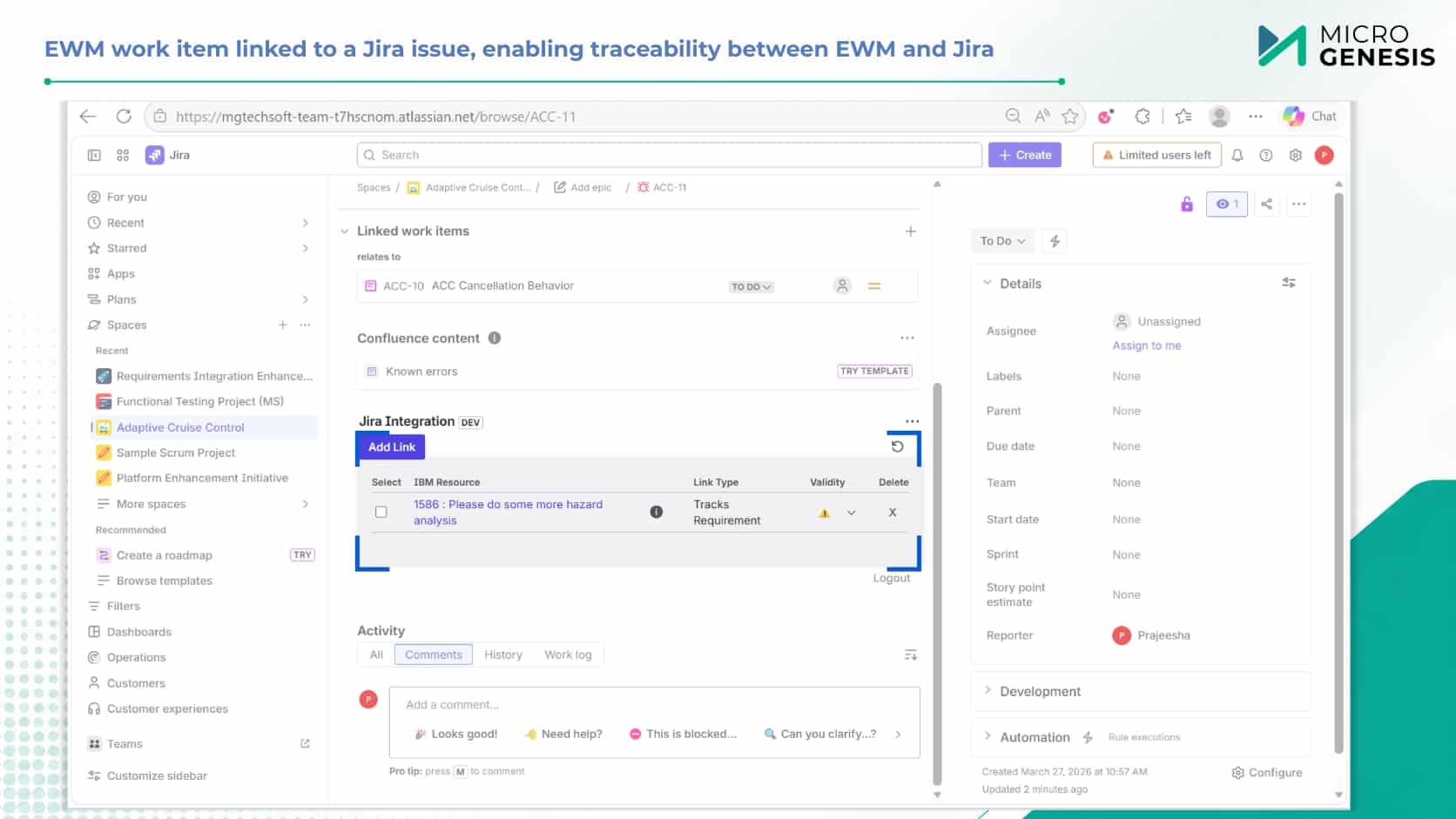
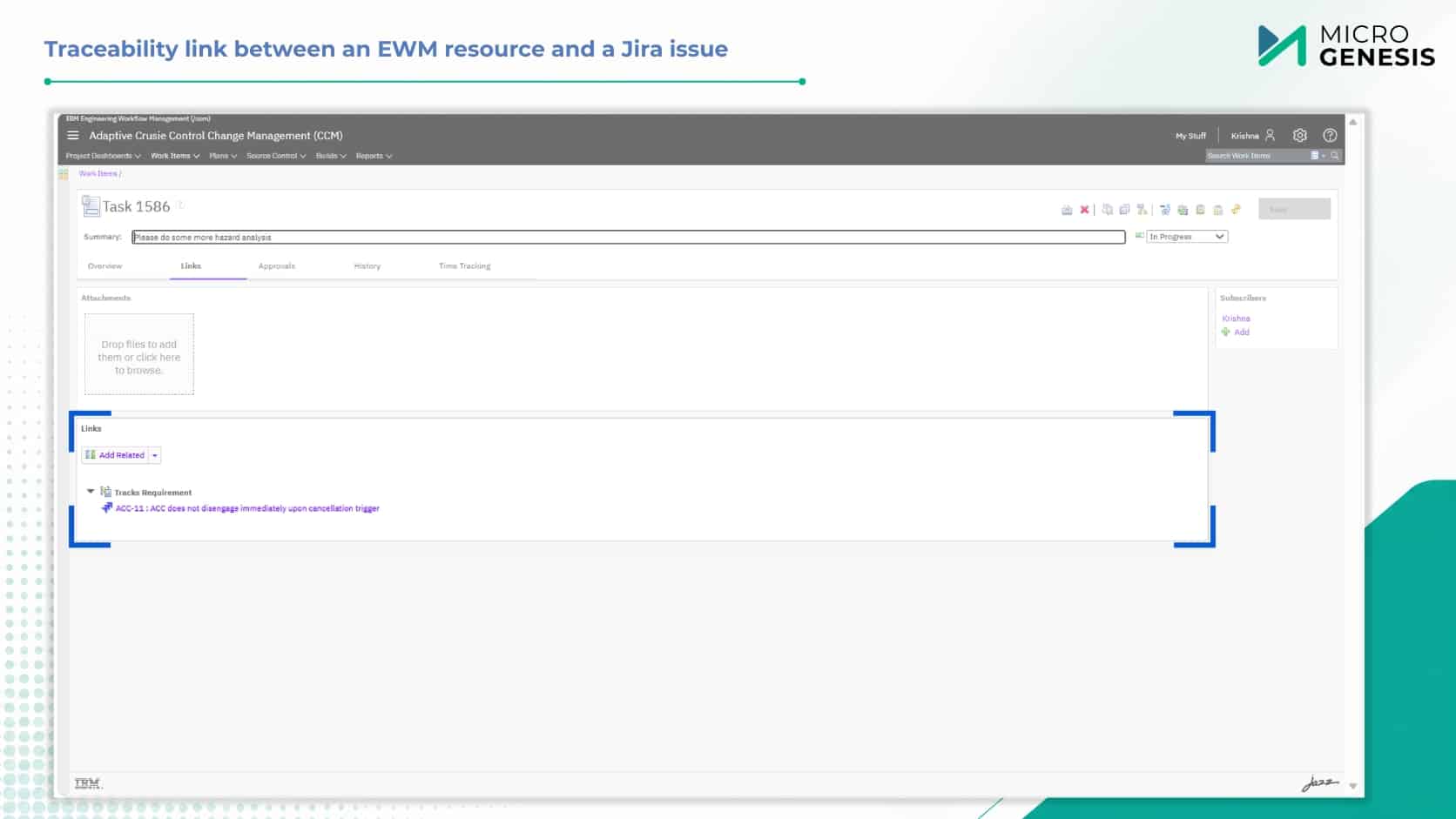
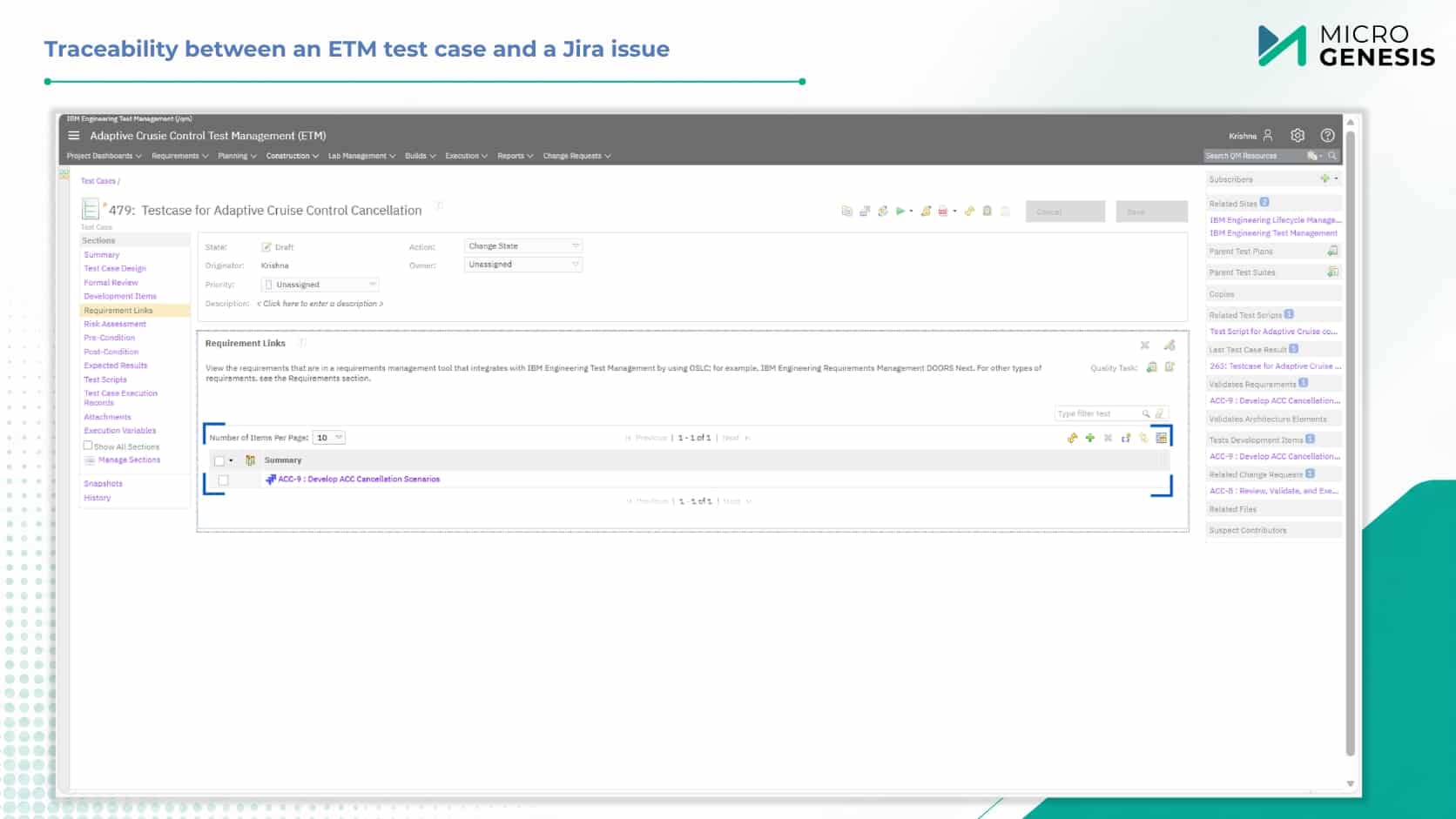
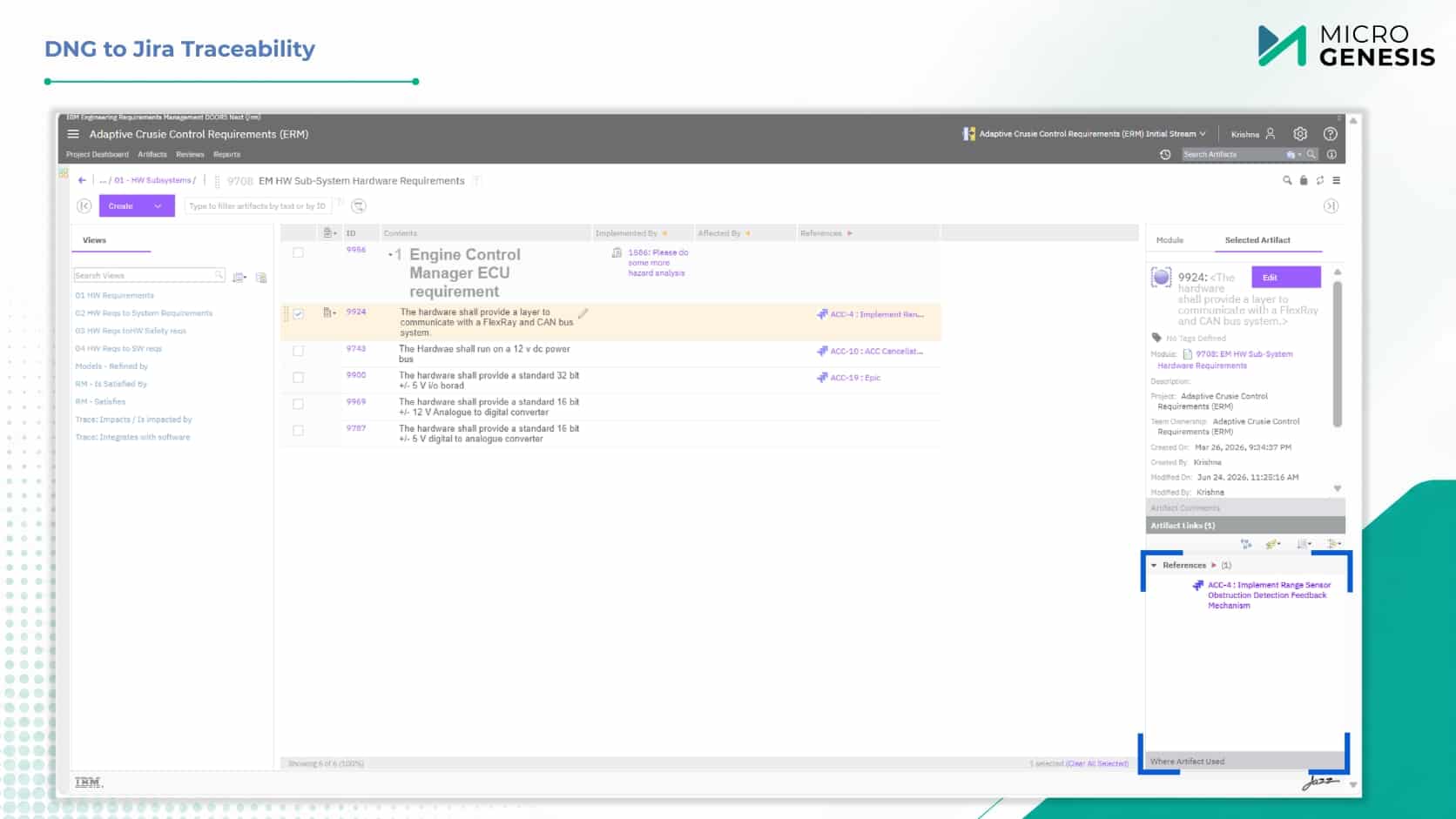
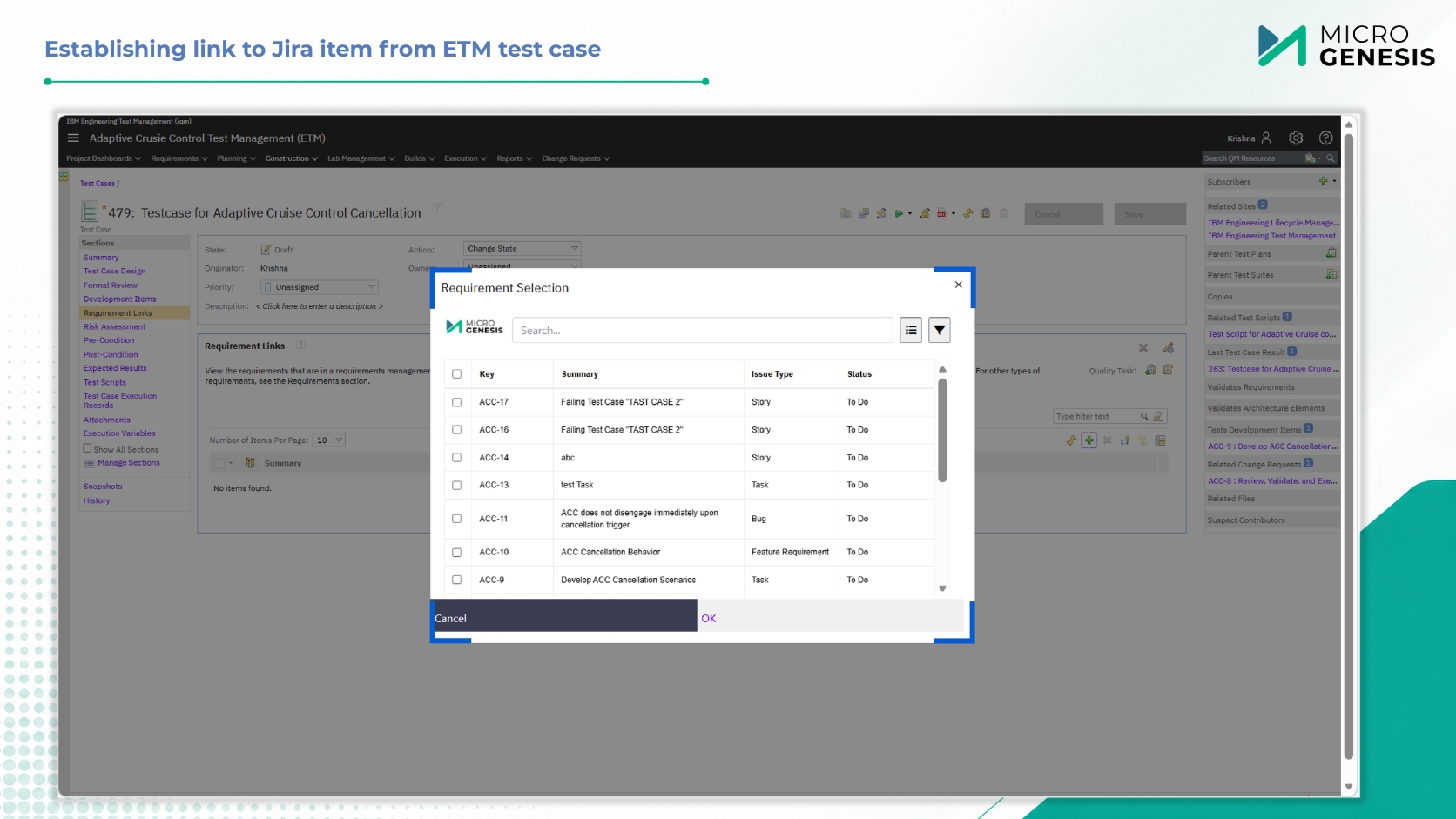
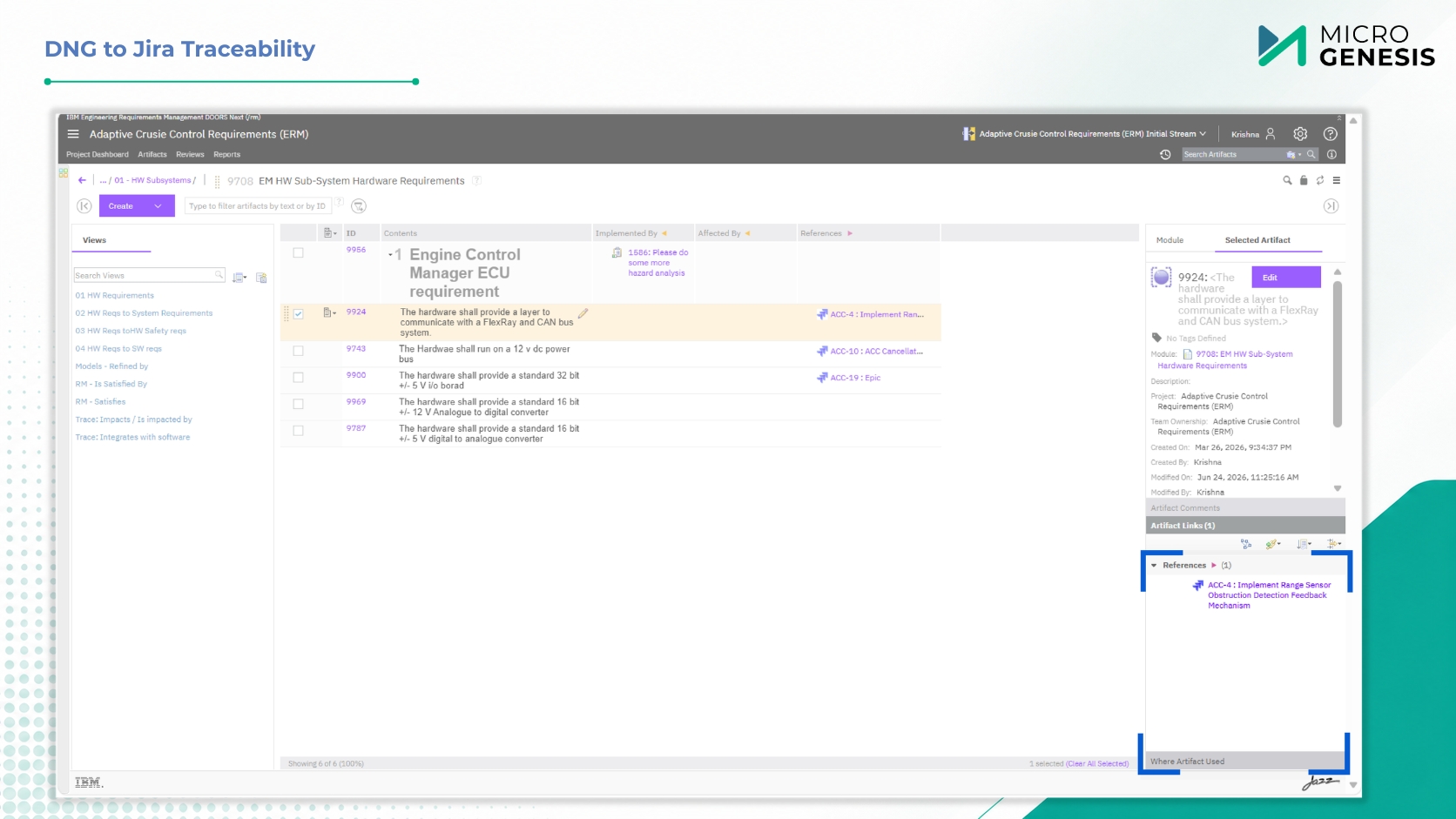
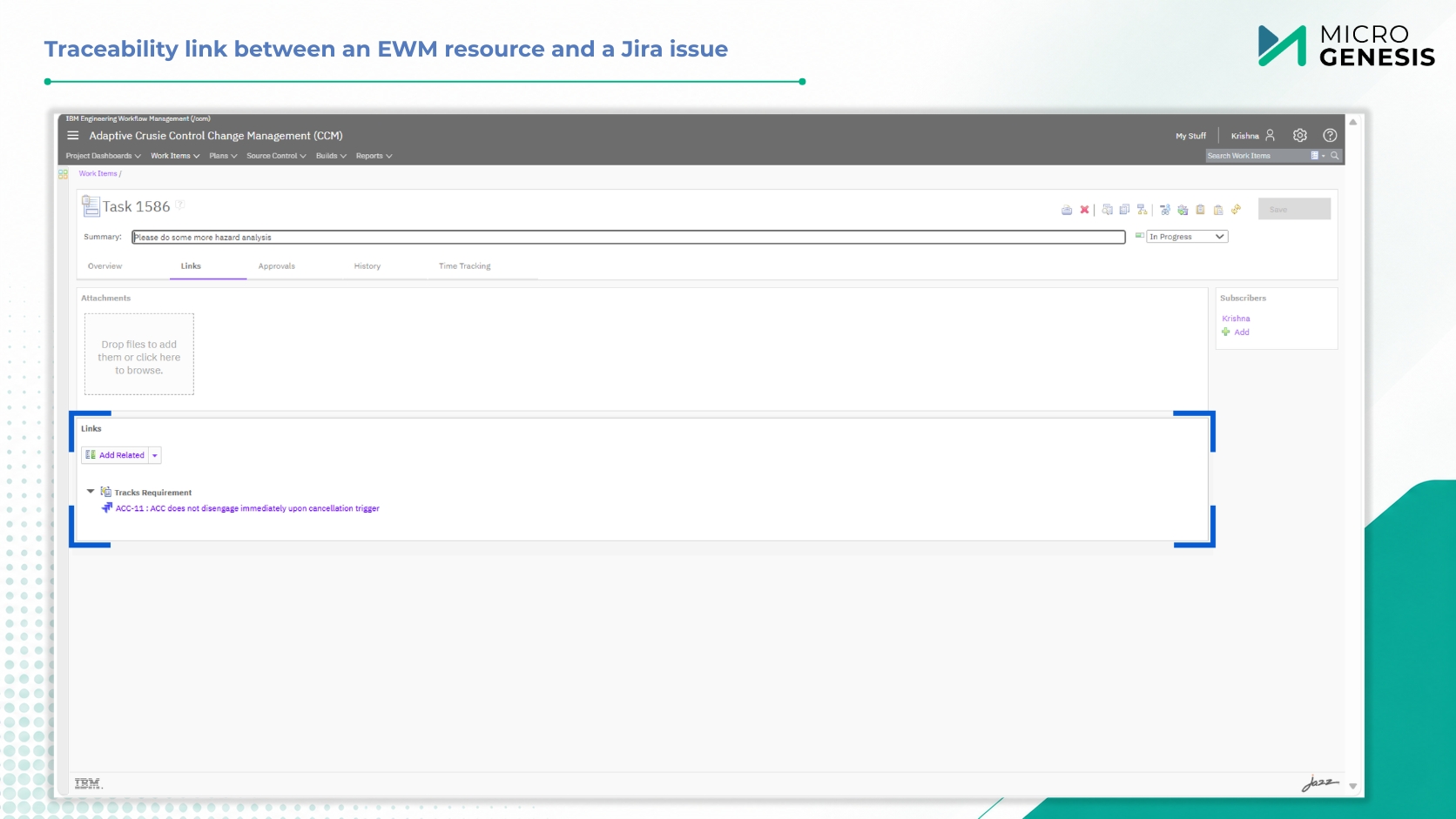
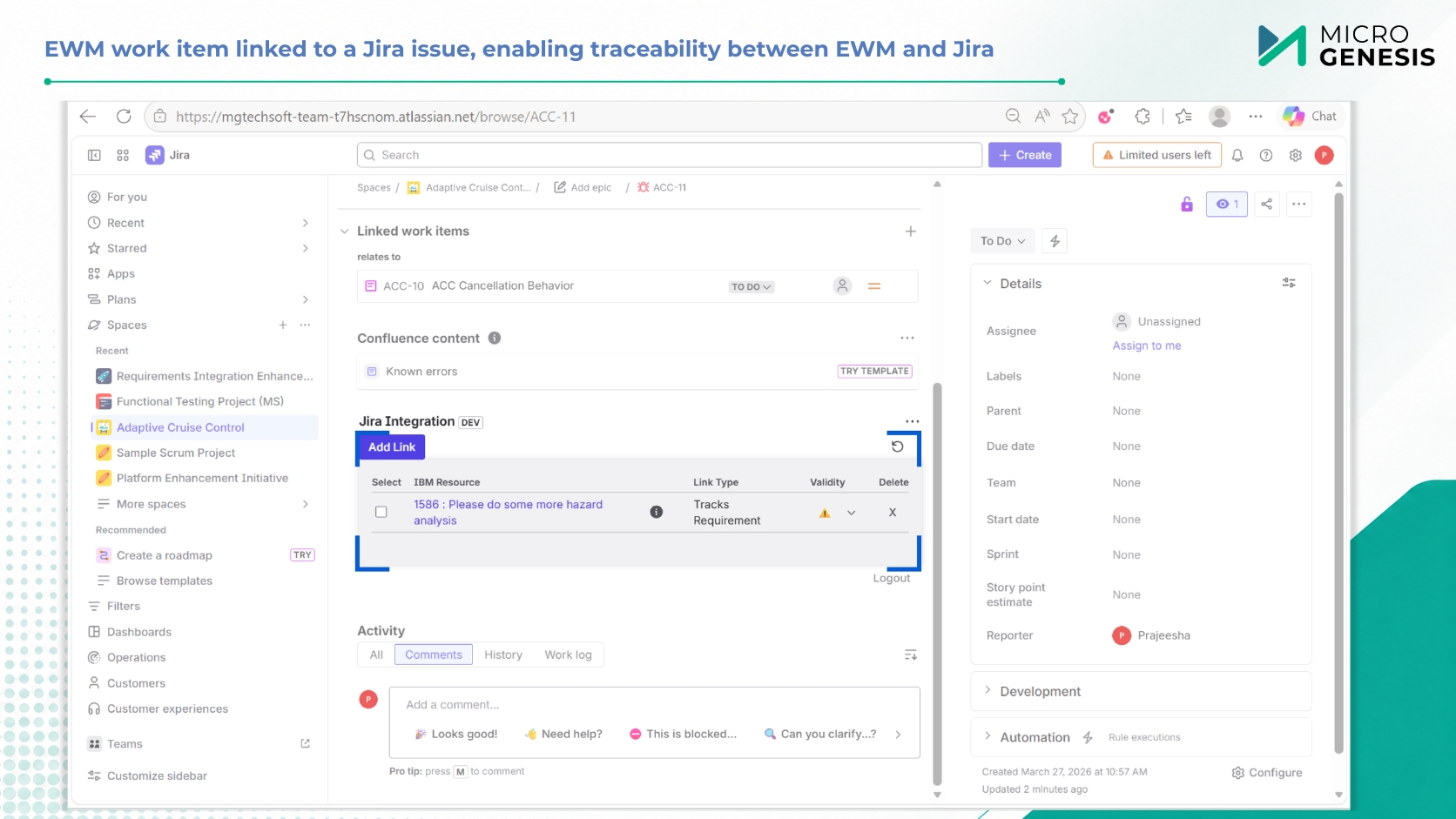
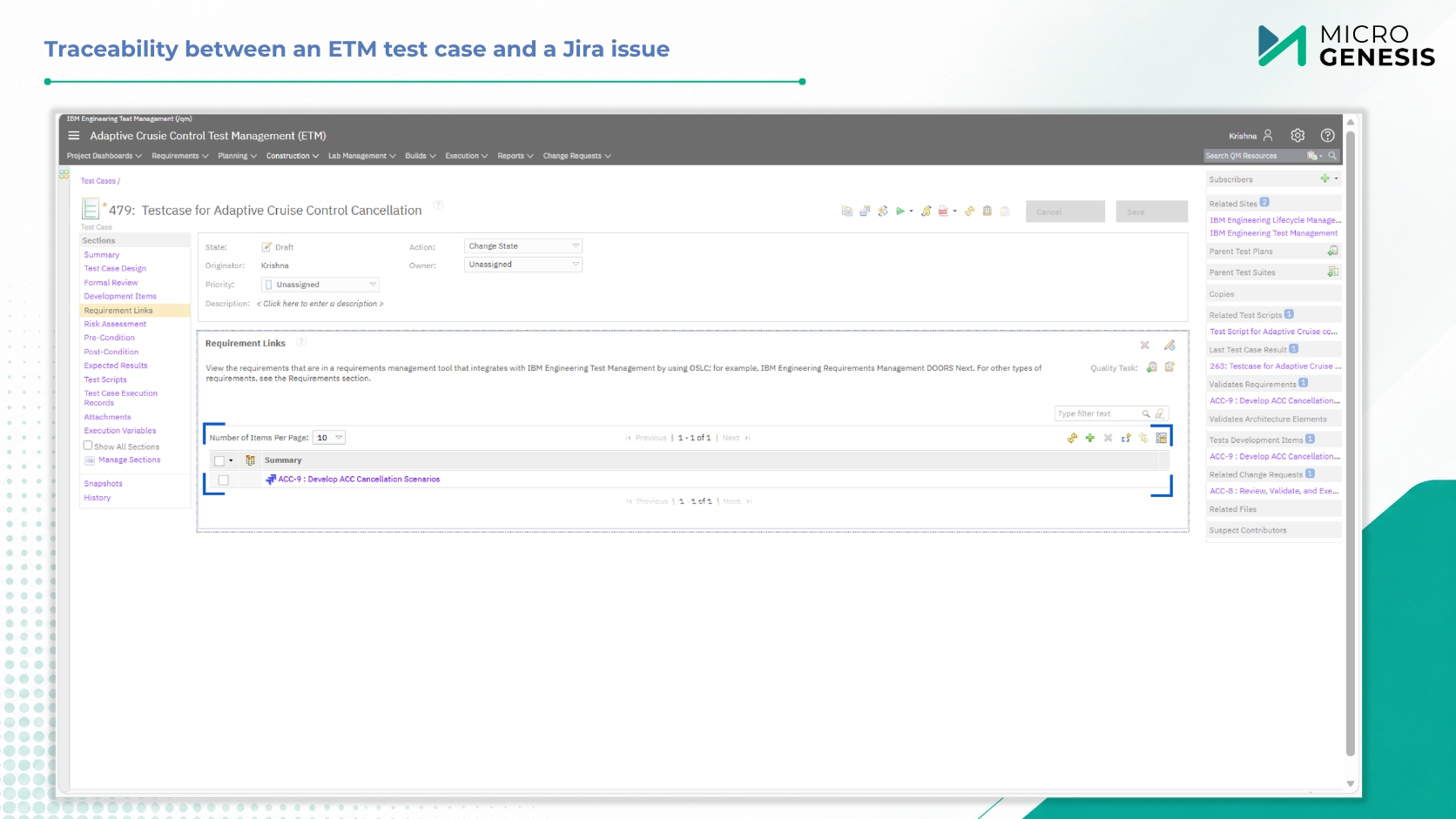
Establish and manage live links between Jira issues and IBM ELM items – requirements (ERM/DOORS Next), work items (EWM/CCM), and test artifacts (ETM/QM). Links are visible and actionable from both platforms, ensuring traceability across the entire lifecycle.

Bulk Linking

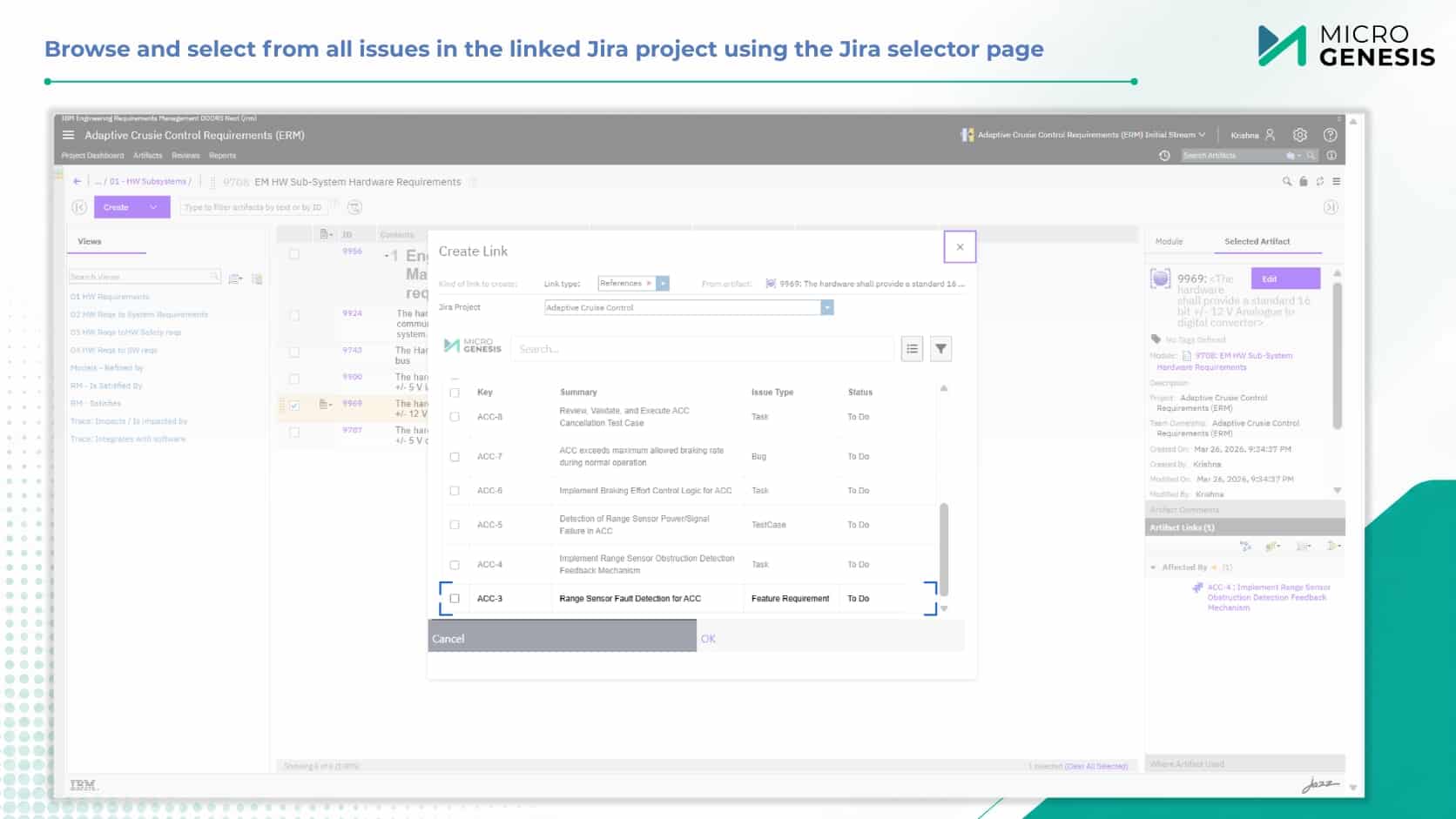
Link multiple Jira issues to one ELM item (or vice versa) in a single operation. Drastically reduces manual effort when establishing traceability for large feature sets, test cycles, or requirement packages.

Unified Deletion

Remove cross tool links from either Jira or IBM ELM. The relationship is cleaned up on both sides, maintaining data integrity and avoiding orphaned references or broken traceability.

GC & Non-GC Project Support

Works seamlessly with IBM ELM Global Configuration (GC enabled) projects – preserving configuration context, baselines, and streams – and classic (non GC) projects. Provides the same linking, preview, and deletion capabilities across both deployment models.

Advanced Search

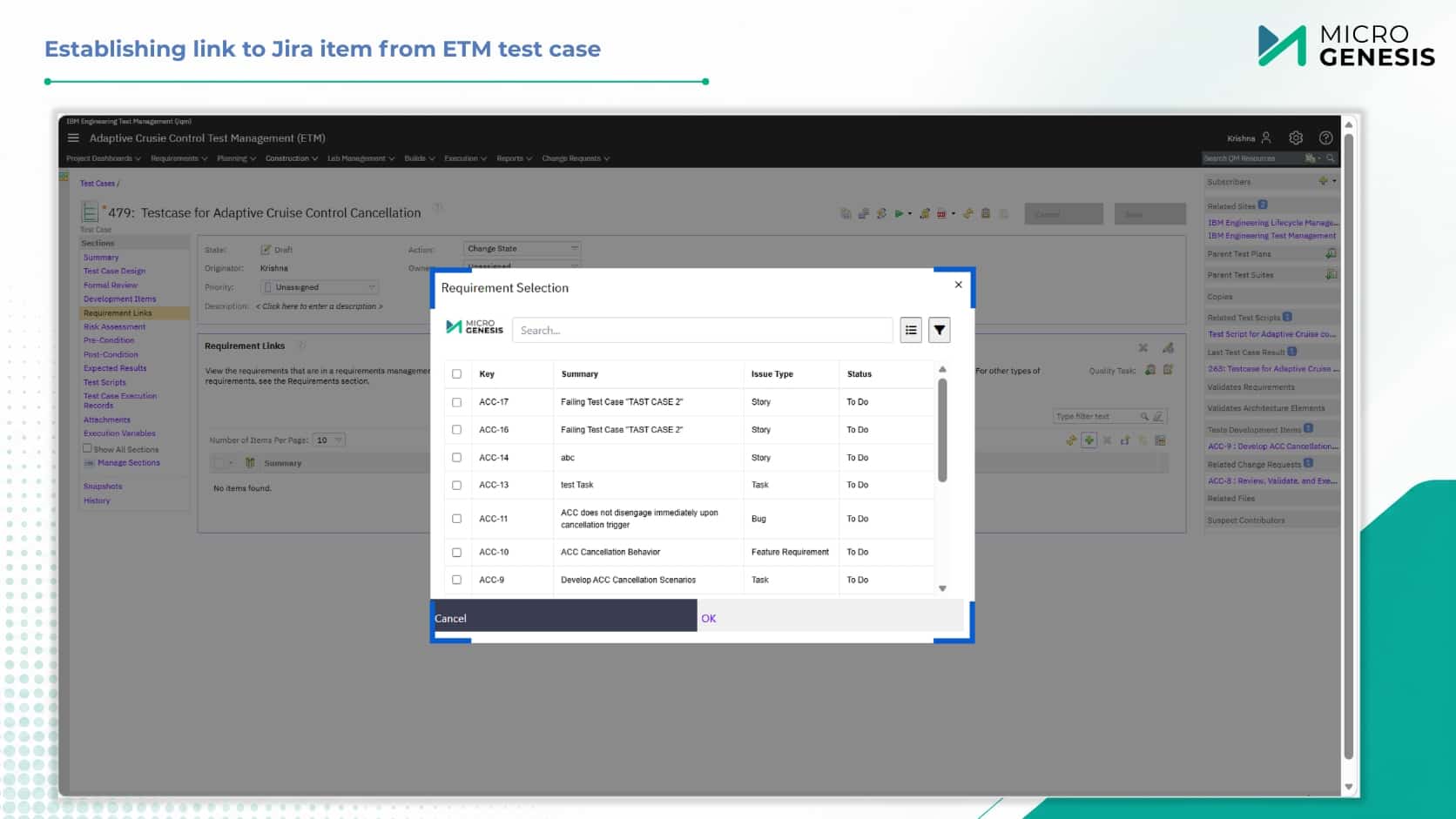
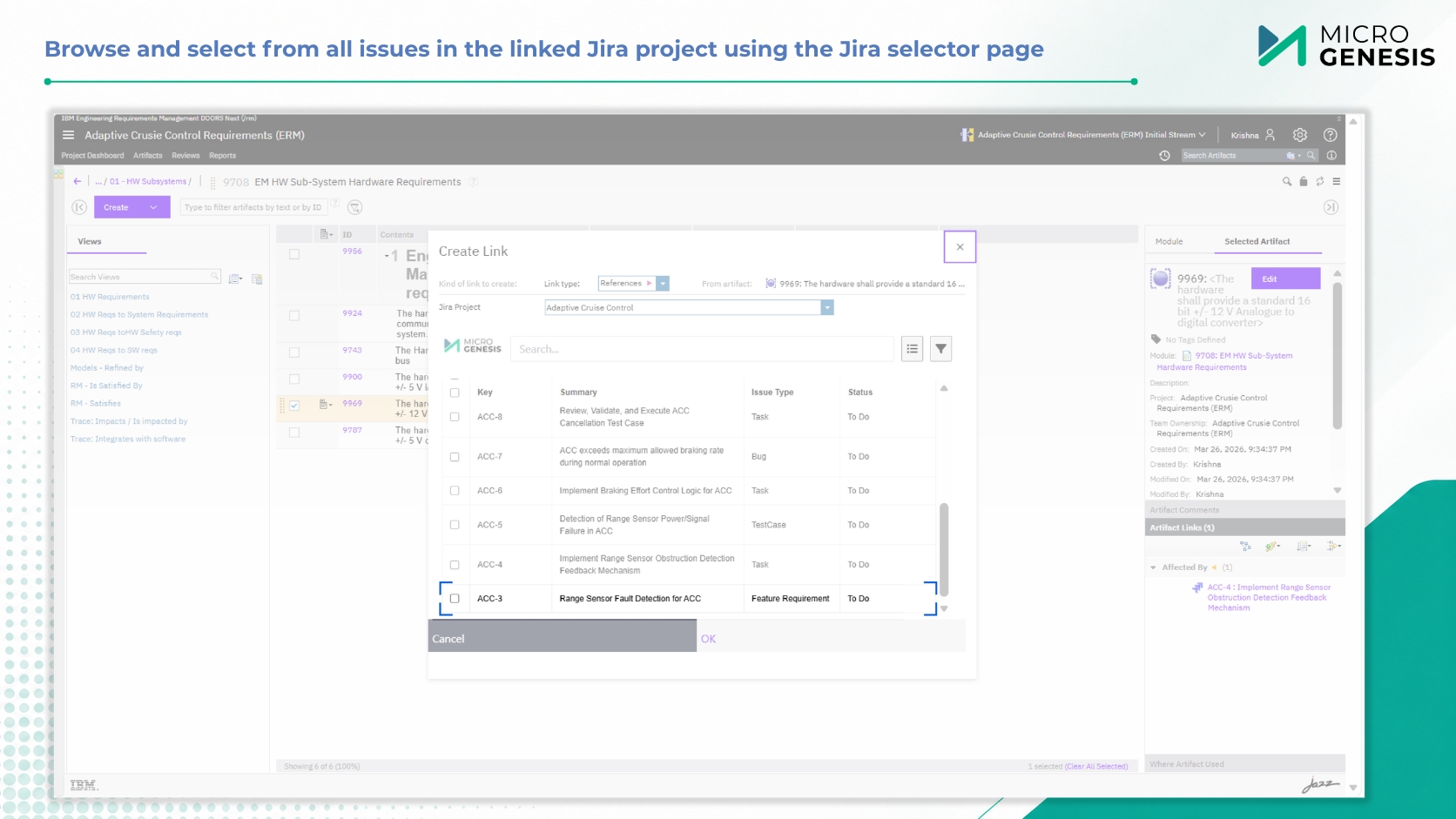
Search Jira issues directly from IBM ELM using key attributes (issue key, summary, type, status). Results are presented in a clean, filterable interface for quick and precise selection of target items, minimizing errors in link creation.

Impact Analysis

Assess the ripple effect of changing requirements or test artifacts across the entire lifecycle. Instantly see which Jira issues are impacted, identify coverage gaps, and make informed decisions before changes are implemented.

Linked Item Preview

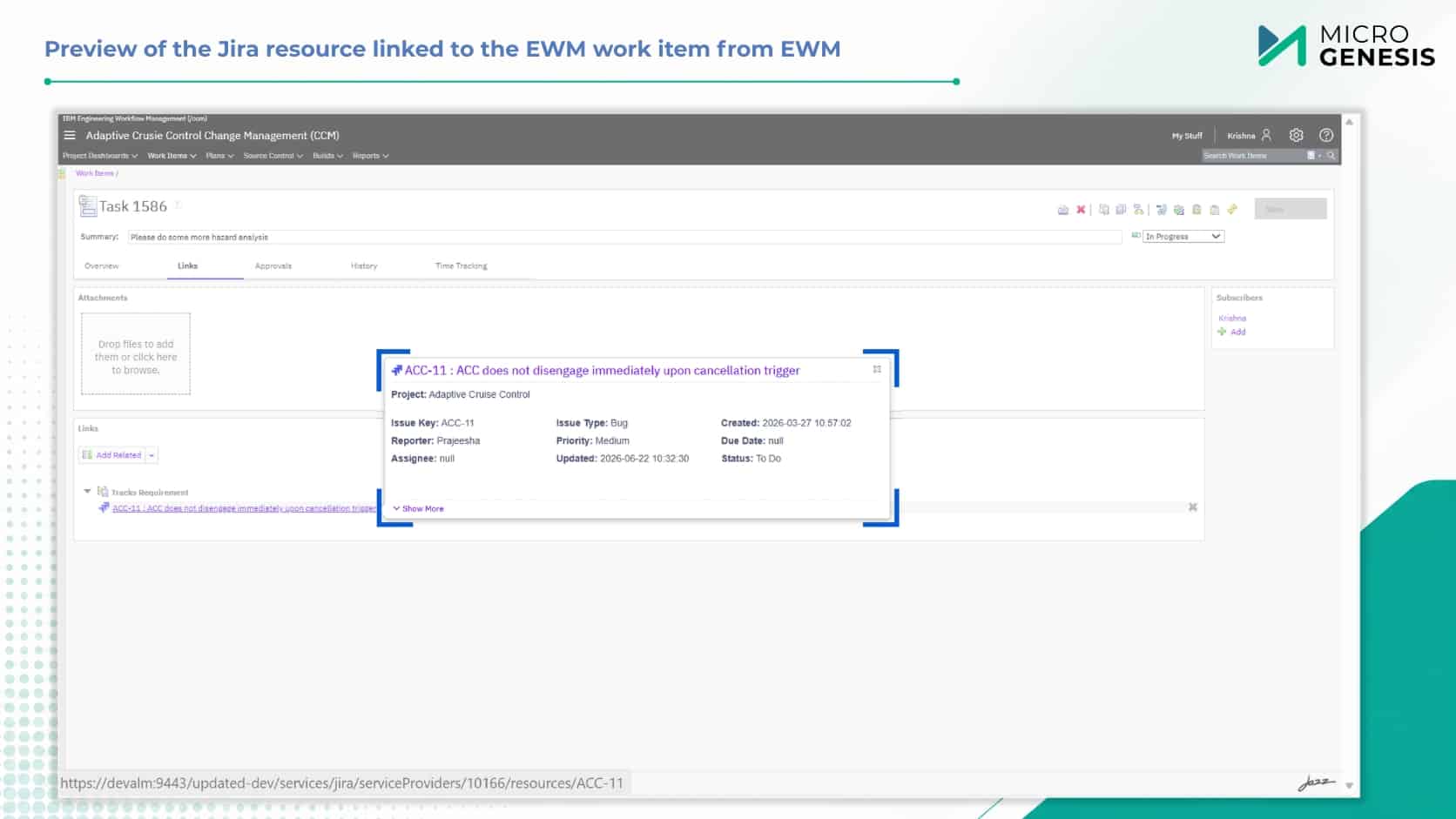
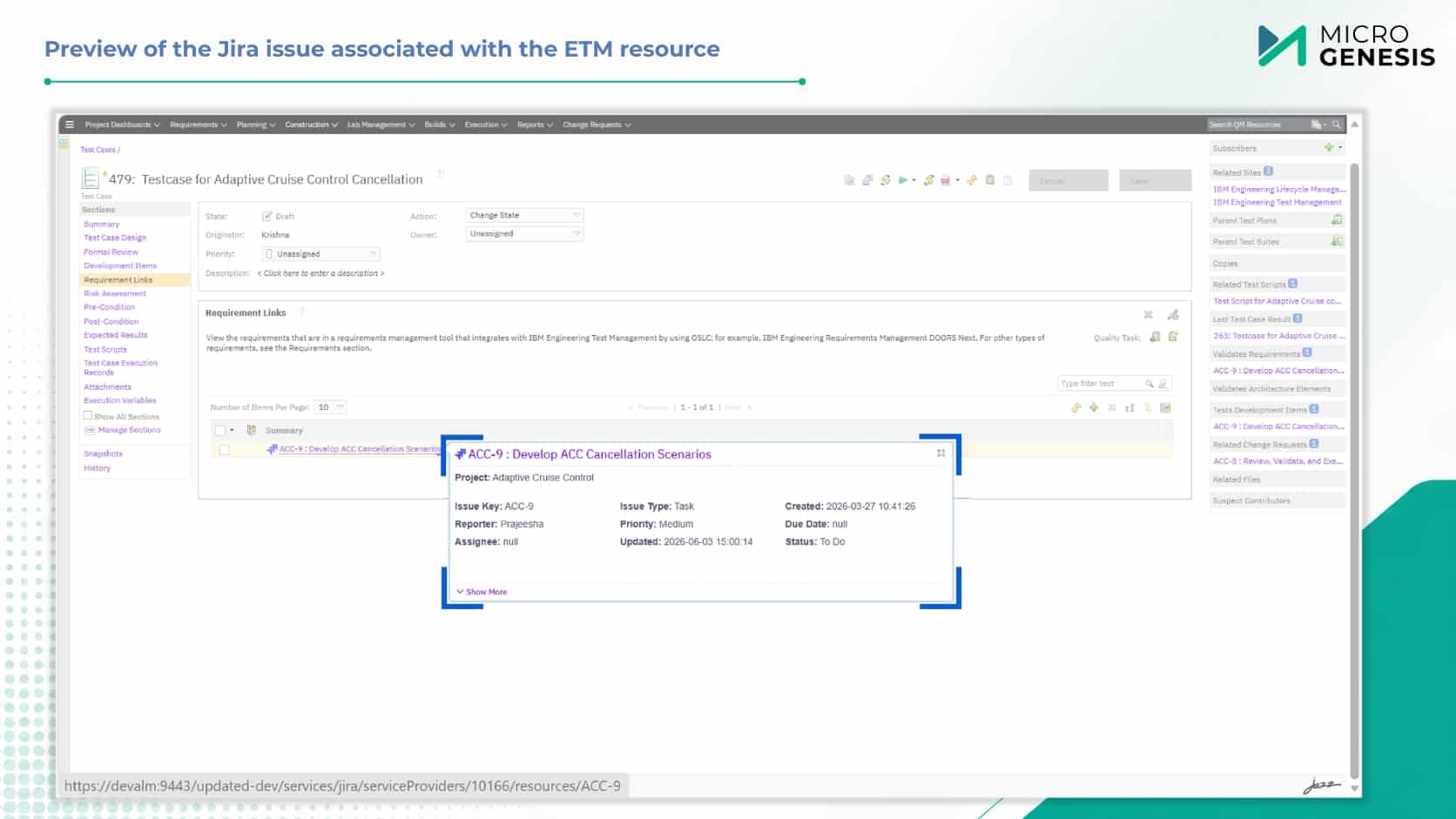
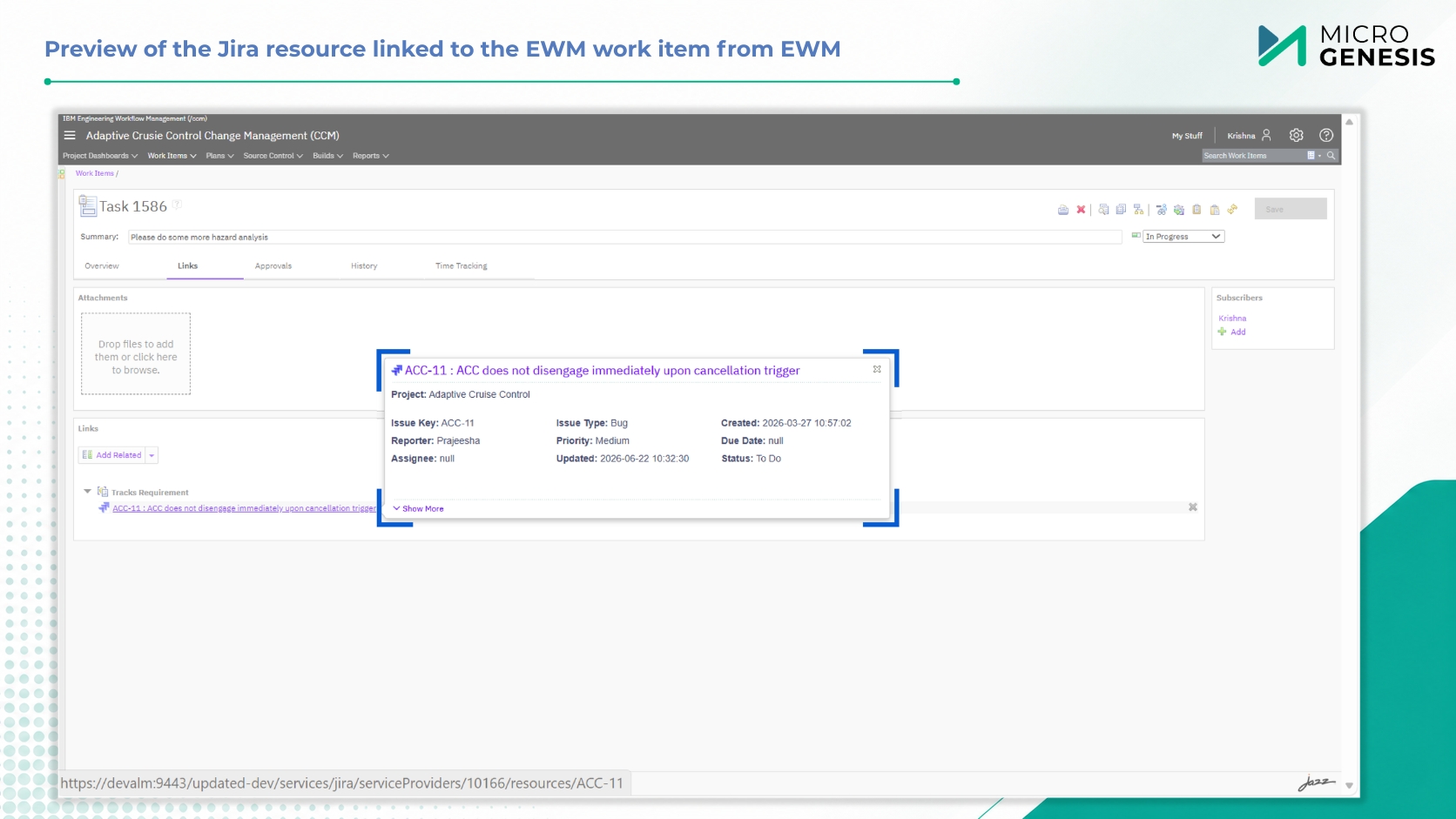
View key details (ID, summary, status, owner, priority, artifact type) of linked Jira issues or IBM ELM items without leaving your current application. Supports faster reviews, validation, and impact analysis directly from the source system.

Real-time reporting

Leverage IBM ELM’s Report Builder (JRS) to create live traceability reports across Jira and ELM artifacts. Monitor requirements coverage, test execution status, defect trends, and compliance gaps in real time.

Defect Creation

Create a Jira defect directly from any IBM ETM/QM test artifact (test case, test script, test execution record). The defect is automatically linked to the originating test artifact – no manual sync, no context switching, and immediate traceability from test failure to resolution.

Direct Navigation

Jump from an IBM ELM item (requirement, work item, test artifact) directly to its linked Jira issue, and vice versa. Eliminates manual searches across systems, reduces context switching, and enables faster collaboration and decision-making.

Traceability Across
Requirements, Development, and Testing

From IBM ELM Application
Link To Jira Issues
Use Case
ERM/DOORS Next (Requirements)
Ensure every requirement is properly implemented
EWM/CCM (Work Items)
Track development progress against requirements
ETM/QM (Test Artifacts)
Automate defect creation and traceability from test failures

Key Benefits

Our JIRA–IBM ELM Integration Adapter is designed to streamline compliance and enhance visibility across tools.

Connect your requirements and issue-tracking tools the right way—with real-time visibility, audit-ready traceability, and seamless collaboration.

A Glimpse into Seamless Integration

Why Choose MicroGenesis

With deep expertise in engineering lifecycle integration, MicroGenesis delivers secure, scalable, and compliance-ready adapters trusted by regulated industries worldwide. Our JIRA–IBM ELM Integration Adapter is built to support modern, cloud-ready workflows without compromising on traceability.

Get Live Traceability Between IBM ELM and Jira

Ready to streamline your requirement-to-issue workflows with a proven, secure IBM ELM – Jira integration?

Connect your requirements and issue tracking tools the right way—with real-time visibility, audit-ready traceability, and seamless collaboration

JIRA–IBM ELM Integration Adapter

Naveen M S

Business Head – Software & Systems Engineering

JIRA–IBM ELM Integration Adapter

Nicky Chris John

Senior Technical Manager – Software & Systems Engineering

Salesforce Implementation Partner

From strategy to go-live — and beyond

As your dedicated Salesforce implementation partner, MicroGenesis delivers full-lifecycle implementations using a structured, low-risk methodology designed to get you to value quickly and keep you there through every phase of growth.

1. Discovery & Advisory

Workshops with your Salesforce consulting team to map processes, define goals, and shape a clear CRM roadmap.

2. Solution Design

Architecture, data model, and configuration blueprint crafted by certified Salesforce consultants aligned to your requirements.

3. Build & Configure

Declarative setup plus custom development across Sales, Service & Experience Cloud — built to Salesforce best practices.

4. Data & Integration

Secure data migration and Salesforce integration with your existing enterprise systems, delivered by our Salesforce integration partners team.

5. Testing & QA

Functional, integration, and user acceptance testing for a reliable, low-risk rollout of your Salesforce environment.

6. Deployment & Go-Live

Controlled release with cutover planning and hypercare support during the critical first days post-launch.

7. Training & Adoption

Enablement and change management from your Salesforce consulting firm to drive confident, lasting user adoption.

8. Managed Support

Ongoing 24×7 L1–L3 Salesforce managed support and continuous improvement for your live org.

Salesforce Managed Support

24X7 L1, L2 & L3 Salesforce support

Keep your Salesforce environment healthy, secure, and continuously improving with always-on managed support across all three tiers – delivered by our Salesforce partner team under clear SLAs.

24 X 7 X 365 Salesforce support coverage with defined SLAs and escalation paths

L1 : First Line

Day-to-day user support & monitoring
  • Ticket logging, triage & tracking
  • User access, login & password assistance
  • Basic how-to and navigation support
  • System monitoring and known issue resolution
  • Escalation to L2/L3 teams when required

L2: Functional

Configuration & Advanced Troubleshooting
  • Configuration changes and administrative tasks
  • Flow, validation rule, and automation troubleshooting
  • Reports, dashboards, and data issue resolution
  • Salesforce integration and synchronization diagnostics
  • Root cause analysis and issue resolution

L3: Engineering

Custom Development & Deep Expertise
  • Apex, Lightning Web Components (LWC), and custom code troubleshooting
  • Complex Salesforce integration engineering and support
  • Performance optimization and scalability tuning
  • Enhancements and new feature development
  • Vendor escalation management and coordination