IBM ELM Plugins for Smarter Workflows & Seamless Automation

Overview

Extend the Power of IBM ELM with Our Plugins

Transform your engineering lifecycle management experience with our powerful plugin ecosystem. From automated ID generation and license optimization to intelligent workflow validations, our solutions are designed to eliminate manual effort, enforce compliance, and accelerate your engineering processes. 

IBM ELM (EWM, ERM, ETM) provides a robust foundation. Our suite of custom plugins extends and enhances its native capabilities to address specialized enterprise needs – ensuring secure external access, data consistency, and process automation across your engineering teams.

Key Advantages of Our Plugins

Our objective is to unlock the full potential of IBM ELM by automating repetitive tasks, ensuring data consistency, and enabling secure external access while fully leveraging the platform’s capabilities.  

What you gain

Time savings

Automate ID generation, child work item creation, and due date synchronization. 

Accuracy & consistency

Eliminate manual errors in requirements, test cases, and work item hierarchies.

Secure external collaboration

Enable OEMs, suppliers, and external partners to interact with ELM data through a controlled portal, without requiring them to have direct ELM access. 

Process enforcement

Validate links, comments, and child states before allowing state transitions.

Configurable, customizable & reusable

Every plugin is built to adapt to your specific project needs, can be tailored to client requirements, and reused across teams. 

Ready to Unlock the Full Potential of IBM ELM?

Our IBM ELM Plugins

EWM Service Desk

Category: Automation

Description
Key Benefits
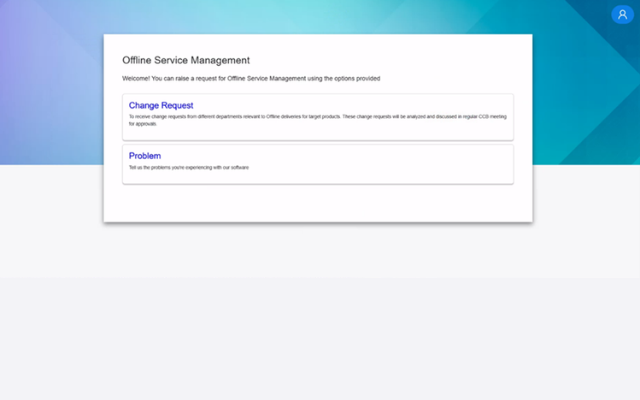
  • A web application (Spring Boot + React) that acts as a secure front-end for EWM.
  • OEMs and external users submit work items via a simplified form without accessing EWM directly.
  • Work items are queued in a database and pushed to EWM at a defined time interval.
IBM ELM Plugins for Smarter Workflows & Seamless Automation
  • Keeps EWM secure—no direct access required for suppliers or partners.
  • Provides a controlled, branded portal for external collaborators.
  • Enables seamless submission of work items without exposing internal ELM infrastructure.
IBM ELM Plugins for Smarter Workflows & Seamless Automation

Requirement ID Generator

Category: Automation

Description
Key Benefits
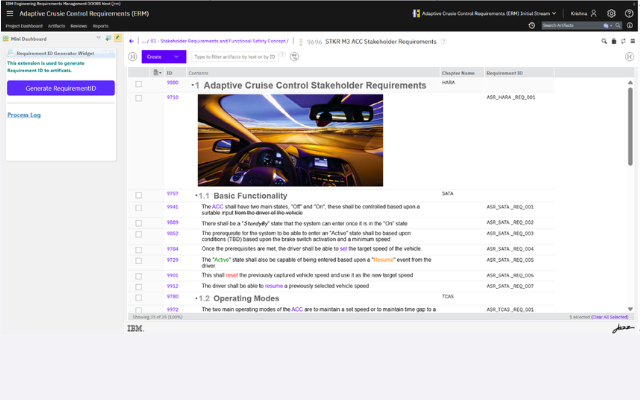
  • IDs are created by concatenating category, chapter name, heading, and sequence number (e.g., UCR_HARA_001).
  • Honors baselines: existing IDs are not overwritten; numbering resumes from baselined artifacts.
IBM ELM Plugins for Smarter Workflows & Seamless Automation
  • Eliminates manual ID assignment and crossreferencing with baselines.
  • Ensures consistent, hierarchical naming across modules.
  • Reduces errors and saves significant time during requirements authoring.
IBM ELM Plugins for Smarter Workflows & Seamless Automation

Data Modular

Category: Automation

Description
Key Benefits
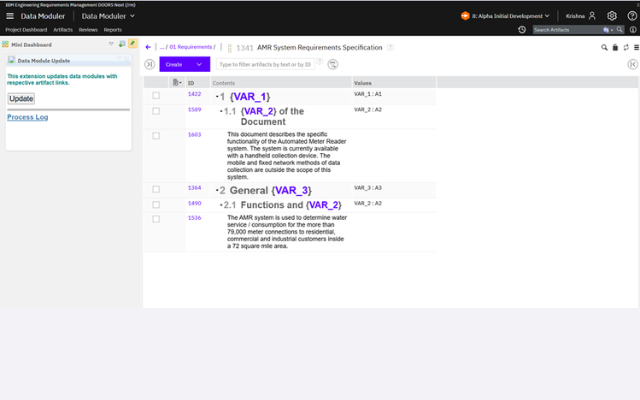
  • A widget that automates variable/constant value propagation across multiple streams.
  • Maintains a central “Variable Data” component containing all constants used in requirements.
  • When triggered, it fetches the correct values for the selected stream and updates requirements automatically.
IBM ELM Plugins for Smarter Workflows & Seamless Automation
  • Eliminates manual updates across multiple streams.
  • Prevents mismatches and inconsistencies in constant values.
  • Ensures all streams reflect accurate, stream-specific data.
IBM ELM Plugins for Smarter Workflows & Seamless Automation

Automated Test Case ID Update

Category: Automation

Description
Key Benefits
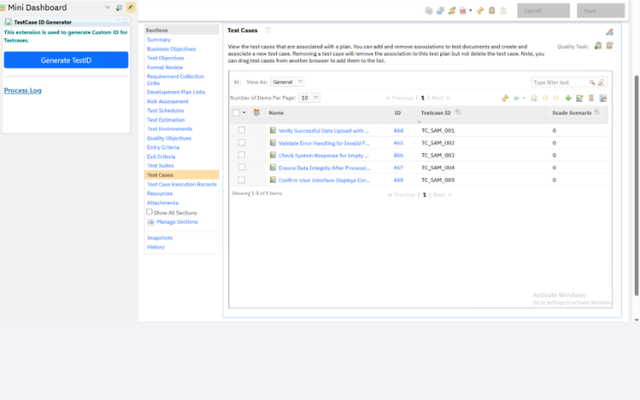
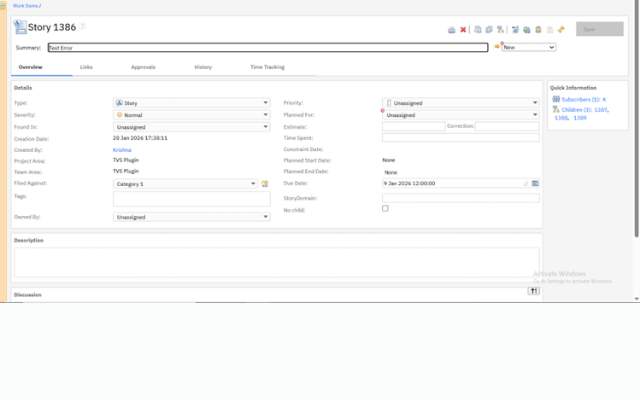
  • A custom widget for ETM that generates meaningful test case IDs based on test plan attributes.
  • One-click generation updates all test cases across all test plans within a project.
  • Baseline data remains unchanged during the process.
IBM ELM Plugins for Smarter Workflows & Seamless Automation
  • Adds contextual, meaningful identifiers in a dedicated attribute—aligned with your naming conventions.
  • Enhances user experience by making test case identification intuitive and process compliant.
  • Eliminates repetitive manual ID assignment across test plans.
IBM ELM Plugins for Smarter Workflows & Seamless Automation

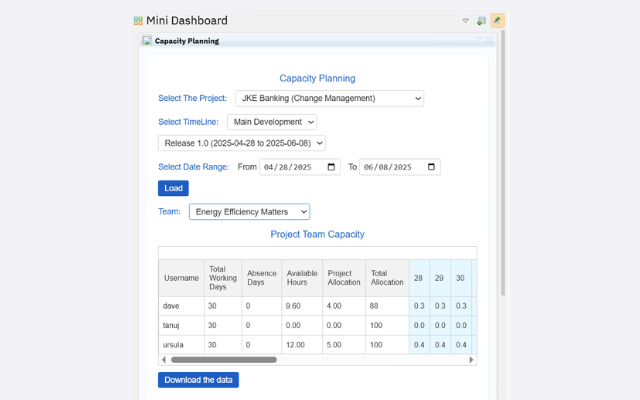
Team Capacity Planning

Category: Reporting

Description
Key Benefits
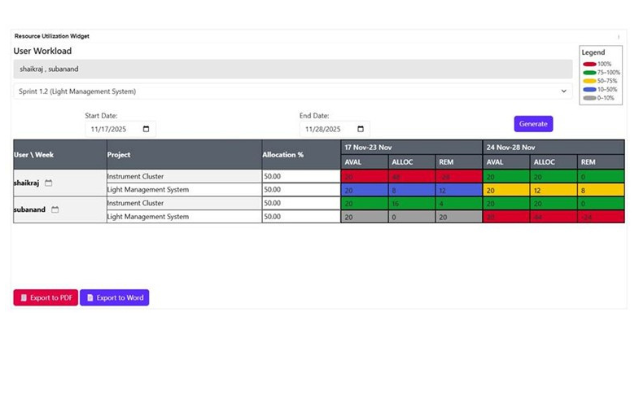
  • A custom widget for EWM that generates absence reports for team members.
  • Filter by date range, iteration, team, and project.
  • Export reports to Excel for offline analysis and planning.
IBM ELM Plugins for Smarter Workflows & Seamless Automation
  • Provides detailed visibility into team availability, complementing native CCM reporting.
  • Enables accurate resource planning and workload distribution.
  • Simplifies absence tracking with downloadable reports.
IBM ELM Plugins for Smarter Workflows & Seamless Automation

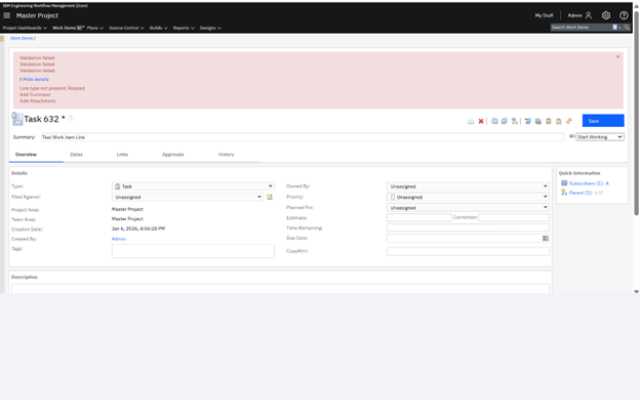
Link / Comment / Attachment Validation

Category: Automation

Description
Key Benefits
  • A precondition that validates mandatory links, comments, and attachments before work item state transitions.
  • Prevents incomplete updates by enforcing completeness rules at workflow checkpoints.
IBM ELM Plugins for Smarter Workflows & Seamless Automation
  • Ensures data completeness and compliance before state changes.
  • Reduces rework caused by missing information.
  • Configurable per work item type and transition.
IBM ELM Plugins for Smarter Workflows & Seamless Automation

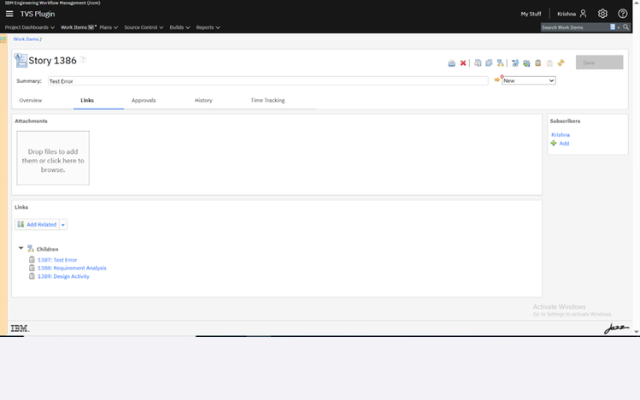
Auto Child Creation

Category: Automation

Description
Key Benefits
  • A postcondition that automatically creates a predefined number of child work items when a parent is created.
  • Reads defined configuration (child type, count, inherited attributes) and creates child work items accordingly.
  • Propagates selected attributes from parent to children automatically.
IBM ELM Plugins for Smarter Workflows & Seamless Automation
  • Eliminates manual child work item creation.
  • Ensures consistent work item hierarchies.
  • Prevents omission of required child items.
IBM ELM Plugins for Smarter Workflows & Seamless Automation

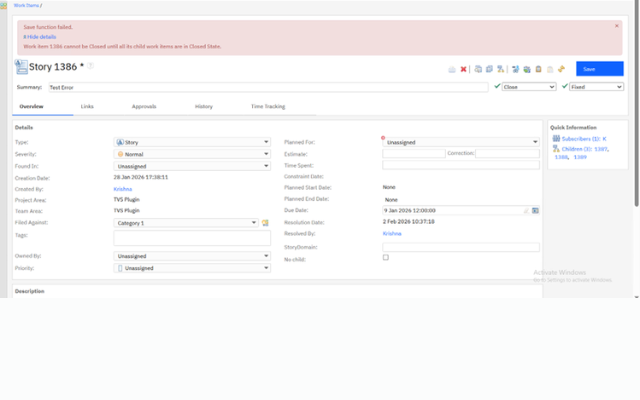
Workflow Validation

Category: Automation

Description
Key Benefits
  • A precondition that restricts parent work item state transitions based on child work item states.
  • Validates that all child items are in the required state before allowing the parent to move forward.
IBM ELM Plugins for Smarter Workflows & Seamless Automation
  • Enforces process compliance across hierarchical work items.
  • Prevents premature closure of parent items.
  • Configurable per work item type and transition.
IBM ELM Plugins for Smarter Workflows & Seamless Automation

Due Date Automation

Category: Automation

Description
Key Benefits
  • A postcondition that automatically synchronizes parent work item due dates with child work item due dates.
  • Ensures parent dates reflect the latest or most appropriate child due dates.
IBM ELM Plugins for Smarter Workflows & Seamless Automation
  • Maintains data consistency across work item hierarchies.
  • Eliminates manual date synchronization.
  • Prevents discrepancies when closing parent items.
IBM ELM Plugins for Smarter Workflows & Seamless Automation

Our Codebeamer Plugins

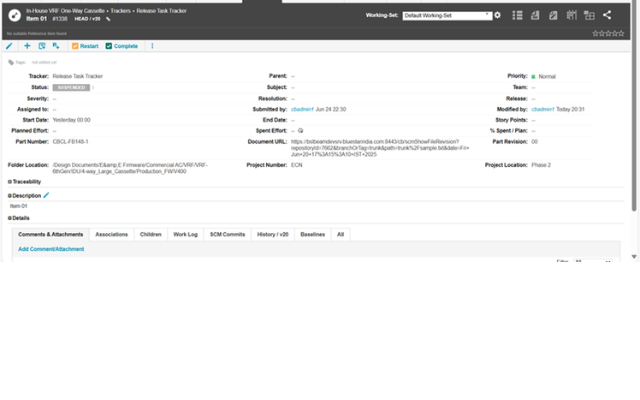
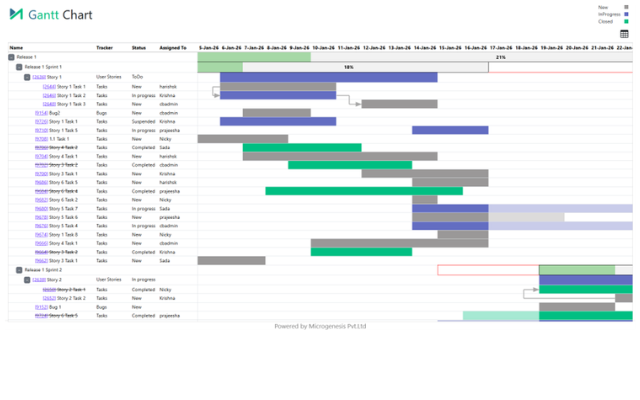
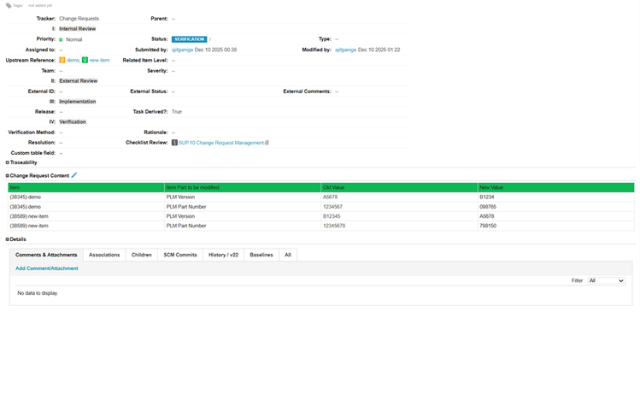
Our objective is to bridge the gaps in native Codebeamer functionality—automating tedious tasks, providing deep visibility, and enabling seamless integration with enterprise systems like Windchill. 

Unlock Seamless ELM Automation

Reach Out & Let’s Begin

Unlock the Full Potential of IBM ELM

Stop struggling with manual processes and compliance gaps. Let our plugin ecosystem streamline your engineering workflows today. Let’s discuss which plugins are right for your team.

IBM ELM Plugins for Smarter Workflows & Seamless Automation

Dhananjaya K

Vice President – Global Markets


IBM ELM Plugins for Smarter Workflows & Seamless Automation

Nicky Chris John

Senior Technical Manager – Software & Systems Engineering

Salesforce Implementation Partner

From strategy to go-live — and beyond

As your dedicated Salesforce implementation partner, MicroGenesis delivers full-lifecycle implementations using a structured, low-risk methodology designed to get you to value quickly and keep you there through every phase of growth.

1. Discovery & Advisory

Workshops with your Salesforce consulting team to map processes, define goals, and shape a clear CRM roadmap.

2. Solution Design

Architecture, data model, and configuration blueprint crafted by certified Salesforce consultants aligned to your requirements.

3. Build & Configure

Declarative setup plus custom development across Sales, Service & Experience Cloud — built to Salesforce best practices.

4. Data & Integration

Secure data migration and Salesforce integration with your existing enterprise systems, delivered by our Salesforce integration partners team.

5. Testing & QA

Functional, integration, and user acceptance testing for a reliable, low-risk rollout of your Salesforce environment.

6. Deployment & Go-Live

Controlled release with cutover planning and hypercare support during the critical first days post-launch.

7. Training & Adoption

Enablement and change management from your Salesforce consulting firm to drive confident, lasting user adoption.

8. Managed Support

Ongoing 24×7 L1–L3 Salesforce managed support and continuous improvement for your live org.

Salesforce Managed Support

24X7 L1, L2 & L3 Salesforce support

Keep your Salesforce environment healthy, secure, and continuously improving with always-on managed support across all three tiers – delivered by our Salesforce partner team under clear SLAs.

24 X 7 X 365 Salesforce support coverage with defined SLAs and escalation paths

L1 : First Line

Day-to-day user support & monitoring
  • Ticket logging, triage & tracking
  • User access, login & password assistance
  • Basic how-to and navigation support
  • System monitoring and known issue resolution
  • Escalation to L2/L3 teams when required

L2: Functional

Configuration & Advanced Troubleshooting
  • Configuration changes and administrative tasks
  • Flow, validation rule, and automation troubleshooting
  • Reports, dashboards, and data issue resolution
  • Salesforce integration and synchronization diagnostics
  • Root cause analysis and issue resolution

L3: Engineering

Custom Development & Deep Expertise
  • Apex, Lightning Web Components (LWC), and custom code troubleshooting
  • Complex Salesforce integration engineering and support
  • Performance optimization and scalability tuning
  • Enhancements and new feature development
  • Vendor escalation management and coordination