DevOps and Cloud Computing: Building Modern Infrastructure

DevOps and Cloud Computing: Building Modern Infrastructure

DevOps and Cloud Computing:
Building Modern Infrastructure

Table of Contents

Introduction

In today’s hyper-competitive, digital-first world, businesses must deliver software and services faster, more reliably, and with greater scalability. The convergence of DevOps and cloud computing is a cornerstone of that transformation. 

While DevOps focuses on automating software delivery and fostering collaboration across development and operations, cloud computing provides the flexible infrastructure that supports that agility. Together, cloud and DevOps empower organizations to build, deploy, and scale modern applications efficiently and cost-effectively. 

This guide explores the synergy between DevOps and cloud computing, covering key concepts, tools, best practices, use cases, and strategies to overcome adoption challenges—everything you need to modernize your digital infrastructure. 

What is DevOps?

DevOps is a set of cultural philosophies, practices, and tools that unifies software development (Dev) and IT operations (Ops). Its main goal is to shorten the system development life cycle while delivering features, fixes, and updates frequently and reliably. 

Key Principles of DevOps

Implementing DevOps isn’t just about adopting new tools—it’s about shifting how people, processes, and technology interact to build better software, faster. Here are the foundational principles that define successful DevOps practices: 

1. Collaboration

DevOps breaks down the traditional silos between development, operations, QA, and even security teams. Rather than functioning in isolated handoffs, teams work together across the entire application lifecycle—from planning and development to testing, deployment, and monitoring. 

  • Why it matters: Shared goals and responsibilities foster faster feedback, better decision-making, and fewer errors. 
  • Example: Developers might work closely with IT to design infrastructure that can support application performance under peak loads, or include QA earlier to define test cases during planning. 

2. Automation

Automation is at the heart of DevOps. Manual, repetitive tasks like code compilation, testing, environment provisioning, and deployment are automated through pipelines and scripts. 

  • Why it matters: Automation speeds up delivery, reduces human error, and ensures repeatability across environments. 
  • Example: A CI/CD pipeline automatically builds and tests code with each commit, and deploys to staging or production with zero manual intervention. 

3. Continuous Delivery

DevOps enables teams to deliver software in smaller, frequent increments through continuous integration and deployment practices. 

  • Why it matters: Frequent delivery reduces risk, improves responsiveness to customer feedback, and allows for faster time-to-market. 
  • Example: Instead of a monolithic release every 6 months, teams release new features weekly—or even daily—after automated validation and approvals. 

4. Monitoring & Feedback

Once code is deployed, the job isn’t done. DevOps emphasizes ongoing monitoring of applications and infrastructure, using metrics, logs, and user behavior to inform improvements. 

  • Why it matters: Real-time insights into system performance and user experience enable proactive issue resolution and data-driven innovation. 
  • Example: An alert from a monitoring tool like Prometheus may trigger an investigation, leading to code optimization that reduces page load time by 30%. 

What is Cloud Computing?

Cloud computing is a modern computing paradigm that delivers IT resources and services—including servers, storage, databases, networking, software, machine learning, analytics, and more—over the internet on a pay-as-you-go basis. It eliminates the need for organizations to purchase, own, and maintain physical data centers and servers. 

With cloud computing, companies can scale their infrastructure dynamically, innovate faster, and reduce operational costs, all while accessing enterprise-grade capabilities on-demand. This model has become foundational to digital transformation and modern DevOps practices. 

Benefits of Cloud Computing (Expanded)

Cloud computing has redefined how organizations build, deploy, and scale digital infrastructure. Whether you’re a startup looking for agility or an enterprise aiming for operational excellence, the cloud offers a wide range of transformative benefits: 

1. Scalability

Cloud environments are inherently elastic, allowing you to scale resources up or down in real-time based on actual demand. 

  • Why it matters: Whether you’re experiencing a spike in website traffic during a product launch or reducing compute resources during off-peak hours, scalability ensures you’re always operating at optimal capacity. 
  • Example: An e-commerce site automatically increases server capacity during flash sales and scales back after the event, avoiding downtime and excessive costs. 

2. Cost Efficiency

Cloud computing follows a pay-as-you-go model, which means you only pay for what you use. There’s no need to make large capital expenditures on hardware or over-provision servers “just in case.” 

  • Why it matters: This turns IT from a capital expense (CapEx) to an operational expense (OpEx), freeing up budget for innovation. 
  • Example: A startup can launch its product using low-cost cloud resources and scale its infrastructure gradually as its user base grows—without needing upfront investment in servers or data centers. 

3. Speed & Agility

The cloud allows businesses to deploy infrastructure and applications in minutes, not weeks. Development teams can quickly spin up environments, test new features, and deploy updates seamlessly. 

  • Why it matters: This dramatically reduces time to market, enabling rapid experimentation and continuous improvement. 
  • Example: A development team can use infrastructure-as-code (IaC) to deploy a staging environment within minutes to test a new feature, speeding up the feedback loop. 

4. Resilience & Availability

Most cloud providers offer redundant infrastructure and failover capabilities across multiple regions and availability zones, ensuring high uptime and business continuity. 

  • Why it matters: Your services remain available even in the event of hardware failures, natural disasters, or regional outages. 
  • Example: If a server in one region goes down, traffic is automatically rerouted to another healthy region, ensuring uninterrupted user access. 

5. Security

Leading cloud providers invest heavily in enterprise-grade security, including encryption, DDoS protection, identity and access management (IAM), and continuous compliance monitoring. 

  • Why it matters: Security teams can focus on configuring policies and detecting threats rather than maintaining firewalls or patching systems manually. 
  • Example: A financial institution can meet industry regulations like PCI-DSS or ISO 27001 while leveraging automated threat detection and encrypted data storage on the cloud. 

6. Global Reach

Cloud providers offer data centers in multiple geographic regions, allowing you to serve customers closer to their location. 

  • Why it matters: Hosting your application near your users reduces latency and improves performance while meeting regional compliance requirements. 
  • Example: A SaaS company hosts data in both the EU and the US to serve users efficiently and stay compliant with GDPR. 

Types of Cloud Services

Cloud computing is typically delivered in three main service models, each offering different levels of control and management: 

1. IaaS – Infrastructure as a Service

IaaS provides virtualized computing resources over the internet. It gives users control over operating systems, storage, and deployed applications, but abstracts physical hardware. 

  • Use Case: Hosting virtual machines, backups, disaster recovery, network management. 
  • Examples: Amazon EC2, Microsoft Azure Virtual Machines, Google Compute Engine 

2. PaaS – Platform as a Service

PaaS offers a development platform and environment in the cloud. It abstracts infrastructure and provides tools to build, test, and deploy applications. 

  • Use Case: Application development without managing servers or runtime. 
  • Examples: Heroku, Google App Engine, Azure App Services 

3. SaaS – Software as a Service

SaaS delivers fully functional applications over the internet. Users don’t manage any infrastructure—they simply use the software via web or API. 

  • Use Case: CRM, project management, collaboration, ITSM, analytics. 
  • Examples: Salesforce, Jira Cloud, Slack, Microsoft 365 

Cloud Deployment Models

The deployment model defines how and where your cloud infrastructure is hosted and managed. There are four key deployment models: 

1. Public Cloud

  • Description: Services and infrastructure are hosted on shared physical hardware by third-party providers. 
  • Benefits: Cost-effective, scalable, quick to deploy. 
  • Use Case: Startups, SaaS apps, large-scale analytics. 

2. Private Cloud

  • Description: Infrastructure is dedicated to a single organization, either on-premises or hosted by a third-party. 
  • Benefits: Enhanced security, control, and customization. 
  • Use Case: Regulated industries (finance, healthcare), enterprises with strict data policies. 

3. Hybrid Cloud

  • Description: Combines private and public clouds, allowing data and apps to move between them. 
  • Benefits: Flexibility, optimization, regulatory compliance. 
  • Use Case: Businesses needing to retain sensitive data on-prem while leveraging cloud scalability. 

4. Multi-Cloud

  • Description: Utilizes services from multiple cloud providers simultaneously (e.g., AWS + Azure). 
  • Benefits: Avoids vendor lock-in, increases redundancy. 
  • Use Case: Global enterprises optimizing performance, resilience, or regional compliance. 

Why DevOps and Cloud Are Better Together (Expanded)

DevOps and cloud computing are each transformational in their own right—but when combined, they create a synergistic environment that accelerates innovation, streamlines operations, and empowers organizations to scale without friction. 

Modern IT leaders are increasingly realizing that adopting DevOps without the cloud limits agility, and migrating to the cloud without DevOps results in underutilized infrastructure. Together, they form the foundation for a high-performing, modern digital organization. 

Benefits of Combining DevOps and Cloud

1. Faster Time to Market

Cloud platforms allow infrastructure and environments to be provisioned in minutes instead of days or weeks. DevOps pipelines, in parallel, automate the build, test, and deployment processes. Together, they drastically shorten the development lifecycle. 

  • Result: New features, bug fixes, and enhancements can be delivered to production faster—sometimes multiple times a day. 
  • Use Case: A retail app pushes code updates within hours based on customer feedback during peak shopping season without manual server provisioning. 

2. Elastic Scalability

Cloud-native architectures support dynamic resource allocation, allowing services to scale up or down based on demand. DevOps processes—like infrastructure as code (IaC) and auto-scaling scripts—automate how these changes happen. 

  • Result: Applications remain highly responsive during traffic spikes and cost-efficient during lulls. 
  • Use Case: A streaming platform handles millions of users during live sports events without performance degradation using Kubernetes autoscaling rules integrated into the CI/CD pipeline. 

3. Improved Resilience

Both cloud and DevOps introduce redundancy and fault tolerance into application design. Cloud offers multi-zone deployment, while DevOps adds capabilities like blue-green deployments, canary releases, and automated rollback. 

  • Result: Services remain available even in the face of infrastructure failure or poor code releases. 
  • Use Case: A financial services firm avoids downtime during a release by deploying to a small user group first (canary), monitoring for issues, and rolling back automatically if a problem is detected. 

4. Optimized Costs

The cloud’s pay-as-you-go model ensures you only pay for the compute and storage resources you use. DevOps introduces efficiency through automation—automated testing, provisioning, and decommissioning reduce human errors and time delays. 

  • Result: Reduced waste, fewer idle resources, and minimized staffing requirements for manual tasks. 
  • Use Case: An enterprise reduces staging environment costs by automatically spinning down environments post testing via Terraform and Jenkins automation. 

5. Global Collaboration

DevOps practices—such as shared repositories, automation scripts, and pipeline templates—combined with the geographical flexibility of the cloud, allow remote teams to work from anywhere with full visibility. 

  • Result: Distributed teams can develop, test, and deploy applications collaboratively without local infrastructure constraints. 
  • Use Case: A SaaS company has developers in India, testers in Poland, and operations in the U.S., all collaborating in real-time using cloud-hosted Git repositories, centralized logs, and cloud-native CI/CD pipelines. 

6. Standardization and Consistency

DevOps promotes standardized environments through IaC tools like Terraform or AWS CloudFormation. The cloud makes this possible at scale with template-based provisioning, ensuring consistent environments across dev, test, and prod. 

  • Result: Fewer bugs due to environment drift, and more predictable deployments. 
  • Use Case: An insurance company provisions identical environments across multiple regions using reusable IaC templates stored in a version-controlled repo. 

7. Security at Speed (DevSecOps)

Cloud providers offer robust built-in security tools (IAM, encryption, DDoS protection), and DevOps integrates security checks into every stage of the pipeline through DevSecOps practices. 

  • Result: Organizations no longer need to choose between speed and security—they get both. 
  • Use Case: A healthcare startup runs automated compliance scans (e.g., HIPAA, GDPR) on infrastructure and code with every pull request and before every deployment. 

8. Continuous Innovation

Together, cloud and DevOps create an innovation flywheel. With quick feedback loops, resilient infrastructure, and automation at every stage, teams can experiment more freely. 

  • Result: Rapid prototyping, A/B testing, and continuous iteration become a business advantage. 
  • Use Case: A product team runs weekly experiments on user flows, automatically rolls out the best-performing version globally, and archives logs in the cloud for future learning. 

Summary: Why the Combination Works

Capability
Cloud Alone
DevOps Alone
Cloud + DevOps
Provisioning Time
Minutes
Days
Seconds (automated)
Deployment Speed
Fast
Fast
Continuous
Cost Efficiency
Pay-as-you-go
Resource efficient
Hyper-optimized
Resilience
Redundancy
Rollbacks
Self-healing systems
Collaboration
Shared platform
Shared processes
Global collaboration

Common DevOps + Cloud Use Cases

1. E-Commerce

  • Auto-scaling during traffic surges. 
  • Seamless rollback of failed features. 

2. Finance & Banking

  • Encrypted CI/CD pipelines. 
  • Auditable infrastructure via Infrastructure as Code (IaC). 

3. Healthcare

  • HIPAA-compliant infrastructure automation. 
  • Secure cloud backups and monitoring. 

4. Startups

  • Rapid MVP releases using serverless architecture. 
  • GitOps for version-controlled deployment. 

5. Large Enterprises

  • Modernizing legacy apps using microservices and containers. 
  • Moving from monolith to multi-cloud architecture. 

Core DevOps Tools for the Cloud

Category
Tools
CI/CD
Jenkins, GitHub Actions, GitLab CI, CircleCI
Containerization
Docker, Podman
Orchestration
Kubernetes, Helm
IaC
Terraform, Pulumi, AWS CloudFormation
Monitoring & Logging
Prometheus, Grafana, ELK Stack, Datadog
Security
Vault, Aqua Security, SonarQube

Best Practices for Cloud + DevOps Integration (Expanded)

Successfully integrating DevOps and cloud computing requires more than just adopting new tools. It demands a disciplined, strategic approach to processes, culture, and governance. The following best practices are designed to help organizations maximize the benefits of both paradigms while minimizing complexity and risk. 

1. Automate Everything

Automation is the backbone of any effective DevOps and cloud strategy. From code integration to infrastructure provisioning, manual tasks should be replaced with automated pipelines and scripts. 

  • Why it matters: Automation reduces human error, speeds up delivery cycles, and ensures consistency across environments. 
  • How to implement: 
  • Use CI/CD pipelines with tools like Jenkins, GitHub Actions, or GitLab CI. 
  • Apply Infrastructure as Code (IaC) using Terraform, AWS CloudFormation, or Pulumi to automate infrastructure setup. 
  • Automate repetitive operational tasks like scaling, backups, and log rotation. 

Example: 
A team automates application builds, testing, and deployment to staging and production environments, cutting deployment time from days to minutes. 

2. Prioritize Observability

Observability goes beyond basic monitoring. It includes collecting and correlating metrics, logs, traces, and user behavior to gain a holistic view of your systems. 

  • Why it matters: It enables proactive problem detection, faster root-cause analysis, and continuous performance tuning. 
  • How to implement: 
  • Integrate tools like Prometheus, Grafana, ELK Stack, New Relic, or Datadog. 
  • Define service-level indicators (SLIs), objectives (SLOs), and agreements (SLAs). 
  • Set up alerting rules and dashboards that align with business and technical KPIs. 

Example: 
A financial services company monitors response times and error rates per microservice, triggering alerts before issues escalate into user-facing outages. 

3. Start Small, Scale Fast

Don’t attempt a full transformation overnight. Use proof-of-concept (POC) projects to test your architecture, tools, and processes. 

  • Why it matters: It reduces risk, builds team confidence, and ensures lessons learned early can be applied at scale. 
  • How to implement: 
  • Choose a non-critical application or workflow to pilot your cloud + DevOps approach. 
  • Monitor performance, team adoption, and cost impact. 
  • Iterate based on feedback and gradually expand the implementation. 

Example: 
An organization pilots container-based deployments for a legacy app using Docker and Kubernetes, then rolls out the solution across its full portfolio after success. 

4. Implement Governance Early

Without proper governance, cloud and DevOps can lead to tool sprawl, security risks, and cost overruns. Setting clear policies early prevents chaos later. 

  • Why it matters: It ensures secure, compliant, and cost-effective operations from day one. 
  • How to implement: 
  • Define tagging policies, role-based access controls, and budget alerts. 
  • Use guardrails through tools like AWS Control Tower, Azure Policy, or Terraform Sentinel. 
  • Establish change control workflows and approval mechanisms for infrastructure changes. 

Example: 
A global enterprise sets cloud budget thresholds by business unit and automatically enforces them using policy-as-code. 

5. Embed Security into Pipelines (DevSecOps)

Security must be a shared responsibility across teams and embedded directly into DevOps workflows. This approach, known as DevSecOps, ensures security is not an afterthought. 

  • Why it matters: It reduces vulnerabilities, enforces compliance, and avoids costly breaches later in the lifecycle. 
  • How to implement: 
  • Run static and dynamic security scans (e.g., Snyk, SonarQube) during builds. 
  • Manage secrets using vaults like HashiCorp Vault or AWS Secrets Manager. 
  • Include security unit tests, compliance validation, and container image scanning in CI/CD. 

Example: 
Before every deployment, a healthcare company automatically scans code for HIPAA violations and only promotes compliant builds to production. 

6. Foster a Learning Culture

The cloud and DevOps space evolves rapidly. Staying ahead requires a commitment to continuous learning, upskilling, and leveraging expert DevOps consulting services across all teams.

  • Why it matters: Knowledgeable teams are more confident, productive, and capable of innovating with new tools and approaches. 
  • How to implement: 
  • Offer hands-on workshops, sandbox environments, and certifications (e.g., AWS, Azure, Kubernetes, Terraform). 
  • Hold regular “lunch and learn” sessions or internal tech talks. 
  • Encourage contributions to internal knowledge bases and documentation. 

Example: 
An organization rewards engineers who complete cloud certifications and hosts quarterly DevOps bootcamps to train cross-functional teams. 

Challenges in Adoption and How to Overcome Them

1. Siloed Teams

  • Problem: Lack of collaboration slows releases. 
  • Solution: Cross-functional squads and shared KPIs. 

2. Toolchain Complexity

  • Problem: Too many disconnected tools. 
  • Solution: Streamline with integrated platforms and clear documentation. 

3. Security Gaps

  • Problem: Manual security slows DevOps. 
  • Solution: Use DevSecOps—automated tests, scans, and role-based access. 

4. Cost Overruns

  • Problem: Poor cloud governance leads to runaway costs. 
  • Solution: Use tagging, budgets, and automated shutdowns. 

5. Resistance to Change

  • Problem: Legacy mindsets block adoption. 
  • Solution: Run pilots, show ROI early, and incentivize change champions. 

Measuring Success: Key Metrics

To track ROI and progress, monitor: 

  • Deployment Frequency – How often you release code. 
  • Lead Time for Changes – Time from commit to deployment. 
  • Change Failure Rate – % of deployments causing issues. 
  • MTTR (Mean Time to Recovery) – Time to resolve issues. 
  • Cost per Deployment – Measure cloud cost efficiency. 
  • Infrastructure Provisioning Time – How quickly environments are spun up. 

These metrics tie DevOps and cloud performance to real business impact. 

The Future of Cloud + DevOps

Emerging trends are shaping the next wave of innovation: 

  • AIOps: Machine learning automates incident response and system insights. 
  • Platform Engineering: Internal platforms reduce toolchain complexity. 
  • FinOps: Financial accountability for cloud resource usage. 
  • Edge Computing: Run DevOps pipelines closer to users. 
  • Hybrid + Multi-Cloud Strategies: Balance security, performance, and vendor independence. 

Organizations that stay ahead in cloud computing and DevOps adoption will be more agile, resilient, and competitive. 

Conclusion

The integration of DevOps and cloud computing is no longer optional—it’s a strategic imperative. By partnering with DevOps service providers and aligning cultural change, automation, and infrastructure agility, businesses can deliver digital products with speed, confidence, and efficiency.

From startups launching MVPs to enterprises modernizing legacy systems, every organization can benefit from embracing a cloud + DevOps mindset. 

The question isn’t whether you should adopt cloud and DevOps—but how quickly you can start doing it right. 

SERVICES

Get Started Today!

Fill out the form below, and our team will reach out to help you optimize your IT infrastructure and ensure enterprise-wide transformation.

Our Blogs
Custom Application Development and Software Upgradation Services

Custom Application Development and Software Upgradation Services

Custom Application Development and Software Upgradation Services

Table of Contents

Introduction

In an era defined by digital transformation and rapidly changing market demands, off-the-shelf solutions often fall short of addressing unique business challenges. Companies seeking to remain competitive and agile need tailor-made digital tools that align with their specific workflows, customer needs, and long-term vision. This is where custom software development services and software upgradation become mission-critical. 

Whether you’re modernizing legacy systems or building a new application from scratch, working with a reliable custom application development company ensures scalability, performance, and future-readiness. In this comprehensive guide, we’ll explore what custom development entails, the importance of software modernization, key service offerings, industries served, and how to choose the right partner. 

Chapter 1: What Is Custom Software Development?

Custom software development involves designing, building, deploying, and maintaining software tailored to meet the specific needs of a business or organization. Unlike commercial off-the-shelf software (COTS), custom apps are purpose-built for your company’s use case. 

Key Benefits:

  • Tailored functionality for unique workflows, such as multi-tier approval processes or domain-specific calculations. 
  • Enhanced integration with existing systems including ERPs, CRMs, and data warehouses. 
  • Improved scalability and performance for future growth and demand surges. 
  • Better security and compliance controls tailored to regulatory frameworks (e.g., HIPAA, GDPR). 
  • Competitive advantage through innovation by implementing features your competitors don’t have. 

Use Cases Include:

  • Enterprise resource planning (ERP) platforms customized by industry. 
  • CRM systems tailored to niche sectors like healthcare or legal services. 
  • HR and payroll applications with multilingual and multi-currency support. 
  • Logistics tracking with real-time geofencing and notifications. 
  • Custom mobile or web portals integrated with client-facing APIs and analytics. 

Chapter 2: Why Software Upgradation Is Essential

Software upgradation refers to updating outdated or legacy systems to newer technologies and architectures. This can involve code refactoring, database migration, UX/UI modernization, or full application re-engineering. 

Risks of Legacy Software:

  • Security vulnerabilities from unsupported libraries or frameworks. 
  • Incompatibility with modern systems like cloud platforms or mobile devices. 
  • Poor user experience from outdated UI or slow performance. 
  • High maintenance costs due to deprecated code and lack of support. 
  • Limited scalability when legacy systems can’t handle growing users or data. 

Benefits of Upgrading:

  • Better performance and reliability through modern programming practices. 
  • Enhanced data security and compliance with up-to-date standards. 
  • Compatibility with cloud, mobile, and IoT ecosystems. 
  • Future-proofing IT investments to support innovation. 
  • Reduced total cost of ownership (TCO) with simplified codebases and automation. 

Organizations often initiate upgrades during digital transformation programs, cybersecurity audits, or following a costly system failure. 

Chapter 3: Core Custom Development Services Offered

A custom software development company typically provides a comprehensive suite of services spanning the full application lifecycle—from ideation to deployment and beyond. These services are tailored to fit the client’s business logic, industry standards, and long-term scalability needs. Here’s an expanded breakdown of each service area: 

1. Business Analysis & Requirement Gathering

  • Engage stakeholders through interviews, workshops, and documentation reviews to fully understand current processes and future goals. 
  • Identify system pain points, process inefficiencies, compliance requirements, and technology gaps. 
  • Define functional and non-functional requirements, business rules, and system constraints. 
  • Draft a phased roadmap with clear deliverables for MVP and future iterations, aligned with strategic objectives. 

2. UI/UX Design

  • Create user-centric designs focusing on accessibility, usability, and intuitive navigation. 
  • Produce low-fidelity wireframes and high-fidelity interactive prototypes using tools like Figma or Adobe XD. 
  • Conduct design sprints and usability testing with real users to validate flows before development. 
  • Develop comprehensive design systems and style guides for consistency across platforms. 

3. Application Architecture & Development

  • Architect scalable systems using microservices, serverless functions, or modular monoliths depending on business requirements. 
  • Choose appropriate tech stacks based on performance needs, security, and future integration plans. 
  • Leverage Agile methodologies (Scrum or Kanban) with sprint planning, daily stand-ups, and continuous feedback loops. 
  • Employ version control (e.g., Git), code review policies, and automated build pipelines to maintain code quality. 

4. QA & Testing

  • Build robust test strategies covering unit, integration, UI, regression, and performance testing. 
  • Integrate automated testing tools such as Selenium, Cypress, or JUnit into CI/CD pipelines for continuous assurance. 
  • Conduct security assessments including penetration testing and vulnerability scans. 
  • Use real-user monitoring and A/B testing to gather feedback post-deployment. 

5. Deployment & DevOps

  • Set up CI/CD pipelines using Jenkins, GitLab CI, or GitHub Actions to ensure fast, repeatable releases. 
  • Use Docker and Kubernetes for containerization and orchestration in multi-environment setups. 
  • Implement blue-green or canary deployments to minimize production risks. 
  • Automate infrastructure provisioning using tools like Terraform and Ansible for consistent environments. 

6. Support & Maintenance

  • Offer L1-L3 support tiers for bug fixes, performance issues, and system enhancements. 
  • Monitor system health using tools like New Relic, Datadog, or custom dashboards. 
  • Conduct routine code audits, patch management, and refactoring to maintain system efficiency. 
  • Continuously gather user feedback and metrics to plan feature improvements and usability upgrades. 

7. Software Upgradation Services

  • Migrate legacy applications from outdated technologies (e.g., VB6, Flash, or Silverlight) to modern stacks like .NET Core, Angular, or React. 
  • Break down monolithic systems into microservices to improve scalability and maintainability. 
  • Redesign and modernize UI/UX to meet current usability standards and accessibility guidelines. 
  • Transition desktop-based or on-premise applications to cloud-native or mobile-first solutions. 

Chapter 4: Custom App Creation Process

A typical custom app creation journey involves a structured, collaborative approach to ensure the final solution is technically sound, user-friendly, and aligned with business goals. Each stage is critical to the overall success of the project: 

1. Discovery & Ideation

  • Conduct stakeholder interviews and workshops to gather business goals, user needs, and pain points. 
  • Analyze current workflows and identify inefficiencies that the app should resolve. 
  • Perform competitive benchmarking to assess must-have features, emerging trends, and innovation gaps. 
  • Define project goals, success criteria, MVP scope, and delivery milestones. 
  • Prioritize business value and technical feasibility to create a development roadmap. 

2. Prototyping & Design

  • Create low-fidelity wireframes and user journey flows to validate early concepts. 
  • Design high-fidelity interactive prototypes for user testing with tools like Figma, Adobe XD, or Sketch. 
  • Conduct usability testing sessions to gather real-world feedback. 
  • Iterate the design based on feedback, ensuring accessibility, brand alignment, and seamless UX. 
  • Document final UI components and transitions for handover to developers. 

3. Agile Development

  • Divide the roadmap into user stories and epics within a dynamic product backlog. 
  • Follow Scrum or Kanban methodology with 2-week sprints, daily stand-ups, and retrospectives. 
  • Set up version control (e.g., Git), automated testing, and CI/CD pipelines for efficient, error-free releases. 
  • Continuously deploy features with stakeholder feedback at the end of each sprint. 
  • Prioritize features based on user impact, business need, and technical complexity. 

4. Deployment

  • Prepare for rollout by completing user acceptance testing (UAT) with real users. 
  • Conduct security audits, performance tuning, and cross-platform QA before production go-live. 
  • Use phased deployment strategies such as blue-green or canary releases for risk mitigation. 
  • Onboard end-users with training sessions, quick-start guides, and support documentation. 
  • Monitor system logs and analytics to confirm smooth performance and user adoption. 

5. Post-Launch Support

  • Establish SLA-backed support for bugs, patches, and critical incidents. 
  • Implement monitoring tools to track uptime, performance, and error rates. 
  • Analyze user engagement metrics to inform future features and refinements. 
  • Offer monthly performance and usage reports to stakeholders with KPIs and recommendations. 
  • Plan periodic roadmap reviews and updates to keep the app aligned with evolving business needs. 

Chapter 5: Technologies Used in Custom Software Development

Choosing the right technology stack is foundational to the success, scalability, and maintainability of a custom application. Modern software solutions often rely on a combination of frameworks, languages, platforms, and tools to support diverse front-end, back-end, mobile, and cloud needs. Below is a breakdown of the key technologies custom software development companies typically use: 

Frontend Technologies:

  • React.js: Ideal for building dynamic, component-driven UIs, especially enterprise dashboards. Its virtual DOM and reusable components make it performant and maintainable. 
  • Angular: A complete framework well-suited for large-scale applications with complex form handling, validations, and two-way data binding. Popular in government, healthcare, and banking sectors. 
  • Vue.js: Lightweight and easy to integrate into existing projects, Vue is preferred for fast MVP development or enhancing parts of a legacy interface with modern UI elements. 

Each of these tools supports responsive design, accessibility standards, and integration with backend APIs for seamless user experiences. 

Backend Technologies:

  • Node.js: Great for real-time, event-driven applications like chat, collaboration platforms, or streaming services. Its non-blocking architecture supports high concurrency. 
  • .NET Core: A robust, enterprise-grade platform used for finance, insurance, and logistics systems requiring performance, security, and scalability. 
  • Java: Common in high-compliance sectors like banking, telecom, and insurance. It offers mature libraries, frameworks (Spring Boot), and long-term stability. 
  • Python: Widely used for data-intensive applications such as AI/ML modeling, data analytics dashboards, and automation systems. 

Back-end frameworks often include RESTful APIs or GraphQL for front-end communication, with layered architecture for business logic, security, and persistence. 

Mobile Development:

  • Flutter: Google’s cross-platform SDK lets teams build iOS and Android apps with a single codebase, perfect for MVPs and startups looking for faster go-to-market. 
  • React Native: Offers near-native performance while sharing logic with React web applications. Great for startups or teams already invested in JavaScript. 
  • Kotlin (Android) and Swift (iOS): Native development ensures superior performance, access to hardware APIs, and compliance with platform-specific design guidelines. Preferred for mission-critical or UX-sensitive apps. 

Modern mobile apps also integrate with push notifications, offline sync, biometric security, and payment gateways. 

Cloud Platforms:

  • Amazon Web Services (AWS): Offers extensive scalability and services, including EC2 for computing, RDS for databases, S3 for storage, and Lambda for serverless functions. 
  • Microsoft Azure: Well-suited for enterprises already using Microsoft products. Integrates seamlessly with Active Directory, Dynamics 365, and other Microsoft ecosystems. 
  • Google Cloud Platform (GCP): Ideal for analytics-heavy applications and AI/ML workloads. Services like BigQuery, AutoML, and Firebase are GCP strengths. 

All cloud platforms support autoscaling, global content delivery, container orchestration, and security features like IAM, DDoS protection, and compliance certifications. 

Databases:

  • SQL Server: Strong in enterprise-grade applications, it supports complex queries, reporting, and high transaction throughput. 
  • MongoDB: A document-oriented NoSQL database perfect for applications needing flexible schemas like CMSs, IoT platforms, or dynamic product catalogs. 
  • PostgreSQL: Known for reliability, ACID compliance, and extensibility. Great for fintech, SaaS platforms, and any application needing complex joins or custom functions. 

Developers may also leverage Redis (for caching), Elasticsearch (for search), or Neo4j (for graph relationships) depending on the use case. 

DevOps & CI/CD Tools:

  • Docker & Kubernetes: Used for containerizing applications and orchestrating deployments across environments. Ideal for microservices and scalable workloads. 
  • Jenkins / GitLab CI / GitHub Actions: Automate testing, builds, and deployments through CI/CD pipelines. Enable faster, more reliable releases. 
  • Terraform / Ansible: Infrastructure as Code (IaC) tools that automate infrastructure provisioning, reducing human error and ensuring consistency. 

DevOps practices ensure faster deployments, rollback capabilities, environment consistency, and better collaboration between development and operations teams. 

Chapter 6: Industries Served by Custom Software Development Companies

1. Healthcare

  • HIPAA-compliant apps with EHR integration 
  • Remote monitoring systems and AI diagnosis tools 

2. Finance & Fintech

Custom digital wallets, loan management platforms, KYC/AML screening 

3. Retail & eCommerce

AI-powered product recommendation engines, chatbots, mobile-first ordering systems 

4. Manufacturing & Logistics

Predictive maintenance apps, warehouse robotics integrations 

5. Education & eLearning

Adaptive learning systems using AI, secure exam proctoring 

6. Government & Public Sector

  • Scalable portals for citizen engagement, smart city dashboards 

Each industry benefits from domain-specific workflows, regulations, and integration needs that only custom-built solutions can address fully. 

Chapter 7: Choosing the Right Custom Application Development Company

Choosing the right custom application development company can make or break the success of your digital transformation journey. Beyond technical skills, your partner must bring industry knowledge, collaborative communication, and a commitment to long-term value creation. Here’s how to evaluate your options: 

Evaluation Checklist:

1. Domain Experience and Cross-Industry Expertise

Look for companies that have worked in your industry—or adjacent ones—so they understand your business context. Firms with diverse portfolios often bring innovative ideas from other sectors.

2. Agile and DevOps Best Practices

Ensure the partner follows Agile methodologies for iterative delivery, stakeholder involvement, and rapid feedback. DevOps capabilities (CI/CD, automation, testing pipelines) are essential for quality and scalability.

3. Flexible Engagement Models

Whether your project is a short-term MVP or a long-term product build, the partner should offer engagement models that suit your budget and control preferences—fixed price, time-and-materials, or dedicated teams.

4. IP Protection, NDA Compliance, and Code Ownership

Verify legal safeguards are in place. You should retain full intellectual property rights to the code, and the vendor must comply with NDAs, data privacy, and security protocols.

5. Full Transparency and Collaboration Tools

Choose a company that uses transparent project management tools like Jira (task tracking), Confluence (documentation), and Slack or MS Teams (communication). Transparency ensures accountability.

6. Post-Launch Support and Scaling Capabilities

Ask how they support bug fixing, feature enhancements, and future scaling. Can the same team help with cloud migration, DevOps, or ongoing optimization?

Red Flags to Avoid:

  • No Portfolio or Vague Case Studies: A lack of verifiable success stories may indicate inexperience. 
  • Communication Gaps: Delays in response or lack of access to developers can stall progress. 
  • Single Point Dependency: Relying on one person or a small team with no backup increases project risk. 
  • Lack of QA or Documentation Standards: If they don’t offer automated testing, code reviews, or documented workflows, expect downstream issues. 

Pro Tip:

Choose a partner who aligns with your product vision, not just your project scope. They should challenge assumptions, suggest improvements, and be genuinely invested in your success.

Chapter 8: Measuring Success and ROI

Investing in Atlassian Managed Services should yield measurable business value. To justify the investment and optimize strategy, organizations must track specific KPIs that reflect operational improvement, user adoption, and business outcomes. Here’s how to approach ROI measurement holistically: 

1. Operational Cost Reductions

One of the clearest benefits of Managed Services is the reduction of internal administrative burden. By outsourcing configuration, updates, and support: 

  • IT and development teams reclaim productive hours 
  • Fewer human errors result in less rework 
  • There’s reduced dependency on full-time tool admins 

Example: If your in-house team previously spent 15 hours/week managing Jira projects and workflows, outsourcing this function could save over 750 hours annually. At an internal blended rate of ₹2,000/hour, that’s ₹15,00,000 in indirect savings. 

2. Process Efficiency Gains

With better-configured workflows, SLA automation, and tool integrations:

  • Approvals move faster across departments 
  • Tickets are routed accurately without delays 
  • Reporting becomes real-time and actionable 

Efficiency KPIs to track:

  • Time to resolution (TTR) 
  • Workflow cycle times 
  • SLA compliance improvement after automation 

3. User Experience and Productivity Metrics

Well-managed Atlassian tools result in happier, more productive users:

  • Faster onboarding through standardized templates 
  • Fewer support tickets related to tool usage or access 
  • Higher tool engagement and satisfaction scores 

User-focused KPIs:

  • Monthly active users (MAU) on Jira and Confluence 
  • Self-service rate in Jira Service Management 
  • Drop in repetitive support requests 

4. Business Outcomes

The ultimate test of ROI is whether Atlassian Managed Services drive tangible outcomes like:

  • Improved time to market 
  • Higher customer satisfaction (CSAT, NPS) 
  • Cost avoidance through better planning and risk reduction 
  • Increased delivery velocity for agile teams 

5. ROI Modeling Example

Let’s consider a logistics company that implements Managed Services for Jira and Confluence. 

Category
Value
Labor hours saved/year
1,000
Average hourly cost
₹3,200
Productivity value saved
₹32,00,000
Annual Managed Services fee
₹20,00,000
ROI (Savings/Cost)
60%

The ROI here is not just cost-based—qualitative improvements like better compliance, reduced outage risk, and faster delivery also contribute significantly. 

6. Reporting and Review Cadence

Managed Service Providers like MicroGenesis typically offer monthly or quarterly reviews to: 

  • Present dashboards and performance trends 
  • Identify areas for further optimization 
  • Adjust scope based on usage and evolving business needs 

Chapter 9: Case Study Snapshot

Client: Mid-size Logistics Company

Challenge:

Managing delivery schedules across 3 continents with outdated Excel-based workflows 

Solution:

Custom-built logistics management platform with integrated scheduling, route optimization, and real-time tracking 

Outcome:

  • 60% reduction in scheduling errors 
  • 40% faster delivery window management 
  • Full ROI within 9 months 
  • Scalable to new regions without hiring new schedulers 

Conclusion

In a hyper-competitive, technology-driven market, no two businesses are alike—so why rely on generic solutions? Investing in custom software development services and software upgradation is an investment in agility, scalability, and future growth. 

Whether you’re seeking custom app creation or looking to modernize your existing systems, partnering with a seasoned custom application development company ensures faster delivery, greater control, and measurable business impact. 

Ready to transform your systems? Let our experts help you design, build, or upgrade the custom solutions your business truly needs. 

SERVICES

Get Started Today!

Fill out the form below, and our team will reach out to help you optimize your IT infrastructure and ensure enterprise-wide transformation.

Our Blogs
Boost Productivity with XLNC: Managed Services for Your Application Ecosystem

Boost Productivity with XLNC: Managed Services for Your Application Ecosystem

Boost Productivity with XLNC:
Managed Services for Your Application Ecosystem

Table of Contents

Introduction

In today’s digital-first world, organizations rely heavily on an interconnected ecosystem of software tools to manage operations, collaborate, innovate, and deliver value faster. From project management and DevOps to cloud adoption and IT service delivery, businesses are challenged with integrating, optimizing, and scaling a growing portfolio of applications. This complexity often leads to inefficiencies, delayed adoption, misaligned tools, and missed opportunities. 

That’s where XLNC Managed Services comes in. 

Whether you’re a fast-scaling enterprise, a digital-native startup, or a mature organization undergoing transformation, the XLNC Service Management Plan provides purpose-fit support for your application ecosystem—centered around platforms like Atlassian Jira, Confluence, Bitbucket, as well as your DevOps, ITSM, Cloud, Data, and Automation environments. 

With our expert-led, value-driven approach, XLNC empowers you to maximize return on software investments, improve performance, and accelerate innovation while reducing complexity and cost. 

Optimize. Innovate. Excel.

Purpose-fit guidance and support for your technology adoption and growth journey. 

Get Started with XLNC Service Management Plan

Your Foundation for Business Excellence

In today’s fast-paced world, exceptional service management is key to staying ahead. That’s why we have introduced the XLNC Service Management Plan — your partner in unlocking operational excellence and maximizing performance. 

The XLNC Service Management Plan offers a comprehensive suite of technology services spanning Atlassian, DevOps, ITSM, Cloud, Data, Automation, and more—tailored to enhance efficiency, collaboration, and innovation across your organization. 

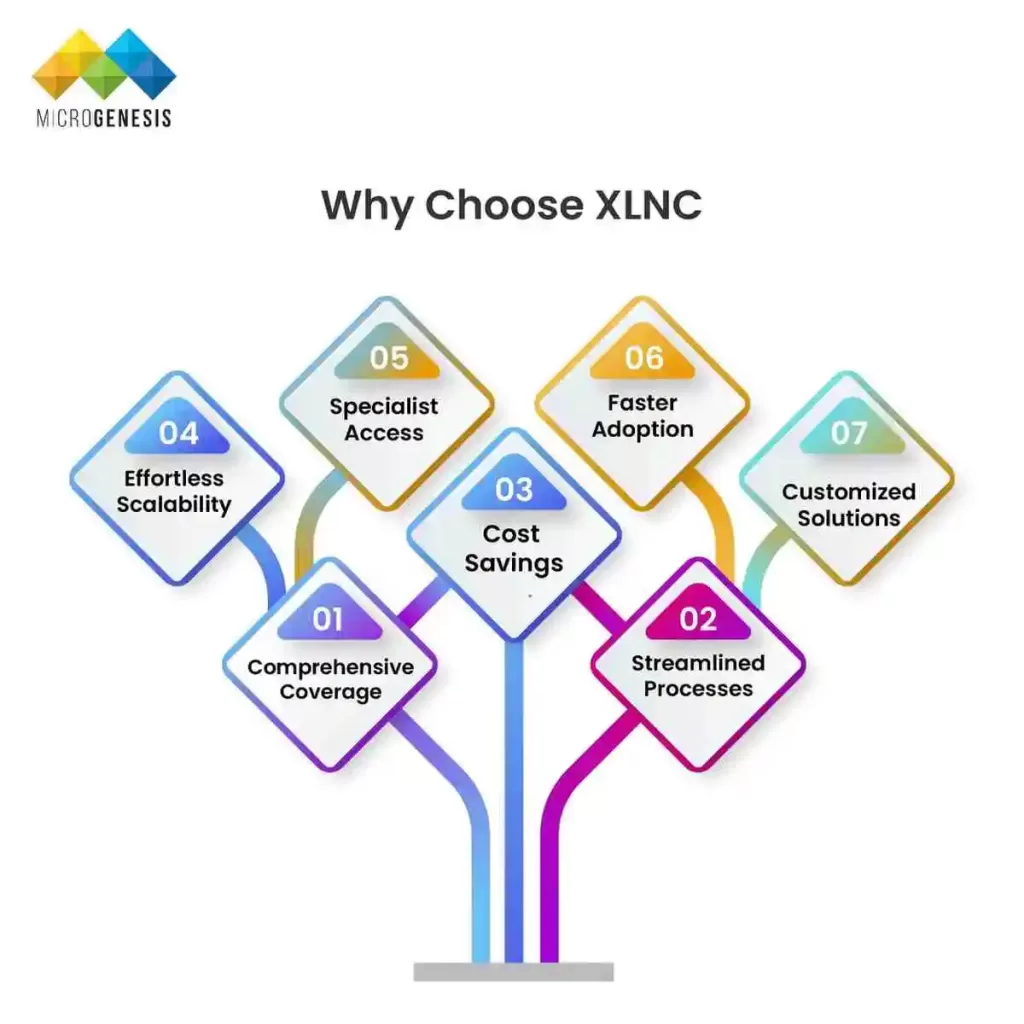
Why Choose XLNC?

With a commitment to delivering business outcomes over deliverables, XLNC goes beyond the role of a traditional managed services provider. We become an extension of your team, helping you maximize returns from your existing investments while laying a future-ready foundation. 

Here's how our approach stands out:

  • Comprehensive Coverage – We understand the complexities of diverse technology ecosystems. XLNC provides end-to-end support across multiple domains—including Atlassian, cloud, DevOps, ITSM, data, and automation—ensuring your tools work together seamlessly. 
  • Streamlined Processes – Our optimization strategies eliminate silos, reduce handoff delays, and enable better visibility across projects. This leads to increased velocity, better resource utilization, and higher stakeholder satisfaction. 
  • Cost Savings – Through license optimization, resource efficiency, and process automation, XLNC helps you drive down operational costs without compromising performance. Our proactive approach prevents costly downtime and avoids unnecessary rework. 
  • Effortless Scalability – Whether onboarding new teams, integrating new tools, or scaling operations across geographies, XLNC’s scalable delivery model and flexible support tiers ensure your systems grow as your business does. 
  • Specialist Access – Tap into a pool of seasoned experts, certified professionals, and domain specialists who understand the nuances of your stack and business vertical. Our specialists provide both strategic advice and hands-on support. 
  • Faster Adoption – New technologies only generate ROI when fully adopted. Our onboarding accelerators, training, and change management plans ensure faster time-to-value from your digital investments. 
  • Customized Solutions – We don’t believe in one-size-fits-all. Every engagement starts with understanding your objectives, challenges, and constraints—resulting in tailored roadmaps, governance models, and automation strategies aligned with your business goals. 

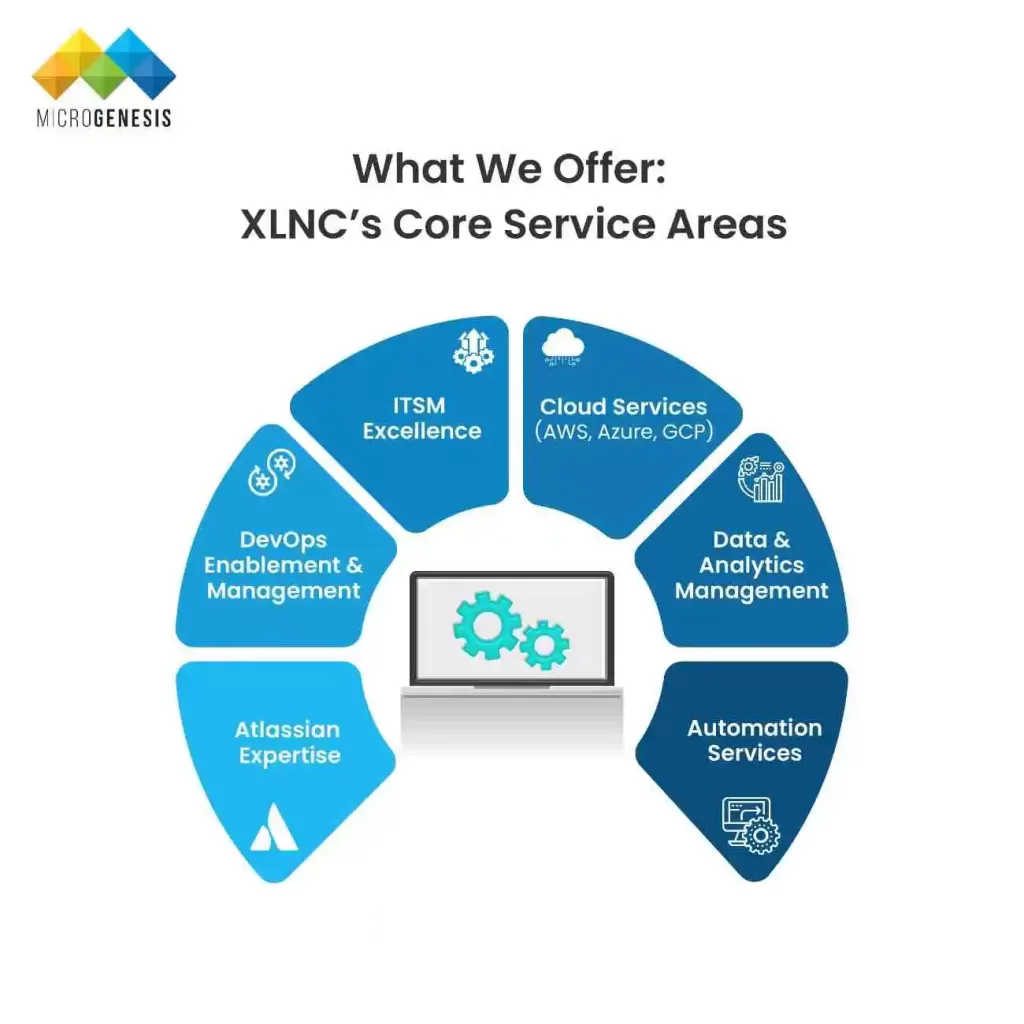
What We Offer: XLNC’s Core Service Areas

1. Atlassian Expertise

At the heart of digital teamwork lies the Atlassian suite—Jira Software, Confluence, Bitbucket, and Jira Service Management. XLNC’s certified Atlassian experts provide: 

  • Licensing Management: Ensure cost-effective usage and compliance. 
  • Customization & Configuration: Adapt workflows, fields, and issue types to your teams’ actual processes. 
  • App Development & Marketplace Integration: Build and integrate custom apps or leverage prebuilt solutions from the Atlassian Marketplace. 
  • Cloud Migrations: Smooth transitions from Server/Data Center to Atlassian Cloud with minimal disruption. 

Industry Example: A healthcare provider with HIPAA requirements used XLNC to optimize Jira for clinical ticket tracking while maintaining strict access control using Atlassian Access. 

2. DevOps Enablement & Management

Enable faster release cycles, improved collaboration between dev and ops, and infrastructure agility: 

  • CI/CD Pipelines: Using Jenkins, GitLab, GitHub Actions. 
  • Infrastructure as Code: Terraform and Ansible for reproducible environments. 
  • Containerization & Orchestration: Kubernetes and Docker for scalable, resilient apps. 
  • Monitoring & Alerting: Prometheus, Grafana, and New Relic for observability. 

Industry Example: A fintech firm reduced deployment times by 50% using XLNC’s integrated DevOps toolchain and automation framework. 

3. ITSM Excellence

Modern service delivery isn’t just about IT—it’s about enterprise service management. We help organizations: 

  • Build ITIL-aligned service desks in Jira Service Management 
  • Implement SLA-driven incident, change, and problem workflows 
  • Extend service automation to HR, legal, and finance departments 
  • Set up self-service portals and knowledge bases 

Industry Example: A retail chain implemented XLNC’s ITSM framework to digitize internal HR queries, resulting in 35% less time spent on employee onboarding. 

4. Cloud Services (AWS, Azure, GCP)

Accelerate cloud adoption with governance, cost optimization, and infrastructure modernization: 

  • Strategy & Assessment: Evaluate readiness and create roadmaps 
  • Migration & Replatforming: Seamless move from legacy to cloud-native environments 
  • Security & Compliance: Enforce best practices for data privacy, encryption, IAM 
  • Cost Governance: Cloud usage reporting, right-sizing, and budgeting 

Industry Example: A logistics enterprise saved 22% in hosting costs within six months of migrating their Jira and Confluence infrastructure to AWS with XLNC. 

5. Data & Analytics Management

Convert your data into actionable insights: 

  • Data Engineering: Build secure pipelines across business systems 
  • BI Dashboards: Interactive visualizations using Power BI, Tableau 
  • Database Administration: Optimize and secure PostgreSQL, SQL Server, MongoDB 

Industry Example: A manufacturing firm reduced reporting turnaround from 3 days to 30 minutes by consolidating data from Jira, SAP, and Excel into a unified BI dashboard. 

6. Automation Services

Simplify repetitive tasks and improve workflow velocity: 

  • RPA Implementation: Using UiPath or Power Automate to reduce manual workloads 
  • Script Development: Custom Python/JavaScript scripts for Jira and Confluence automation 
  • Workflow Automation: Conditional rules in Jira Service Management and Bitbucket pipelines 

Industry Example: A media company automated 80% of its Jira request triage process with XLNC’s help, allowing the IT team to focus on higher-priority tasks. 

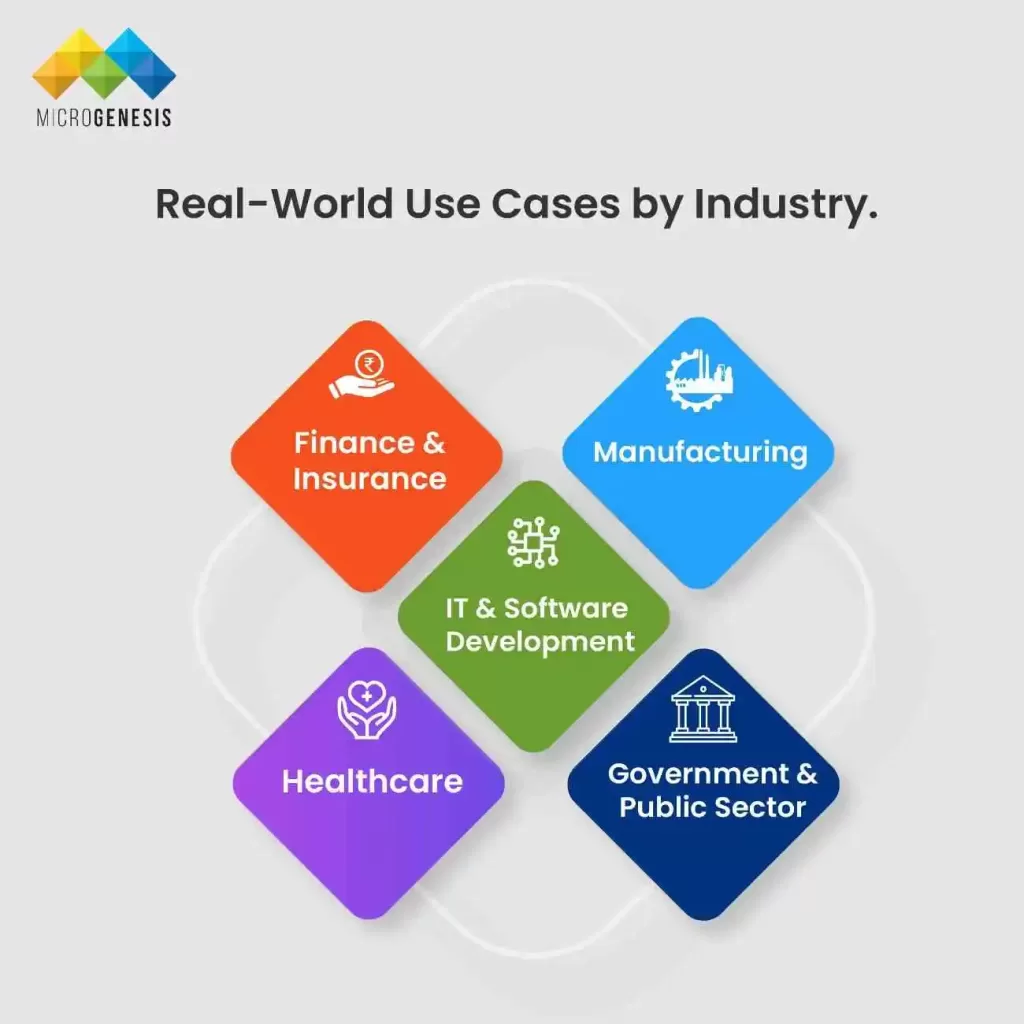
Real-World Use Cases by Industry

IT & Software Development

In today’s competitive software landscape, IT teams need seamless workflows and faster deployments. XLNC helps: 

  • Streamline agile delivery using Jira Software and Bitbucket pipelines 
  • Automate development cycles with CI/CD pipelines and GitOps 
  • Align DevOps metrics with product management KPIs 

Example: A SaaS provider accelerated its release cycle by integrating XLNC-managed CI/CD pipelines, reducing manual intervention and deployment time by 60%. 

Healthcare

Compliance, patient data security, and process automation are crucial in healthcare. XLNC enables: 

  • HIPAA-compliant Jira Service Management setups for secure incident handling 
  • Real-time operational reporting using Confluence and BI dashboards 
  • Integration of patient workflows into service desk systems 

Example: A multi-hospital network used XLNC to automate scheduling and escalations through Jira Service Management, decreasing incident response time by 35%. 

Finance & Insurance

Financial institutions require high security, traceability, and compliance. XLNC delivers: 

  • SOX-compliant access and audit trails in Atlassian environments 
  • Custom dashboards for fraud alerts and risk scoring 
  • Secure document workflows and approvals in Confluence 

Example: A leading insurer partnered with XLNC to implement a real-time claims processing dashboard, cutting turnaround by 50%. 

Manufacturing

Factories and suppliers rely on real-time visibility and coordination. XLNC provides: 

  • Jira Service Management for quality assurance and vendor management 
  • Workflow automation for procurement and supply chain tracking 
  • BI dashboards to analyze downtime, inventory, and production performance 

Example: A global manufacturer used XLNC to automate incident triage and link issues to root cause analytics, reducing equipment downtime by 40%. 

Government & Public Sector

Public agencies prioritize transparency, compliance, and digital accessibility. XLNC supports: 

  • Secure cloud migrations with data sovereignty controls 
  • Jira-based ITSM systems for policy request tracking and citizen service delivery 
  • Automated workflows for approvals, document control, and compliance audits 

Example: A state department migrated its legacy service desk to Atlassian Cloud with XLNC, improving response time and audit traceability across departments. 

Customer Success Snapshots

Case Study: Global Telecom Leader

  • Challenge: Complex Jira ecosystem across 14 regions 
  • Solution: Centralized Jira governance, integrated DevOps, and SSO 
  • Outcome: 40% faster issue resolution, $250K/year in tool cost savings 

Case Study: Fintech Startup

  • Challenge: Manual deployment cycles, lack of monitoring 
  • Solution: CI/CD with GitHub Actions, Prometheus dashboards 
  • Outcome: Release cycles improved from weekly to daily 

Customer Success Snapshots

Selecting the right managed services partner can drastically influence your operational performance, strategic agility, and long-term ROI. Here’s how XLNC Managed Services compares to traditional support models across key areas: 

Criteria
XLNC Managed Services
Traditional Support Models
Proactive Optimization
Yes – Regular audits and tuning
No – Reactive issue resolution only
24/7 SLA-based Support
Yes – Global coverage with escalation
Often limited to business hours
Strategic Advisory
Included – Technology and roadmap input
Not available or additional cost
Toolchain Coverage
End-to-end across Atlassian, DevOps, Cloud
Tool-specific and often siloed
Continuous Training
Regular enablement and adoption programs
Rare or informal sessions
Business Alignment
High – Custom roadmaps and KPIs
Low – Generic SLAs, little customization
Implementation Support
Embedded project delivery expertise
Outsourced or third-party recommended
Cost Predictability
Transparent, value-based pricing
Unpredictable support or hourly rates
Automation & Innovation
Embedded in delivery methodology
Limited to client-initiated requests

With XLNC, you gain more than a vendor—you gain a strategic ally focused on driving outcomes, enabling transformation, and supporting innovation at scale.  

FAQs

Yes. We provide services for Data Center, Server, and Atlassian Cloud.

Most engagements start within 5–10 business days following discovery and contract signing.

We work with startups, SMBs, and large enterprises—customizing our services to fit your scale and goals. 

Absolutely. We specialize in Jira reporting and BI dashboards that unify your data ecosystem.

Let’s Build Excellence Together

With XLNC Managed Services, you gain a trusted partner committed to optimizing your technology ecosystem and driving continuous innovation. From strategic advisory to full-scale implementation and proactive support, we bring the people, processes, and tools that power lasting transformation. 

SERVICES

Get Started Today!

Fill out the form below, and our team will reach out to help you optimize your IT infrastructure and ensure enterprise-wide transformation.

Our Blogs
PTC Codebeamer and IBM ELM Integration: A Complete Guide with Our OSLC Adapter and Services

PTC Codebeamer and IBM ELM Integration: A Complete Guide with Our OSLC Adapter and Services

PTC Codebeamer and IBM ELM Integration:
A Complete Guide with Our OSLC Adapter and Services

Table of Contents

Introduction: The Need for Cross‑Platform ALM Integration

In regulated industries like automotive, aerospace, and healthcare, engineering teams often rely on a mix of tools—such as IBM Engineering Lifecycle Management (ELM) for compliance-heavy systems and PTC Codebeamer for Agile development and traceability. However, when these platforms operate in isolation, they create silos that lead to duplicated effort, traceability gaps, and audit risks. A seamless integration using OSLC-based adapters bridges these gaps, ensuring synchronized workflows, real-time traceability, and better cross-team collaboration. 

Key Challenges Without Integration:

  • Disconnected requirements, development, and test data 
  • Manual data duplication and sync errors 
  • Difficulty maintaining compliance traceability 
  • Slower audits and risk of non-compliance 

Why Integration Matters:

  • Streamlines workflows across tools 
  • Enables live linking and automated updates 
  • Improves collaboration between system and software teams 
  • Enhances audit readiness and reporting 

What Is IBM ELM and PTC Codebeamer Integration?

IBM Engineering Lifecycle Management (IBM ELM) is a suite of tools designed to support end-to-end systems engineering in highly regulated industries. It covers requirements management, architecture, change management, and quality assurance—aligned to standards such as DO-178C, ARP 4754, ISO 26262, and IEC 62304. PTC Codebeamer, on the other hand, is a modern ALM platform known for its configurability, variant management, built-in regulatory templates, and robust support for Agile and DevOps workflows. When both platforms are used within the same organization—often across departments or development stages—the lack of integration can lead to duplicated work, communication breakdowns, and compliance risks. 

By integrating IBM ELM and PTC Codebeamer using an OSLC-based adapter or API bridge, organizations can synchronize key artifacts—such as requirements, test cases, change requests, and defects—across both systems. This allows cross-functional teams to collaborate seamlessly while using their preferred tools, improving efficiency, visibility, and traceability. 

Key Integration Capabilities:

  • Bidirectional synchronization of work items (e.g., requirements, defects, test cases) 
  • Live linking of artifacts between ELM and Codebeamer 
  • Preservation of traceability chains for audits and safety standards 
  • Real-time collaboration across different lifecycle stages 
  • Support for change impact analysis across both tools 

This integration ensures that engineers, testers, quality managers, and compliance teams are always working with the latest, most accurate information—regardless of which platform they use. 

The Role of OSLC and REST APIs in ALM Integration

Effective integration between ALM platforms like IBM ELM and PTC Codebeamer requires a flexible yet standardized approach. This is where OSLC (Open Services for Lifecycle Collaboration) plays a central role. OSLC is an open standard specifically designed to link artifacts—such as requirements, test cases, change requests, and defects—across heterogeneous tools. It allows users to create and maintain traceable relationships between lifecycle elements in real time, directly from within their primary working environment. This ensures that teams working across platforms can view and access related data without duplicating or migrating information. OSLC also ensures that these links remain live and context-aware, supporting end-to-end traceability that is critical for compliance-heavy industries. 

While OSLC excels at live linking and traceability, REST APIs (Representational State Transfer) provide the technical backbone for more robust operations, such as bulk data synchronization, artifact creation, and event-based integration. REST APIs allow direct access to platform data and workflows, enabling our adapter to push or pull large sets of data between IBM ELM and Codebeamer in a scalable and controlled manner. By combining OSLC and REST APIs, our integration solution achieves the best of both worlds: real-time visibility for users and backend data consistency for systems. 

Key Integration Features Enabled by OSLC + REST:

  • Live traceability across IBM ELM and Codebeamer artifacts 
  • Seamless in-browser linking and navigation between platforms 
  • Batch sync for high-volume updates or periodic data refresh 
  • Event-triggered updates (e.g., on status change or approval) 
  • Compatibility with compliance requirements through trace logs and versioning 

This dual-approach ensures robust, scalable, and traceable integration—designed for the complex demands of modern product development environments. 

Our ELM Integration Adapter: Architecture & Benefits

Our ELM Integration Adapter is purpose-built to connect IBM ELM (including modules like DOORS Next, ETM, and EWM) with PTC Codebeamer, ensuring smooth, bidirectional synchronization of ALM artifacts. The architecture is designed for flexibility and scalability, combining OSLC live linking with REST-based data exchange. This hybrid approach allows teams to maintain real-time traceability across systems while also supporting backend sync for audits, reporting, and bulk updates. 

The adapter is configuration-driven—no custom coding needed for most integrations. Teams can define mappings between requirement types, workflows, statuses, and even attachments or comments. Event listeners detect when artifacts are created or modified and ensure updates propagate to the connected system, while maintaining data fidelity and integrity across environments. 

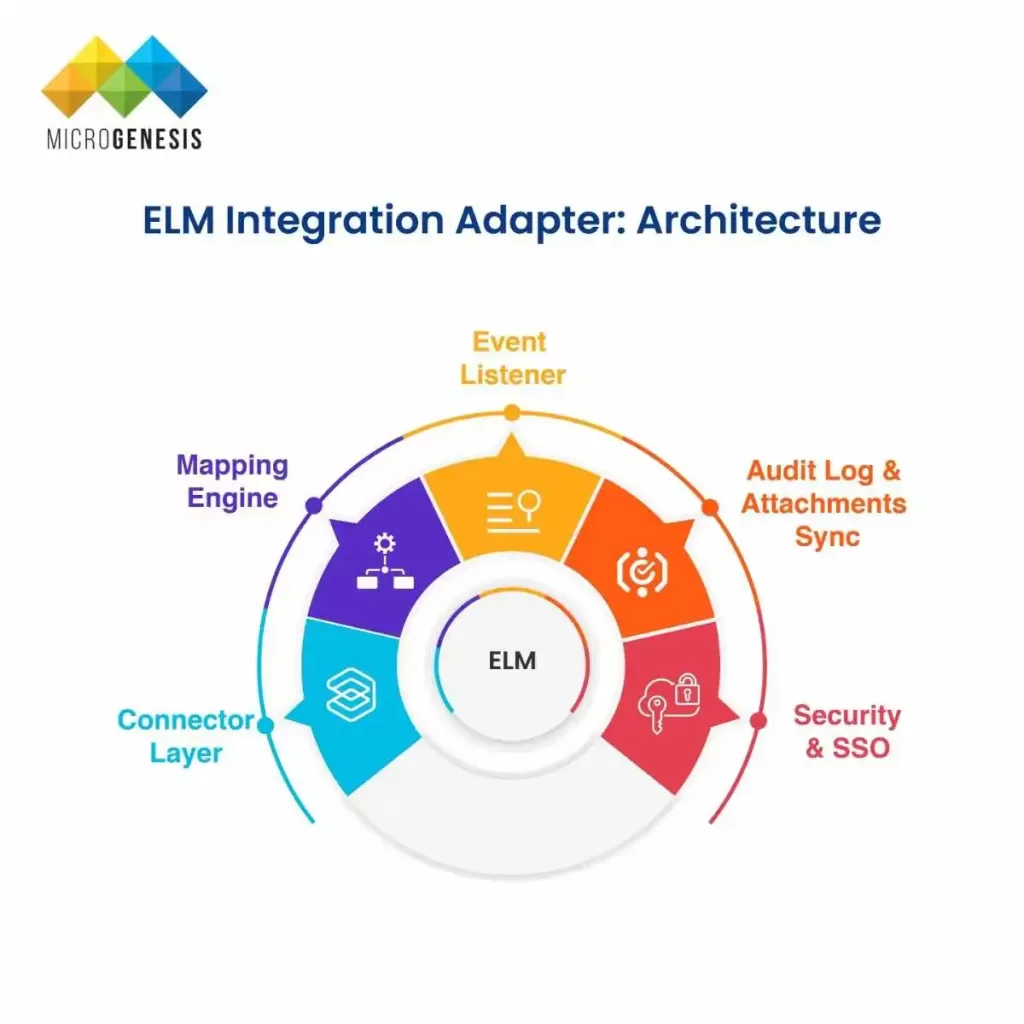
📐 Architecture Overview:

  • Connector Layer: OSLC connectors for IBM ELM (RM, ETM, CCM) and REST integrations with Codebeamer artifacts. 
  • Mapping Engine: Flexible mapping logic for aligning field types, statuses, workflows, and artifact types (e.g., ELM Requirement → Codebeamer Work Item). 
  • Event Listener: Detects create/update events and pushes real-time or batch updates between platforms. 
  • Audit Log & Attachments Sync: Maintains full sync of version history, comments, attachments, and trace links. 
  • Security & SSO: Supports enterprise-grade security with SAML or OAuth2-based SSO and role-aware access control. 

🎯 Key Benefits:

  • Live traceability across IBM and PTC ALM tools 
  • Significant reduction in manual sync efforts and reconciliation errors 
  • Unified data model for cross-platform reporting and dashboards 
  • Full audit-readiness with traceable version history and logs 
  • Scalable integration without code changes—driven by configuration 


This adapter empowers organizations to achieve end-to-end visibility, maintain regulatory compliance, and improve engineering collaboration across tool boundaries. 

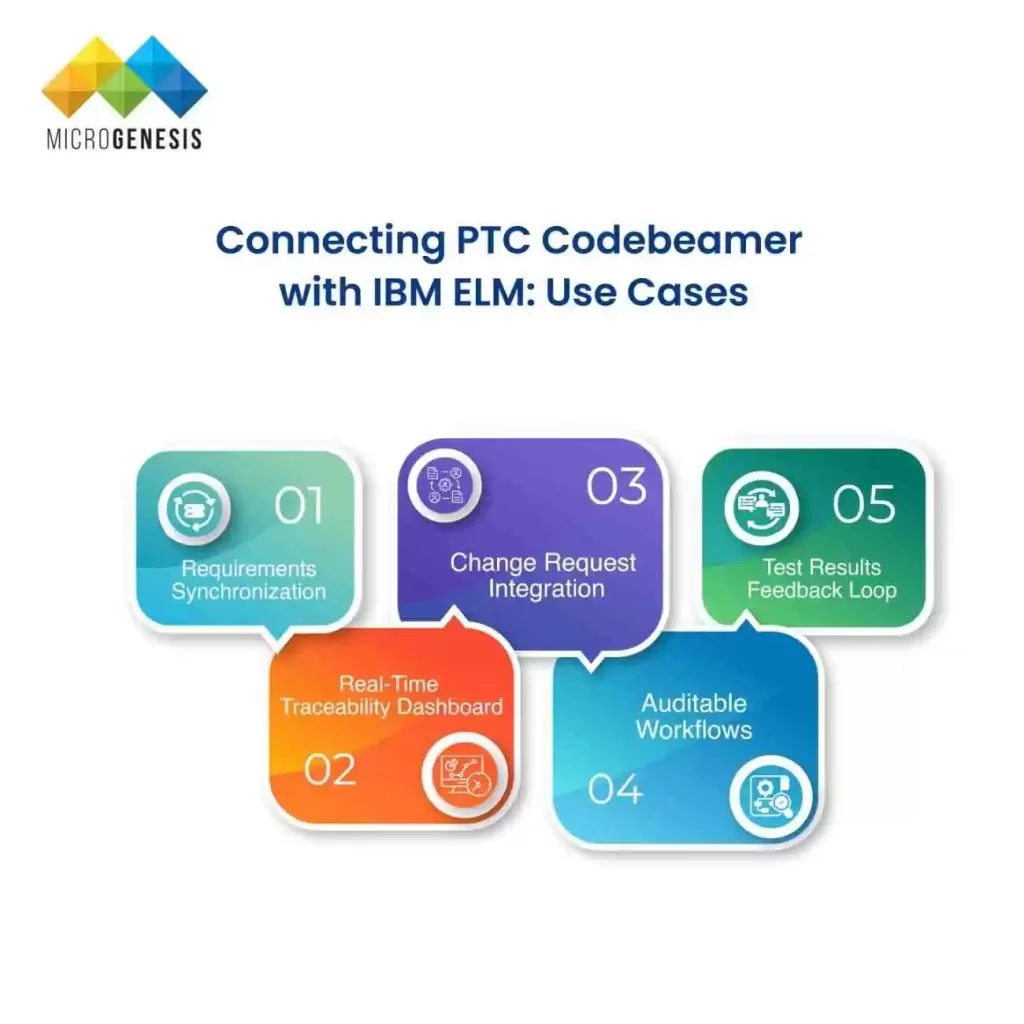
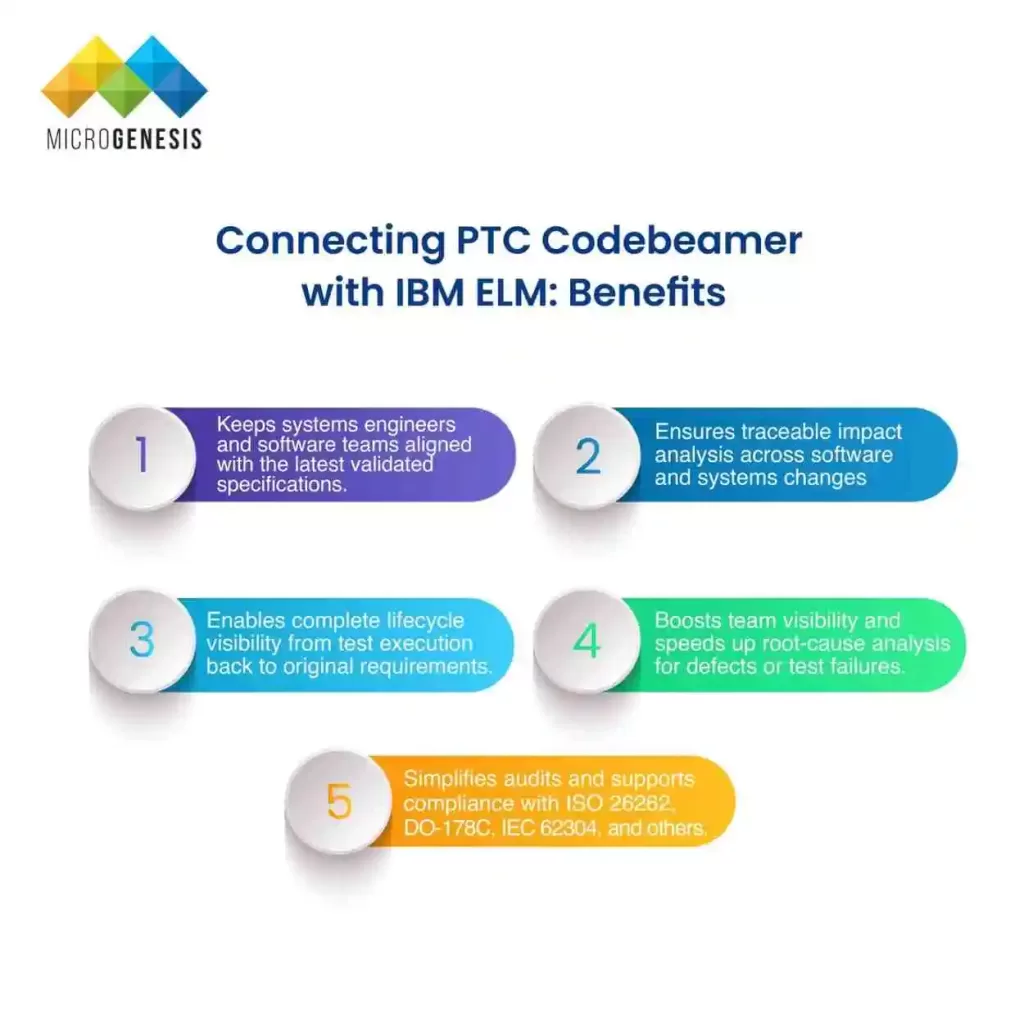
Connecting PTC Codebeamer with IBM ELM: Use Cases & Benefits

Integrating PTC Codebeamer with IBM ELM unlocks significant efficiencies across the systems and software engineering lifecycle. Organizations using both tools often struggle with disconnected workflows, inconsistent data, and redundant effort across teams. With a robust integration in place, ALM artifacts like requirements, test cases, change requests, and defect reports can be automatically synchronized—enabling seamless collaboration and faster decision-making. 

The integration creates a shared digital thread across platforms, allowing domain experts—from embedded development teams to system architects and QA leads—to work in their preferred environments while staying aligned. Below is a breakdown of key integration use cases and their business and technical benefits: 

Use Case
Description
Benefit
Requirements Synchronization
Automatically sync requirements between IBM DOORS Next/ReqM and Codebeamer.
Keeps systems engineers and software teams aligned with the latest validated specifications.
Change Request Integration
Link change tickets created in Codebeamer (e.g. from Agile sprints) with ELM Change Management (EWM/RTC).
Ensures traceable impact analysis across software and systems changes.
Test Results Feedback Loop
Feed Codebeamer test results (pass/fail, logs) into IBM ETM (Quality Management) for reporting and coverage.
Enables complete lifecycle visibility from test execution back to original requirements.
Real-Time Traceability Dashboard
Cross-platform trace link visualization—from DOORS Next requirements to Codebeamer defects and tests.
Boosts team visibility and speeds up root-cause analysis for defects or test failures.
Auditable Workflows
Ensure traceable status transitions, approvals, and data lineage across both platforms.
Simplifies audits and supports compliance with ISO 26262, DO-178C, IEC 62304, and others.

Technical Deep Dive: How Our Adapter Works with Your Toolchain

Our ELM–Codebeamer integration adapter is purpose-built to handle the complexities of regulated, multi-tool ALM environments. Designed to work without heavy customization, it offers a configuration-first, scalable architecture that integrates seamlessly into your existing toolchain. 

Below is a deeper look at the core technical capabilities of the adapter and how it fits into your development ecosystem:  

⚙️ Configuration-Driven Mapping

  • No custom coding required: Administrators define mappings using an intuitive UI. 
  • Artifact Type Mapping: Configure how IBM ELM artifact types (e.g., Requirements, Test Plans, Work Items) map to Codebeamer types (e.g., User Stories, Change Requests, Tests). 
  • Attribute Alignment: Map attributes like priority, status, owner, or version to ensure semantic consistency across platforms. 
  • Link Behavior: Define link types (e.g., validates, satisfies, implements) to maintain end-to-end traceability. 

🔔 Webhook-Based Event Handling

  • Near real-time sync: Webhooks in IBM ELM and Codebeamer listen for create/update/delete events. 
  • Push architecture: Changes are automatically pushed to the target system without polling delays. 
  • Reduced latency: Ensures engineering data is updated within seconds, improving collaboration speed. 

🔄 Conflict Resolution Protocols

  • Configurable policies: Choose between “last writer wins” or rules-based merge logic for conflict scenarios. 
  • Validation checks: Ensure changes are compliant with workflow rules or approval steps before propagation. 
  • Audit trail: Full history of changes and resolution actions is stored for compliance and governance. 

📎 Binary & Attachment Synchronization

  • Support for rich artifacts: Files such as test result logs, PDFs, images, and requirement documents are synced along with metadata. 
  • Integrity preservation: Checksums and version IDs are retained to ensure traceable documentation. 
  • Efficient transmission: Optimized for minimal bandwidth consumption, with optional compression. 

🔗 Link Visualization & OSLC UI Previews

  • Context-aware linking: Artifacts from Codebeamer are visible in IBM ELM (and vice versa) as live, clickable links. 
  • OSLC link previews: Hover or click to reveal artifact summaries without leaving your current tool. 
  • End-user clarity: Engineers see trace links in their native UI, reducing navigation friction and boosting productivity. 

🔄 Flexible Master–Slave Configurations

  • Master-slave or bi-directional: Choose whether one system is the source of truth or allow two-way synchronization. 
  • Use-case-driven modes: 

– IBM ELM as master: Ideal when systems engineering drives requirement changes. 

– Codebeamer as master: Useful when Agile teams originate features and feedback loops. 

– Bi-directional: Enables full parity for dynamic environments with complex stakeholder inputs. 

🧩 Toolchain Compatibility

Our adapter is built for integration flexibility: 

  • Works with on-premise or cloud-hosted instances of IBM ELM and Codebeamer. 
  • Supports hybrid DevOps toolchains using Jira, Git, Jenkins, Polarion, or other platforms alongside ALM. 
  • Compatible with AWS, Azure, or private cloud deployment models. 


By embedding this adapter into your toolchain, your teams gain real-time visibility, full traceability, and automation without disrupting current workflows. This technical foundation not only bridges ALM silos but also ensures your compliance and quality assurance processes remain intact and auditable. 

Case Studies: Adapter Implementation in Automotive & Aerospace

Case Study A — Automotive OEM:

  • Used Codebeamer for feature release & sprint planning; IBM RM/ETM for system requirements and test engineering. 
  • Adapter enabled live mapping between system and embedded requirements, dramatically reducing handover meetings. 
  • Reduced requirement drift by 90%, helped audit lean. 

Case Study B — Aerospace Manufacturer:

  • High traceability needed across safety certification. Integration allowed test evidence generated in Codebeamer to automatically reflect in IBM ETM for review. 
  • Compliance artifacts were auto bundled for regulators; audit cycles shortened by multiple days. 

Measuring ROI from Integrated ALM Systems

Investing in integrated ALM (Application Lifecycle Management) systems isn’t just about convenience—it’s a strategic move that delivers measurable returns across quality, compliance, and team efficiency. When platforms like IBM ELM and PTC Codebeamer are synchronized via a robust OSLC-based adapter, the impact ripples across the organization. Integration eliminates redundancy, shortens development cycles, and minimizes compliance risks, which directly translates to both time and cost savings. 

For enterprises in regulated sectors such as automotive, aerospace, and healthcare, the ROI is not hypothetical—it’s tangible and often fast. By removing the silos between systems engineering and product development teams, companies unlock unified reporting, real-time traceability, and improved collaboration. This, in turn, enables quicker decisions, fewer reworks, and more predictable release cycles. 

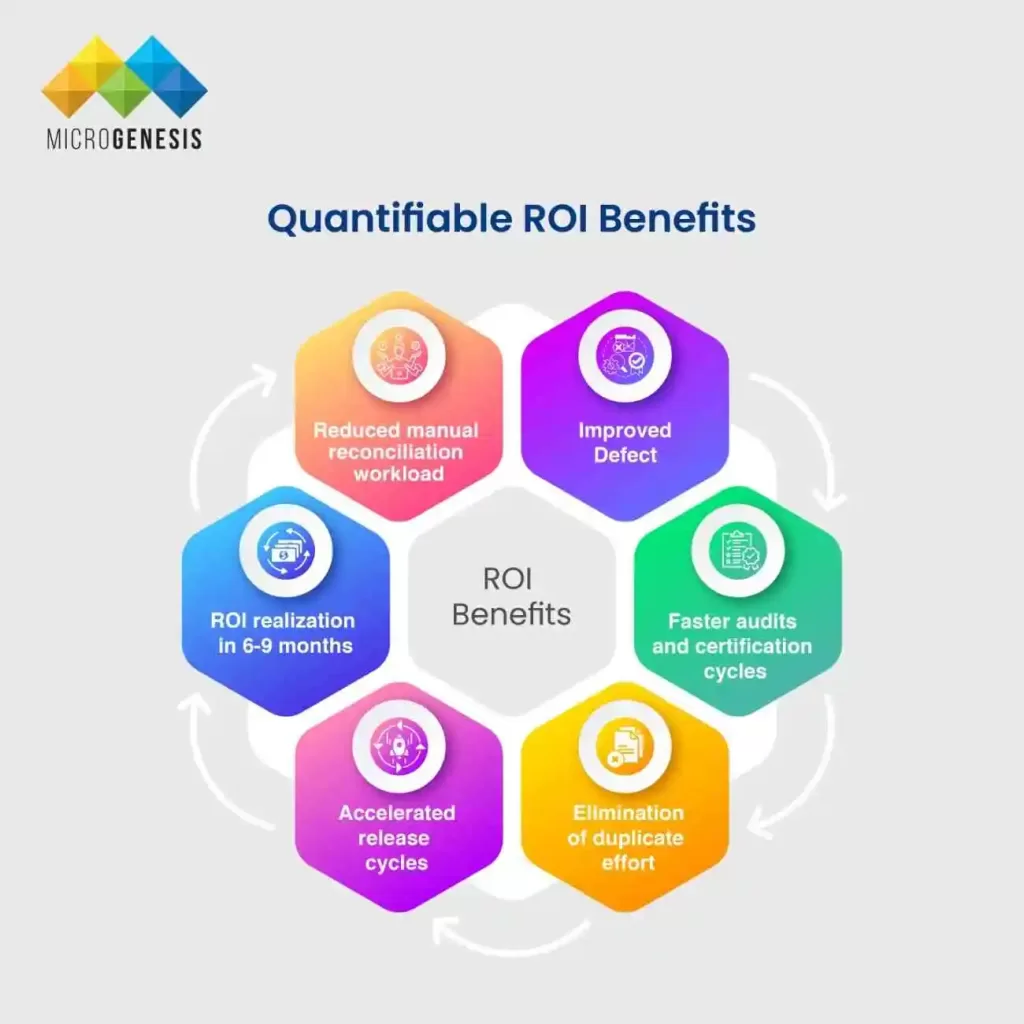
Quantifiable ROI Benefits

  • ⏱️ Reduced manual reconciliation workload 
    Up to 80% savings in time spent manually updating and aligning data between tools. 
  • 🐞 Improved defect-to-requirement traceability 
    Enhanced visibility reduces “escaped” defects and accelerates root cause identification. 
  • 📋 Faster audits and certification cycles 
    With trace links and change histories always up to date, teams spend significantly less time preparing for audits and external certifications. 
  • 🔁 Elimination of duplicate effort 
    No need for multiple teams to replicate changes—single-source updates are propagated automatically. 
  • 🚀 Accelerated release cycles 
    With tighter integration and automated test feedback loops, cycle time reductions of 25–40% are common. 
  • 💰 ROI realization in 6–9 months 
    Most organizations recover their integration investment within the first 6–9 months, driven by time savings, reduced audit overhead, and fewer quality-related delays. 


Integrated ALM is more than a technical upgrade—it’s a business enabler that improves operational efficiency, regulatory readiness, and product quality. By investing in a unified system with intelligent sync, you reduce risk, control costs, and deliver better products, faster. 

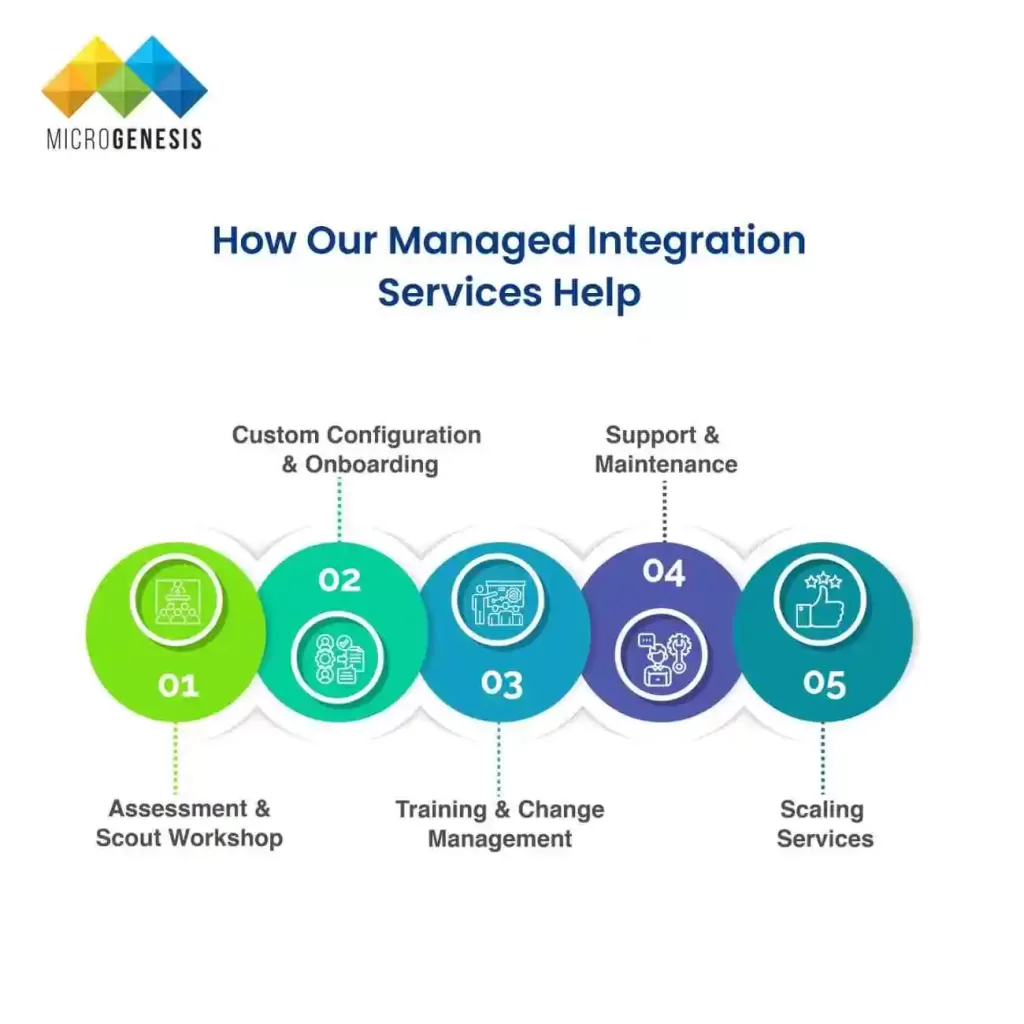
How Our Managed Integration Services Help

Implementing and maintaining integration between IBM ELM and PTC Codebeamer can be complex—especially in regulated environments with diverse workflows, evolving compliance needs, and distributed teams. That’s why we offer a fully managed integration service, designed to remove technical barriers and ensure long-term success. From initial setup to scaling support, our team works closely with yours to ensure the integration delivers real value from day one. 

Whether you’re deploying the integration in a single project or across multiple business units, our services adapt to your pace and needs. We don’t just deploy software—we help operationalize traceability, compliance, and collaboration across your ALM ecosystem, so your teams can focus on innovation, not syncing tools. 

🔧 End-to-End Managed Services Include:

  • 🔍 Assessment & Scout Workshop 
    We start by evaluating your current ALM landscape, stakeholder roles, artifact types, and integration pain points—resulting in a gap analysis and recommended roadmap. 
  • ⚙️ Custom Configuration & Onboarding 
    We tailor the integration to match your custom artifact types, workflows, naming conventions, and access controls in both ELM and Codebeamer. 
  • 📚 Training & Change Management 
    Hands-on workshops, user guides, and knowledge transfer sessions ensure both technical and business teams can effectively use and maintain the integration. 
  • 🛠️ Support & Maintenance 
    Our team provides ongoing support with SLA-based coverage, version upgrades, hotfixes, and reconfiguration as your toolchains evolve. 
  • 📈 Scaling Services 
    Need to onboard new teams, product lines, or geographies? We help scale the integration across multiple instances, projects, and domains without disrupting ongoing work. 


Our goal is to deliver a seamless integration that evolves with your enterprise, keeps you compliant, and enhances engineering agility. Whether you’re modernizing your toolchain or preparing for large-scale digital transformation, our managed services make your integration strategy a success. 

SERVICES

Unlock Seamless Integration Between PTC Codebeamer and IBM ELM Today

Our Blogs
Atlassian Managed Services: Complete Guide for Teams

Atlassian Managed Services: Complete Guide for Teams

Atlassian Managed Services:
Complete Guide for Teams

Table of Contents

In today’s fast-paced digital work environment, development and operations teams face increasing pressure to deliver faster, with fewer errors, and at scale. As businesses grow, so does the complexity of their tooling environments. For teams using Jira, Confluence, Bitbucket, and other Atlassian products, the need for consistent performance, security, and customizability becomes essential. This is where Atlassian Managed Services come into play. 

This comprehensive guide explores what Atlassian Managed Services are, why they matter, and how they support everything from Jira Service Management and Jira Work Management, to Jira Software Project Management and advanced ITSM practices. 

What Are Atlassian Managed Services?

Definition

Atlassian Managed Services refer to the expert-led support and administration of Atlassian tools by certified partners or internal DevOps teams. These services encompass a range of offerings including tool configuration, upgrades, user support, integration management, performance tuning, and security. 

Scope of Services – Atlassian Managed Services

1. Jira Software Administration

We provide complete administrative support for Jira Software, ensuring your projects, boards, sprints, and configurations align with your business objectives. From setting up agile boards to managing custom issue types and fields, we handle every backend task so your teams can focus on delivery. 

Key capabilities:

  • Project setup (Scrum, Kanban, hybrid) 
  • Custom issue type schemes 
  • Screen and field configuration 
  • Release and version tracking 
  • Project archiving and cleanup 

2. Jira Service Management (JSM) Configuration

Our experts configure Jira Service Management to suit ITSM, HR, facilities, and customer support use cases. We implement service projects, request types, SLAs, queues, and approval workflows that enhance response times and service reliability. 

Deliverables include:

  • Portal and knowledge base setup 
  • SLA rules, escalation policies 
  • ITIL process alignment (Incident, Change, Problem) 
  • Request type customization 
  • Automation of ticket routing and prioritization 

3. Workflow Automation and Customization

We design and automate workflows tailored to your business logic using Jira’s native automation rules or tools like ScriptRunner and Automation for Jira. Our approach helps reduce manual tasks and ensures consistent process execution. 

Services include:

  • State transition customization 
  • Auto-assignments and notifications 
  • Multi-step approvals and conditional logic 
  • Post-functions and validators 
  • Custom triggers and webhooks 

4. User and Permission Management

Ensure the right access for the right users with our role-based permission configurations. We manage user provisioning, group policies, and access controls across projects and tools. 

What we handle:

  • User onboarding/offboarding 
  • Role mapping and group configurations 
  • Global vs project-level permissions 
  • Admin permissions audit and cleanup 

5. Security & Compliance Management

We align your Atlassian environment with security standards and compliance requirements (ISO 27001, GDPR, HIPAA, etc.) to mitigate risks and protect sensitive data. 

Key areas covered:

  • Data access control policies 
  • Audit trail setup and logging 
  • Encryption and authentication enforcement 
  • Role-based security policies 
  • Compliance reporting 

6. Performance Optimization

We monitor and fine-tune your Jira and Confluence instances to ensure fast load times, minimal downtime, and scalable configurations — especially for growing teams. 

Performance services include:

  • Index health checks and reindexing 
  • Custom field and scheme optimization 
  • Cleanup of unused workflows, filters, and dashboards 
  • Archiving old projects and tickets 
  • Database and application tuning (for Data Center) 

7. Marketplace App Integration

We help you select, install, and configure trusted apps from the Atlassian Marketplace to extend your instance’s capabilities, while ensuring compatibility and performance. 

Typical integrations:

  • ScriptRunner, Insight/Assets, Xray, BigPicture, Tempo, Automation 
  • App risk analysis and usage tracking 
  • Licensing support and renewals 
  • Custom integration via APIs/webhooks 

8. Reporting & Dashboards

We build custom dashboards and reports to give real-time visibility into team performance, project progress, and SLA compliance using built-in tools and third-party apps. 

We deliver:

  • Project health and sprint velocity reports 
  • SLA and customer satisfaction dashboards (JSM) 
  • Agile burndown/burnup reports 
  • Executive and team-level dashboards 
  • Custom JQL-based filters 

9. Ongoing Support and Maintenance

We offer proactive support and long-term maintenance of your Atlassian tools, including patching, license management, user training, and continuous improvement. 

Support scope includes:

  • L1–L3 admin and functional support 
  • Backup and recovery management 
  • Upgrade planning and testing 
  • Regular health checks and usage reports 
  • User enablement sessions and documentation 

Why Choose Atlassian Managed Services?

1. Save Time and Resources

Managing complex Atlassian environments internally can drain valuable time from IT and development teams. By outsourcing to managed service providers, your team can focus on innovation, product development, and customer success, while certified experts take care of tool maintenance, upgrades, and support. 

2. Expert Support & Governance

Atlassian partners and certified administrators have deep product expertise and experience across industries. They follow proven governance frameworks to manage workflows, permissions, and compliance. This leads to more reliable tool performance, fewer incidents, and better user adoption across teams. 

3. Scalability

Whether you’re onboarding 10 users or 10,000, Atlassian Managed Services offer the flexibility and infrastructure needed to grow without performance issues or mismanagement. Managed providers ensure your Jira, Confluence, and Bitbucket instances evolve in line with your business expansion. 

4. Compliance & Security

Managed providers follow strict protocols to ensure your Atlassian environment complies with industry-specific regulations such as ISO 27001, SOC 2, HIPAA, and GDPR. They proactively manage user access, data protection, encryption, and audit trails, reducing risk and building trust with stakeholders. 

5. Cost Efficiency

Maintaining an in-house team for tool administration can be expensive, especially when spread across multiple tools and projects. Atlassian Managed Services offer predictable pricing, reduce the need for on-site expertise, and prevent costly errors from misconfigurations or downtime. The result: lower total cost of ownership and higher ROI.** 

Reduce the overhead of maintaining full-time tool admins or dealing with avoidable misconfigurations. 

Jira Management – Central to Atlassian Services

Jira Software Management

Jira Software is the backbone of agile project tracking. Through Atlassian Managed Services, teams receive hands-on support in configuring and optimizing Scrum and Kanban boards, managing backlogs, setting up sprints, and establishing best practices for Agile delivery. Service providers ensure alignment between business goals and tool usage. 

Key offerings include:

  • Custom project templates and workflows for different departments 
  • Sprint planning configuration using story points or time estimates 
  • Real-time Agile board setup with filters and swimlanes 
  • Versioning and release management for better roadmap visibility 

Jira Work Management

Jira Work Management provides a simplified interface for business teams such as HR, Marketing, and Finance. Managed Services help non-technical users set up intuitive workflows to manage tasks, approvals, and projects while maintaining compliance and visibility. 

Key capabilities include:

  • Tailored workflows for HR (onboarding), Marketing (campaign planning), and Finance (invoice approvals) 
  • Integrated approval steps and notifications 
  • Workflow automation to reduce manual follow-up and task reassignment 

Jira Service Management (Jira ITSM)

JSM is Atlassian’s ITSM solution built for DevOps speed. Managed Services ensure correct configuration of your service desks, SLAs, asset tracking, and integration with change and incident management systems. 

Core service areas:

  • Multi-channel request intake and branded help centers 
  • SLA tracking and breach notifications 
  • Queue configuration for agents by priority, type, or custom rules 
  • Asset and configuration management via Insight or Asset Management integrations 

Key Metrics to Monitor:

To ensure your Jira instances deliver value, managed service providers continuously monitor: 

  • SLA adherence rate: Tracks how well your support team meets its promises 
  • Issue resolution time: Average time to resolve tickets, critical for customer satisfaction 
  • Customer Satisfaction (CSAT): Based on feedback after issue closure 
  • Agent workload distribution: Ensures support efficiency and prevents burnout 

Key Features and Benefits of Jira ITSM

1. Unified Service Desk

Enable both internal teams and external customers to submit, track, and resolve issues through a centralized portal. With Jira ITSM, organizations can build branded help centers, use multiple request types, and connect knowledge bases to streamline ticket creation. This results in faster response times and higher customer satisfaction. 

2. Automation at Scale

Reduce manual workload by leveraging Jira’s powerful automation engine. Automate ticket categorization, assignment, escalations, notifications, and SLAs. This boosts team productivity, eliminates errors, and ensures consistent execution of IT processes. 

3. Knowledge-Centered Support

Integrate Jira Service Management with Confluence to offer a knowledge base that supports self-service. Customers can resolve common issues without agent interaction, which reduces ticket volume and improves resolution speed. Knowledge articles can be linked directly to tickets and continuously improved over time. 

4. Incident, Problem, and Change Management

Jira ITSM supports ITIL-compliant workflows for managing the entire lifecycle of incidents, problems, and changes. Teams can assess root causes, initiate structured changes, gain approvals, and coordinate releases—all while maintaining traceability and auditability. 

5. Real-Time Reporting

Use Jira’s built-in dashboards and third-party tools to visualize operational performance. Track SLA metrics, resolution trends, agent workloads, and customer satisfaction scores in real time. This helps teams monitor KPIs, identify bottlenecks, and make informed decisions for continuous improvement. 

Common Use Cases Across Teams

For IT Teams:

Atlassian Managed Services help IT teams implement robust ITSM practices using Jira Service Management. From building intuitive service desks to managing incidents and assets, teams benefit from streamlined operations, faster resolution times, and better visibility. 

  • Full ITSM implementation aligned with ITIL standards 
  • Centralized asset and configuration management 
  • Custom incident response workflows with SLA automation 

For Software Development Teams:

Development teams rely on Jira Software and Bitbucket for Agile planning, CI/CD integration, and version control. Managed Services ensure tools are optimized for collaboration, performance, and secure deployments. 

  • Integration of Jira with CI/CD tools like Jenkins, GitHub, or Bitbucket 
  • Enhanced backlog grooming and sprint structuring 
  • Custom release tracking dashboards and readiness workflows 

For Business Teams:

Departments like Marketing, Sales, and Operations use Jira Work Management for tracking campaigns, approvals, and team tasks. Managed Services help configure user-friendly workflows, automate repetitive actions, and generate real-time status updates. 

  • Visual task management and Kanban views 
  • Cross-functional project collaboration with reporting 
  • Automated notifications, escalations, and SLA reminders 

For HR/Legal/Finance:

These teams benefit from Jira’s process-driven environment to manage sensitive operations with traceability and compliance. 

  • Employee onboarding and offboarding process automation 
  • Legal contract submission, review, and approval tracking 
  • Finance request workflows with full audit trails and policy compliance 

How Managed Services Improve Jira Governance

Governance Elements:

  • Naming conventions 
  • Role-based access control 
  • Archival policies 
  • Marketplace app vetting 

Benefits:

  • Reduce instance sprawl 
  • Avoid permission errors 
  • Improve auditability and change management 

Integrations and Customizations

Typical Integrations:

  • Slack, MS Teams, Zoom 
  • GitHub, GitLab, Bitbucket 
  • Microsoft 365, Google Workspace 
  • Salesforce, Zendesk, HubSpot 

Custom Development:

  • Jira Connect apps 
  • REST API integrations 
  • Custom scripts and post functions 

Migrating to Atlassian Cloud – The Managed Way

Steps Involved:

Assessment & Planning

A thorough assessment of your existing Atlassian environment, including custom configurations, third-party apps, data volumes, and user base. A detailed migration plan is created, outlining risks, timelines, and stakeholders.

Clean-up & Standardization

Legacy data and unused projects, workflows, and custom fields are reviewed and cleaned up. Naming conventions and scheme standards are applied to ensure a clean migration footprint.

App and Data Migration

Core Jira, Confluence, and Bitbucket data, as well as Marketplace apps, are migrated to the Cloud. App compatibility is verified, and data integrity checks are conducted before and after migration.

User Training & Change Management

End-users, admins, and stakeholders are onboarded with role-specific training. Communication plans and feedback loops are implemented to ensure adoption and minimize resistance.

Post-Migration Optimization

Performance tuning, permission reviews, and app configurations are completed. Dashboards and reports are rebuilt for the Cloud environment, and ongoing support is initiated.

Benefits of Cloud Migration:

Lower Infrastructure Costs

Eliminate the need for on-premise servers, storage, and maintenance. Atlassian Cloud offers predictable pricing and no hidden IT costs.

High Availability and Performance

Atlassian Cloud provides built-in redundancy, fast load times, and global content delivery to keep your teams productive.

Auto-scaling and Built-in Security

The Cloud platform auto-scales to handle user load and includes enterprise-grade security, compliance certifications, and 99.9% uptime SLAs.

Choosing the Right Managed Service Partner

What to Look For:

Selecting the right Atlassian Managed Services partner is critical to long-term success. Look for certified providers with a strong reputation and a deep understanding of your industry. 

  • Atlassian Solution Partner status: Verify that the partner is officially recognized by Atlassian with current certifications. 
  • Cloud/ITSM/Agile specialization: Ensure the provider has experience with your specific tooling needs—whether migrating to cloud, implementing ITSM workflows, or scaling Agile practices. 
  • Proven case studies: Request examples of similar engagements, including challenges addressed and measurable outcomes delivered. 
  • Strong SLA & support model: Look for clear service level agreements with defined response times, escalation paths, and support tiers. 

Questions to Ask:

  • What is your experience with organizations similar in size and complexity to ours? 
  • How do you approach change management, system upgrades, and minimizing disruption? 
  • Do you offer regular governance reviews and health checks for our Atlassian environment? 
  • How do you ensure ongoing alignment with compliance and security standards? 
  • Can you provide references or testimonials from clients with similar use cases? 

Choosing the right partner ensures a smooth implementation, optimized performance, and a long-term roadmap that aligns with your growth goals. 

Future-Proof Your Atlassian Ecosystem

Atlassian Managed Services are not just about outsourcing admin tasks. They’re a strategic enabler for agility, scale, and continuous improvement across your organization. From Jira Service Management to Jira Work Management and Jira Software Project Management, a managed services model ensures your tools evolve with your business. 

By partnering with the right team, you can confidently adopt best practices, streamline operations, and focus on what matters most—building and delivering great products and services. 

How MicroGenesis Can Help

  • Proven track record in delivering complex Atlassian implementations 
  • Certified team across Jira Software, Service Management, and Cloud Migration 
  • Industry-aligned best practices and customizable governance models 
  • Flexible engagement models for long-term support and on-demand consulting 

From initial audits and design to post-deployment optimization, MicroGenesis acts as your strategic partner in unlocking the full value of your Atlassian ecosystem. 

SERVICES
Our Blogs
Embedded DevOps: Streamlining Embedded Software Development with CI/CD and Automation 

Embedded DevOps: Streamlining Embedded Software Development with CI/CD and Automation 

Embedded DevOps:
Streamlining Embedded Software Development
with CI/CD and Automation

Table of Contents

What is Embedded DevOps?

Embedded DevOps brings DevOps principles—automation, continuous integration/deployment (CI/CD), version control, and collaboration—to embedded systems that combine hardware, firmware, and software components. It enables teams to treat embedded firmware, drivers, OS patches, and board support packages (BSP) with the same agility and reliability as cloud-native applications. 

By adopting Embedded DevOps, organizations can reduce time to market, improve traceability, and manage compliance, all while maintaining hardware-software synergy. 

Why Embedded DevOps is Different (Hardware + Software + Compliance)

Embedded DevOps introduces unique challenges and complexities that set it apart from traditional DevOps implementations. Unlike cloud-native or enterprise software, embedded systems must interact tightly with physical hardware, follow stringent compliance protocols, and handle software that’s often coupled with firmware or real-time systems. 

Here’s a deeper look into what makes Embedded DevOps different: 

1. Hardware Variation and Physical Dependencies

Unlike traditional applications that run in virtualized or containerized environments, embedded systems operate on diverse hardware platforms—ranging from custom boards and sensors to SoCs and microcontrollers. This introduces critical challenges: 

  • Device-specific testing: Each hardware variant may require its own test configuration or build environment. 
  • Simulators vs real hardware: While simulators can support early testing, real hardware is required for validation, especially for performance, power usage, and integration testing. 
  • Long hardware procurement cycles: Hardware availability and lead times can delay automation efforts and CI/CD pipeline stability. 

👉 Impact: Automation must handle hardware availability, version differences, and physical lab integration, often requiring hardware-in-the-loop (HIL) setups. 

2. Firmware and Software Coupling

Embedded software is tightly coupled with firmware, bootloaders, real-time operating systems (RTOS), and hardware abstraction layers. Any change in one component can impact multiple layers. 

  • Dependency management: Updates to firmware or hardware drivers require regression testing across the stack. 
  • Real-time constraints: Timing issues or latency changes due to DevOps automation can cause functional errors in production systems. 
  • Binary compatibility: Different compilers, toolchains, or cross-compilation settings must produce optimized code that runs reliably on constrained hardware. 

👉 Impact: Continuous integration pipelines must coordinate firmware builds, runtime validation, and dependency checks across interconnected layers. 

3. Compliance and Certification Requirements

Many embedded applications serve industries with strict safety, quality, and traceability requirements: 

  • Automotive – ISO 26262 (Functional Safety) 
  • Medical – IEC 62304, ISO 13485 
  • Aerospace/Avionics – DO-178C, ARP4754 
  • Industrial automation – IEC 61508 

These standards require rigorous documentation, process traceability, and evidence of systematic testing. 

  • Every commit must be traceable to a requirement or change request. 
  • Testing artifacts must be version-controlled and linked to the release lifecycle. 
  • Audit readiness must be maintained for external assessments or regulatory inspections. 

👉 Impact: DevOps processes in embedded must include automated test evidence generation, change impact analysis, traceability matrices, and compliance audit support tools. 

4. Toolchain and Environment Complexity

The toolchains for embedded software are often heterogeneous and customized: 

  • Cross-compilation is the norm, requiring compilers for specific chip architectures. 
  • Flashing firmware or performing over-the-air (OTA) updates adds physical interaction to the deployment pipeline. 
  • Hardware-in-the-loop (HIL) testing involves running automated tests against real hardware in controlled conditions. 
  • Version drift among IDEs, SDKs, and debugging tools can break pipeline reliability. 

👉 Impact: DevOps pipelines must manage multiple SDKs, chip toolchains, emulator configurations, and test runners—often without standardization across teams. 

5. Hybrid Nature of Embedded Systems (Hardware + Software)

Embedded systems live at the intersection of software and physical behavior. This dual nature means: 

  • Bugs may originate in mechanical, electronic, or software domains. 
  • Test results may vary depending on environmental conditions (e.g., temperature, voltage fluctuations). 
  • Monitoring and observability are more difficult than with cloud-native apps, due to limited logging/storage capabilities on devices. 

👉 Impact: Embedded DevOps needs better observability, robust rollback mechanisms, and cross-disciplinary collaboration between hardware and software engineers. 

The Embedded Software Lifecycle and DevOps Automation

Embedded software development follows a more hardware-bound and regulated path compared to standard software lifecycles. However, integrating DevOps principles into this lifecycle enables faster delivery, fewer errors, and traceable compliance—while also improving quality and reliability. 

Let’s explore how the embedded software lifecycle looks when DevOps is embedded into each phase: 

1. Requirements Control & Traceability

In regulated industries like automotive, medtech, and avionics, requirements management is critical. 

  • Use version-controlled tools (e.g., Polarion, Jama, DOORS) to maintain requirements. 
  • Link each requirement to specific commits, features, or test cases in your code repository. 
  • Automate traceability reports that show how every requirement is implemented and verified. 

DevOps Value: Full traceability ensures you can pass audits, reduce human error, and align development with safety or performance goals. 

2. Code Integration for Embedded Firmware

Embedded code typically includes a mix of: 

  • C/C++ for firmware 
  • RTOS configurations 
  • Hardware Abstraction Layers (HALs) 

Use Git-based workflows with: 

  • Feature branching 
  • Pull/merge requests 
  • Peer code reviews 
  • Static analysis integration (e.g., MISRA compliance checks) 

DevOps Value: Ensures clean, secure, and standard-compliant codebases with collaborative development practices. 

3. Automated Builds and Cross-Compilation

Each change to the codebase can trigger automated builds for various hardware targets: 

  • Use build automation tools like CMake, Yocto, or Bazel 
  • Trigger CI pipelines (e.g., Jenkins, GitLab CI) on code commits 
  • Cross-compile for different microcontroller architectures (ARM, RISC-V, etc.) 
  • Include compiler warnings, memory maps, and build logs as pipeline artifacts 

DevOps Value: Removes manual build steps, ensures repeatability, and speeds up feedback cycles. 

4. Firmware Packaging and Versioning

After a successful build: 

  • Package firmware into formats like .bin, .hex, or OTA update files 
  • Embed metadata such as firmware version, hardware target, build timestamp, and checksums 
  • Store versioned artifacts in an artifact repository (e.g., Artifactory, S3, Nexus) 

DevOps Value: Ensures reliable, traceable, and secure firmware distribution ready for deployment. 

5. Automated Flashing on Devices or Simulators

Rather than manually flashing boards: 

  • Use test rigs with USB/serial/JTAG interfaces to deploy firmware automatically 
  • Integrate with simulators/emulators for rapid firmware validation 
  • Automate flashing as part of the CI/CD pipeline 

DevOps Value: Speeds up deployment across hardware and removes manual intervention, reducing the risk of bricking devices. 

6. Automated Testing: Unit to HIL

Testing in embedded systems must span multiple layers: 

  • Unit Testing: Verify isolated functions using frameworks like Ceedling or Unity 
  • Integration Testing: Ensure drivers, OS, and application layers work together 
  • HIL Testing: Execute tests on real hardware with sensor simulation or inputs 
  • Regression & Stress Testing: Confirm changes don’t break functionality or performance 
  • Code Coverage: Ensure all branches, functions, and safety-critical paths are tested 

DevOps Value: Builds a culture of continuous quality, catching bugs early and validating hardware-software interactions. 

7. Release Tagging and Documentation

Before deployment: 

  • Apply Git tags for release versions (e.g., v1.2.3) 
  • Record metadata like build ID, board type, test coverage, release notes 
  • Include change logs and test results for audit and rollback 

DevOps Value: Maintains a clean release history and enables rollback or comparison across firmware versions. 

8. Monitoring, Telemetry & OTA Updates

Once deployed to field devices, collect real-world insights: 

  • Log runtime errors, crashes, CPU/memory usage 
  • Use lightweight agents or telemetry modules to send diagnostic data 
  • Push over-the-air (OTA) updates securely 
  • Feed collected data back into CI pipelines for regression analysis 

DevOps Value: Closes the loop by enabling live updates, real-time monitoring, and continuous improvement. 

CI/CD for Embedded Systems: Patterns and Pipelines

Continuous Integration and Continuous Delivery (CI/CD) is a cornerstone of modern software delivery. However, applying CI/CD in embedded systems presents unique challenges due to the presence of hardware dependencies, real-time constraints, compliance requirements, and specialized toolchains. Despite this complexity, embedded teams can—and should—adopt DevOps practices through carefully designed CI/CD patterns and automation pipelines. 

Let’s explore the core patterns, common tools, and a representative pipeline flow for embedded CI/CD. 

Core CI/CD Patterns for Embedded Systems

Embedded CI/CD must adapt to the realities of building, testing, and releasing code that runs on physical hardware. The following patterns are commonly used to make pipelines both scalable and production-grade: 

1. Feature Branch CI

  • What it is: Every developer feature branch triggers an independent CI pipeline on commit or push. 
  • Purpose: Provides early feedback on integration, build errors, and unit tests—without affecting the mainline. 
  • Implementation: Trigger builds and run unit tests (in emulators or containers) per branch. Optionally test on low-cost dev boards or simulators. 

Benefits: Reduces integration risks, keeps master/stable branches clean. 

2. Merge Request Gating

  • What it is: Before merging to main (or release) branch, the CI pipeline must pass all defined checks. 
  • Checks may include: 
  • Compilation for multiple boards 
  • Static code analysis (e.g., MISRA) 
  • Unit & regression tests 
  • Firmware footprint checks 

Benefits: Guarantees code quality before merging and ensures zero-regression on protected branches. 

3. Nightly Full Builds

  • What it is: A scheduled pipeline (usually run at night) that builds for all supported hardware variants, executes extended test suites, and runs stress or long-duration tests. 
  • Often includes: 
  • HIL tests 
  • Power consumption benchmarks 
  • Long-duration memory leak tests 

Benefits: Provides broad validation across multiple configurations with minimal developer disruption

4. Hardware-in-the-Loop (HIL) Pipelines

  • What it is: Test benches or device farms are used to flash and run firmware on real hardware during CI. 
  • Hardware test benches may include: 
  • Real sensors and actuators 
  • Automated test harnesses (robot arms, dials, etc.) 
  • Oscilloscopes or power monitors 

Benefits: Enables real-world testing and validation of timing, interrupts, I/O behavior, and performance metrics—something simulators can’t fully mimic. 

Common Tools and Orchestrators

Setting up CI/CD for embedded systems requires a blend of traditional DevOps tools and hardware-specific infrastructure: 

Stage
Tools / Technologies
CI/CD Orchestration 
GitLab CI, Jenkins, Drone, CircleCI 
Source Control 
Git (with GitHub, GitLab, Bitbucket, etc.) 
Build Tools 
CMake, Make, Yocto, Bazel 
Cross-Compilers 
GCC ARM, IAR, Keil, Clang 
Containers & Agents 
Docker, Kubernetes, self-hosted runners 
Testing Frameworks 
Unity, Ceedling, CppUTest, Google Test 
Static Analysis 
SonarQube, PC-lint, Coverity, MISRA tools 
Artifact Repos 
Artifactory, Nexus, S3, GitLab packages 
HIL Testing Tools 
NI TestStand, OpenHIL, custom Raspberry Pi-based rigs 

Tip: For hardware access, use autoscaling runner pools, USB relay boards, or cloud-connected test benches to scale physical testing on demand. 

Example Embedded CI/CD Pipeline Stages

Here’s how a realistic embedded CI/CD pipeline might be structured, from code to deployment: 

1. Checkout Source Code

  • Pull code from Git repository (feature branch or MR) 
  • Pull linked requirements metadata if integrated with ALM tools 

2. Compile and Cross-Build

  • Trigger cross-compilation for target boards (e.g., STM32, NXP, ESP32) 
  • Generate .hex, .elf, .bin artifacts 
  • Output map files, memory usage, and warnings 

3. Static Analysis and Linting

  • Run MISRA compliance checks, linting, and code quality tools 
  • Generate reports and fail builds on severity thresholds 

4. Unit Testing (on Emulator or Simulator)

  • Run fast unit tests using Ceedling, Unity, etc. 
  • Optional memory leak and boundary condition tests 
  • Coverage reports using gcov/lcov 

5. Flashing Firmware to Target Hardware

Automatically flash devices using:

  • USB/JTAG interfaces 
  • Test boards connected to CI runners 
  • Remote device pools (with provisioning APIs) 

6. Integration and HIL Testing

  • Run tests involving actual I/O 
  • Simulate sensor input using programmable inputs 
  • Monitor outputs via relays, GPIO readers, or CAN sniffers 
  • Log power usage, error states, boot times 

7. Firmware Packaging and OTA Preparation

  • Package verified builds with version numbers and signatures 
  • Bundle with OTA metadata and changelogs 
  • Push to artifact repo or update server 

8. Archive Artifacts and Logs

  • Store firmware binaries, logs, test results, and reports 
  • Generate HTML dashboards for visibility 
  • Optionally push to QA or staging environments 

9. Deployment or Release Trigger

  • Auto-deploy to staging or test environment 
  • Notify QA or Release team with reports 
  • Manual gates or approvals (especially in regulated sectors) 

Sample Pipeline Flow Diagram (Textual Format)

css 

CopyEdit 

[ Git Commit / MR ] 
        ↓ 
[ Checkout ] 
        ↓ 
[ Cross-Compile Firmware ] 
        ↓ 
[ Static Analysis + Unit Tests ] 
        ↓ 
[ Flash to Hardware Bench ] 
        ↓ 
[ Integration + HIL Tests ] 
        ↓ 
[ Firmware Packaging (OTA, .hex, etc.) ] 
        ↓ 
[ Archive Logs + Coverage + Artifacts ] 
        ↓ 
[ Notify / Deploy / Release Tag ] 
 

Each stage has built-in retry, logging, and optional rollback triggers in case of failures. 

Integrating Testing in Embedded DevOps 

Strict testing integration is essential for embedded development maturity: 

  • Unit Testing: Use hosted or emulated environments (gtest, Ceedling) to validate logic. 
  • Integration Tests: Validate driver interactions, board bring-up, and peripheral communication. 
  • Hardware-in-the-Loop (HIL): Use test rigs to simulate environmental variables and edge conditions. 
  • Performance and Stress Tests: Ensure response latency, thread utilization, and watchdog response. 
  • Safety and Compliance Tests: Execute coverage metrics, fault injection, trace logs linking to requirements. 

In this model, every test result becomes part of your ALM traceability—essential in audit-heavy industries. 

Case Studies in Automotive Embedded DevOps

Case Study #1: EV Powertrain Control Firmware

  • Challenge: Multiple firmware variants and hardware revisions needing different configurations. 
  • Solution: Implemented variant-aware CI pipeline that builds and tests across all configurations each commit. 
  • Outcome: Reduced release cycle from six weeks to under one week; improved code coverage by 40%. 

Case Study #2: Infotainment System in Global OEM

  • Challenge: OTA firmware updates must meet ISO 26262 safety requirements and pass in-field validation. 
  • Solution: Built event-driven CI pipelines that package and simulate OTA install, perform regression tests, and generate compliance reports. 
  • Outcome: Audit readiness improved; field failure rates dropped by 50%. 

Tools & Technologies for Embedded DevOps

Suggested Tool Stack

Layer
Tools
Purpose
Version Control
GitLab, GitHub, Bitbucket
Source, branching, traceability
CI/CD Orchestrator
GitLab CI, Jenkins, Drone
Automation pipelines
Cross-compilation
Yocto, Buildroot, Make
Build firmware for hardware targets
Containerization
Docker, Podman
Consistent build environments
Emulator / Simulation
QEMU, Renode
Emulate hardware for tests
HIL & Flash Tools
OpenOCD, custom test rigs
Automated on-board tests
Testing Frameworks
Google Test, Ceedling, Robot
Unit & integration testing
Traceability/ALM
DOORS, Jira, Polarion
Link tests, builds, requirements
Artifact Repo
Nexus, Artifactory
Store binaries and firmware bundles
Monitoring & Telemetry
InfluxDB, Grafana
Device health and post-deploy insight

Benefits of Embedded DevOps for
Automotive and Embedded Industries

Implementing Embedded DevOps practices brings measurable value across engineering productivity, software reliability, compliance readiness, and operational efficiency. The benefits are especially significant in high-stakes industries like automotive, aerospace, industrial automation, and MedTech, where quality, traceability, and agility are critical. 


1. 🚀 Accelerated Time-to-Market

Embedded DevOps automates the traditionally slow and manual build-test-deploy cycle. With CI/CD pipelines in place: 

  • Developers receive instant feedback on their commits. 
  • Automated test benches validate firmware on real hardware within hours—not weeks. 
  • Release cycles shrink from months to days, enabling faster iterations, shorter feedback loops, and quicker product launches. 

This is especially vital for competitive sectors like automotive and IoT, where time-to-market directly impacts revenue and market share. 

2. 🛠 Improved Quality & Reliability

DevOps pipelines reduce defects and enhance robustness by integrating continuous testing at every level: 

  • Unit testing ensures function-level correctness. 
  • Integration testing validates interactions between modules and middleware. 
  • Hardware-in-the-loop (HIL) testing verifies real-world behavior. 

The result is a proactive approach to quality, where issues are caught early, long before they reach the field—leading to lower warranty claims, fewer OTA recalls, and improved brand trust. 

3. 🔒 Better Compliance & Traceability

Embedded industries face strict compliance mandates such as: 

  • ISO 26262 for automotive safety 
  • DO-178C for avionics 
  • IEC 62304 for medical software 

With Embedded DevOps: 

  • Each test, build, and deploy action is logged and traceable. 
  • Requirement-to-code traceability is built into version control and pipeline tooling. 
  • Audit artifacts are automatically generated and stored. 

This reduces the overhead of manual documentation, speeds up audit readiness, and ensures regulatory alignment throughout the software lifecycle. 

4. 🔄 Agile Response to Change

Legacy embedded workflows often require weeks or months to validate and roll out even minor updates. 

With DevOps automation, however: 

  • A new OTA firmware update can be built, tested, and pushed in a day or two. 
  • Multi-variant support allows changes to be applied across product lines simultaneously. 
  • Changes—whether a security patch, bug fix, or new feature—are tested across hardware targets and pushed with confidence. 

This agility is essential for modern connected vehicles and IoT products, where firmware updates happen continuously in response to user feedback, security issues, or ecosystem changes. 

5. 🤝 Enhanced Cross-Team Collaboration

Embedded DevOps bridges the gap between: 

  • Firmware engineers 
  • Hardware teams 
  • Quality Assurance 
  • Security 
  • Operations 

By breaking down silos and introducing shared ownership of quality, it reduces communication breakdowns and enables faster decision-making. 

CI/CD pipelines act as a single source of truth, where test results, build artifacts, and release notes are visible to everyone in real time. 

6. 📈 Resource Optimization

Traditional embedded testing often requires dedicated labs, manual setups, and long testing windows. 

DevOps changes this by: 

  • Reusing automated test benches across teams and projects 
  • Scaling tests using remote HIL farms and cloud-controlled devices 
  • Replacing manual processes with scripted test harnesses and headless CI agents 

This significantly reduces cost per test, improves lab efficiency, and allows for parallel testing across product variants. 

📊 Bonus: Data-Driven Engineering

With modern DevOps dashboards and analytics, teams gain visibility into: 

  • Test coverage 
  • Build success rates 
  • Failure trends 
  • Deployment frequency 

These insights allow for continuous improvement, better risk prediction, and smarter roadmap planning—transforming DevOps from an operational tool into a strategic enabler. 

🛠 How to Get Started with Embedded DevOps

Adopting Embedded DevOps doesn’t have to be a massive overhaul. A phased approach ensures that you gain value early while scaling sustainably. 

Here’s how to begin: 

Step 1: 🔍 Assessment Workshop

Begin by auditing your current state: 

  • How are builds managed today? 
  • What hardware variants need support? 
  • What testing (unit, integration, HIL) is in place? 
  • Are there compliance checkpoints? 

This discovery phase helps define the roadmap for introducing DevOps practices tailored to your specific context. 

Step 2: 🚧 Pilot Pipeline Setup

Select a representative firmware module and one hardware target. 

Implement: 

  • Git-based version control 
  • Cross-compilation and static analysis 
  • Automated build and unit testing 
  • Artifact packaging (.bin, .hex) 

This pilot creates the first iteration of a CI/CD pipeline, establishing the structure and tooling baseline for future scaling. 

Step 3: 🧪 Extend to Multi-Variant Testing

Scale the pilot pipeline to: 

  • Support multiple boards or microcontroller families 
  • Add HIL testing using test benches or device farms 
  • Run full integration and system-level test suites 

Build matrices allow you to test multiple variants in parallel—crucial for automotive platforms that support dozens of configurations. 

Step 4: 🧾 Integrate Compliance & Traceability

Integrate your pipelines with Application Lifecycle Management (ALM) and Requirement Management Tools (e.g., Polarion, Jama, Codebeamer): 

  • Link commits to requirements 
  • Automate audit log generation 
  • Store and export test evidence for ISO/FDA/DO-178 audits 

Traceability becomes baked-in, not bolted on. 

Step 5: 📦 Scale Deployment & OTA Readiness

Introduce advanced DevOps features like: 

  • Multi-device flashing 
  • Rollback automation 
  • Secure OTA packaging and signing 
  • Deploy-to-field simulations 

You’ll now be equipped to handle frequent, secure updates, and scale your deployment pipeline with confidence. 

Step 6: 📈 Implement Feedback Loops & Dashboards

Measure success by introducing analytics and reporting: 

  • CI health dashboards 
  • Test pass/fail trends 
  • Deployment metrics 
  • Coverage and risk maps 

These allow stakeholders to monitor DevOps maturity and identify improvement opportunities. 

🤝 Why Choose Our Managed Embedded DevOps Services?

We offer a turnkey embedded DevOps capability, designed for automotive and regulated industries, with proven experience across firmware, testing, compliance, and cloud automation. 

Here’s what makes us different:

Custom CI/CD for Embedded

  • Design pipelines that support multiple targets, test levels, and compliance requirements. 
  • Integrate your existing toolchain with modern DevOps tooling. 

Built-In Traceability

  • Connect your pipeline to requirements, risk management tools, and testing evidence. 
  • Simplify audit preparation with automated document generation. 

HIL Automation & Test Bench Integration

  • Automate HIL test benches with programmable test inputs. 
  • Support device farms for parallel testing across real hardware. 

Regulatory & Regional Readiness

  • Meet European regulatory standards: ISO 26262, GDPR, MDR, DO-178. 
  • EU-based delivery, data sovereignty, and green compliance support. 

Ready to Modernize Your Embedded Development?

Whether you’re just starting or looking to scale your DevOps efforts, our team of Embedded DevOps experts is here to help. 

🔹 Book a Strategy Session 
We’ll assess your current workflows and recommend a tailored roadmap. 

🔹 Launch a Pilot Pipeline 
See results fast—improve build quality, automate testing, and start shipping updates faster. 

🔹 Scale with Confidence 
Get end-to-end lifecycle automation that drives quality, agility, and compliance. 
SERVICES

Let’s bring modern DevOps to your embedded development.
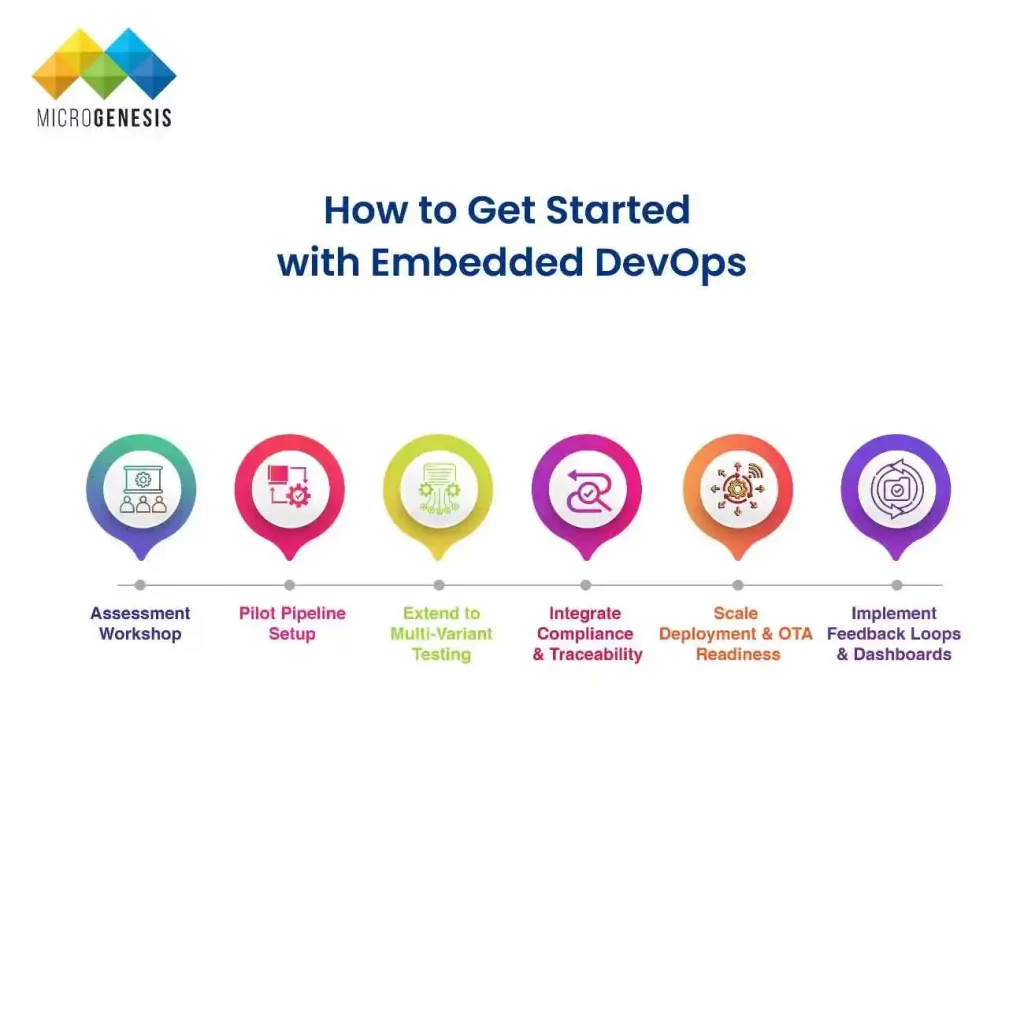
Our Blogs