
Is Your Jira Helping Your Teams—or Slowing Them Down?
Five years ago, your Jira implementation probably looked clean, organized, and easy to manage. A handful of projects, a few custom workflows, some dashboards, and everyone knew where to find their work.
Fast forward to today, and the same Jira instance may tell a very different story.
Projects have multiplied as new teams joined the organization. Custom fields have been added for one-off business requests. Workflows have become increasingly complex to accommodate different processes. Marketplace apps have accumulated over the years, many of which are no longer used. Dashboards display outdated metrics, inactive users still consume licenses, and administrators hesitate to remove anything for fear of breaking existing projects.
Sound familiar?
This is the reality for many enterprise organizations.
Jira rarely becomes inefficient overnight. Instead, technical debt accumulates gradually. Every new project, workflow, automation rule, or custom field seems justified at the time. But after several years, these incremental changes create an instance that is difficult to maintain, slower to use, and harder to scale.
The good news is that most Jira environments don’t need to be rebuilt from scratch—they need a structured cleanup strategy.
In this guide, we’ll share practical lessons learned from cleaning up mature enterprise Jira instances and explain how organizations can improve performance, simplify administration, and create a scalable governance model.
Why Enterprise Jira Instances Become Difficult to Manage
Jira is designed to be highly flexible. That flexibility is one of its greatest strengths, but without governance it can also become its biggest weakness.
Unlike rigid project management tools, Jira allows administrators to create custom fields, workflows, issue types, screens, permission schemes, automation rules, and integrations almost without limit.
Over time, this flexibility leads to configuration sprawl.
Some of the most common reasons enterprise Jira instances become difficult to manage include:
- Rapid organizational growth
- Multiple Jira administrators making independent changes
- Department-specific customizations
- Mergers and acquisitions
- Temporary projects that never get archived
- Marketplace apps installed without governance
- Poor documentation
- Lack of configuration standards
None of these issues seem significant individually, but together they create a complex environment that impacts productivity, reporting accuracy, and system performance.
Organizations planning to scale Jira across departments should first understand the pros and cons of Jira Software and how governance affects long-term success.
Signs Your Jira Instance Needs a Cleanup
Many organizations assume slow performance is the only indicator that Jira requires attention.
There are numerous warning signs that suggest your instance has accumulated technical and administrative debt.
Common Symptoms
| Warning Sign | Business Impact |
| Hundreds of custom fields | Difficult issue creation and reporting |
| Duplicate workflows | Increased maintenance effort |
| Large numbers of inactive users | Higher licensing costs |
| Slow dashboards | Reduced productivity |
| Outdated projects | Poor search results |
| Broken automation rules | Manual work increases |
| Multiple permission schemes | Administration becomes difficult |
| Duplicate issue types | User confusion |
| Marketplace app overload | Performance degradation |
If your administrators frequently say, “We’re afraid to change anything,” your Jira environment almost certainly needs governance and cleanup.
Lesson 1: Governance Matters More Than Customization
One of the biggest misconceptions about Jira is that more customization equals a better implementation.
In reality, successful enterprise Jira environments prioritize governance over unlimited flexibility.
Without governance:
- Every department creates its own workflows.
- Teams define their own naming conventions.
- Custom fields multiply rapidly.
- Administrators duplicate configurations instead of reusing them.
Eventually, the platform becomes difficult to understand—even for experienced administrators.
What Good Jira Governance Looks Like
Successful organizations establish standards for:
- Project naming conventions
- Workflow design
- Custom field creation
- Screen configurations
- Permission management
- Automation ownership
- Marketplace app approval
- Archiving policies
Governance doesn’t limit flexibility—it ensures flexibility remains sustainable.
Lesson 2: Custom Fields Multiply Faster Than You Think
Ask any experienced Jira administrator what causes the most long-term maintenance headaches, and custom fields will almost always be near the top of the list.
A field created for one project often gets reused elsewhere. Another department requests a similar field with a slightly different name. Over time, hundreds of custom fields accumulate.
Some organizations discover:
- 400+ custom fields
- Multiple “Priority” fields
- Duplicate customer information
- Unused dropdowns
- Obsolete reporting fields
This doesn’t just clutter issue screens.
Every custom field increases indexing, impacts search performance, complicates reporting, and makes administration more difficult.
How to Clean Up Custom Fields
Rather than deleting fields immediately, perform a structured audit:
- Identify unused fields.
- Review field usage across projects.
- Merge duplicate fields.
- Archive obsolete fields where appropriate.
- Establish approval processes for future field creation.
Standardizing fields improves usability while reducing long-term maintenance.
Organizations looking to improve reporting should also review Jira Reporting and Analytics to understand how cleaner data improves dashboard accuracy.
Lesson 3: Workflows Become More Complex Than Necessary
Every new business requirement often results in another workflow modification.
After several years, organizations frequently discover workflows containing:
- 15 statuses
- Multiple approval loops
- Duplicate transitions
- Unused conditions
- Complex validators
The problem isn’t just administrative complexity.
Overly complicated workflows confuse users, increase training effort, and reduce adoption.
Ask Yourself
Does every issue really require:
- Seven approval stages?
- Twelve status transitions?
- Five different review states?
Often, the answer is no.
Successful Jira implementations simplify workflows rather than expanding them indefinitely.
A useful principle is:
“Only automate what genuinely adds business value.”
If a workflow exists simply because “that’s how we’ve always done it,” it’s worth reviewing.
Organizations adopting Agile delivery often achieve better results by standardizing workflows around proven Jira Agile boards and workflows.
Lesson 4: Permission Schemes Can Become a Security Risk
Permissions are often configured during implementation and rarely revisited.
As organizations grow, administrators frequently create new permission schemes to accommodate new teams, contractors, business units, or compliance requirements. Over time, this leads to an explosion of permission configurations that are difficult to understand and even harder to maintain.
Typical problems include:
- Multiple permission schemes with slight variations
- Users retaining access after changing roles
- Contractors having unnecessary project access
- Duplicate project roles
- Conflicting permission settings
Beyond administrative complexity, poor permission management can expose sensitive project data and create compliance risks.
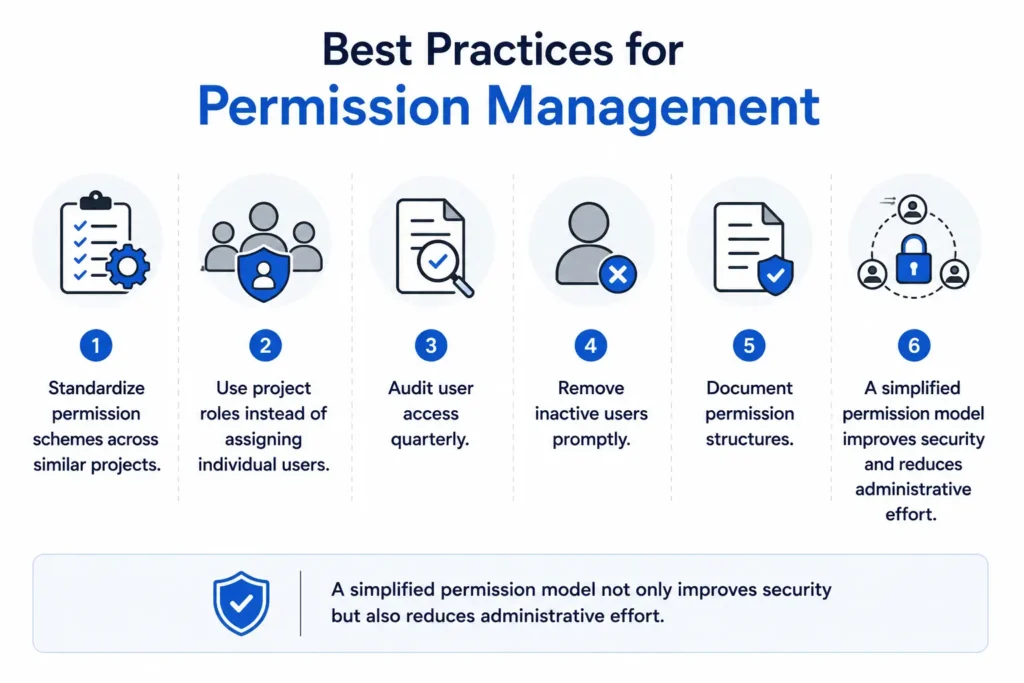
- Standardize permission schemes across similar projects.
- Use project roles instead of assigning individual users.
- Audit user access quarterly.
- Remove inactive users promptly.
- Document permission structures.
A simplified permission model not only improves security but also reduces administrative effort.
Lesson 5: Old Projects Rarely Get Archived
Enterprise Jira instances often contain hundreds—or even thousands—of projects.
Many of these are:
- Completed years ago
- Pilot initiatives
- Proof-of-concepts
- Cancelled programs
- Merged projects
Yet they remain active.
This affects:
- Search performance
- Navigation
- Reporting
- User experience
Developers waste time finding the correct project while administrators struggle to maintain outdated configurations.
Project Lifecycle Governance
Every organization should establish a project lifecycle policy.
For example:
| Project Status | Action |
| Active | Continue management |
| Completed (12 months) | Archive |
| Cancelled | Archive immediately |
| Duplicate | Merge or Remove |
| Temporary Projects | Automatic archival after closure |
Archiving old projects preserves historical information while keeping Jira organized and performant.
Lesson 6: Automation Rules Need Regular Audits
Automation is one of Jira’s most powerful capabilities.
However, poorly managed automation quickly becomes technical debt.
In mature Jira instances, it’s common to find:
- Duplicate automation rules
- Disabled rules that are never removed
- Recursive loops
- Broken integrations
- Inefficient triggers
These issues increase processing time and make troubleshooting difficult.
Questions Every Administrator Should Ask
- Is this automation still being used?
- Does another rule perform the same function?
- Can multiple rules be consolidated?
- Is the automation documented?
Organizations should perform automation reviews every quarter to ensure rules continue delivering business value.
If you’re expanding Jira automation capabilities, integrating the right tools can significantly improve efficiency. Learn how maximizing Jira integrations and add-ons helps create a connected and scalable Atlassian ecosystem.
Lesson 7: Dashboards Lose Their Business Value
Dashboards are designed to provide visibility.
Unfortunately, many enterprise Jira instances accumulate dozens—or even hundreds—of dashboards that nobody uses.
Common issues include:
- Broken filters
- Outdated reports
- Duplicate dashboards
- Too many gadgets
- Conflicated layouts
- No ownership
Instead of enabling better decisions, these dashboards create confusion.
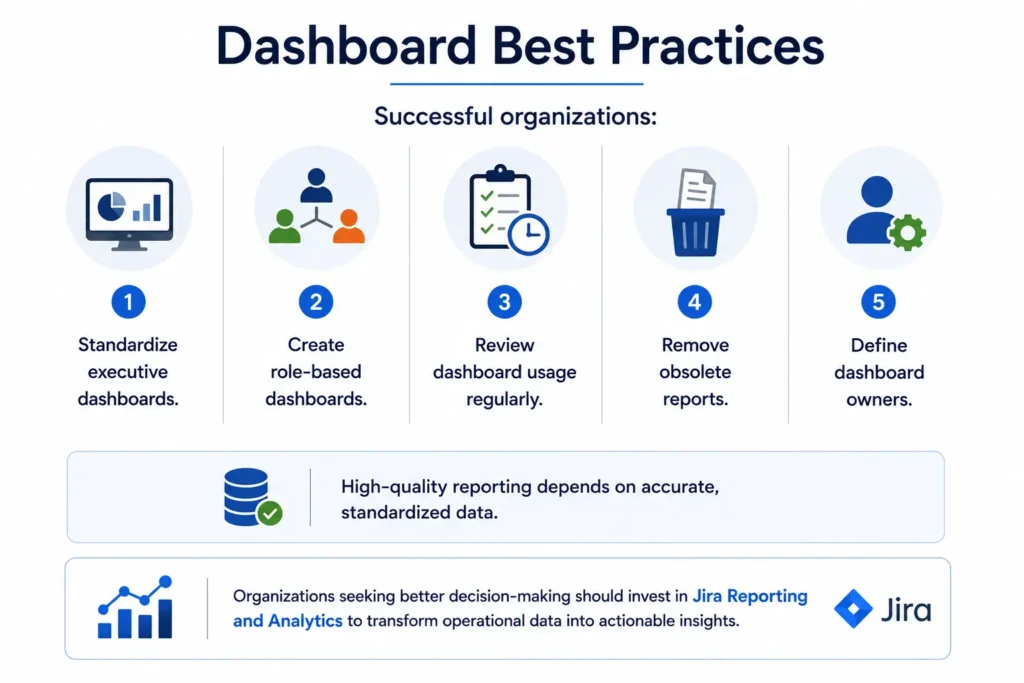
Successful organizations:
- Standardize executive dashboards.
- Create role-based dashboards.
- Review dashboard usage regularly.
- Remove obsolete reports.
- Define dashboard owners.
High-quality reporting depends on accurate, standardized data.
Organizations seeking better decision-making should invest in Jira Reporting and Analytics to transform operational data into actionable insights.
Lesson 8: Marketplace Apps Accumulate Over Time
Enterprise Jira environments often rely on Marketplace apps to extend functionality.
While these apps provide tremendous value, they also require governance.
Typical issues include:
- Unused applications
- Duplicate functionality
- Expired licenses
- Performance degradation
- Security vulnerabilities
- Upgrade compatibility issues
Some organizations discover they are paying for apps that nobody has used for years.
Marketplace Governance Checklist
✔ Review app usage every six months.
✔ Remove duplicate functionality.
✔ Validate vendor support.
✔ Assess security risks.
✔ Monitor licensing costs.
Every Marketplace app should have:
- A business owner
- A technical owner
- Documented purpose
- Review schedule
Enterprise Jira Cleanup Checklist
Before beginning a cleanup initiative, use the following checklist.
| Area | Review Required |
| Projects | Archive inactive projects |
| Custom Fields | Remove duplicates and unused fields |
| Workflows | Simplify and standardize |
| Permission Schemes | Consolidate and audit |
| Screens | Remove unnecessary configurations |
| Issue Types | Standardize across projects |
| Automation Rules | Audit and optimize |
| Dashboards | Remove outdated reports |
| Filters | Delete unused filters |
| Marketplace Apps | Review licensing and usage |
| Users | Remove inactive accounts |
| Documentation | Update governance documents |
Before vs. After: The Impact of Jira Cleanup
Organizations that invest in governance and cleanup often experience measurable improvements.
| Before Cleanup | After Cleanup |
| 500+ Custom Fields | 180 Standardized Fields |
| 35 Workflows | 12 Reusable Workflows |
| 800 Projects | 450 Active + Archived Projects |
| Slow Dashboard Loading | Optimized Reporting |
| Duplicate Automation Rules | Consolidated Automation |
| Multiple Permission Schemes | Standardized Access Model |
| Marketplace App Sprawl | Optimized App Portfolio |
| Poor User Experience | Simplified Navigation |
The result is not just a cleaner Jira instance—it is a platform that is easier to manage, scales with business growth, and delivers better value to users.
How Often Should You Perform a Jira Health Check?
A common mistake is treating Jira cleanup as a one-time project.
Instead, organizations should establish a governance cadence.
Monthly
- Review automation failures
- Monitor application performance
- Remove inactive users
Quarterly
- Audit custom fields
- Review dashboards
- Validate permission schemes
- Review Marketplace apps
Every Six Months
- Workflow assessment
- Screen optimization
- Reporting review
- Project governance
Annually
- Complete Jira Health Check
- Governance review
- Architecture assessment
- Upgrade planning
Regular reviews prevent technical debt from accumulating again.
Why Enterprise Jira Governance Matters
As organizations scale, Jira evolves from a project tracking tool into a business-critical platform supporting software development, IT service management, product management, and enterprise collaboration.
Without governance, complexity increases faster than business value.
A well-governed Jira environment delivers:
- Faster administration
- Improved reporting
- Better security
- Higher user adoption
- Simplified onboarding
- Lower licensing costs
- Better performance
- Greater scalability
Governance isn’t about restricting teams—it’s about enabling sustainable growth.
Organizations planning to modernize or optimize Jira should also evaluate whether moving to the latest Atlassian platform can improve scalability. Explore the benefits of switching to Atlassian Cloud and modern Jira capabilities.
How MicroGenesis Helps Optimize Enterprise Jira Environments
Managing Jira at enterprise scale requires more than technical administration. It requires governance, strategic planning, process optimization, and continuous improvement.
MicroGenesis helps organizations maximize the value of their Atlassian investment through end-to-end Jira consulting and managed services.
Our Jira Services Include
Jira Health Assessments
Identify configuration issues, performance bottlenecks, governance gaps, and optimization opportunities.
Jira Administration
Support ongoing administration, upgrades, user management, and configuration maintenance.
Workflow Optimization
Simplify workflows while maintaining compliance and business requirements.
Jira Cloud Migration
Plan and execute secure migrations from on-premises environments to Atlassian Cloud.
Learn how we helped an enterprise successfully migrate an on-premises Jira instance to Atlassian Cloud.
Reporting & Dashboards
Design executive dashboards that provide meaningful operational insights.
Automation Consulting
Build scalable automation strategies that improve productivity while reducing manual effort.
Governance Frameworks
Establish standards for projects, workflows, custom fields, permissions, and Marketplace apps.
Discover how our Jira Service Management consulting services help organizations build scalable, well-governed Atlassian environments.
Final Thoughts
A five-year-old Jira instance tells the story of your organization’s growth. Every new project, workflow, custom field, and automation rule reflects evolving business needs.
However, without governance, that growth eventually creates complexity that slows teams down rather than helping them move faster.
Enterprise Jira cleanup is not about deleting data—it’s about improving usability, performance, governance, and long-term scalability.
By regularly reviewing configurations, archiving obsolete projects, simplifying workflows, optimizing permissions, and standardizing administration, organizations can transform Jira from an overcomplicated system into a strategic platform that supports business growth.
Whether you’re managing hundreds of users or thousands of projects, investing in Jira governance today will reduce administrative effort, improve reporting, and create a better experience for every user.