
Choosing the right project management software is one of the most important decisions for any organization. Whether you’re managing Agile software development, coordinating cross-functional teams, or overseeing enterprise-scale projects, the right platform can improve collaboration, streamline workflows, and increase productivity.
Among the many project management tools available today, Jira Software has become one of the most trusted solutions for organizations worldwide. Developed by Atlassian, Jira is widely used by software development teams, IT departments, product managers, and increasingly by marketing, HR, finance, and operations teams. Its flexibility, powerful issue tracking, Agile capabilities, and extensive integration ecosystem have made it the preferred choice for businesses ranging from startups to Fortune 500 enterprises.
However, like any enterprise platform, Jira is not a one-size-fits-all solution. While it offers unmatched customization and scalability, it also comes with a learning curve, administrative overhead, and implementation challenges that organizations should understand before adoption.
If you’re wondering:
- Is Jira a good project management tool?
- What are the advantages and disadvantages of Jira?
- Is Jira worth it for small teams?
- Why do so many companies choose Jira?
- What are Jira’s biggest limitations?
You’re in the right place.
Many organizations adopt Jira because of its ability to support Agile methodologies, automate repetitive tasks, and scale with business growth. If you’re curious about why it has become the preferred choice for so many businesses, explore our guide on Why Companies Choose Atlassian Jira Software, which explains the key factors behind Jira’s widespread adoption.
In this comprehensive guide, we’ll explore Jira’s key features, benefits, limitations, real-world use cases, and comparisons with other project management platforms to help you decide whether Jira is the right investment for your organization.
What is Jira?
Jira is a project management and issue-tracking platform developed by Atlassian that helps organizations plan, organize, assign, monitor, and deliver work efficiently. Originally introduced as a bug-tracking tool for software development teams, Jira has evolved into a comprehensive work management platform capable of supporting projects across multiple departments and industries.
Today, Jira is used for much more than software development. Organizations rely on it to manage:
- Software development projects
- Agile and Scrum workflows
- IT service management (ITSM)
- Product development
- Marketing campaigns
- Human resources processes
- Business operations
- Enterprise project portfolios
One of Jira’s biggest strengths is its flexibility. Instead of forcing organizations to adapt to predefined workflows, Jira allows teams to customize workflows, issue types, permissions, dashboards, and automation rules to match their existing business processes.
Whether you’re tracking bugs, managing customer requests, planning product releases, or coordinating enterprise initiatives, Jira provides a centralized workspace where teams can collaborate, prioritize work, and monitor progress in real time.
Why Is Jira So Popular?
Jira has become one of the world’s most widely used project management platforms because it combines flexibility, scalability, and powerful collaboration features in a single solution.
Unlike many task management tools that focus on simple to-do lists, Jira supports complex business processes and enterprise-scale project management.
Some of the key reasons organizations choose Jira include:
- Highly customizable workflows
- Comprehensive issue tracking
- Native Agile support
- Powerful reporting and dashboards
- Extensive automation capabilities
- Integration with thousands of third-party applications
- Enterprise-grade security and governance
- Scalability for growing organizations
These capabilities make Jira suitable for organizations of all sizes, from small development teams to multinational enterprises managing thousands of users across multiple business units.
Key Features of Jira Software
Before evaluating Jira’s advantages and disadvantages, it’s important to understand the features that have made it one of the leading project management platforms.
Comprehensive Issue Tracking
At its core, Jira is an issue-tracking platform that enables teams to manage every piece of work throughout its lifecycle.
Teams can create and track:
- User stories
- Epics
- Tasks
- Bugs
- Change requests
- Service requests
- Technical debt
- Improvements
Each issue contains detailed information such as ownership, priority, due dates, comments, attachments, activity history, and workflow status, ensuring complete visibility across projects.
Understanding how Jira organizes work items is essential for new users. Our guide on Story vs Epic vs Task: What’s the Difference in Jira? explains how these issue types work together to improve project planning and execution.
Agile Project Management
Jira is built with Agile teams in mind and provides comprehensive support for Scrum, Kanban, and hybrid methodologies.
Its Agile capabilities include:
- Scrum Boards
- Kanban Boards
- Product Backlogs
- Sprint Planning
- Sprint Reviews
- Story Points
- Roadmaps
- Velocity Reports
- Burndown Charts
These features help teams prioritize work, improve sprint planning, and deliver projects more efficiently.
If your organization is implementing Agile practices, our article on Jira Agile Workflows & Boards explores how to build effective Agile workflows using Jira.
Workflow Customization
One of Jira’s greatest strengths is its ability to adapt to different business processes.
Organizations can customize:
- Workflows
- Status transitions
- Issue types
- Custom fields
- Approval processes
- Notifications
- Permissions
- Dashboards
This flexibility allows teams across software development, marketing, HR, finance, and operations to configure Jira according to their specific requirements rather than changing their workflows to fit the software.
To get the most value from Jira, it’s important to design workflows that remain simple, scalable, and easy to maintain. Our guide on Customizing Workflows in Jira shares practical best practices for creating efficient workflows without adding unnecessary complexity.
Automation
Jira’s built-in automation engine enables organizations to reduce repetitive manual work by automating routine tasks.
Teams can create rules to:
- Assign issues automatically
- Update issue statuses
- Send notifications
- Create subtasks
- Escalate requests
- Trigger approvals
- Synchronize workflows
Automation helps reduce administrative effort, improve consistency, and increase overall productivity.
Reporting and Dashboards
Jira provides real-time visibility into project health through customizable dashboards and built-in reports.
Popular reports include:
- Sprint Reports
- Burndown Charts
- Velocity Reports
- Control Charts
- Cumulative Flow Diagrams
- Workload Reports
- Release Tracking
These reports help project managers identify bottlenecks, monitor team performance, and make informed decisions based on real-time project data.
Integrations
Jira integrates seamlessly with hundreds of business and development tools, creating a connected work management ecosystem.
Popular integrations include:
- GitHub
- Bitbucket
- Confluence
- Slack
- Microsoft Teams
- Jenkins
- Azure DevOps
- ServiceNow
- Salesforce
For organizations looking to improve collaboration across teams, integrating Jira with documentation and communication platforms can significantly enhance productivity. Learn more in our guide on Integrating Jira with Confluence and Other Tools for Productivity.
Who Uses Jira?
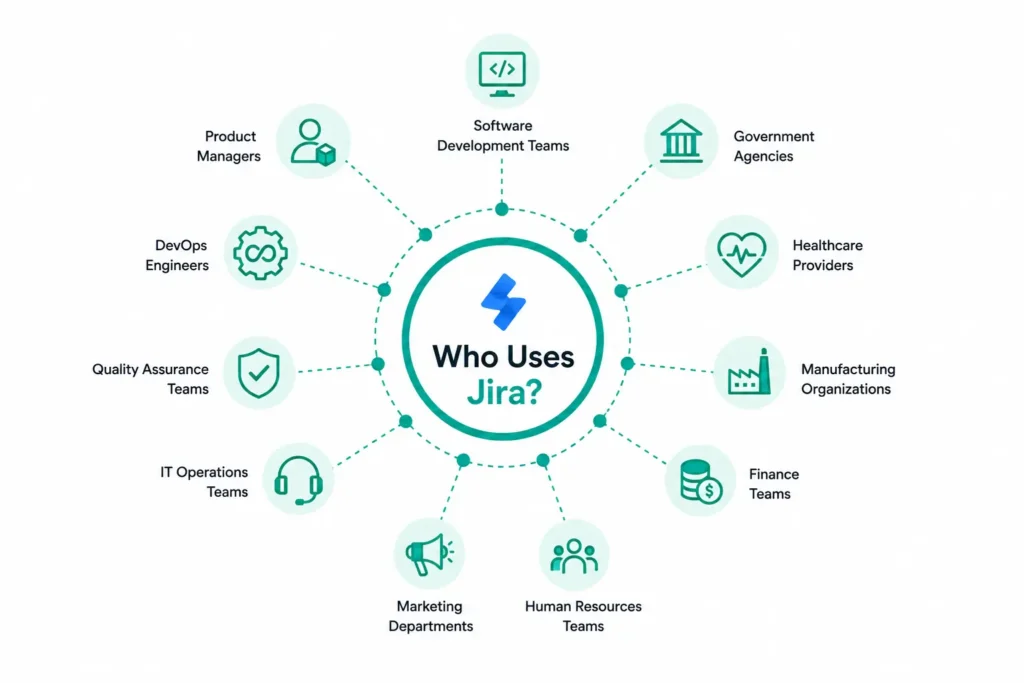
Although Jira was originally designed for software development teams, its flexibility has made it valuable across many industries and business functions.
Common Jira users include:
- Software development teams
- Product managers
- DevOps engineers
- Quality assurance teams
- IT operations teams
- Marketing departments
- Human resources teams
- Finance teams
- Manufacturing organizations
- Healthcare providers
- Government agencies
As organizations expand their use of Jira beyond engineering, they often customize workflows to support non-technical business processes, making Jira a versatile platform for enterprise-wide collaboration.
Top 8 Advantages of Jira Software
Jira has become one of the most widely used project management platforms because it combines flexibility, automation, and enterprise-grade capabilities. While many project management tools focus on basic task tracking, Jira provides a comprehensive platform for planning, executing, monitoring, and continuously improving projects.
Let’s explore the biggest benefits of Jira Software and why organizations across industries continue to adopt it.
Highly Customizable Workflows
One of Jira’s greatest strengths is its flexibility. Every organization has unique processes, approval chains, reporting requirements, and project lifecycles. Rather than forcing teams to follow predefined workflows, Jira allows organizations to build workflows that align with their business processes.
Teams can customize:
- Issue types
- Workflow statuses
- Approval stages
- Notifications
- Custom fields
- Permission schemes
- Dashboards
- Automation rules
For example:
- A software development team can create workflows for bug tracking and release management.
- A marketing team can manage campaign planning and content approvals.
- An HR department can automate employee onboarding requests.
- An operations team can manage internal service requests.
This flexibility makes Jira suitable for organizations of all sizes and industries.
However, customization should always be approached strategically. Overly complex workflows can reduce usability and increase administrative effort. Our guide on Customizing Workflows in Jira explains how to design workflows that remain efficient, scalable, and easy to maintain.
Excellent Support for Agile Project Management
Jira was built with Agile development at its core, making it one of the best project management platforms for Scrum, Kanban, and hybrid Agile methodologies.
Agile teams can easily manage:
- Product backlogs
- Sprint planning
- Sprint execution
- Story estimation
- Epic management
- Release planning
- Team capacity
- Sprint retrospectives
Jira’s interactive Scrum and Kanban boards provide real-time visibility into project progress, enabling teams to identify blockers, prioritize work, and improve collaboration throughout the development lifecycle.
For organizations adopting Agile practices, our guide on Jira Agile Workflows & Boards provides practical insights into designing efficient Agile workflows that improve delivery speed and team productivity.
Powerful Issue Tracking and Project Visibility
Issue tracking has always been Jira’s strongest capability.
Every task, bug, improvement request, or feature enhancement can be tracked from creation through completion, giving project managers and stakeholders complete visibility into project progress.
Each Jira issue includes:
- Assignee
- Priority
- Due date
- Status
- Comments
- Attachments
- Activity history
- Linked issues
- Time tracking
This centralized approach improves accountability and ensures that nothing falls through the cracks.
Jira also organizes work using Epics, Stories, Tasks, and Bugs, making it easier for teams to structure large projects into manageable units of work.
If you’re new to Jira’s issue hierarchy, our article on Story vs Epic vs Task: What’s the Difference in Jira? explains how these work items fit together within Agile project management.
Extensive Integration Ecosystem
Modern organizations rarely rely on a single application to manage their work. Development teams use version control systems, communication platforms, documentation tools, CI/CD pipelines, and cloud services alongside their project management software.
Jira integrates with thousands of applications, enabling organizations to create a connected digital workplace.
Popular integrations include:
- GitHub
- Bitbucket
- Confluence
- Slack
- Microsoft Teams
- Jenkins
- Azure DevOps
- ServiceNow
- Salesforce
These integrations eliminate manual updates, improve collaboration, and create seamless workflows across teams.
For example, integrating Jira with Confluence allows project documentation and technical knowledge to stay linked with development work, while Git repositories and CI/CD tools provide end-to-end visibility from planning to deployment.
Learn more about creating a connected collaboration environment in our guide on Integrating Jira with Confluence and Other Tools for Productivity.
Automation Improves Productivity
As organizations grow, repetitive administrative tasks can consume a significant amount of time.
Jira’s built-in automation engine helps teams eliminate manual work by automatically executing predefined actions whenever specific conditions are met.
Common automation scenarios include:
- Assigning issues to team members
- Updating issue statuses
- Sending reminders and notifications
- Escalating overdue tasks
- Creating subtasks
- Synchronizing workflows
- Closing completed issues
Automation reduces human error, improves consistency, and allows project managers to focus on strategic work instead of repetitive administration.
Combined with well-designed workflows, automation significantly improves overall team productivity.
Advanced Reporting and Real-Time Dashboards
Effective project management depends on accurate, real-time insights.
Jira provides a comprehensive suite of reports and dashboards that help teams monitor progress, identify bottlenecks, and make informed decisions.
Popular reporting features include:
- Burndown Charts
- Velocity Reports
- Sprint Reports
- Control Charts
- Cumulative Flow Diagrams
- Workload Reports
- Roadmaps
- Release Tracking
These reports allow project managers to evaluate team performance, forecast delivery timelines, and continuously improve Agile processes.
Instead of relying on spreadsheets or manual status updates, stakeholders can access live dashboards that reflect the current state of every project.
Scales Easily as Organizations Grow
One reason Jira remains popular among growing businesses is its scalability.
Small teams can start with simple workflows and gradually expand the platform as their requirements become more sophisticated.
As organizations grow, Jira can support:
- Multiple projects
- Cross-functional teams
- Department-specific workflows
- Portfolio management
- Enterprise governance
- Thousands of users
Growing organizations can also standardize project management practices while maintaining flexibility for individual teams.
If your business is expanding rapidly, our guide on How Growing Companies Can Implement Jira to Reduce Costs and Improve Efficiency explains how Jira can support long-term growth without sacrificing productivity.
Supports Both Technical and Non-Technical Teams
Although Jira is often associated with software development, its flexibility makes it equally valuable for non-technical departments.
Today, organizations use Jira to manage:
- Marketing campaigns
- HR processes
- Finance approvals
- Procurement requests
- Legal reviews
- Operations projects
- Business process management
Custom workflows, automation, dashboards, and reporting help every department improve visibility and collaboration.
For organizations looking to extend Jira beyond software development, our article on Jira Work Management for Non-Technical Teams demonstrates how business teams can successfully adopt Jira for everyday work management.
Why These Advantages Matter
The combination of workflow flexibility, Agile capabilities, automation, integrations, reporting, and enterprise scalability explains why Jira has become the preferred project management platform for organizations worldwide. However, these strengths can also introduce complexity if Jira is not implemented and governed effectively.
In the next section, we’ll examine the top disadvantages and limitations of Jira Software, including its learning curve, performance challenges, pricing considerations, and the risks of excessive customization, helping you determine whether Jira is the right fit for your organization.
give next
Top 8 Disadvantages of Jira Software
While Jira offers powerful project management capabilities, it isn’t the perfect solution for every organization. Its flexibility and extensive feature set can introduce challenges if the platform is not implemented, configured, or governed effectively.
Understanding these limitations will help you determine whether Jira aligns with your team’s needs and how to overcome potential obstacles.
Steep Learning Curve for New Users
One of the most common criticisms of Jira is its learning curve.
Unlike simple task management tools, Jira offers hundreds of configuration options, multiple project types, custom workflows, issue hierarchies, automation rules, and reporting features. While these capabilities make Jira incredibly powerful, they can also overwhelm first-time users.
New users often struggle with concepts such as:
- Projects
- Boards
- Workflows
- Epics
- Stories
- Tasks
- Sprints
- Components
- Versions
Without proper onboarding, users may initially find the interface complex compared to simpler tools like Trello or Asana.
Fortunately, this challenge is temporary. With structured training and a well-designed Jira implementation, most teams become comfortable using the platform within a short period.
If you’re getting started with Jira, our guide on How to Use Jira for Beginners provides a practical introduction to the platform and helps new users become productive more quickly.
Over-Customization Can Create Complexity
Jira’s flexibility is one of its biggest advantages, but it can also become one of its biggest disadvantages when organizations customize everything.
Many companies gradually accumulate:
- Hundreds of workflows
- Duplicate issue types
- Unnecessary custom fields
- Complex permission schemes
- Redundant screens
- Inconsistent configurations
Over time, these customizations make Jira harder to administer and more difficult for users to navigate.
Instead of improving productivity, excessive customization can lead to confusion, slower project execution, and higher maintenance costs.
Organizations should establish governance standards and periodically review their Jira configuration to remove outdated workflows and simplify project structures.
Our guide on Enterprise Jira Cleanup Best Practices explains how to identify unnecessary configurations and optimize Jira for better usability and long-term maintainability.
Costs Increase as Organizations Scale
Jira offers an attractive free plan for small teams, but costs can increase as organizations grow and require more advanced capabilities.
Additional expenses may include:
- Premium or Enterprise subscriptions
- Marketplace applications
- User licensing
- Administration
- Training
- Consulting services
Organizations should evaluate the total cost of ownership rather than focusing solely on licensing fees.
Despite these costs, many businesses achieve a strong return on investment because Jira improves visibility, collaboration, automation, and delivery efficiency across projects.
Performance Can Be Affected by Poor Administration
Jira generally performs well, but poorly managed instances may experience performance issues as they grow.
Common causes include:
- Excessive custom fields
- Large attachments
- Too many automation rules
- Unoptimized dashboards
- Large issue volumes
- Unused projects
- Poor indexing
These issues can slow page loading, report generation, and search performance.
Regular maintenance, cleanup, and performance monitoring help keep Jira responsive as organizations expand.
If your Jira instance has become slower over time, our guide on Jira Performance Issues for Growing Teams explains the most common causes and practical ways to improve system performance.
Built-In Testing Capabilities Are Limited
Although Jira excels at issue tracking and project management, it is not a dedicated test management platform.
Teams requiring advanced quality assurance processes often need additional applications for:
- Test case management
- Test execution
- Test planning
- Test reporting
- Defect traceability
Fortunately, Jira integrates with numerous testing solutions available through the Atlassian Marketplace, enabling organizations to build a complete application lifecycle management ecosystem.
For software development teams, this flexibility allows them to choose testing tools that best fit their development processes rather than relying on limited built-in functionality.
Administrative Overhead Requires Dedicated Ownership
As Jira deployments grow, administration becomes increasingly important.
Enterprise environments often require ongoing management of:
- User permissions
- Security roles
- Workflow updates
- Automation rules
- Marketplace apps
- Integrations
- Governance policies
Without dedicated administration, Jira environments can become inconsistent, making them harder to manage and less effective for end users.
Organizations with large Jira deployments typically assign experienced Jira administrators or work with Atlassian partners to ensure the platform remains secure, optimized, and aligned with business requirements.
Can Feel Overwhelming for Simple Projects
Jira is designed for managing complex projects and enterprise workflows.
For small teams with straightforward task management needs, its extensive functionality may feel unnecessary.
If your team simply needs a shared task list or lightweight collaboration, simpler project management tools may offer a faster onboarding experience.
However, organizations expecting rapid growth often choose Jira early because it can scale without requiring a future migration to another platform.
Requires Planning for Successful Implementation
Simply installing Jira does not guarantee success.
Organizations that implement Jira without clearly defined workflows, governance standards, permission models, or automation strategies often struggle with inconsistent adoption and inefficient processes.
Successful Jira implementations typically include:
- Business process analysis
- Workflow design
- User training
- Governance policies
- Integration planning
- Ongoing optimization
Investing time in planning helps organizations maximize Jira’s capabilities while avoiding unnecessary complexity.
Jira Pros and Cons at a Glance
The following table summarizes Jira’s biggest strengths and limitations.
|
Pros |
Cons |
|
Highly customizable workflows |
Steep learning curve for beginners |
|
Excellent Agile and Scrum support |
Over-customization can create complexity |
|
Powerful issue and bug tracking |
Licensing costs increase as organizations grow |
|
Extensive integrations |
Performance depends on good administration |
|
Built-in automation |
Limited native testing capabilities |
|
Advanced reporting and dashboards |
Requires ongoing governance |
|
Enterprise scalability |
Can feel complex for simple projects |
|
Strong security and permissions |
Successful implementation requires planning |
Jira vs Other Project Management Tools
Choosing the right project management platform often involves comparing Jira with alternatives such as Trello and Monday.com.
Each tool has strengths depending on your team’s size, technical expertise, and project complexity.
|
Feature |
Jira |
Trello |
Monday.com |
|
Workflow Customization |
⭐⭐⭐⭐⭐ |
⭐⭐ |
⭐⭐⭐⭐ |
|
Agile Support |
⭐⭐⭐⭐⭐ |
⭐⭐ |
⭐⭐⭐ |
|
Ease of Use |
⭐⭐⭐ |
⭐⭐⭐⭐⭐ |
⭐⭐⭐⭐ |
|
Automation |
⭐⭐⭐⭐⭐ |
⭐⭐⭐ |
⭐⭐⭐⭐ |
|
Reporting |
⭐⭐⭐⭐⭐ |
⭐⭐ |
⭐⭐⭐⭐ |
|
Scalability |
⭐⭐⭐⭐⭐ |
⭐⭐ |
⭐⭐⭐⭐ |
|
Best For |
Agile, DevOps, Enterprise Projects |
Simple Task Management |
Cross-functional Business Teams |
While Trello is ideal for lightweight task management and Monday.com offers an intuitive work management experience, Jira stands out for organizations that require advanced Agile planning, workflow customization, automation, and enterprise scalability.
If you’re evaluating alternatives, our detailed Jira Software vs Monday.com comparison explores the differences between these platforms to help you choose the right solution.
Is Jira Worth It in 2026?
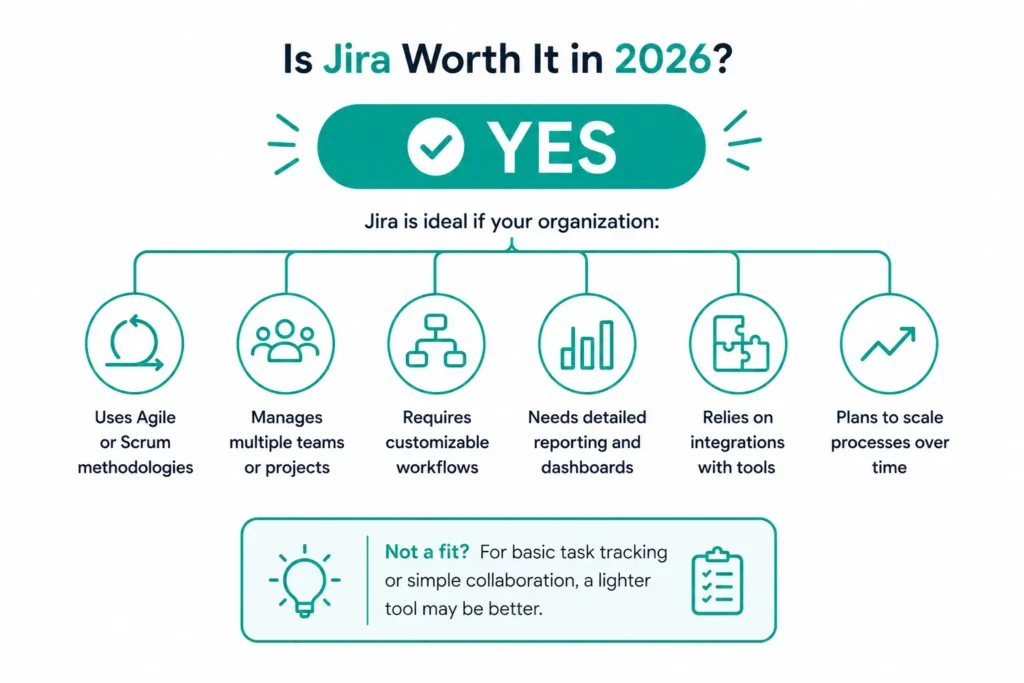
For most organizations managing complex projects, Agile development, or enterprise operations, the answer is yes.
Jira remains one of the most capable project management platforms because it combines flexibility, scalability, automation, and deep integration capabilities. While there is an initial learning curve, the long-term benefits often outweigh the upfront effort required to implement and configure the platform.
Jira is particularly valuable if your organization:
- Uses Agile or Scrum methodologies
- Manages multiple teams or projects
- Requires customizable workflows
- Needs detailed reporting and dashboards
- Relies on integrations with development and collaboration tools
- Plans to scale its project management processes over time
However, if your requirements are limited to basic task tracking or simple team collaboration, a lighter project management tool may be easier to adopt.
Who Should Use Jira?
Jira is a highly versatile platform that supports a wide range of teams and industries. While it is best known as a project management tool for software development, its flexibility makes it suitable for many business functions that require structured workflows, collaboration, and process automation.
Software Development Teams
Jira was originally designed for software development and remains one of the best platforms for managing the software development lifecycle.
Development teams can use Jira to:
- Manage product backlogs
- Track bugs and defects
- Plan and execute sprints
- Monitor releases
- Coordinate with QA teams
- Integrate with version control systems
Its native Agile capabilities make it an ideal choice for Scrum and Kanban teams.
DevOps Teams
DevOps teams benefit from Jira’s ability to connect planning with development and deployment workflows.
By integrating Jira with tools such as GitHub, Bitbucket, Jenkins, and cloud platforms, organizations gain complete visibility from requirement creation to production deployment.
Product Management Teams
Product managers use Jira to:
- Prioritize feature requests
- Build product roadmaps
- Manage backlogs
- Coordinate cross-functional teams
- Track release progress
Jira helps product teams maintain transparency while balancing customer requirements and business priorities.
IT and Service Management Teams
Jira is also widely used for IT operations and service management.
IT teams can manage:
- Incident requests
- Change management
- Asset tracking
- Problem management
- Service requests
Organizations looking to expand beyond software development often adopt Jira to standardize operational workflows across departments.
Business and Non-Technical Teams
Many organizations mistakenly believe Jira is only for developers.
In reality, marketing, HR, finance, legal, procurement, and operations teams increasingly use Jira to manage structured business processes.
Examples include:
- Marketing campaign planning
- Recruitment workflows
- Employee onboarding
- Vendor approvals
- Budget requests
- Compliance tracking
With the right configuration, Jira becomes a centralized work management platform for the entire organization.
If you’re considering Jira beyond software development, our guide on Jira Work Management for Non-Technical Teams explains how business teams can successfully adopt Jira without requiring technical expertise.
Who May Want to Consider Alternatives?
Although Jira is an excellent platform for many organizations, it may not be the best fit for every scenario.
You may want to consider simpler alternatives if:
- Your team only manages basic task lists.
- You don’t require Agile planning or workflow customization.
- Your projects involve very small teams with minimal collaboration.
- You need a lightweight tool that can be adopted immediately with little or no training.
- Your organization has limited administrative resources to maintain a highly configurable platform.
For organizations with straightforward project management needs, tools such as Trello or Monday.com may provide a faster onboarding experience. However, businesses expecting rapid growth often choose Jira because it scales significantly better over the long term.
How MicroGenesis Can Help
Successfully implementing Jira involves more than simply creating projects and inviting users. To maximize the platform’s value, organizations need well-designed workflows, effective governance, seamless integrations, and ongoing optimization.
As an Atlassian Platinum Solution Partner, MicroGenesis helps organizations unlock the full potential of Jira by delivering consulting, implementation, migration, customization, and managed services tailored to their business objectives.
Our Jira expertise includes:
- Jira implementation and configuration
- Agile transformation consulting
- Workflow design and optimization
- Jira Cloud migration
- Custom dashboards and reporting
- Workflow automation
- Jira administration and governance
- Marketplace app implementation
- Custom Jira integrations
- User training and adoption
- Health checks and performance optimization
Whether you’re deploying Jira for the first time, modernizing an existing environment, or scaling Jira across multiple business units, our consultants help ensure your implementation remains secure, efficient, and aligned with your long-term goals.
Frequently Asked Questions
Is Jira a good project management tool?
Yes. Jira is considered one of the best project management platforms for Agile software development, enterprise project management, and workflow automation. Its flexibility, reporting, and customization capabilities make it suitable for organizations of all sizes.
What are the biggest advantages of Jira?
Some of Jira’s biggest advantages include:
- Highly customizable workflows
- Agile project management
- Powerful issue tracking
- Workflow automation
- Advanced reporting
- Extensive integrations
- Enterprise scalability
- Strong security and governance
What are the disadvantages of Jira?
The most common disadvantages include:
- Steep learning curve
- Complex administration
- Licensing costs as organizations grow
- Risk of over-customization
- Ongoing governance requirements
- Limited native testing capabilities
Is Jira suitable for small businesses?
Yes. Jira offers a free plan for small teams and can support startups effectively. However, organizations with very simple project management requirements may find lighter tools easier to use.
Is Jira only for software development?
No. Although Jira originated as a software development tool, it is now widely used by marketing, HR, finance, operations, legal, and product teams for managing structured workflows and projects.
Why do companies use Jira?
Organizations use Jira because it improves collaboration, standardizes workflows, supports Agile methodologies, automates repetitive tasks, and provides real-time visibility into project performance.
Is Jira better than Trello?
It depends on your requirements. Trello is excellent for simple task management, while Jira offers significantly more capabilities for Agile planning, workflow customization, reporting, and enterprise-scale project management.
Can Jira integrate with other tools?
Yes. Jira integrates with thousands of applications, including GitHub, Bitbucket, Confluence, Microsoft Teams, Slack, Jenkins, Azure DevOps, ServiceNow, Salesforce, and many more.
Is Jira difficult to learn?
Jira has a steeper learning curve than simpler project management tools because of its extensive functionality. However, with proper onboarding, training, and implementation, most teams become proficient quickly.
Is Jira worth it in 2026?
For organizations managing Agile projects, software development, IT operations, or enterprise workflows, Jira remains one of the best long-term investments. Its flexibility, automation, scalability, and integration ecosystem continue to make it a leading project management platform.
Conclusion
Jira Software has earned its reputation as one of the world’s leading project management platforms by offering far more than simple task tracking. Its customizable workflows, robust issue management, Agile planning capabilities, automation features, advanced reporting, and extensive integration ecosystem enable organizations to manage complex projects with greater visibility and control.
That said, Jira is not without its challenges. New users may face a learning curve, organizations must carefully manage customization to avoid unnecessary complexity, and growing deployments require governance and regular maintenance. These considerations make thoughtful implementation and ongoing optimization essential to realizing Jira’s full value.
For organizations that need flexibility, scalability, and enterprise-grade project management, Jira remains an excellent investment in 2026. Whether you’re managing software development, IT operations, product delivery, or business workflows, Jira can adapt to your processes and grow alongside your organization.
As an Atlassian Platinum Solution Partner, MicroGenesis helps businesses implement, customize, integrate, and optimize Jira to achieve measurable improvements in productivity, collaboration, and project delivery. From initial implementation and cloud migration to workflow automation and long-term governance, our experts ensure your Jira environment is configured to support your business today and scale for tomorrow.